
andrej-kolic@andrej-kolic
andrej-kolic/claude-mods/tree/main/plugins/usage-bar
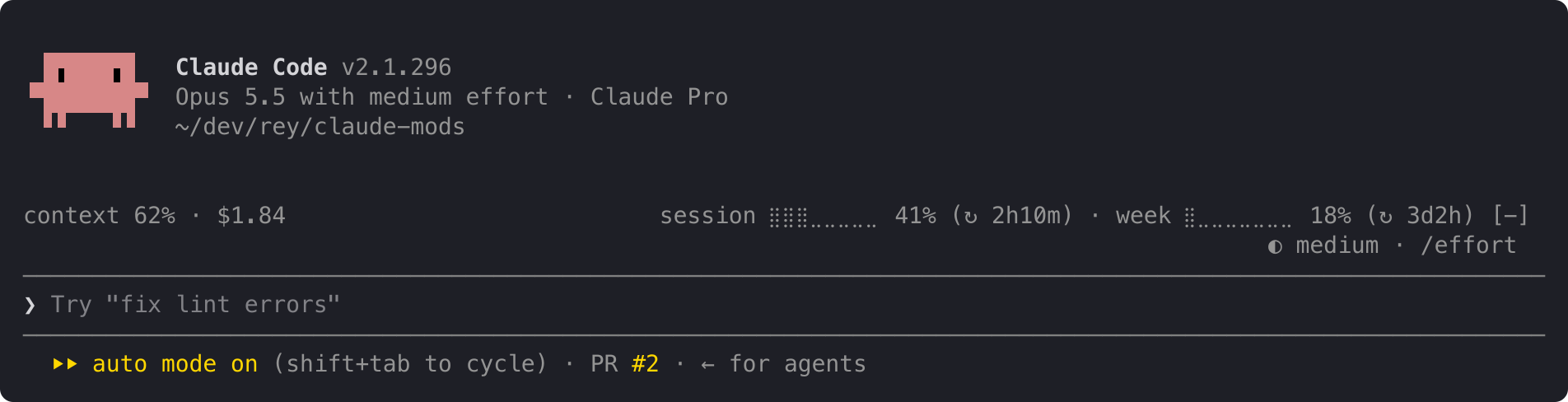
Claude Code plugin showing plan usage limits, context fill and session cost on a quiet line above the prompt, with yellow/red threshold alerts at 50%, 80% and 95% that reset each limit period.
andrej-kolic/claude-mods/tree/main/plugins/usage-bar
usage-bar adds a compact informational line above Claude Code's prompt, complementing rather than replacing the status line. On the left it shows the current conversation's context window fill and session cost; on the right it shows the account's 5-hour session and weekly limit usage with time until reset. Limit percentages turn yellow at 50% and red at 95%, and alerts appear at 50%, 80% and 95% thresholds, shown once per limit period and persisted across restarts and projects. The line shortens progressively instead of wrapping when space is tight, and shows "usage: no data yet" before the first reading or while logged out.
It reads only figures Claude Code already provides, sends nothing anywhere and makes no network requests, storing a small local record of already-shown alerts. Install with /plugin install usage-bar --marketplace andrej-kolic/claude-mods; requires Claude Code 2.1.275 or later and adds about 0 tokens of context. Usage limits need a Claude subscription; with an API key only context and cost are shown. It works in the terminal and the desktop app's Code tab, not on claude.ai or in Cowork.
Check the author's README for the marketplace and plugin name first. Commands may change as the repository evolves.
claude plugin marketplace add andrej-kolic/claude-mods
claude plugin install usage-bar@claude-mods
Your plan's usage limits, context and cost on one quiet line above the prompt, with an alert before you run out. It doesn't replace your status line: it sits above the prompt, so the two work side by side.
On the left, this conversation:
context: how full the context window is.$: what this session has cost.On the right, your account's limits:
session and week: how much of your 5-hour and weekly limits you've used, and after ↻, how long until each resets: 2h10m, 3d2h, or now once it has reset.A limit's percent turns yellow at 50% and red at 95%; the rest of the line stays grey. An alert with the limit and its percent appears at the top right at 50%, 80% and 95%:
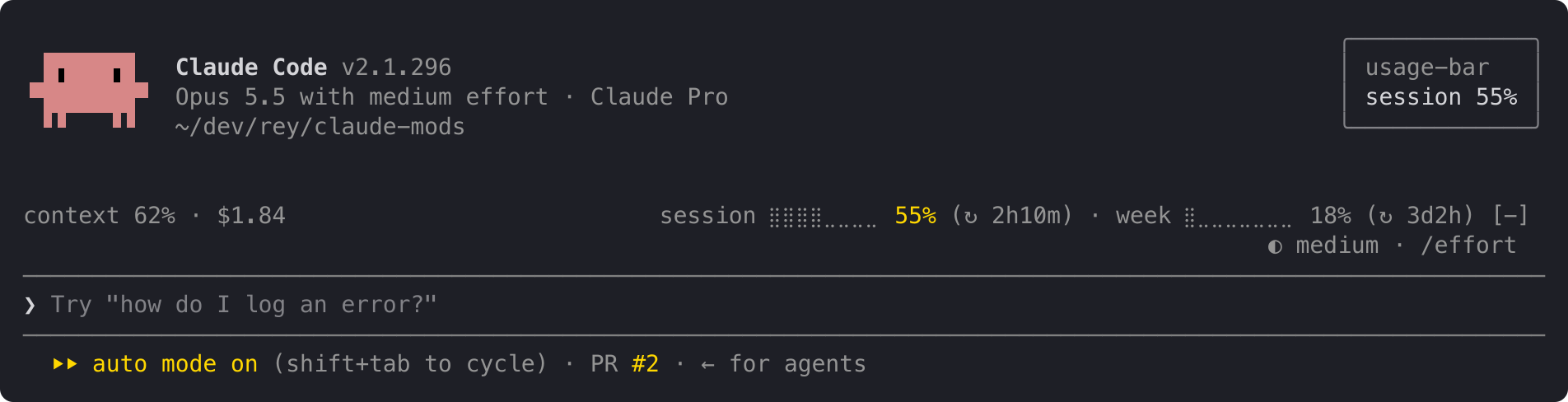
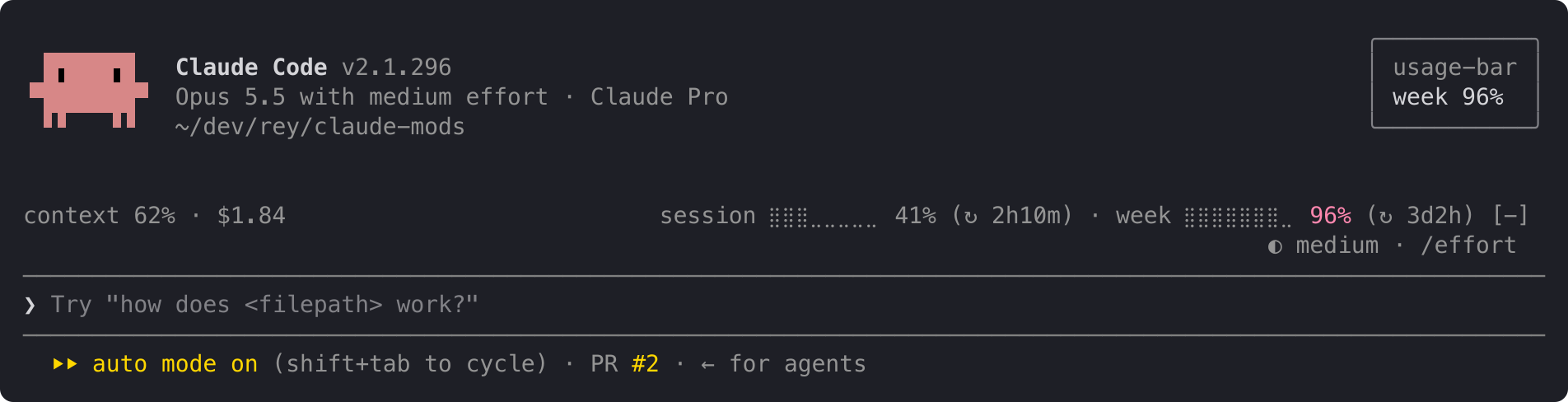
When both limits cross at once, one alert names both: session 62% · week 97%. Each alert shows once per limit period, even across restarts and projects. When a limit resets, its alerts start over.
The line at the top is the full layout. When it doesn't fit, it shortens instead of wrapping, one step at a time:
ctx 62% · $1.84 s ⣿⣿⣿⣀⣀⣀⣀⣀ 41% (↻ 2h10m) · w ⣿⣀⣀⣀⣀⣀⣀⣀ 18% (↻ 3d2h)
ctx 62% · $1.84 s 41% (↻ 2h10m) · w 18% (↻ 3d2h)
ctx 62% · $1.84 s 41% · w 18%
For a few seconds after startup, and for as long as you're not logged in, the line reads:
usage: no data yet
The context shows – until your first reply, because Claude Code measures the context only when it answers.
usage-bar reads only figures Claude Code already has: context fill, session cost and your plan's limits. It sends nothing anywhere and makes no network requests. It stores one small record per limit on your machine, listing the alerts already shown in the current period, so a restart doesn't repeat them.
In Claude Code:
/plugin install usage-bar --marketplace andrej-kolic/claude-mods
The desktop app's Code tab doesn't offer /plugin install: run it once in a terminal, at the user scope, and the line shows in the desktop app's local sessions too.
$, and no alerts.The screenshots use sample readings. The yellow and red follow your Claude Code theme.
The spec has every rule: rounding, colours, widths, and when alerts repeat.

Documentation generation, drift detection, and API docs automation plugin that also acts as a function-hook guard refusing doc writes or worker dispatch containing secrets.
Repowise ships Lens, a Claude Code mod that visualizes your indexed codebase in real time—files light up as Claude searches, reads and edits them, and importers/reverse dependencies highlight too. It includes a Flow tab showing impacted files and covering tests, plus a review row with health changes and a button to run suggested tests.


A status bar for the Claude desktop app. It draws above your prompt and shows session quality, context fill, cache countdown, and your 5-hour and weekly limits, with Clawd acting out what the session is doing.