
eshin087@eshin087
eshin087/claude-code-mods/tree/main/turn-timer
A Claude Code mod that logs each turn's wall-clock duration, tool-call count, output tokens and model as a chat row, with /timings commands to review recent prompts.
eshin087/claude-code-mods/tree/main/turn-timer
What it does: records how long every prompt took, so you can look back later.
Where you see it:
⏱ 6m 41s · 23 tool calls · 12k tokens written · Opus 5.5. It is saved in the transcript, so it's still there when you reopen the session. Claude never reads it (no token cost)./timings: the last 15 prompts in this project, with average, median, total and longest./timings all: every project, plus a per-project summary./timings 40: the last 40.How it works: the app reports each turn's exact wall-clock length when it ends. The mod adds tool-call count, output tokens and model, then appends the row.
Cost: none. No model calls.
Data saved: ~/.claude/mods-data/turn-timer/<session>.json, one file per session (so parallel sessions never overwrite each other). Each record holds the time, project, first 140 characters of the prompt, duration, tool calls, output tokens and model. Delete the folder to wipe history.
Notes: "interrupted" marks turns you stopped. The desktop app does not show the terminal's "Worked for…" line, which is why this exists.
Check the author's README for the marketplace and plugin name first. Commands may change as the repository evolves.
claude plugin marketplace add eshin087/claude-code-mods
claude plugin install turn-timer
What it does: records how long every prompt took, so you can look back later.
Where you see it:
⏱ 6m 41s · 23 tool calls · 12k tokens written · Opus 5.5. It is saved in the transcript, so it's still there when you reopen the session. Claude never reads it (no token cost)./timings: the last 15 prompts in this project, with average, median, total and longest./timings all: every project, plus a per-project summary./timings 40: the last 40.How it works: the app reports each turn's exact wall-clock length when it ends. The mod adds tool-call count, output tokens and model, then appends the row.
Cost: none. No model calls.
Data saved: ~/.claude/mods-data/turn-timer/<session>.json, one file per session (so parallel sessions never overwrite each other). Each record holds the time, project, first 140 characters of the prompt, duration, tool calls, output tokens and model. Delete the folder to wipe history.
Notes: "interrupted" marks turns you stopped. The desktop app does not show the terminal's "Worked for…" line, which is why this exists.
Is this your project? Add this badge to your README or website. It links back to this page.


Claude Code mod that records tool calls like a blackbox: replays recent actions before errors or denials via /blackbox, and masks tokens and passwords in the log.
A macOS-only Claude Code mod that starts a local HTTPS proxy and shows live API traffic in a pane next to the chat, letting Claude read requests via tools; it supports HTTP/2, gRPC, WebSockets and SSE, and can mock or slow responses.

The author built a mod using the new mod system: when Claude's xcodebuild run via Bash fails, it automatically appends -resultBundlePath and uses xcresulttool to extract errors/warnings/test failures, so Claude sees

A Claude Code mod that fingerprints the working tree and remembers which tests passed and failed on the same code, so the model re-runs a flaky test instead of changing working code.

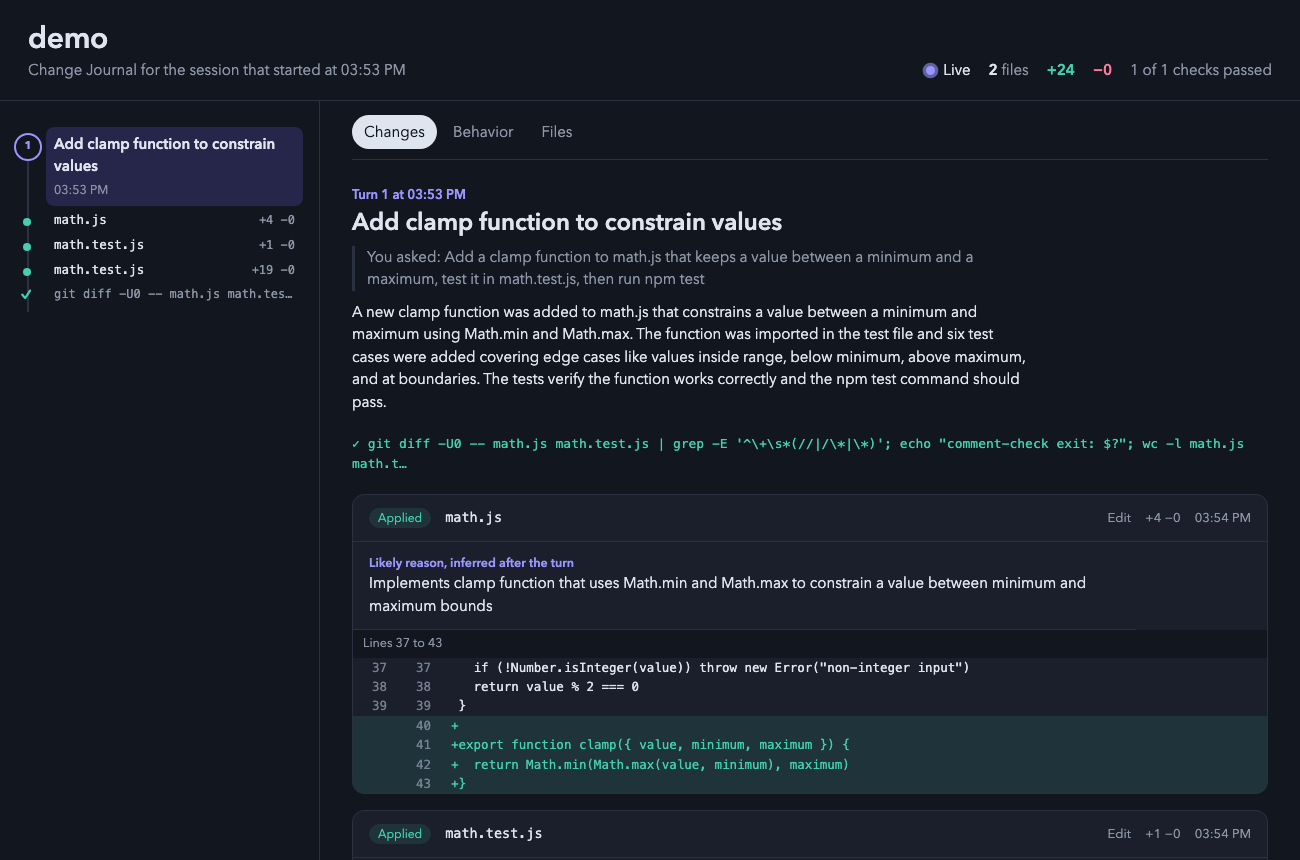
A Claude Code plugin that opens a live local HTML page showing every change Claude makes, including diffs, edit reasons, checks, and before/after behavior flows.

Records which real checks ran and which files changed after them; status line, /evidence, and an evidence tool Claude reads before claiming tested.