hoobnn@hoobnn
hoobnn/hoobnn-agent-mods/tree/main/claude-code/todo-bar
todo-bar: The task list's progress in a band above the prompt, read from the todo and task tools' own calls: no tool, no
hoobnn/hoobnn-agent-mods/tree/main/claude-code/todo-bar
Simplified Chinese · English
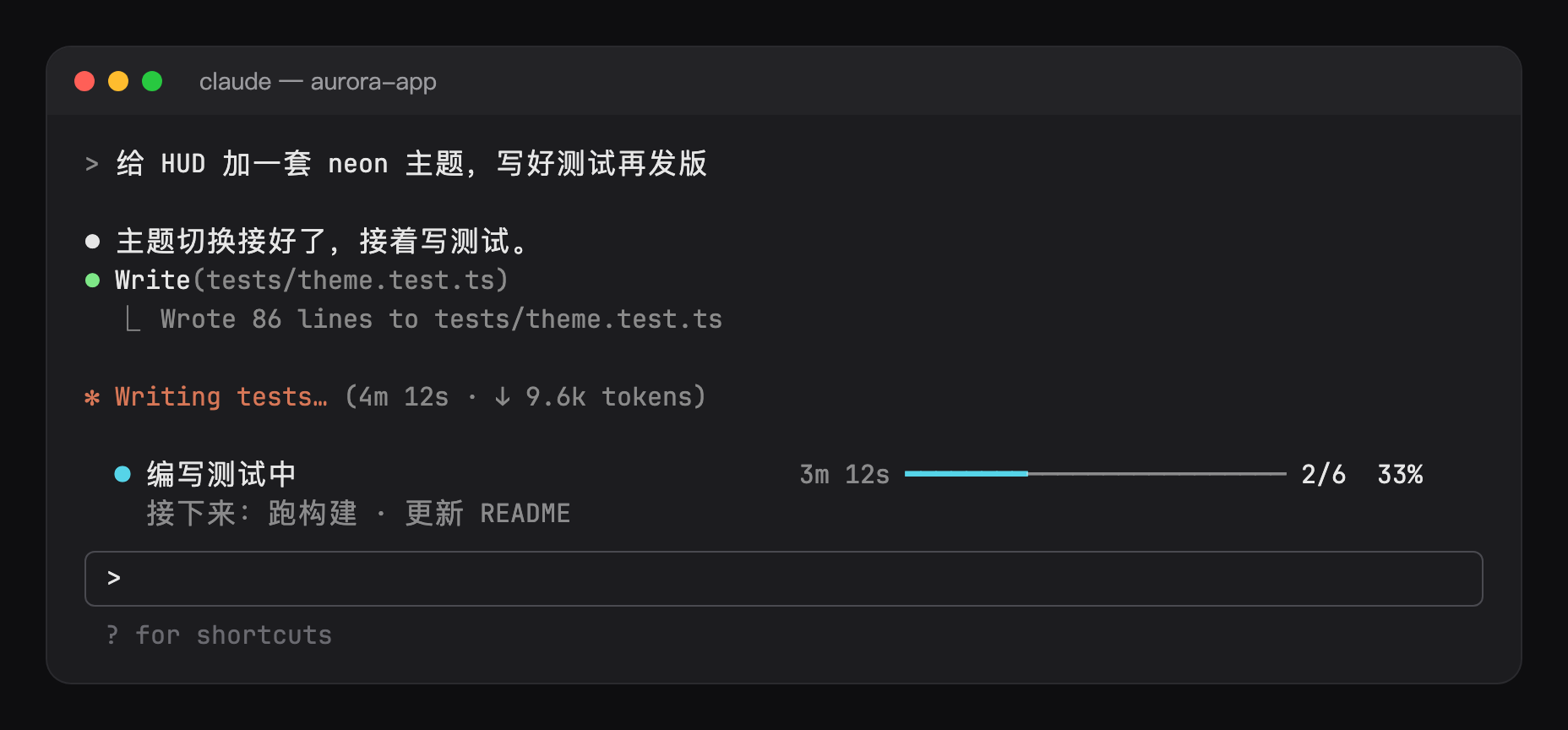
After Claude lists the task list, a progress bar appears above the input box: which item is being worked on now, how long this item has taken, and how many have been completed in total, all at a glance. It only reads the tool calls that Claude would send anyway, without consuming extra tokens.

3m 12s); when it exceeds slowMinutes (default 10 minutes), it turns yellow, so stuck steps are visible at a glance.TodoWrite, TaskCreate, and TaskUpdate have executed; it does not register tools, does not add content to the system prompt, and does not intercept any calls. Rejected or failed calls are not counted, and subagents' own lists are not displayed./ or @ selector pops up in the input box, the progress bar temporarily moves out of the way.
claude plugin marketplace add hoobnn/hoobnn-agent-mods
claude plugin install todo-bar@hoobnn-agent-mods
/todos: list all tasks and their statuses (✓ completed, ● in progress, ○ waiting), along with each item's elapsed time and number of tool calls during it, e.g. ✓ 编写测试 5m 20s · 工具调用 14 次./todos off, /todos on: hide or show the progress bar. This setting is written back to /config and will carry over to future sessions.Modify them in /config, or write them under pluginConfigs in ~/.claude/settings.json:
| Option | Effect | Default |
| --- | --- | --- |
| visible | Show the progress bar (this is what /todos off / on changes) | On |
| showNext | Show the next one or two tasks on the second line | On |
| slowMinutes | How many minutes the current task can run before the time turns yellow; 0 means no color change | 10 |
| language | UI language: auto, en, zh-Hans, zh-Hant, ja, ko, es, fr, de, pt-BR, ru | auto |
When language is auto, it follows Claude Code's language setting and then the system locale, and falls back to English if neither is available.
hoobnn-agent-mods also has a status bar HUD (hud), turn receipts (receipt), running animations and a pet (spinner), Tailscale node status (ts-band), and Hitokoto (hitokoto), which can be used together.
hooks/register.tsx: hooks (language at session start, /todos and saved lists, reading tool calls, commands, and the bar).hooks/board.ts: generates the list that the progress bar should draw based on the content of each call.hooks/config.ts: options, read once into a typed Config.hooks/i18n.ts: text for each language.hooks/kit/: a copy of claude-code/kit; after changing the source files, run scripts/sync-kit.sh.Check the author's README for the marketplace and plugin name first. Commands may change as the repository evolves.
claude plugin marketplace add hoobnn/hoobnn-agent-mods
claude plugin install todo-bar@hoobnn-agent-mods
简体中文 · English
Claude 列出任务清单后,输入框上方会出现一条进度条:现在做到哪一项、这一项做了多久、总共完成了多少,一眼就能看到。它只读 Claude 本来就会发出的工具调用,不额外消耗 token。
3m 12s);超过 slowMinutes(默认 10 分钟)变成黄色,卡住的步骤一眼就能看出来。TodoWrite、TaskCreate、TaskUpdate 执行完之后读取结果,不注册工具,不往系统提示词里加内容,也不拦截任何调用。被拒绝或失败的调用不计入,子代理自己的清单也不显示。/ 或 @ 选择器时,进度条会暂时让开。
claude plugin marketplace add hoobnn/hoobnn-agent-mods
claude plugin install todo-bar@hoobnn-agent-mods
/todos:列出全部任务和状态(✓ 已完成、● 进行中、○ 等待中),以及每项的用时和期间的工具调用次数,例如 ✓ 编写测试 5m 20s · 工具调用 14 次。/todos off、/todos on:隐藏或显示进度条。这个设置会写回 /config,以后的会话也会沿用。在 /config 里修改,或写在 ~/.claude/settings.json 的 pluginConfigs 里:
| 选项 | 作用 | 默认 |
| --- | --- | --- |
| visible | 显示进度条(/todos off / on 改的就是它) | 开 |
| showNext | 第二行显示接下来的一两项任务 | 开 |
| slowMinutes | 当前任务做了多少分钟后时间变黄;0 表示不变色 | 10 |
| language | 界面语言:auto、en、zh-Hans、zh-Hant、ja、ko、es、fr、de、pt-BR、ru | auto |
language 为 auto 时,依次跟随 Claude Code 的 language 设置和系统语言环境,都没有时用英语。
hoobnn-agent-mods 里还有状态栏 HUD(hud)、回合回执(receipt)、运行动画和宠物(spinner)、Tailscale 节点状态(ts-band)和一言(hitokoto),可以搭配使用。
hooks/register.tsx:钩子(会话开始时的语言、/todos 和已保存的清单,读取工具调用,命令和横条)。hooks/board.ts:根据每次调用的内容生成进度条要画的清单。hooks/config.ts:选项,一次性读成类型化的 Config。hooks/i18n.ts:各语言文案。hooks/kit/:claude-code/kit 的副本;改源文件后运行 scripts/sync-kit.sh。Is this your project? Add this badge to your README or website. It links back to this page.


A Claude Code mod that keeps an idle session's prompt cache warm with silent pings, then compacts large sessions once while the cache is still warm.

A Claude Code plugin that surfaces per-turn cost and 5-hour plan usage live in the spinner and prompt band, applies model/effort switches from `optimaizr live`, counts down before the conversation cache expires, offers `/optimaizr handoff` notes, and guards against retry loops — all running locally.
A Reddit post shares four Claude Code plugins from Nate Herk's marketplace: Cache Keeper (warm/cold prompt cache status and cost), Recording Mode (/rec, masks secrets on screen while recording), Goal Meter (/goals, progress bar with ETA for /goal), and Collision Guard (/guard, warns before editing files changed by another chat). Includes marketplace add and install commands plus a repo link.

Claude Code mod that keeps the prompt cache warm during breaks by sending small refresh forks shortly before expiry, reducing the cost of the next prompt.

Keeps a big chat's prompt cache warm, warns before an expensive cold restart, shows every local chat on one board (/board), and hands a chat off to a fresh one (/handoff)

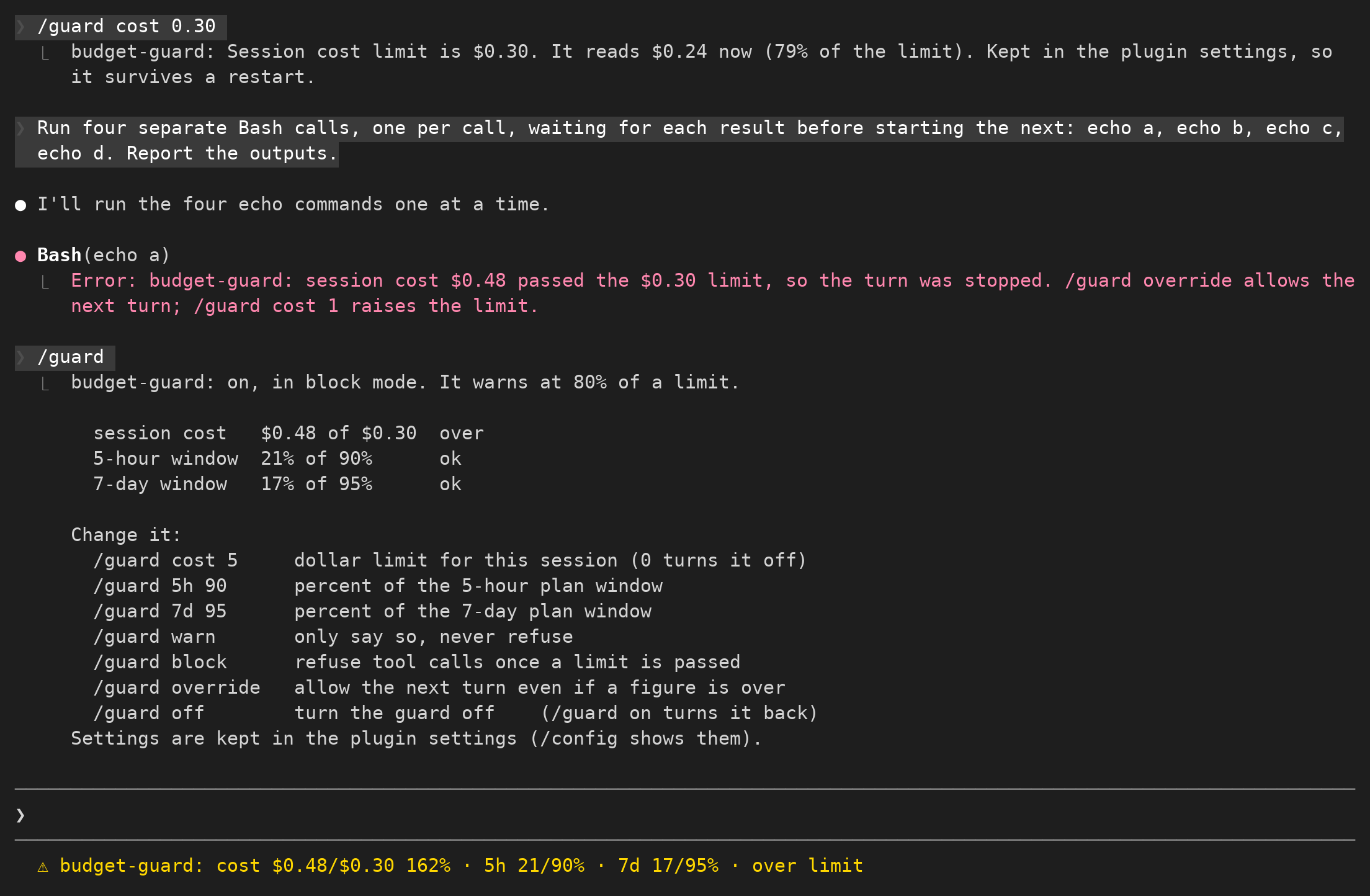
Set a session budget, receive warnings near the limit and restrict further spending.