
LorcanChinnock@LorcanChinnock
LorcanChinnock/claude-desk-neighbours/tree/main/plugins/show-and-tell
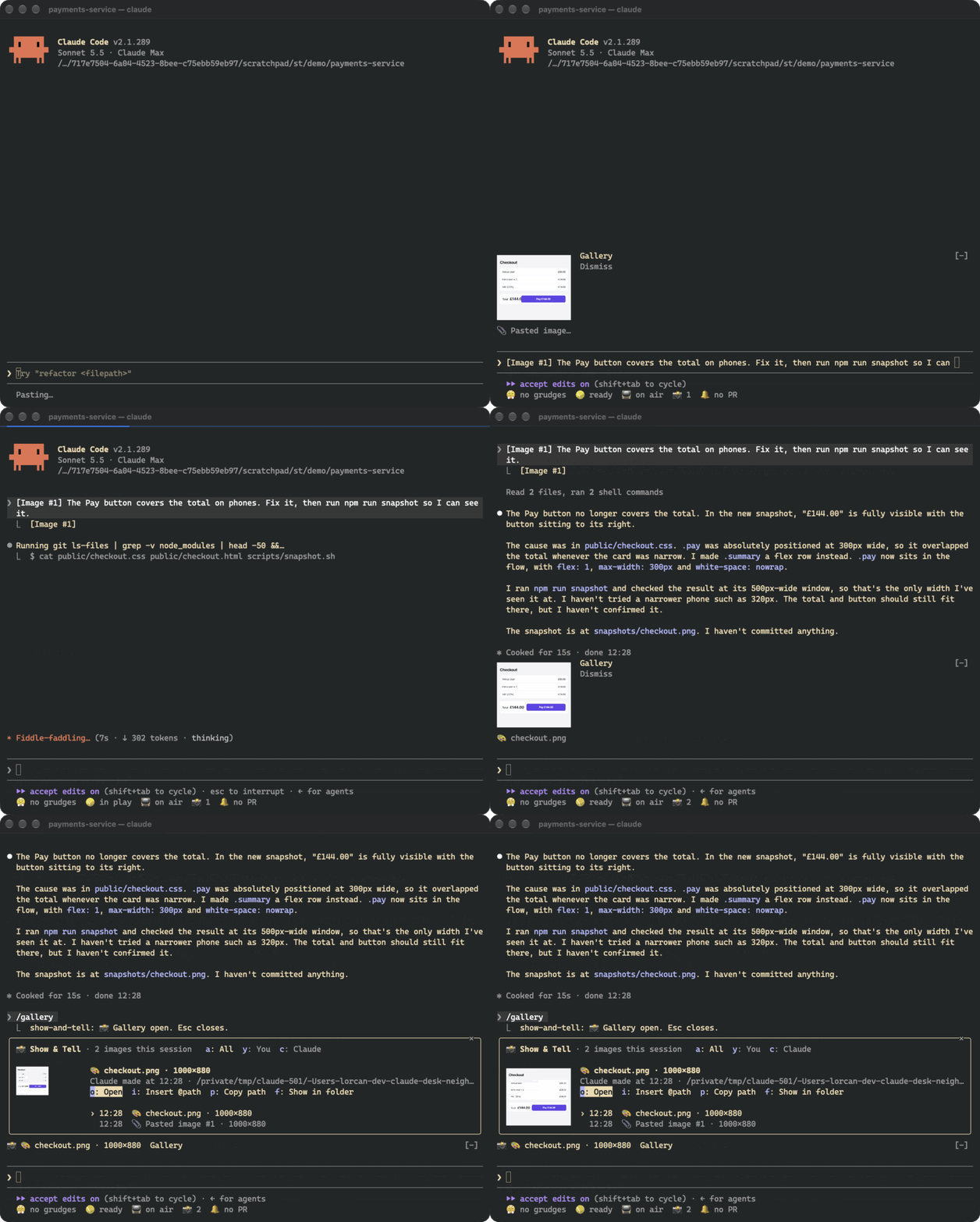
A Claude Code plugin that shows a thumbnail as soon as you paste a screenshot and keeps a session gallery of every image you and Claude passed around.
LorcanChinnock/claude-desk-neighbours/tree/main/plugins/show-and-tell
Show & Tell watches your draft for Claude Code's [Image #N] marker and copies the corresponding image, so a thumbnail appears above the prompt within about a quarter of a second after pasting, before you send anything. It also picks up images Claude reads, writes, edits, or that tools like browser/MCP screenshots and shell commands create in the working directory. A band above the prompt shows the newest thumbnails with Gallery and Dismiss buttons, and /gallery (or the 📸 counter in the status row) opens a full gallery of every image from the session with preview, filters for yours vs Claude's, and actions to open, re-attach (@path), copy the path, or reveal the file. Images render via the kitty graphics protocol (Ghostty, kitty); other terminals fall back to text placeholders. Non-PNG formats are converted once with sips, ImageMagick, or qlmanage. No model calls are made; copies live in ~/.claude/show-and-tell/<session>/ with a manifest.json that restores the gallery after /resume, and copies older than seven days are cleaned up at session start. Install with: /plugin install show-and-tell@claude-desk-neighbours
Check the author's README for the marketplace and plugin name first. Commands may change as the repository evolves.
claude plugin marketplace add LorcanChinnock/claude-desk-neighbours
claude plugin install show-and-tell
Shows a thumbnail as soon as you paste a screenshot, and keeps a gallery of every image in the session.
/plugin install show-and-tell@claude-desk-neighbours
Hit ctrl+v with an image on your clipboard and a thumbnail appears above the prompt within about a quarter of a
second, before you've sent anything. Show & Tell watches your draft for Claude Code's [Image #1] and copies the
image Claude Code saved for it. If that file isn't where it expects, it reads the clipboard itself (osascript
on macOS, wl-paste or xclip on Linux, PowerShell on Windows). If that doesn't work either, it grabs the image
when you send the prompt.
Claude's pictures get picked up the same way. That covers images Claude opens with Read, screenshots returned by
browser or MCP tools, pictures Claude writes or edits, and images a shell command creates in the working
directory or one level down (playwright screenshot, a chart script).
The band above the prompt shows the newest thumbnails, with Gallery and Dismiss buttons. A pasted thumbnail goes
away when you send it. Everything else disappears after 20 seconds, which you can change in /config.
Click 📸 4 in the status row, or run /gallery, to see every image from this session, newest first, with a big
preview of whichever one you select. a, y and c filter to all images, yours, or Claude's. o opens the
image in your viewer, i puts @path in your prompt so Claude can look at it again, p copies the path, and
f shows it in its folder. Tab moves through the list. This is after Claude fixed the checkout and took a
snapshot:
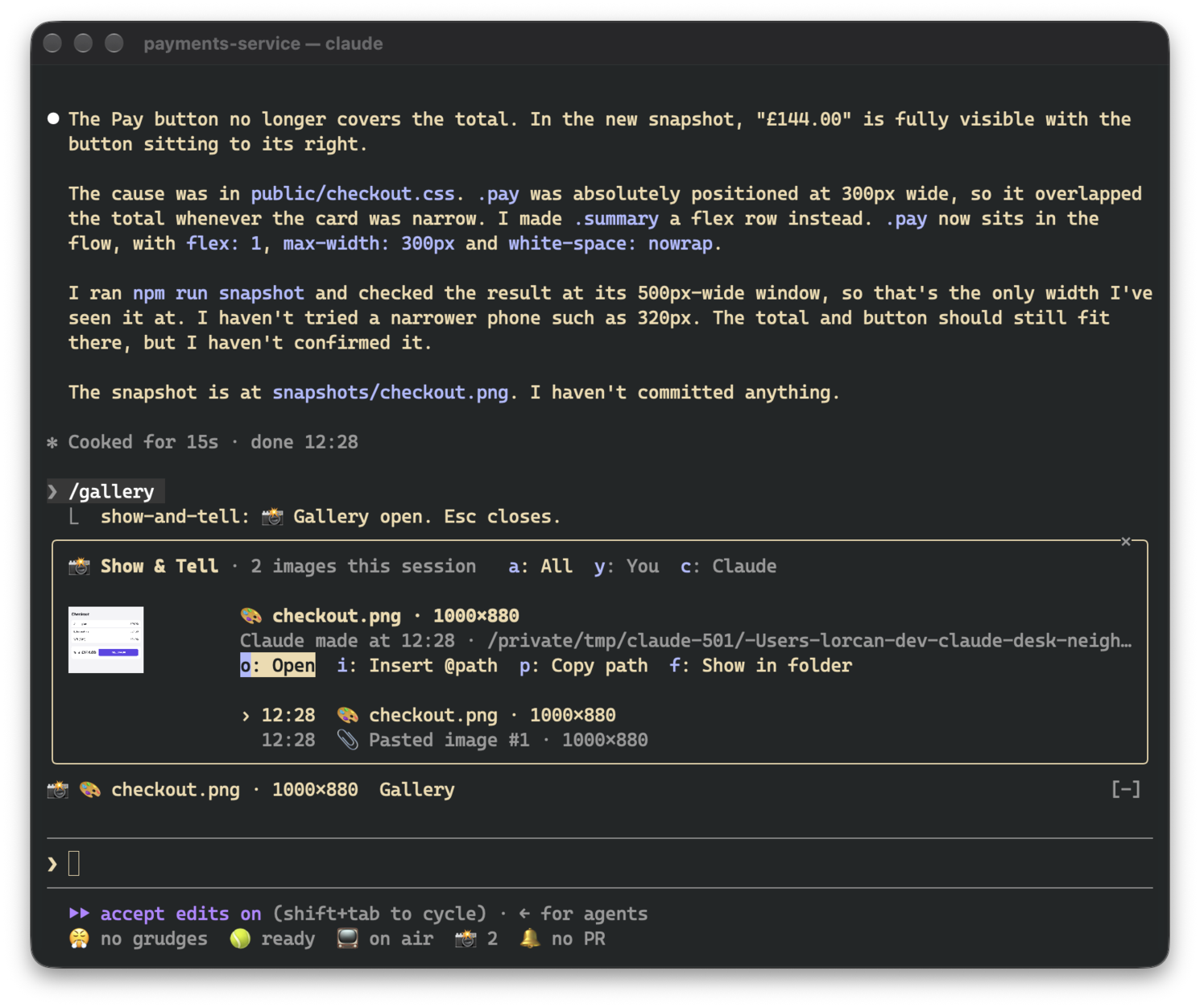
The gallery asks for enough room to show a picture. If it doesn't get it (say, an inline pane in a small terminal), the picture shrinks to fit and the footer is hidden so the header, actions and list stay visible.
Pictures only render in terminals that support the kitty graphics protocol, which means Ghostty and kitty. In
other terminals, in tmux and in the desktop app, the band and gallery show the same thing as text
(📎 Pasted image #1 · 200×120), and all the buttons still work.
Thumbnails have to be PNGs, so other formats get converted once: with sips on macOS and ImageMagick (magick or
convert) elsewhere. On macOS, qlmanage handles SVG and PDF. If there's no converter, the image is still
listed, just without a picture.
There are no model calls. Pasted images, and images that only exist inside a tool's result, are copied to
~/.claude/show-and-tell/<session>/ next to a manifest.json that restores the gallery after /resume. Files
Claude read or created stay where they are. Copies older than seven days are deleted when a session starts. The
cleanup uses find, so on Windows they stick around until you delete them yourself.
While a session is open, the draft is checked four times a second. That's just a read of the prompt box, and
nothing runs unless a new [Image #N] shows up. Where Claude Code saves pastes (/tmp/claude-<uid>/…/images/)
isn't part of the plugin API, so a future version of Claude Code might move it. If that happens, Show & Tell
falls back to reading the clipboard.

Documentation generation, drift detection, and API docs automation plugin that also acts as a function-hook guard refusing doc writes or worker dispatch containing secrets.

A status bar for the Claude desktop app. It draws above your prompt and shows session quality, context fill, cache countdown, and your 5-hour and weekly limits, with Clawd acting out what the session is doing.

A Claude Code plugin mod providing a /databricks-pane that presents Databricks workspace, Unity Catalog, compute, jobs, pipelines, apps and dashboards as a tree following the databricks CLI, with live highlights, profile switching, and CLI argument copy.
