
r3al1tym@r3al1tym
r3al1tym/claude-review
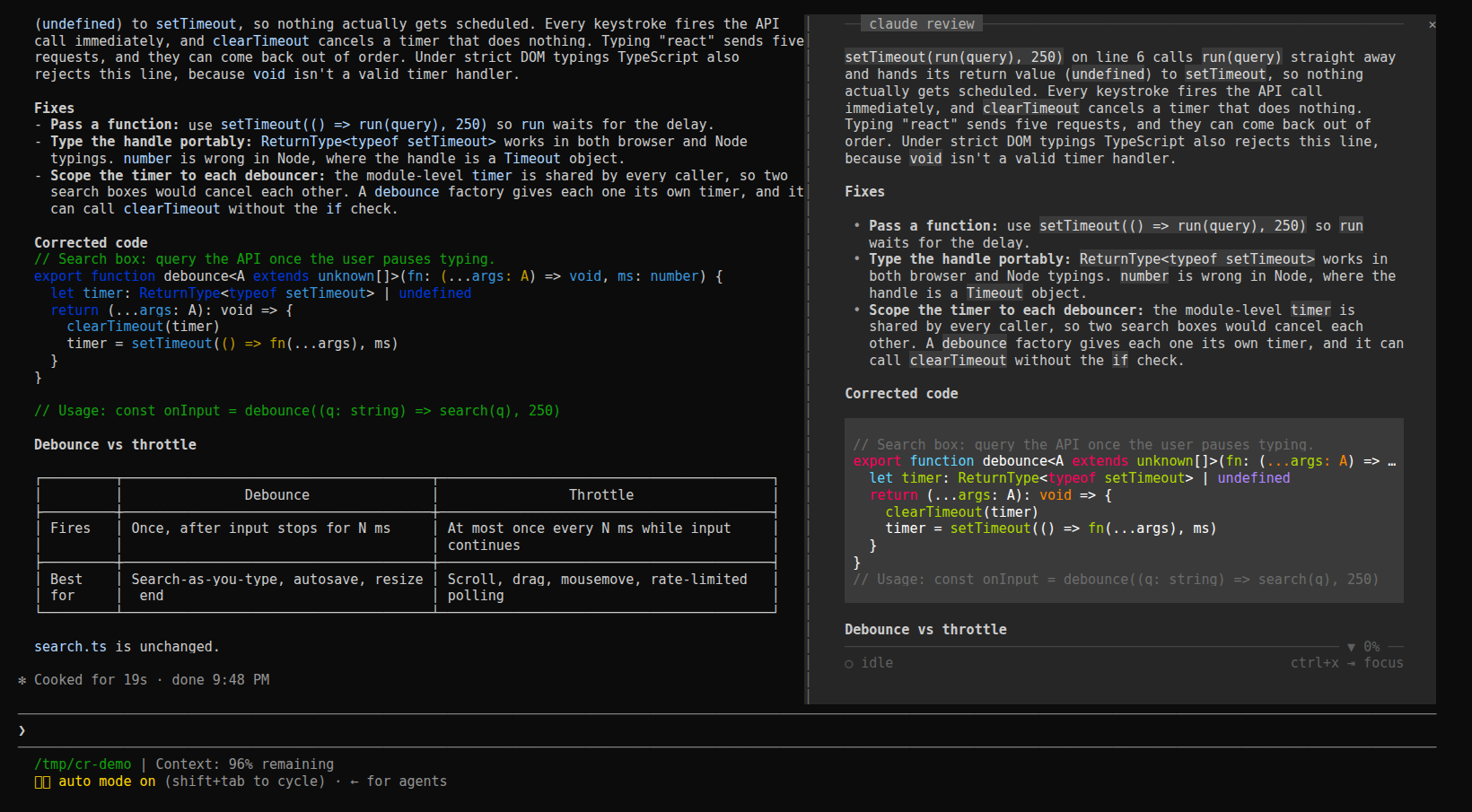
A Claude Code plugin that docks a reading pane beside the conversation, rendering the session's latest reply, plan, pending question and task list in a calm padded column with keyboard navigation.
r3al1tym/claude-review
claude-review (review-pane) is a Claude Code mod built as a plugin of function hooks that runs inside Claude Code, so there is no second terminal or transcript path to keep in sync. It reads the conversation through the hooks API ($.session.messages()) and refreshes as rows land (session.append), following the live turn as Claude writes. Keys include h/l for earlier/later turns, scrolling keys, f to freeze, r to return to live, t to cycle surfaces (plan, question, response, tasks), y to copy, m for the guide, and q to close; the pane opens by itself on terminals 144 columns or wider or via /claude-review. Install with claude plugin marketplace add r3al1tym/claude-review and claude plugin install review-pane@claude-review, symlink the repo into ~/.claude/skills/review-pane, or use claude --plugin-dir. It makes no network calls and writes nothing to the session. Requirements: function hooks are an early-access surface tested against Claude Code 2.1.287.
Check the author's README for the marketplace and plugin name first. Commands may change as the repository evolves.
claude plugin marketplace add r3al1tym/claude-review
claude plugin install review-pane


Faster than HTML. Calmer than the terminal.
A reading pane docked inside Claude Code, beside the conversation. It shows the session's latest reply, rendered for reading in a padded column, and follows the live turn as Claude writes. Its plan, the question Claude is waiting on, and the task list are one key away.
claude-review is a Claude Code mod: a plugin of function hooks that runs inside Claude Code, so there is no second terminal, no transcript path and nothing to keep in sync.
claude plugin marketplace add r3al1tym/claude-review
claude plugin install review-pane@claude-review
The next session opens the pane by itself once the terminal is 144 columns or wider. At any width, /claude-review opens it and closes it again.
From a clone, link the folder into your skills directory, where Claude Code loads it in every session as review-pane@skills-dir and reloads it when you save a file:
git clone https://github.com/r3al1tym/claude-review ~/src/claude-review
ln -s ~/src/claude-review ~/.claude/skills/review-pane
For one session only: claude --plugin-dir ~/src/claude-review.
The pane follows the live turn. Give it the keyboard with ctrl+x then Tab (until you do, its key row says ctrl+x ⇥ focus), and Esc hands the keys back.
| Keys | What they do |
| --- | --- |
| h l | earlier / later turn; an earlier turn leads with the prompt it answered |
| ↑ ↓ j k, wheel, PgUp PgDn, Home End, g | scroll |
| f | freeze the view while Claude keeps working; again to unfreeze |
| r | back to the live turn |
| t | next surface: plan, question, response, tasks, whichever this turn has |
| y | copy the surface shown |
| m | the guide: every key, plus the session's diagnostics |
| q | close the pane |
A plan waiting for your approval and a pending question lead while Claude waits on them. While the view is frozen or on an earlier turn, new reply lights up in the key row when a reply lands on the live turn.
To change the default, set Open on start in /config (on: the pane opens by itself on a wide terminal; off: only /claude-review opens it). claude plugin disable review-pane@claude-review turns the mod off everywhere, and enable turns it back on.
The mod reads the conversation through the hooks API ($.session.messages()) and refreshes as rows land (session.append), so the pane updates while Claude writes, not only when a turn ends. It writes nothing to the session, makes no network calls and touches no files; y puts text on your clipboard through Claude Code.
In the terminal it lays out its own rows (hooks/markdown.ts, hooks/screen.tsx): a monochrome markdown theme where emphasis comes from weight and only code keeps its syntax colours, a 4-cell gutter, and chrome pinned at the edges. A rule with the claude review label sits at the top, and a rule and one key row sit at the bottom. The rules carry ▲ and ▼ N% when there is more above or below. The desktop app and VS Code draw the same reply with their own Markdown and buttons.
claude plugin validate . and claude plugin test ..m and surfaces are t, and the pane needs the keyboard (ctrl+x then Tab) before they work.claude-review began as a Python TUI you ran in a second terminal pane. The mod replaces it. Its last release, v0.5.3, still installs with pipx install git+https://github.com/r3al1tym/[email protected], and its source lives at that tag.
See CONTRIBUTING.md for the development loop. Security posture and how to report a vulnerability are in SECURITY.md; the project follows a Code of Conduct.
MIT © r3al1tym.

Documentation generation, drift detection, and API docs automation plugin that also acts as a function-hook guard refusing doc writes or worker dispatch containing secrets.

A status bar for the Claude desktop app. It draws above your prompt and shows session quality, context fill, cache countdown, and your 5-hour and weekly limits, with Clawd acting out what the session is doing.

A Claude Code plugin mod providing a /databricks-pane that presents Databricks workspace, Unity Catalog, compute, jobs, pipelines, apps and dashboards as a tree following the databricks CLI, with live highlights, profile switching, and CLI argument copy.
