jamubc@jamubc
jamubc/toolbox/tree/main/plugins/channel
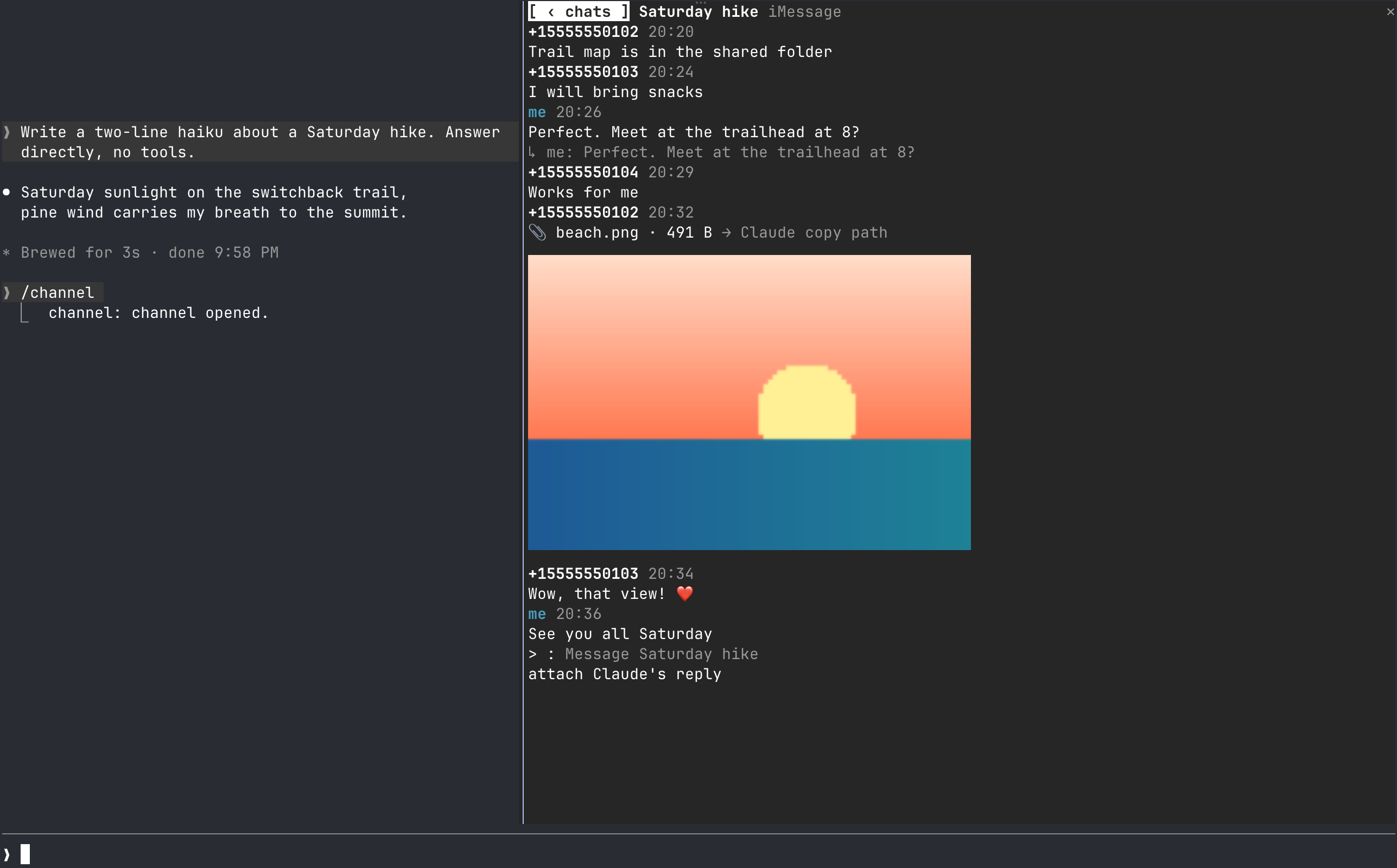
Bring your chats into a pane beside Claude Code: read, reply, attach files and get toasts without leaving the terminal. Ships with iMessage support and a provider framework for more services.
jamubc/toolbox/tree/main/plugins/channel
A Claude Code plugin that docks a chat pane next to your session. Read conversations, reply, attach files Claude touched, preview images inline, and get quiet aggregated toasts for new messages. iMessage is supported today (macOS 13+, Full Disk Access for reading, osascript for sending), with a contract-based provider architecture for adding more services. Install via /plugin marketplace add jamubc/toolbox then /plugin install channel@toolbox, and open the pane with /channel.
Check the author's README for the marketplace and plugin name first. Commands may change as the repository evolves.
claude plugin marketplace add jamubc/toolbox
claude plugin install channel
Your favourite chat, directly in Claude Code. Read, reply, get notified and more, without leaving the terminal.
It can all be done, inside Claude Code
Add the marketplace:
/plugin marketplace add jamubc/toolbox
Install the plugin:
/plugin install channel@toolbox
| Command | What it does |
| --- | --- |
| /channel | Opens the chat pane: a tab per service, and your twenty most recent conversations in each. |
In the pane:
All tab shows every conversation together.1 to 9 open the first nine./config → How picture previews are drawn forces one, or turns previews off.Notifications stay quiet: only one of your Claude sessions toasts, several messages in one chat fold into one toast, and a chat toasts at most once every 10 seconds. Every session still shows the unread count in its status line.
| Connection | Platform | Setup | What it can do | | --- | --- | --- | --- | | iMessage | macOS 13 or later, terminal | Full Disk Access | Read and send text and files; show replies, tapbacks, edits, unsends and members |
Turn a service off in /config under channel.
sqlite3 -readonly on ~/Library/Messages/chat.db, which requires Full Disk Access for your terminal. The pane lists the steps and names your terminal app.osascript. On your first send, macOS asks you to let your terminal control Messages.A service can start only the programs and call only the hosts listed here. Anything else is refused in hooks/core/fence.ts.
| Service | Programs it starts | Hosts it calls |
| --- | --- | --- |
| iMessage | /usr/bin/sqlite3, /usr/bin/osascript | none |
The pane itself starts /usr/bin/open when you press a file, and /usr/bin/sips to make a picture's or a PDF's preview. Previews are at most twelve temporary files in your TMPDIR, each overwritten in turn. The cells of a preview are averaged from the pixels they cover and encoded once per size, so redrawing the pane costs nothing more.
hooks/core/contract.ts is what every service implements: a small required core, plus optional capabilities (attachments, threads, reactions, edits, read state, typing, members, search). The pane offers only what a service has.hooks/core/registry.ts lists the services. Adding one is a folder under hooks/providers/ and a line there.hooks/core/account.ts runs one service with its own loop and backoff; inbox.ts merges them; notify.ts decides what toasts; hub.ts ties them together.hooks/ui/ draws the pane: list.tsx the conversations, conversation.tsx one chat, picture.ts thumbnails as pixels or cells, format.ts labels, colors and days. hooks/register.tsx is wiring only.tests/kit/ has a scriptable fake service and the conformance checks every provider must pass.claude --plugin-dir plugins/channel # load it; edits hot-reload
claude plugin validate plugins/channel
claude plugin test plugins/channel
tsc -p plugins/channel # after one load writes .claude-plugin/types/

Two Cuelume sounds for Claude Code: ready when a long turn ends, attention when a permission prompt waits.

A Claude Code mod that collects what is waiting on you in a session: the agent's questions, issues Claude noted, and your PRs' checks and reviews. It shows them above the prompt and in the `/inbox` pane, along with where the session stands.

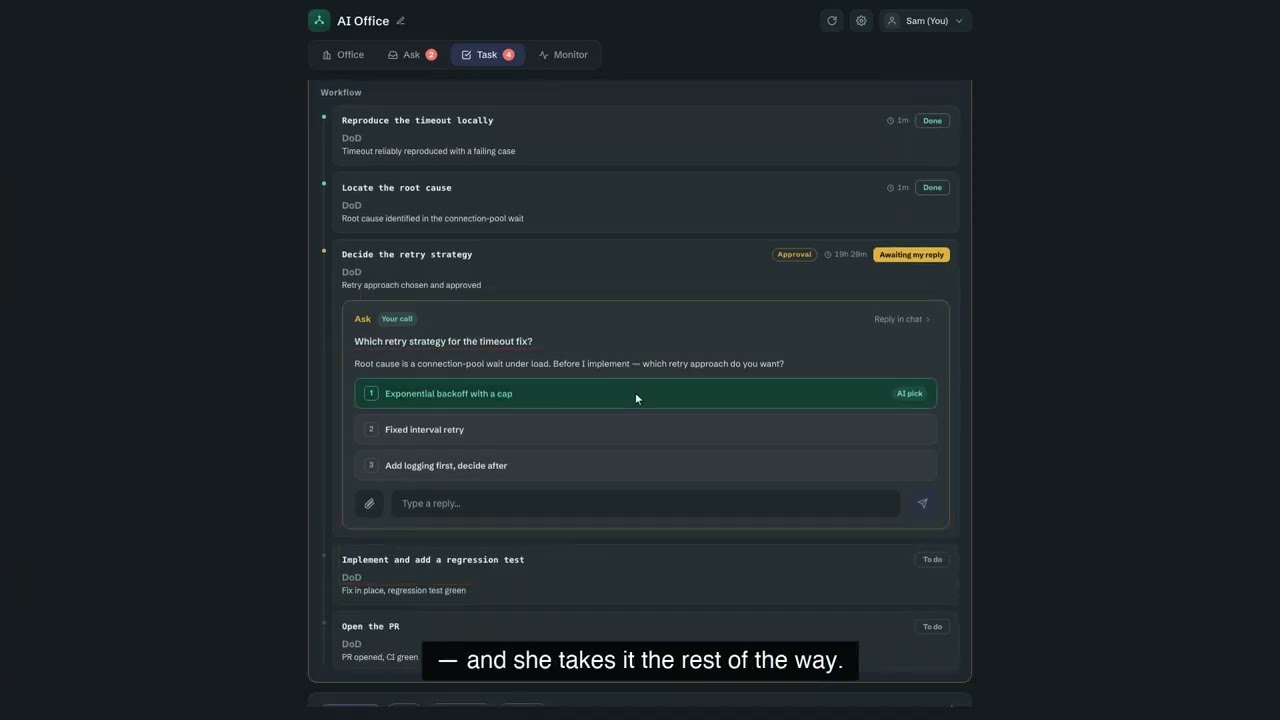
OffiCraft is an AI studio running on your own Mac: hire several always-on AI members, hand them entire tasks, and watch their progress in a web console; when they need your approval, reply once. It runs the Claude Code or Codex on your machine.