
akilin@akilin
akilin/claude-plugins/tree/main/plugins/better-tool-rows
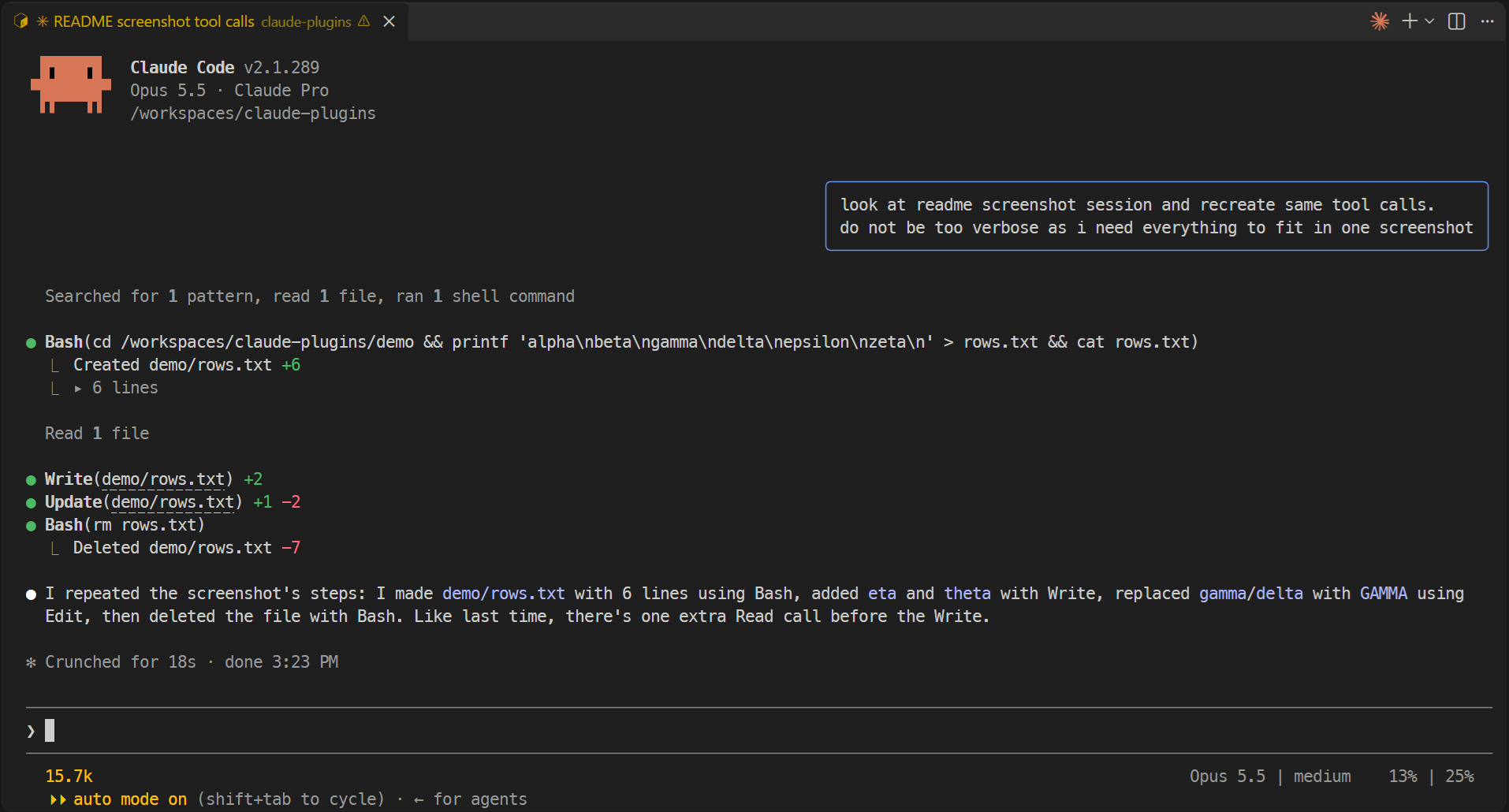
A Claude Code plugin that renders shorter, quieter tool rows: relative Read/Edit/Write paths, +/- line counts instead of diffs, one-line Bash commands and folded long output.
akilin/claude-plugins/tree/main/plugins/better-tool-rows
better-tool-rows is a Claude Code plugin that changes only the terminal rendering of tool rows. Read/Edit/Write show file paths relative to the session directory (with the full path still behind the link), Edit/Write hide diffs and show +/- line counts on the row, runs of edits drop the blank separator line, Bash commands are joined onto one line and cut with an ellipsis, file-creating/deleting Bash commands list each file with line counts, and Bash output longer than 5 lines is folded behind a clickable line count. Install via the akilin/claude-plugins marketplace. MIT licensed. Sibling plugin prompt-bubbles renders user prompts as right-aligned bubbles.
Check the author's README for the marketplace and plugin name first. Commands may change as the repository evolves.
claude plugin marketplace add akilin/claude-plugins
claude plugin install better-tool-rows
Claude Code plugins that change how the terminal UI looks. They only change rendering: what the model sees and does is untouched.
/plugin marketplace add akilin/claude-plugins
/plugin install better-tool-rows@akilin-plugins
/plugin install prompt-bubbles@akilin-plugins
With both plugins:
The same session without them (zoomed out to fit on one screen):
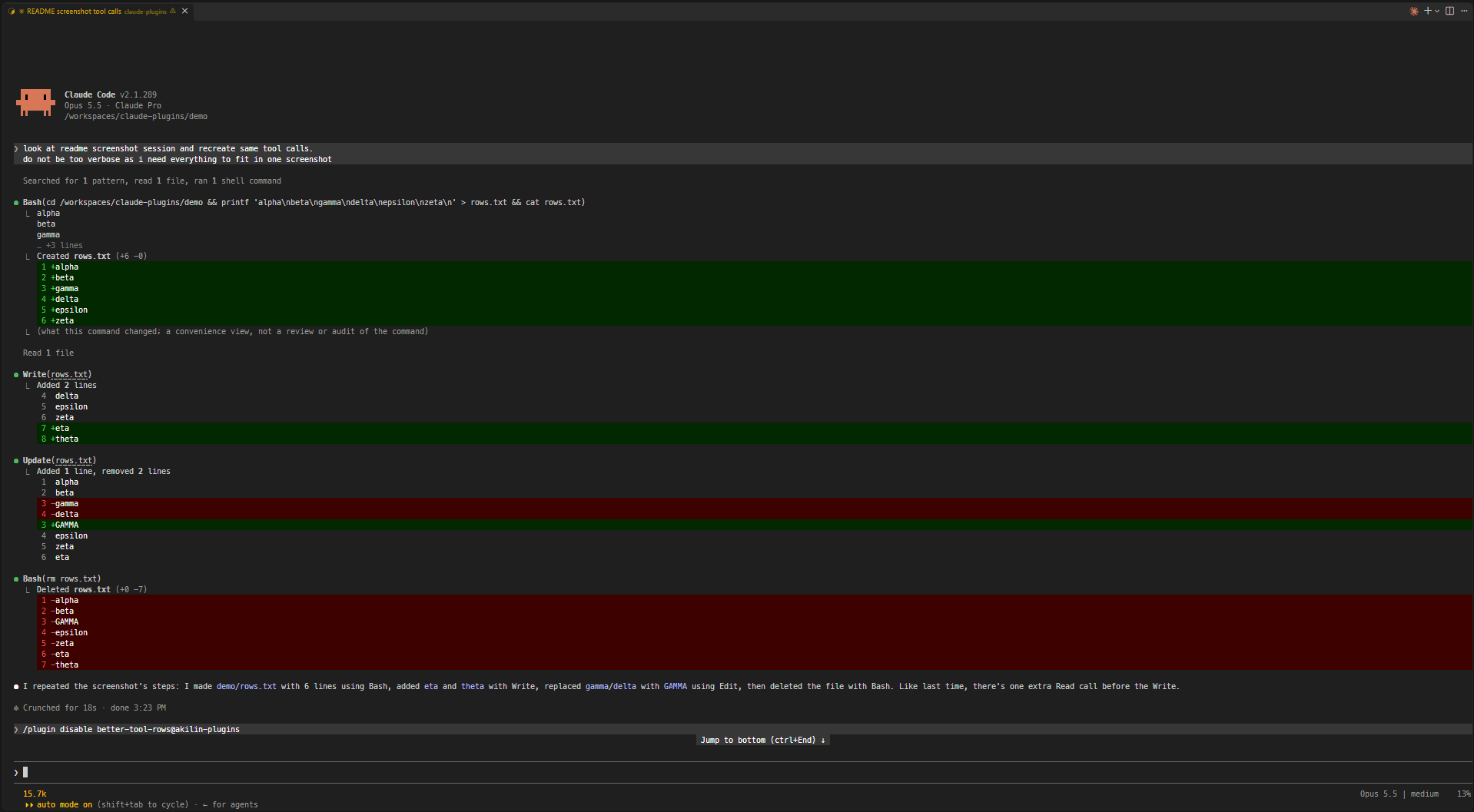
Shorter, quieter tool rows.
cds elsewhere or /cd moves the project. Files outside the folder keep their full path. Windows paths match with either separator and in any case.Update(notes.md) +3 -1. A path too long to fit on the line with its counts is cut to its end (Update(…/src/notes.md) +3 -1), still opening the full path on ctrl+click. An edit held for review rather than written is shown as usual.Read 7 lines), the blank line stays.… so Bash(command) always fits on one line, wide characters included.Created notes.md +10, Deleted notes.md -10) instead of a diff of all the lines each file has or had.▸ 12 lines; unfolded, it shows up to 500 lines and counts the rest. If the command was cut or joined, the fold also holds the full command with syntax highlighting (▸ command, 12 lines); with 5 lines of output or fewer, the output stays as it is and the fold holds the command alone (▸ command).Your own prompts are drawn as right-aligned chat bubbles (a rounded box with a cornflower-blue border, as wide as the longest line and at most three quarters of the terminal) so they stand apart from Claude's replies. Task notifications and messages from other agents or sessions keep the usual drawing, and so does the desktop app, which already has bubbles.
The repo has a dev container (Node, TypeScript and Claude Code preinstalled). It keeps Claude Code's config in a volume of its own, so logins and settings survive a rebuild, and sets VS Code's chat to auto-approve tool calls (chat.permissions.default), which is only safe inside the container.
From a plugin's folder (e.g. plugins/better-tool-rows):
claude plugin validate .
claude plugin test .
npx -y -p typescript tsc -p tsconfig.json
tsc needs the API types Claude Code writes to .claude-plugin/types/ (gitignored) when it loads the plugin, so on a fresh clone load it once first, e.g. claude --plugin-dir plugins/better-tool-rows.
MIT

Documentation generation, drift detection, and API docs automation plugin that also acts as a function-hook guard refusing doc writes or worker dispatch containing secrets.

A status bar for the Claude desktop app. It draws above your prompt and shows session quality, context fill, cache countdown, and your 5-hour and weekly limits, with Clawd acting out what the session is doing.

A Claude Code plugin mod providing a /databricks-pane that presents Databricks workspace, Unity Catalog, compute, jobs, pipelines, apps and dashboards as a tree following the databricks CLI, with live highlights, profile switching, and CLI argument copy.
