
hacksurvivor@hacksurvivor
hacksurvivor/claude-mods/tree/main/mods/tree-of-mods
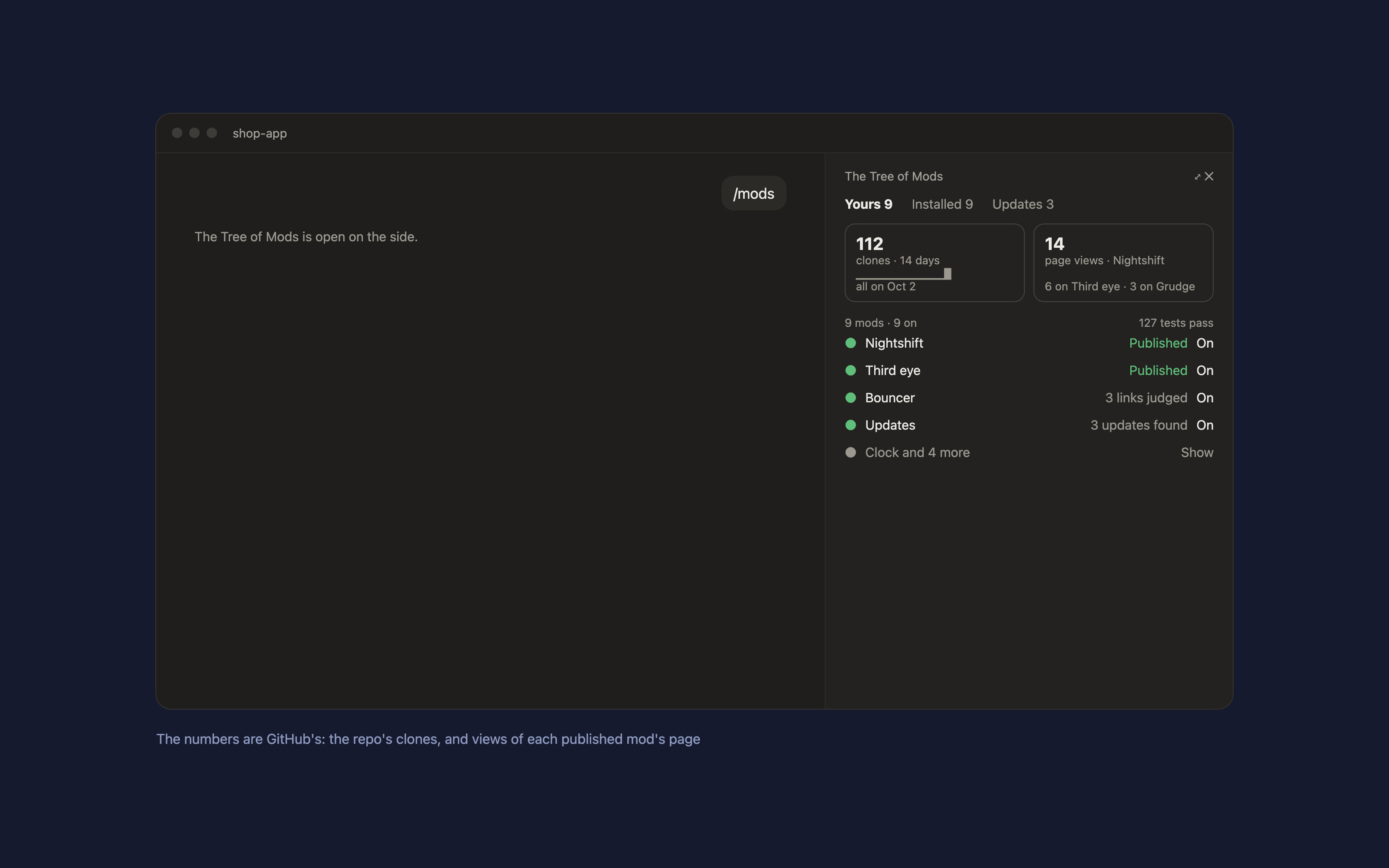
A Claude Code mod that puts all your mods in one panel beside the chat. Type `/mods`.
hacksurvivor/claude-mods/tree/main/mods/tree-of-mods
A Claude Code mod that puts all your mods in one panel beside the chat. Type /mods.

claude plugin enable and disable, your own mods in your settings' CLAUDE_CODE_PLUGIN_DIRS.Install counts aren't shown: Claude Code doesn't report them to authors. GitHub's clones count the whole repository and include your own.
By default, the folder this mod sits in and the GitHub remote of its repository. To point it elsewhere, write ~/.claude/tree-of-mods/config.json:
{ "modsDir": "~/code/my-mods/mods", "repo": "you/my-mods" }
gh) signed in with access to your repo's traffic, for the numbers.In Claude Code:
/plugin marketplace add hacksurvivor/claude-mods
/plugin install tree-of-mods@hacksurvivor
/reload-plugins
bin/inventory.py, which reads your mods folder and its git state, your installed plugins, the Updates report, and GitHub's traffic numbers for your repo (gh api, GET only, cached for an hour). It runs each mod's tests with claude plugin test when its files changed.~/.claude/settings.json (backed up first) or runs claude plugin enable or disable; an update runs that update's steps; Publish sends Claude a prompt.~/.claude/tree-of-mods/.See PRIVACY.md.
Apache-2.0
Check the author's README for the marketplace and plugin name first. Commands may change as the repository evolves.
claude plugin marketplace add hacksurvivor/claude-mods
claude plugin install tree-of-mods
A Claude Code mod that puts all your mods in one panel beside the chat. Type /mods.
claude plugin enable and disable, your own mods in your settings' CLAUDE_CODE_PLUGIN_DIRS.Install counts aren't shown: Claude Code doesn't report them to authors. GitHub's clones count the whole repository and include your own.
By default, the folder this mod sits in and the GitHub remote of its repository. To point it elsewhere, write ~/.claude/tree-of-mods/config.json:
{ "modsDir": "~/code/my-mods/mods", "repo": "you/my-mods" }
gh) signed in with access to your repo's traffic, for the numbers.In Claude Code:
/plugin marketplace add hacksurvivor/claude-mods
/plugin install tree-of-mods@hacksurvivor
/reload-plugins
bin/inventory.py, which reads your mods folder and its git state, your installed plugins, the Updates report, and GitHub's traffic numbers for your repo (gh api, GET only, cached for an hour). It runs each mod's tests with claude plugin test when its files changed.~/.claude/settings.json (backed up first) or runs claude plugin enable or disable; an update runs that update's steps; Publish sends Claude a prompt.~/.claude/tree-of-mods/.See PRIVACY.md.
Apache-2.0

Neural trading strategies powered by neural-trader (v2.7+): self-learning LSTM/Transformer/N-BEATS models, Rust/NAPI backtesting, 112+ MCP tools, swarm coordination, and portfolio optimization.

An optional mods companion for claude-seo. It runs inside Claude Code as a mod (a function-hook plugin), so it can enforce things a skill can only ask for.

Repowise Plugin for Claude Code — provides five layers of code intelligence: Graph, Git, Docs, Decisions, and Code Health. It gives Claude architecture, ownership, hotspots, and defect risk through MCP tools, slash commands, and automatic skills. It also includes Lens, a Claude Code mod with spinner hints, margin notes, change review, and a /lens panel.