
jordanbyron@jordanbyron
jordanbyron/claude-inbox/tree/main/mod
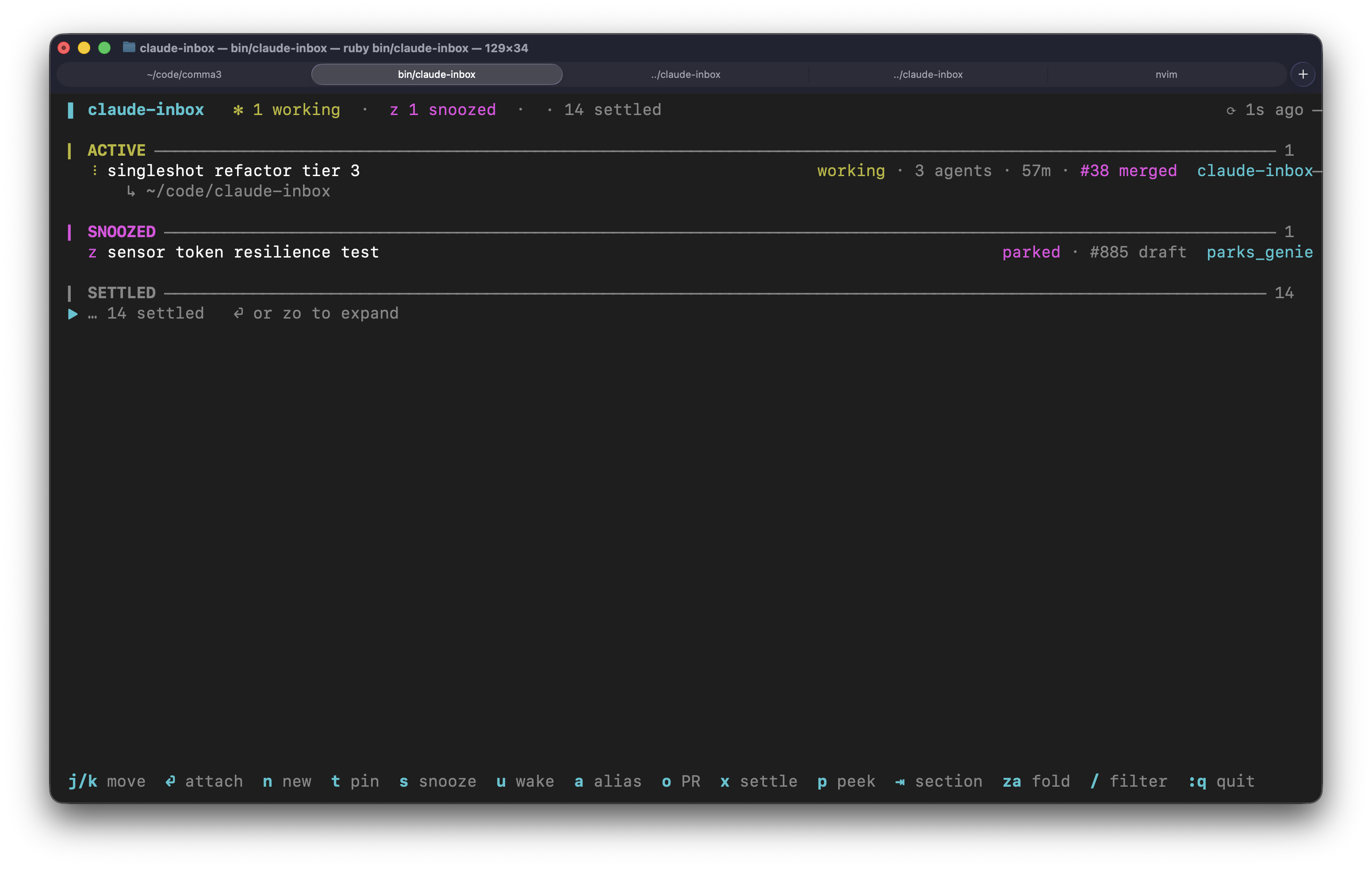
claude-inbox's sections in a pane beside the transcript, with its keys.
jordanbyron/claude-inbox/tree/main/mod
A Claude Code pane that mirrors claude-inbox inside the transcript view: pinned, needs-you, active, snoozed and settled sections for background sessions, with pull request linkage, snooze/pin/settle actions and vim-style key bindings.
Check the author's README for the marketplace and plugin name first. Commands may change as the repository evolves.
claude plugin marketplace add jordanbyron/claude-inbox
claude plugin install inbox-pane
An inbox for Claude Code's background sessions. It lists what claude agents
lists and adds snooze, settle, pinning and each session's pull request.
Inspired by T3 Code's functionality and inbox-style UX, I wanted a better way to manage my Claude agents, so I built this.
Requires Ruby 3.2+ and claude on PATH.
gem install claude-inbox
claude-inbox
Put arguments you want on every launch in ~/.config/claude-inbox/config.
To add the pane to every Claude Code session:
claude-inbox install
claude-inbox install --force also replaces any other copy of the pane.
The same inbox as a pane inside Claude Code, docked beside the transcript in a fullscreen terminal.
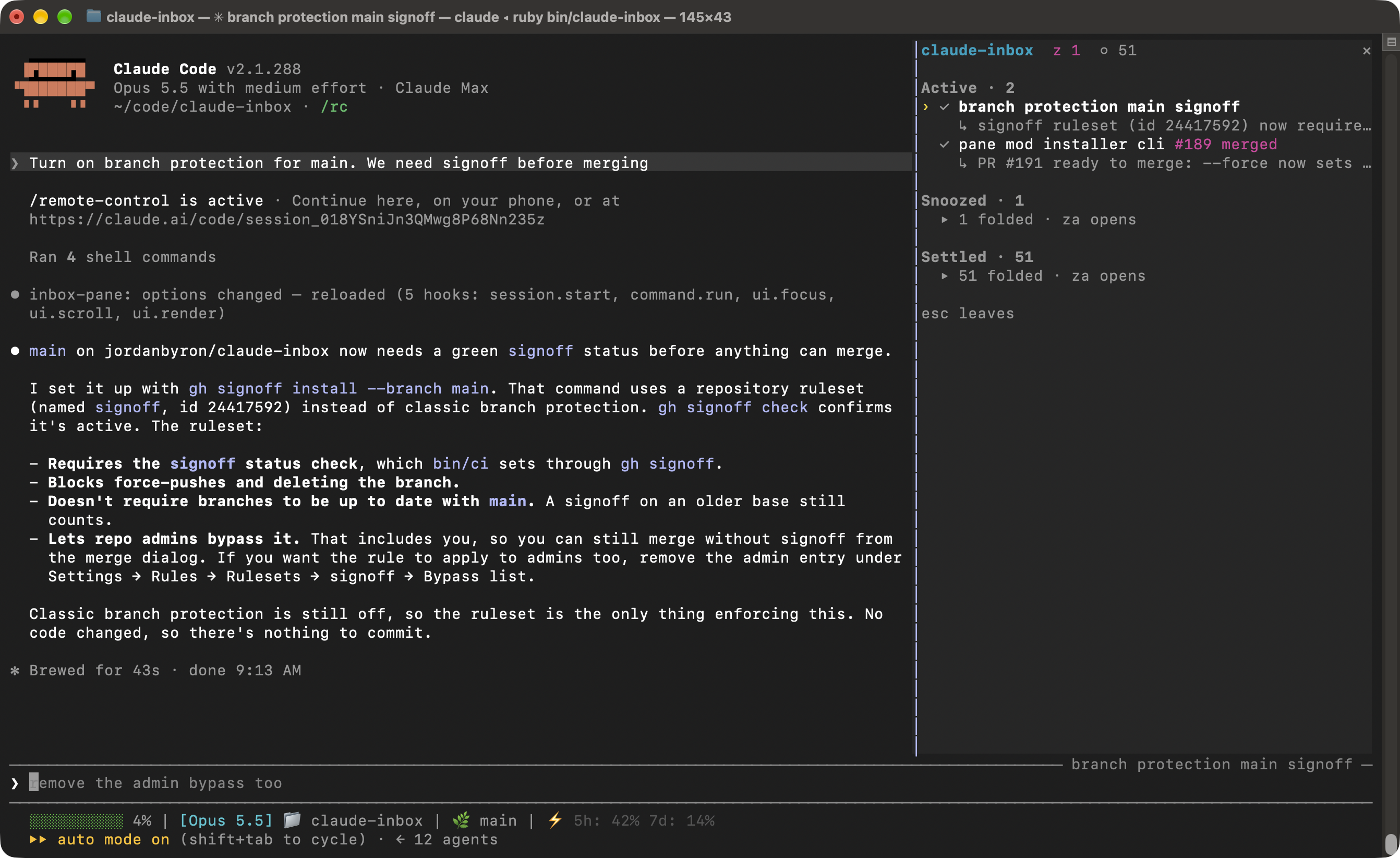
/inbox opens it, ctrl+x tab focuses it and esc leaves. The keys are the
ones below, with ge for G, n p for Tab Shift+Tab, and no a,
P, X, Ctrl-x, / or R. Enter, or a click on a row, switches to the
session when you attached through claude-inbox.
It opens when a session starts. To stop that, set
pluginConfigs.inbox-pane.options.openOnStart to false in
~/.claude/settings.json.
t.x, or every pull request is merged or closed.
Collapsed.Under each row is what the session is waiting on, what it produced, or its
status line. A row with a pull request shows it as #885 open, #885 merged
and so on. A steady ◌ with idle · 1 shell means the agent stopped and is
waiting on a shell or sub-agent it started.
Vim bindings. Arrows and the mouse work too.
| Key | Action |
|---|---|
| j k | move down / up |
| gg G | first / last row |
| Ctrl-d Ctrl-u | half page down / up (Ctrl-f Ctrl-b full page) |
| Enter l | attach (← or Ctrl+Z returns here), adopt a remote session, or expand Snoozed / Settled |
| Tab Shift+Tab | next / previous section |
| h | close the peek pane, else collapse the current fold |
| za zo zc | toggle / open / close the fold under the cursor |
| p | toggle the read-only peek pane |
| J K (Ctrl-e Ctrl-y) | scroll the peek pane |
| n | new session |
| N | pair a phone |
| t | pin / unpin |
| s | snooze: 1 15m · 2 1h · 3 tomorrow 9am · 4 until woken |
| u | wake a snoozed session, or bring back a settled one |
| x | settle by hand |
| a | set a local alias |
| o | open the pull request in the browser |
| w | open the session at claude.ai/code |
| P | link a pull request by hand (empty clears) |
| X | stop the session; Enter resumes it later |
| Ctrl-x | delete the session, transcript and worktree for good |
| / | filter; Enter keeps it, Esc clears |
| R | poll now |
| q | quit |
X and Ctrl-x both ask for y first.
n opens a form for the prompt, name, directory, model, effort, permissions,
worktree and Remote Control. Tab moves between fields, Ctrl-S starts the
session and Ctrl-O starts it and attaches.
Paste an image on macOS, or drop a file into the prompt, and refer to it as
[Image #1]. Type / for a menu of your skills.
A snoozed session wakes when its timer runs out, when you press u, or when
it becomes blocked or failed.
Attaching to a needs-you session moves it to Active until its state changes again.
A session settles when you press x or when all its pull requests are merged
or closed. A session without a pull request only settles by hand.
With --reap, the inbox deletes background sessions that have been idle for
14 days, with claude rm. Working, pinned and snoozed sessions are kept, and
claude rm refuses a worktree with unpushed commits. Each deletion is logged
to ~/.config/claude-inbox/reaped.log.
Sessions with Remote Control show ⇅, and w opens them at claude.ai/code.
A session started from your phone through claude remote-control can't be
attached directly, so Enter offers to adopt it as a background session.
With --listen-lan, a phone on your network can start sessions.
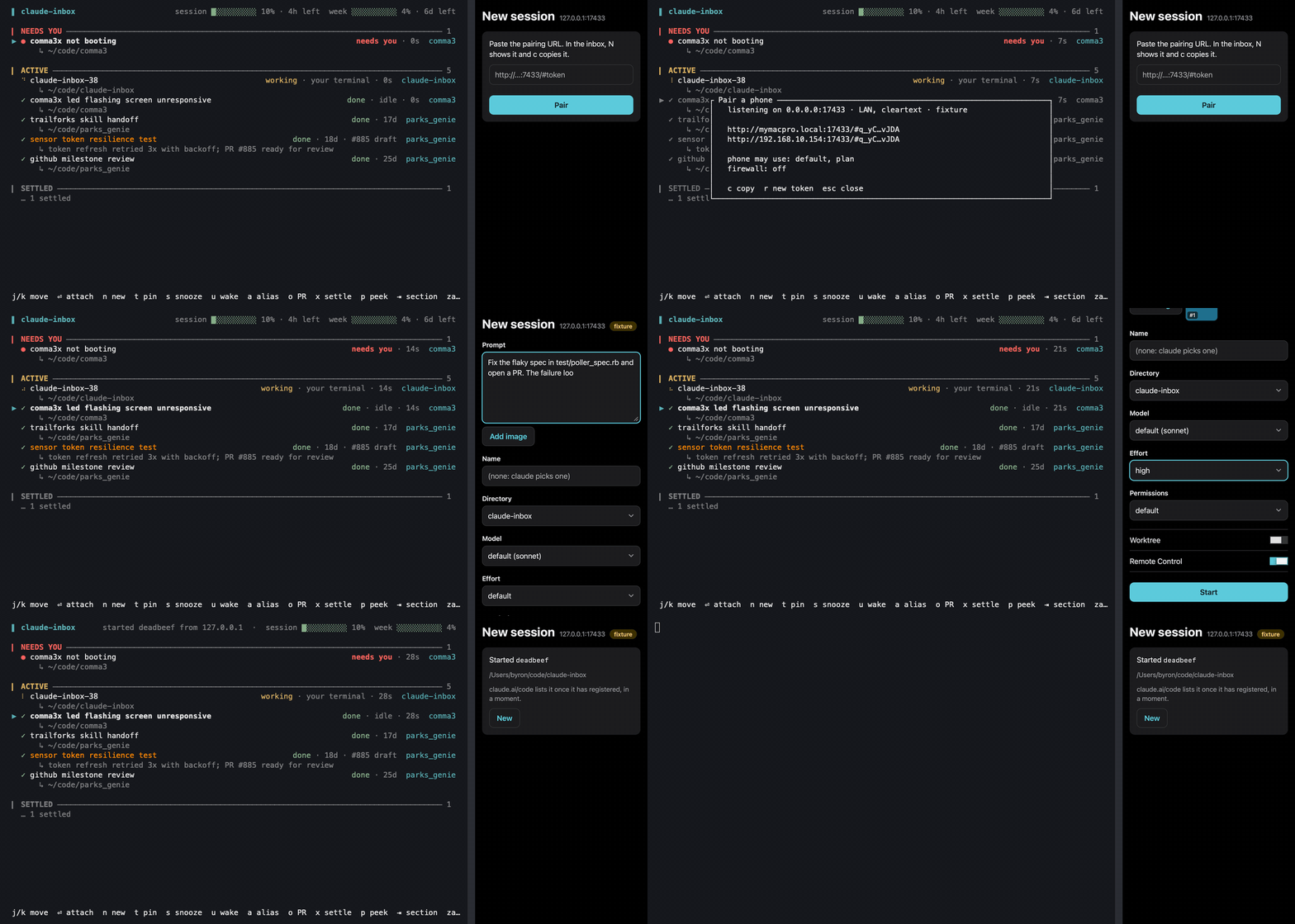
claude-inbox --listen-lan.N, then c to copy the pairing URL.LAN mode is plain HTTP. Use it only on a network you control, and press r
in the N dialog if the URL leaks. docs/remote-start.md
covers ssh, the JSON API and an iOS Shortcut.
Pull requests show up when a session's transcript links to them. Install
gh to keep their state current. Use P to link one by hand.
The header can show your 5-hour and 7-day rate limit usage:
session ██░░░░░░░░ 24% · 3h left week ████░░░░░░ 41% · 2d left
This needs a Pro or Max account. Add these lines to your
status line script, just after
it reads stdin. Run /statusline first if you don't have one.
input=$(cat)
limits=$(echo "$input" | jq -c '.rate_limits // empty')
[ -n "$limits" ] && echo "$limits" > ~/.claude/rate_limits.json.tmp && mv ~/.claude/rate_limits.json.tmp ~/.claude/rate_limits.json
See CONTRIBUTING.md.

Session-as-skill browser automation plugin for Claude Code: Playwright-backed MCP tools, RVF cognitive containers, AgentDB selector/cookie memory, AIDefence gates, plus a tighten-only tool guard mod.

Gives Claude a register_assumption tool and shows the turn's assumptions, decisions and considered-but-not-done items above the prompt

Publishes Claude Code session context from a REMOTE host to localvoxtral on your Mac, over an SSH RemoteForward tunnel. Command hooks running a bundled POSIX-sh shim that POSTs via curl — needs only sh and curl on the remote host, and fails open silently when either is missing.