
LorcanChinnock@LorcanChinnock
LorcanChinnock/claude-desk-neighbours/tree/main/plugins/grudge
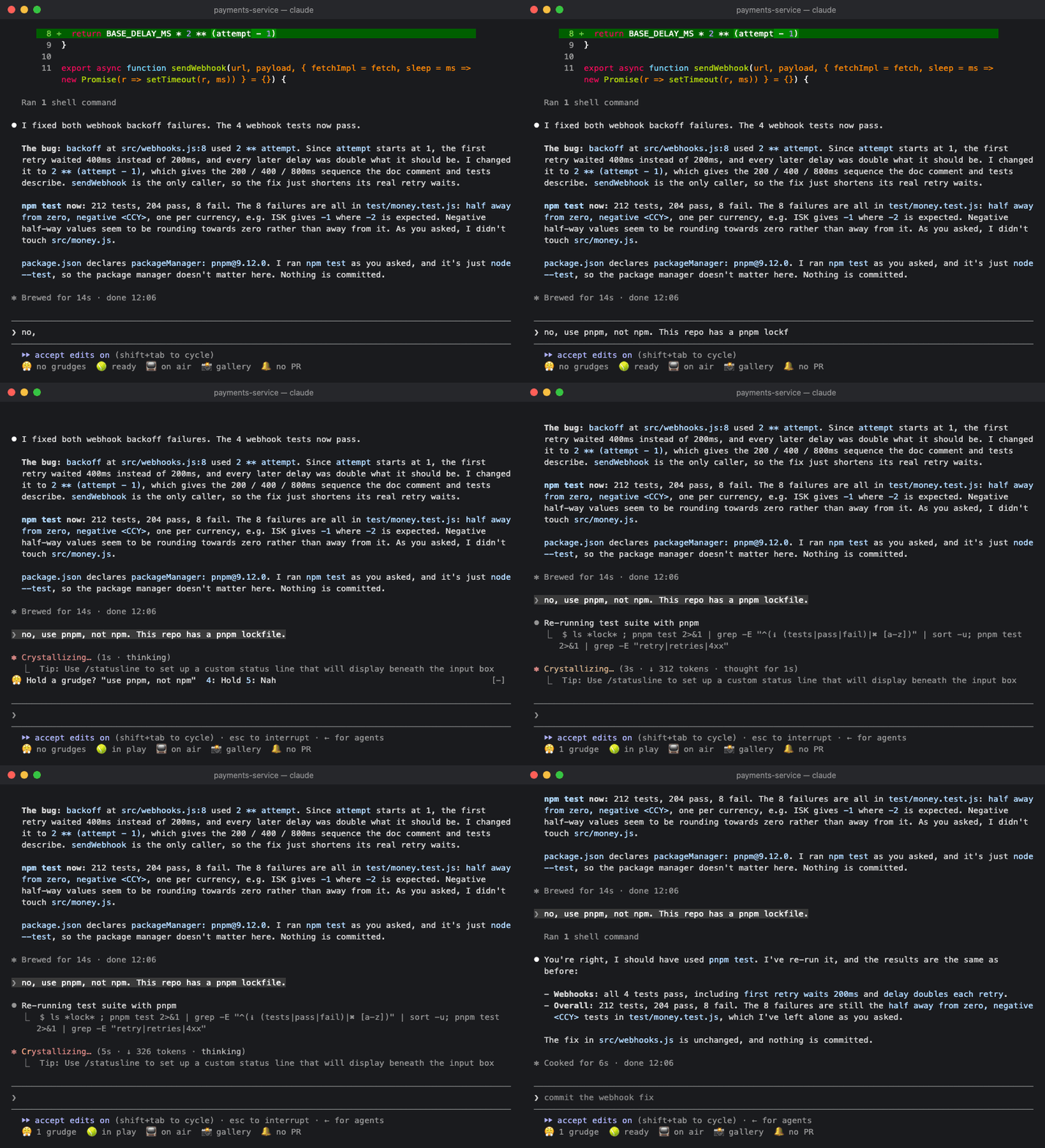
😤 Remembers your corrections: offers to hold a lasting preference, reminds Claude of it every session, and fixes commands it can swap safely.
LorcanChinnock/claude-desk-neighbours/tree/main/plugins/grudge
Remembers your corrections, so you only have to say "no, use pnpm" once.

/plugin install grudge@claude-desk-neighbours
When you send a short prompt that sounds like a lasting preference ("no, use pnpm", "don't use default exports", "always use the logger, not console"), the band offers to remember it while Claude carries on working:
😤 Hold a grudge? "use pnpm, not npm" 4: Hold 5: Nah
Nothing gets remembered unless you press Hold, either by typing 4 into an empty prompt or by clicking it.
One-off fixes ("that's the wrong file") don't get an offer at all, and if you ignore an offer it goes away when
you send your next prompt.
Every rule you hold is passed to Claude in every session in that repo. Rules about personal style, like spelling or tone, apply in every repo.
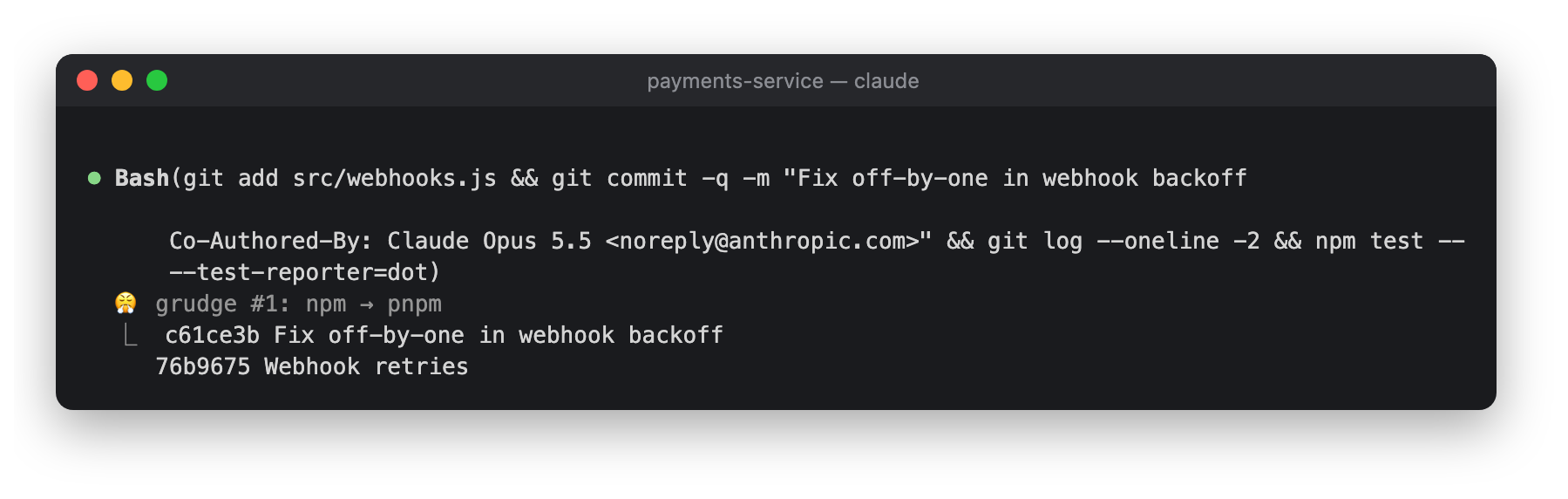
When a rule is an exact command swap, Grudge fixes the command before it runs and adds a note under the tool
call: 😤 grudge #4: npm → pnpm. It only swaps whole commands (it never touches .npmrc), and only where the
arguments mean the same thing:
| From | To | After |
|---|---|---|
| npm | pnpm | install, i, run, test, start |
| npm | yarn | run, test, start |
| npm | bun | install, i, run |
| pnpm | npm | install, i, run, test, start |
| yarn | npm | run, test, start |
| yarn | pnpm | install, run, test, start |
| pip | pip3 | anything |
| python | python3 | anything |
Here Claude was asked to run npm test anyway, and it ran as pnpm test:

Click 😤 1 grudge in the status row, or run /grudges. Rules for this repo are listed first, then the ones
that apply everywhere:

Forgive a rule and it's gone straight away.
If a prompt is under 400 characters and has something in it that looks like a correction, it goes to Haiku to decide whether it's a lasting preference. Any other prompt costs nothing. Rules are kept in the plugin's store.
Check the author's README for the marketplace and plugin name first. Commands may change as the repository evolves.
claude plugin marketplace add LorcanChinnock/claude-desk-neighbours
claude plugin install grudge
Remembers your corrections, so you only have to say "no, use pnpm" once.
/plugin install grudge@claude-desk-neighbours
When you send a short prompt that sounds like a lasting preference ("no, use pnpm", "don't use default exports", "always use the logger, not console"), the band offers to remember it while Claude carries on working:
😤 Hold a grudge? "use pnpm, not npm" 4: Hold 5: Nah
Nothing gets remembered unless you press Hold, either by typing 4 into an empty prompt or by clicking it.
One-off fixes ("that's the wrong file") don't get an offer at all, and if you ignore an offer it goes away when
you send your next prompt.
Every rule you hold is passed to Claude in every session in that repo. Rules about personal style, like spelling or tone, apply in every repo.
When a rule is an exact command swap, Grudge fixes the command before it runs and adds a note under the tool
call: 😤 grudge #4: npm → pnpm. It only swaps whole commands (it never touches .npmrc), and only where the
arguments mean the same thing:
| From | To | After |
|---|---|---|
| npm | pnpm | install, i, run, test, start |
| npm | yarn | run, test, start |
| npm | bun | install, i, run |
| pnpm | npm | install, i, run, test, start |
| yarn | npm | run, test, start |
| yarn | pnpm | install, run, test, start |
| pip | pip3 | anything |
| python | python3 | anything |
Here Claude was asked to run npm test anyway, and it ran as pnpm test:
Click 😤 1 grudge in the status row, or run /grudges. Rules for this repo are listed first, then the ones
that apply everywhere:
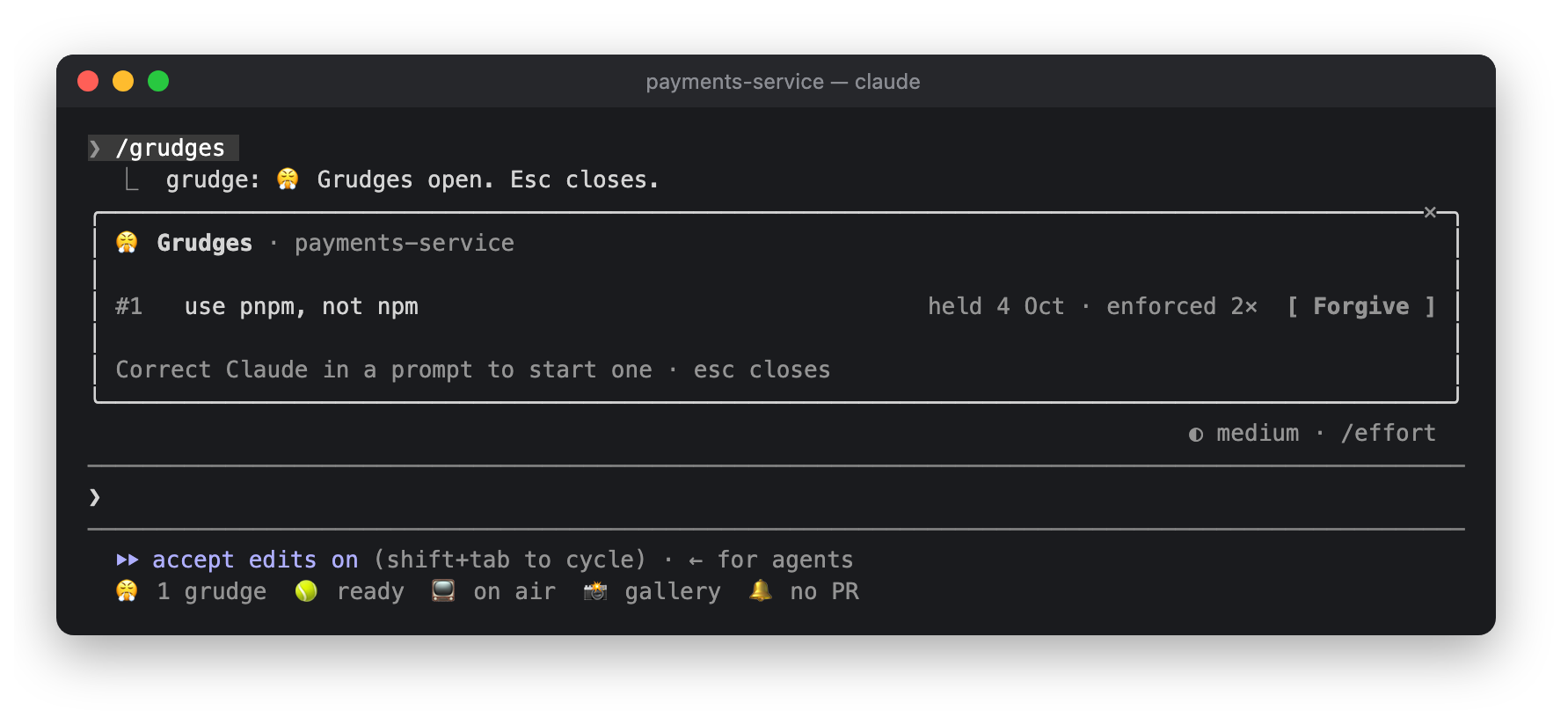
Forgive a rule and it's gone straight away.
If a prompt is under 400 characters and has something in it that looks like a correction, it goes to Haiku to decide whether it's a lasting preference. Any other prompt costs nothing. Rules are kept in the plugin's store.

Substrate plugin for Ruflo memory: AgentDB controller bridge (15 agentdb_* MCP tools), RuVector ONNX embeddings (10 embeddings_* tools incl. RaBitQ 32x quantization), and WASM HNSW pattern router (3 ruvllm_hnsw_* tools). As a mod (ADR-445): opt-in safe recall into the prompt, a write guard that keeps secrets out of memory, /agentdb, and a status file the console shows

Build, format, optimize, and review interactive Power BI reports, with a report pane that follows the pbir CLI and shows what Claude reads and changes.


Shows unread AMP messages above the prompt, in the status line and as a toast, and can wake an idle Claude Code session to read them. Needs Claude Code 2.1.287 or later.
