
Bearisbug@Bearisbug
Bearisbug/cc-mods/tree/main/ctx-slim
Removes MCP server descriptions that are not useful in the current directory according to directory rules, saving context; rules are configured in userConfig under rules, and it does nothing when no rules are configured.
Bearisbug/cc-mods/tree/main/ctx-slim
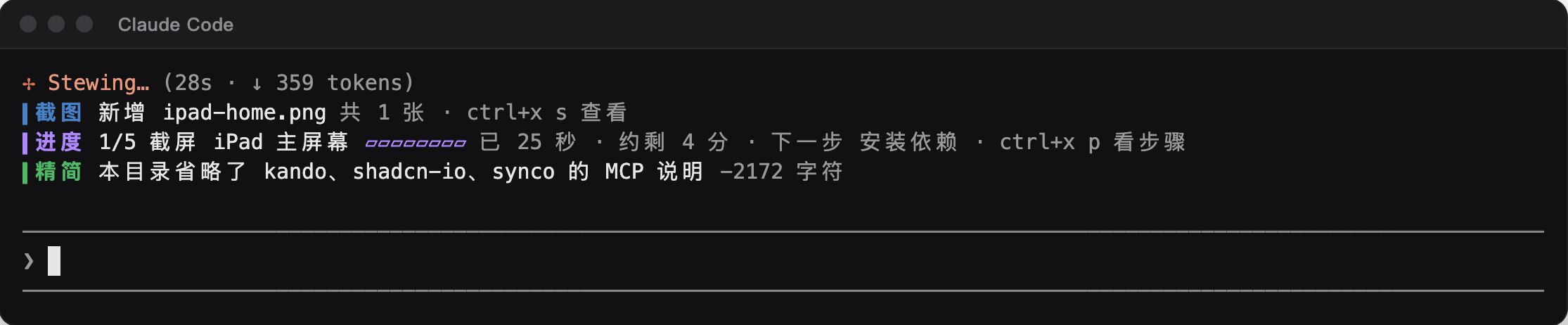
ctx-slim is a mod in cc-mods that trims MCP descriptions by directory. It intercepts MCP descriptions at prompt.attachment and, according to your configured rules, removes the section for servers that are not useful in the current directory; the tools themselves remain available. By default it does nothing, so rules must be configured first. The rule format is server: condition | condition; server: condition, with conditions supporting path~substring, file=filename and text=text. Configure it in /config, /plugin configure, or pluginConfigs in ~/.claude/settings.json. The first time a session trims content, a green notice appears above the input: 「▍trimmed This directory omitted …'s MCP description −N characters」, then disappears after 30 seconds.
Check the author's README for the marketplace and plugin name first. Commands may change as the repository evolves.
claude plugin marketplace add Bearisbug/cc-mods
claude plugin install ctx-slim
三个 Claude Code mod:截图面板 shot-view、长任务进度 task-eta、按目录精简 MCP 说明 ctx-slim。三个 mod 各在输入框上方画一行,颜色分别是蓝、紫、绿,不再用 Claude Code 自带的橙色 ⚠ 状态行。
77 秒介绍视频(点图下载 mp4,13.5 MB):
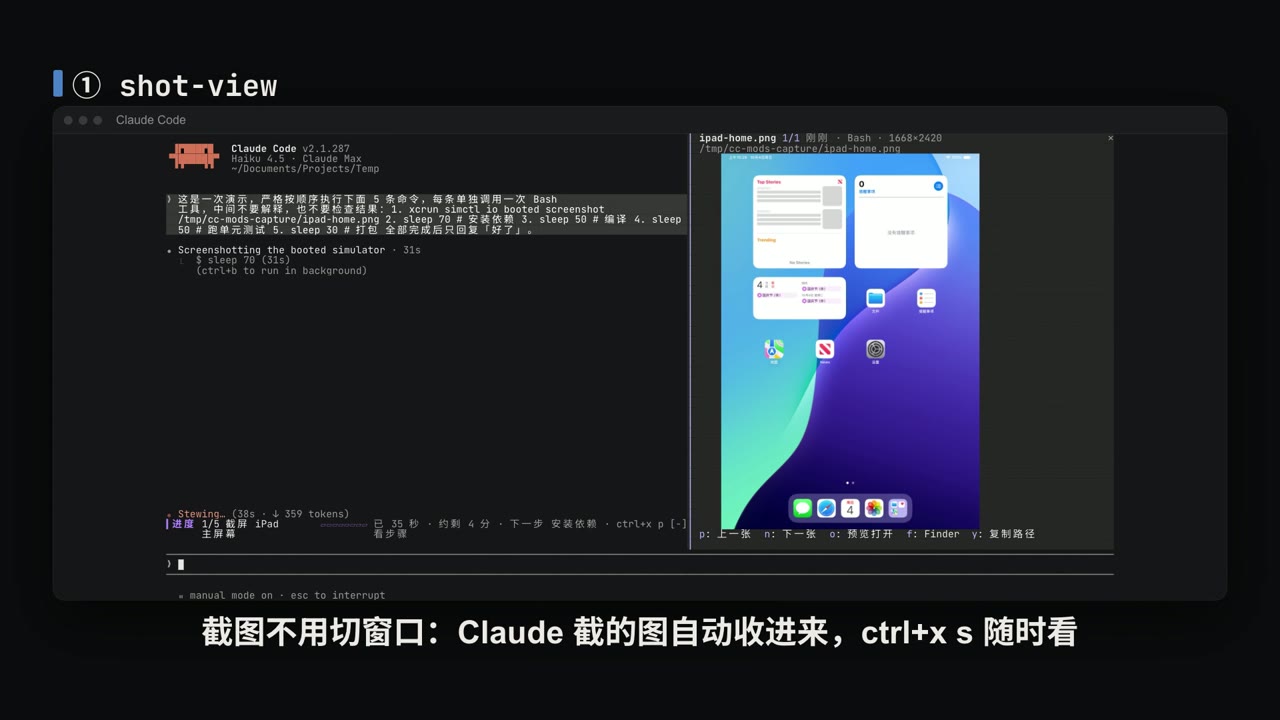
mod 是 Claude Code v2.1.287 引入的一种插件:插件里放一个 JavaScript / TypeScript 模块,注册一组事件处理函数,在 Claude Code 进程里运行。它能在输入框上方的条带和侧边面板里画界面、注册斜杠命令、在工具调用前后插一手;其中画界面只有 mod 能做,settings 里的 hook、skill 和 MCP 都不行。v2.1.287 起默认开启。官方文档:https://code.claude.com/docs/en/plugins/mods/overview
需要 Claude Code 2.1.287 或更新版本。
claude plugin marketplace add Bearisbug/cc-mods
claude plugin install shot-view@cc-mods
claude plugin install task-eta@cc-mods
claude plugin install ctx-slim@cc-mods
已经开着的会话要运行 /reload-plugins 或新开会话才会加载。
两个面板也可以用快捷键打开。在 ~/.claude/keybindings.json 里加上(command:<名字> 等于输入对应的斜杠命令,只能放在 Chat 上下文):
{
  "bindings": [
    {
      "context": "Chat",
      "bindings": { "ctrl+x s": "command:shots", "ctrl+x p": "command:steps" }
    }
  ]
}
不配快捷键时,输入 /shots、/steps 效果相同。
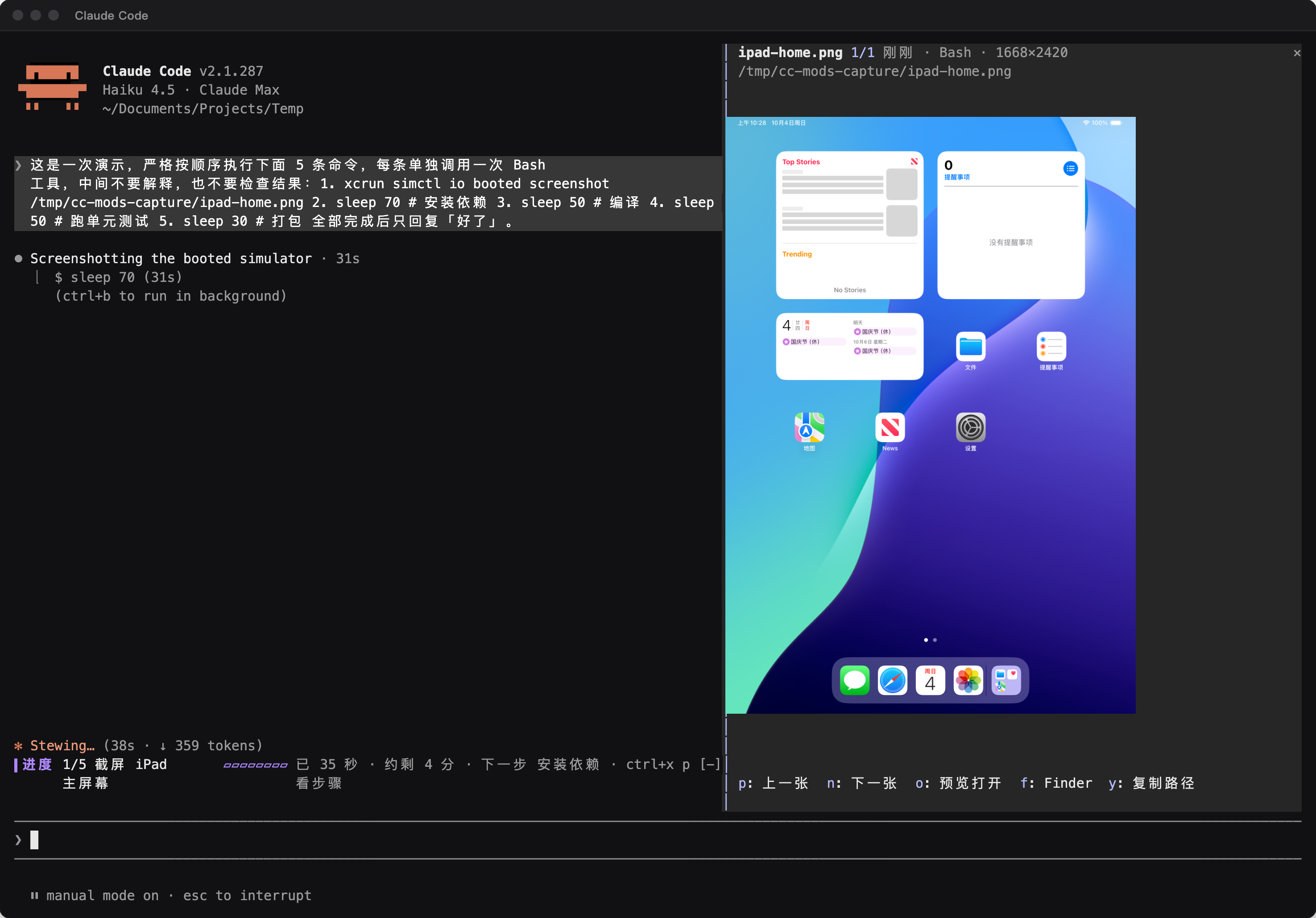
xcrun simctl io booted screenshot、Playwright 截图),这张图就进入列表,最多保留最近 60 张。/shots(ctrl+x s)打开右侧面板,Claude 正在工作时也能立刻打开。面板只显示未读的截图,打开时停在最新一张,顶行写着当前是第几张未读、已读几张。n 下一张(更早的),p 上一张(更新的),r 标为已读(看过、不用再看时按,只是翻过不算),u 撤销最近一次已读并跳回那一张,按住 o 在面板里放大当前这张、松开收起,轻按 o 用 macOS 快速查看打开,f 在 Finder 里显示,y 复制路径;Esc 或再按一次 ctrl+x s 关闭,面板开着时 Esc 只关面板,不会中断 Claude。o 是靠终端在按住时连续补发的重复按键来识别的,mod 收不到「松开」事件。有的终端按住字母时会弹出 macOS 的重音字符菜单,不补发重复按键,这时按住会被当成轻按,打开快速查看;对这个终端运行 defaults write <终端的 bundle id> ApplePressAndHoldEnabled -bool false 再重开,就会改回按住连发。面板内放大受面板宽度限制:横屏截图放大后几乎一样大,竖长的手机截图会明显变大;想看大图就轻按 o。~/.claude/settings.json 的 env 里加 "CLAUDE_CODE_FORCE_TERMINAL_IMAGES": "1"。终端不支持时面板只显示文件名,轻按 o 用快速查看看。sips,快速查看靠 qlmanage,在 Finder 里显示靠 open。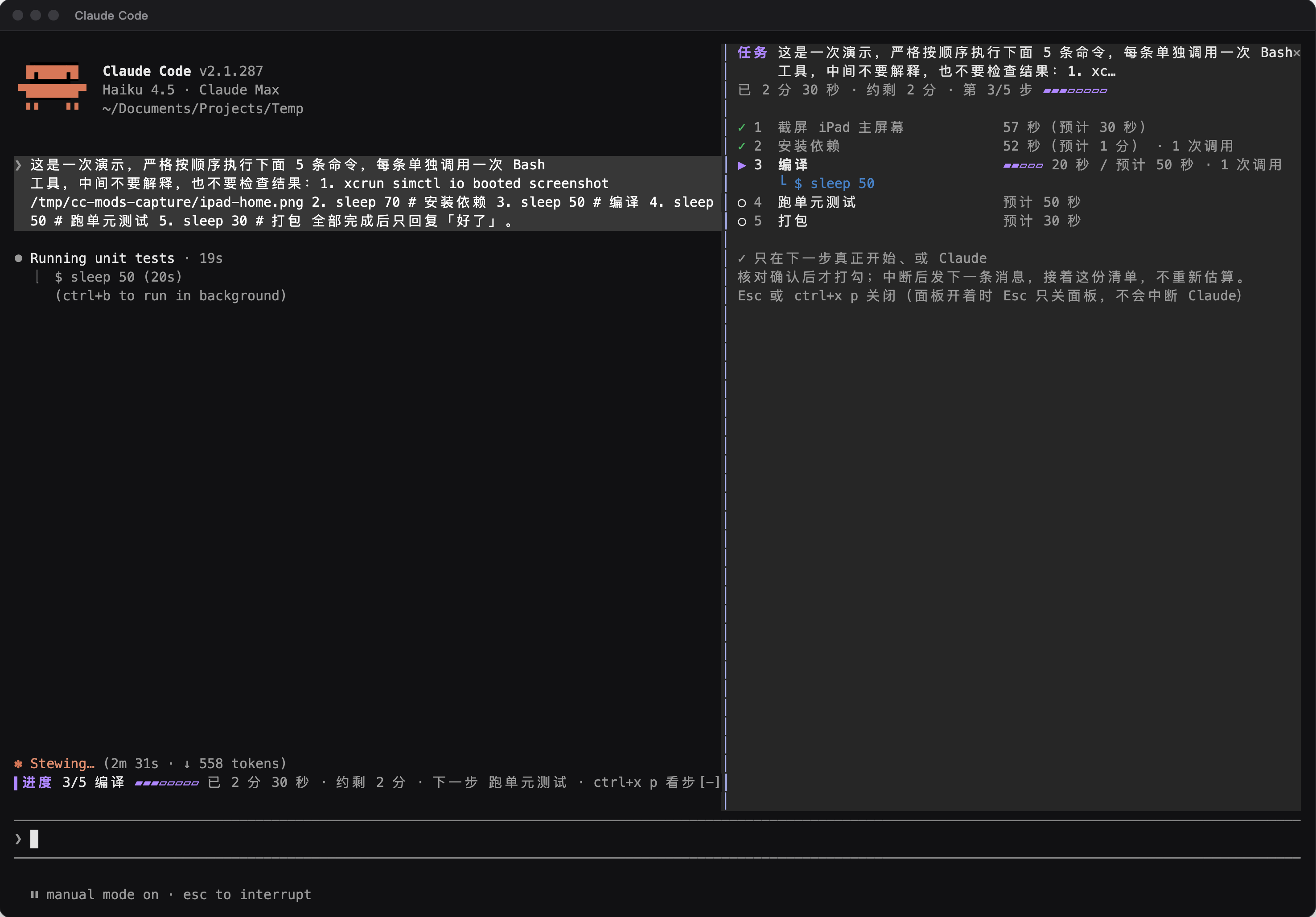
/steps(ctrl+x p)展开「任务步骤」面板:每一步用 ✓ / ▶ / ○ 标状态,「–」表示 Claude 核对后认为这一步后来不需要了;每一步写着实际用时、预计用时和调用次数,当前步骤下面显示 Claude 正在执行的命令。面板里按 c 让 Claude 重新核对;一轮已经结束、清单还没完成时,按 d 把整份清单标为完成。/clear 会清掉清单。$.model.fork 发请求,每轮最多 6 次;一轮结束时的核对不受这个次数限制,失败后隔 5 秒、10 秒各重试一次。请求复用会话的 prompt cache,但仍然计入你的用量。
prompt.attachment 上拦下 MCP 说明,按你配的规则去掉当前目录用不上的服务器那一节;工具本身照常可用。规则可以在 /config 里的「MCP 说明保留规则」填一行,或者运行 /plugin configure ctx-slim@cc-mods,也可以直接写进 ~/.claude/settings.json:
{
  "pluginConfigs": {
    "ctx-slim@cc-mods": {
      "options": {
        "rules": "kando: path~kando; synco: text=<!-- synco:project-context:start | path~synco; shadcn-io: file=package.json"
      }
    }
  }
}
规则格式是 服务器: 条件 | 条件; 服务器: 条件,多条规则用分号或换行隔开:
| 写法 | 含义 |
|---|---|
| 服务器名 | MCP 说明里 ## 后面的名字,不区分大小写 |
| path~子串 | 当前目录路径里包含这个子串,不区分大小写 |
| file=文件名 | 从当前目录往上能找到这个文件;当前目录在 HOME 下时只找到 HOME 为止 |
| text=文字 | 当前目录及上级目录的 CLAUDE.md 或 AGENTS.md 里含有这段文字 |
列出的服务器只要有一个条件成立就保留它的说明,否则省略;没列出的服务器一律保留。条件里不能出现 ; 和 |,写错的部分会被跳过,不会因此误删说明。
上面那段示例是作者自己的规则:kando 的说明只在路径含 kando 时保留,synco 的说明在 CLAUDE.md 里有 Synco 的 project-context 标记、或路径含 synco 时保留,shadcn-io 的说明只在能找到 package.json 的前端项目里保留。
mod 以你的用户权限在 Claude Code 进程里运行,不在沙箱里。装之前可以对插件目录运行 claude plugin validate <目录>,它不执行代码,只列出 mod 处理哪些事件、调用哪些接口:
| mod | 处理的事件 | 调用的接口 |
|---|---|---|
| shot-view | tool.call、command.run、ui.render | $.process.run(只运行 sips、qlmanage、open)、$.fs.stat、$.clock.*、$.ui.*、$.state.* |
| task-eta | turn.start、tool.call、turn.complete、command.run、session.end、ui.render | $.model.fork、$.clock.*、$.ui.* |
| ctx-slim | prompt.attachment、ui.render(没配规则时不注册任何钩子) | $.fs.exists、$.fs.ancestors、$.env.get、$.ui.*、$.state.* |
claude plugin validate shot-view      # 静态检查
claude plugin test shot-view          # 跑 tests/ 里的测试
claude --plugin-dir ./shot-view       # 只在这一个会话里加载,存盘自动重载
brand/promo/intro/ 是介绍视频的源码(HyperFrames 0.8.96 + GSAP),分镜在 storyboard.md,录屏数据在 assets/term.js。配乐文件不在仓库里,先用 bash tools/cut_music.sh <原曲> 从原曲剪出 assets/audio.wav,再在该目录运行 npm ci、npx hyperframes render . -o renders/cc-mods-intro.mp4 --strict 重新出片。
README 和视频里的终端画面来自真实会话的录屏数据;shot-view 面板里的图片区域是后期合成的,因为录屏用的终端模拟器不支持 kitty 图形协议。视频里的计数器 mod 是官方文档的示例,拦截 rm -rf 的是官方示例 blast-radius。配乐:《栖谷来信》(Letter from an old friend),制造木屋/陈越龙,版权归原作者,不在本仓库的 MIT 许可之内。

lcm is shared memory infrastructure for coding agents, replacing sliding-window forgetting with a persistent runtime for humans and agents, with SQLite persistence, DAG summaries and cross-session memory.

Kindex is a local knowledge-graph MCP plugin and CLI for multiple agents; claude_modern is an experimental modern adapter with repository-local persistence, secret minimization and optional modern/legacy hooks.
Renders the context window as a brain: tool calls light up the corresponding regions, higher usage makes it more crowded, and compaction triggers sleep-like cleanup.
