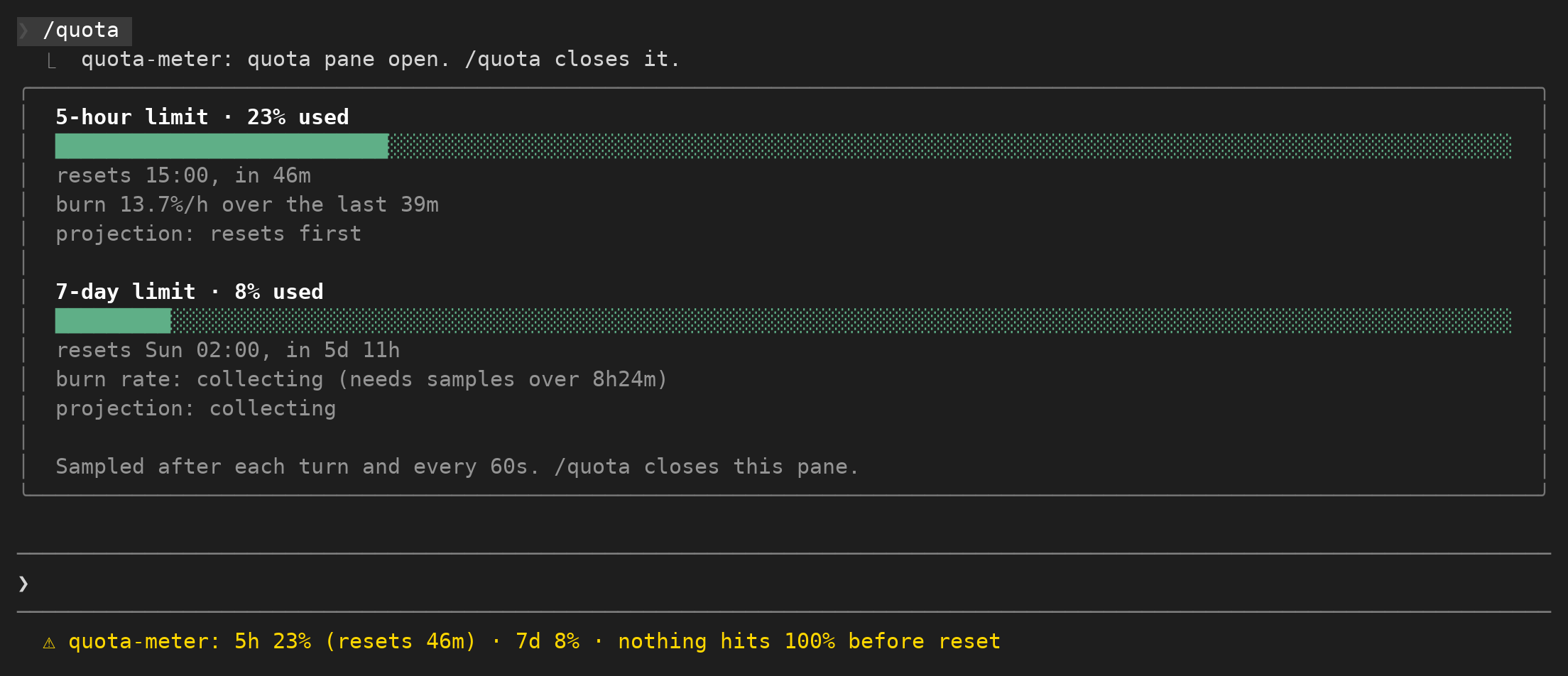
關於這個 mod
以固定顯示列呈現對話用量。
本作品由社群作者維護。功能、版本需求與設定方式,請查看下方原始 README。本站提供權限掃描結果;安裝前請檢查原始碼與外部相依套件。

以固定顯示列呈現對話用量。
本作品由社群作者維護。功能、版本需求與設定方式,請查看下方原始 README。本站提供權限掃描結果;安裝前請檢查原始碼與外部相依套件。
請先查看作者 README,確認 marketplace 與外掛名稱;指令可能隨儲存庫結構而變動。
claude plugin marketplace add pawandeepdhall/claude-mods
claude plugin install usage-band
See your Claude Code 5-hour and weekly usage limits at all times, get one-click next-step suggestions after every reply, and open a new chat or push to GitHub in one click. Free, open-source Claude Code mods for the Claude Desktop app (Code tab) and the Claude Code terminal.
Website: https://pawandeepdhall.github.io/claude-mods/
▶ Watch the 37-second demo (with voice-over)

Install in 30 seconds:
claude plugin marketplace add pawandeepdhall/claude-mods
claude plugin install usage-band@my-claude-mods
claude plugin install next-steps@my-claude-mods
Stop guessing how close you are to your Claude limit or running /usage again and again. usage-band pins a small widget above the prompt that shows:
It updates on its own, works on Pro and Max plans, shows Team and Enterprise spend limits, and hides itself on API-key accounts, where there are no limits to show. It follows your light or dark theme.
Not sure what to ask next? After every reply, next-steps shows up to 6 suggested next steps in two columns on the left of the band, such as Add tests for the parser or Deploy to staging.
SEND_MODEL to 'sonnet' in hooks/register.tsx for more detail), and identical requests are cached for 30 minutes so a repeat costs nothing/mod-bench times the mod's storage and model calls and writes the results to bench.jsonClaude Code v2.1.287 or later (mods are built in from that version). The Claude Desktop app updates itself. In a terminal, check with claude --version and update with:
npm install -g @anthropic-ai/claude-code@latest
Run these once per computer (no GitHub account needed):
claude plugin marketplace add pawandeepdhall/claude-mods
claude plugin install usage-band@my-claude-mods
claude plugin install next-steps@my-claude-mods
Or inside a Claude Code session: /plugin marketplace add pawandeepdhall/claude-mods, then /plugin install usage-band@my-claude-mods. In a session that was already open, run /reload-plugins.
claude plugin marketplace update my-claude-mods
claude plugin update usage-band@my-claude-mods
claude plugin update next-steps@my-claude-mods
Mods run with your permissions, so here is exactly what each one does. Check it yourself with claude plugin validate ./plugins/<mod>.
$.session.usage), checks whether the folder is a git repo (git rev-parse), runs a one-line script that presses Ctrl+N when you click +, and submits a commit-and-push request to Claude when you click ↑. Nothing is sent anywhere else.$.model.complete): to Haiku to write the suggestions and, when you press Send, the message it then submits as yours. /mod-bench writes timing results to a local bench.json file. Nothing is sent anywhere else.How do I see my Claude Code usage limit? Install usage-band. Your 5-hour and weekly usage show above the prompt in every session.
When does my Claude 5-hour limit reset? usage-band shows a live countdown (↻) next to each limit.
Can Claude Code suggest what to do next? Yes. With next-steps, up to 6 suggested next steps appear after every reply; tick one or more and press Send, and it writes a detailed prompt for Claude.
Does it work in the Claude Desktop app? Yes. Both mods work in the Desktop app's Code tab and in the terminal.
Ideas and pull requests are welcome. Each mod is a folder under plugins/; add a new one and list it in .claude-plugin/marketplace.json.
Keywords: Claude Code mod, Claude Code plugin, Claude usage tracker, Claude usage limit, 5-hour limit, weekly limit, rate limit monitor, Claude Desktop, next steps, follow-up suggestions, prompt suggestions, Anthropic Claude.
MIT. See LICENSE.

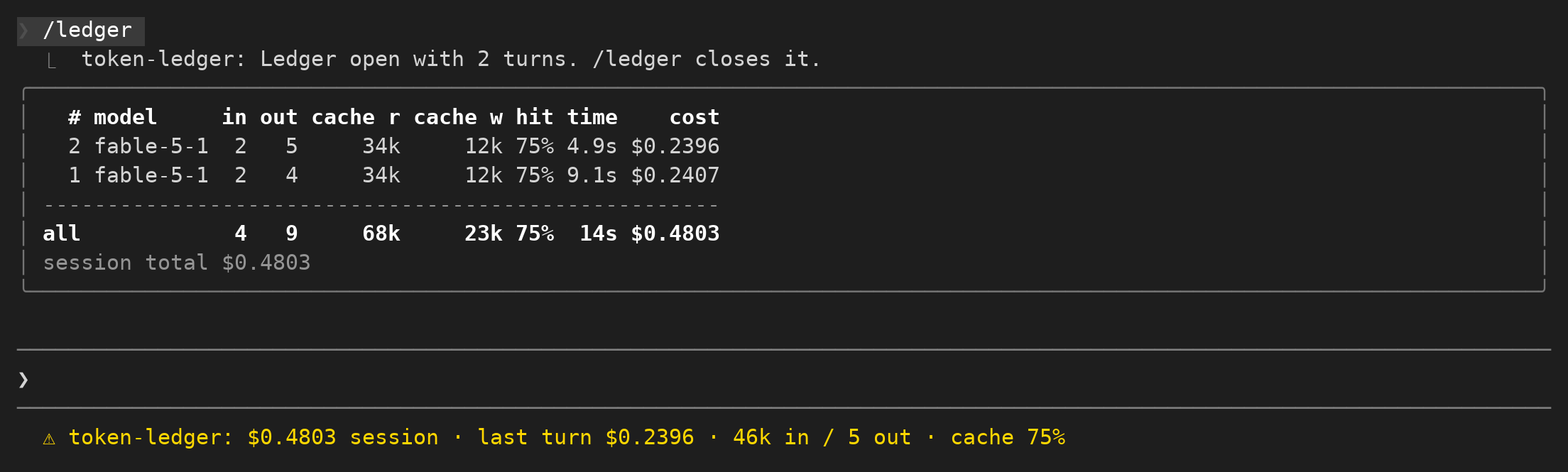
記錄對話費用、最近一回合的 Token 與快取命中率,並提供用量明細表。
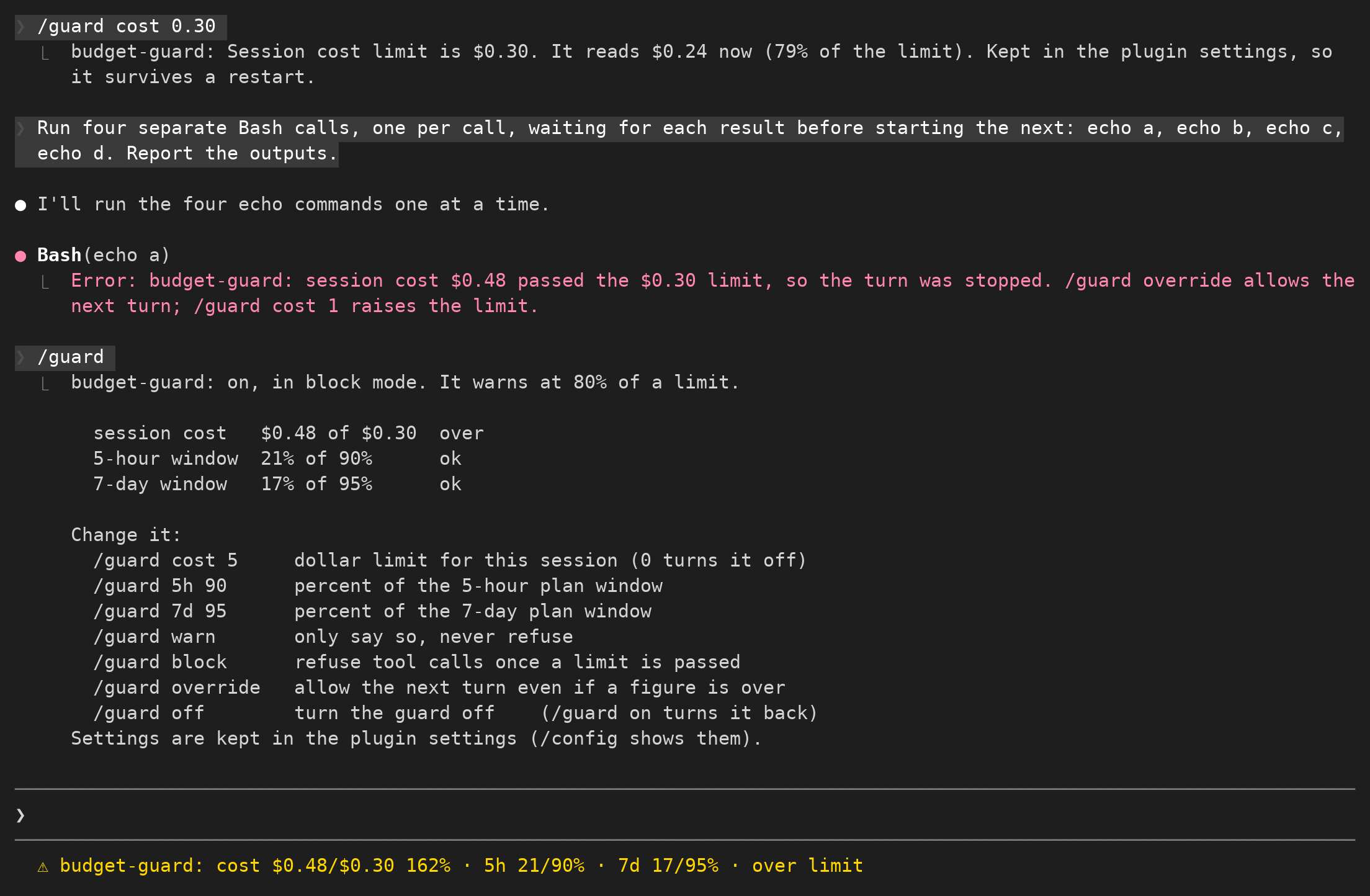
設定單次對話預算,接近上限時提醒,並限制後續花費。
以固定狀態列顯示方案在五小時與七天期間內的用量。