
Vortitron@Vortitron
Vortitron/home-assistant-mcp/tree/main/claude-plugin/vome-dash
Vortitron/home-assistant-mcp/tree/main/claude-plugin/vome-dash
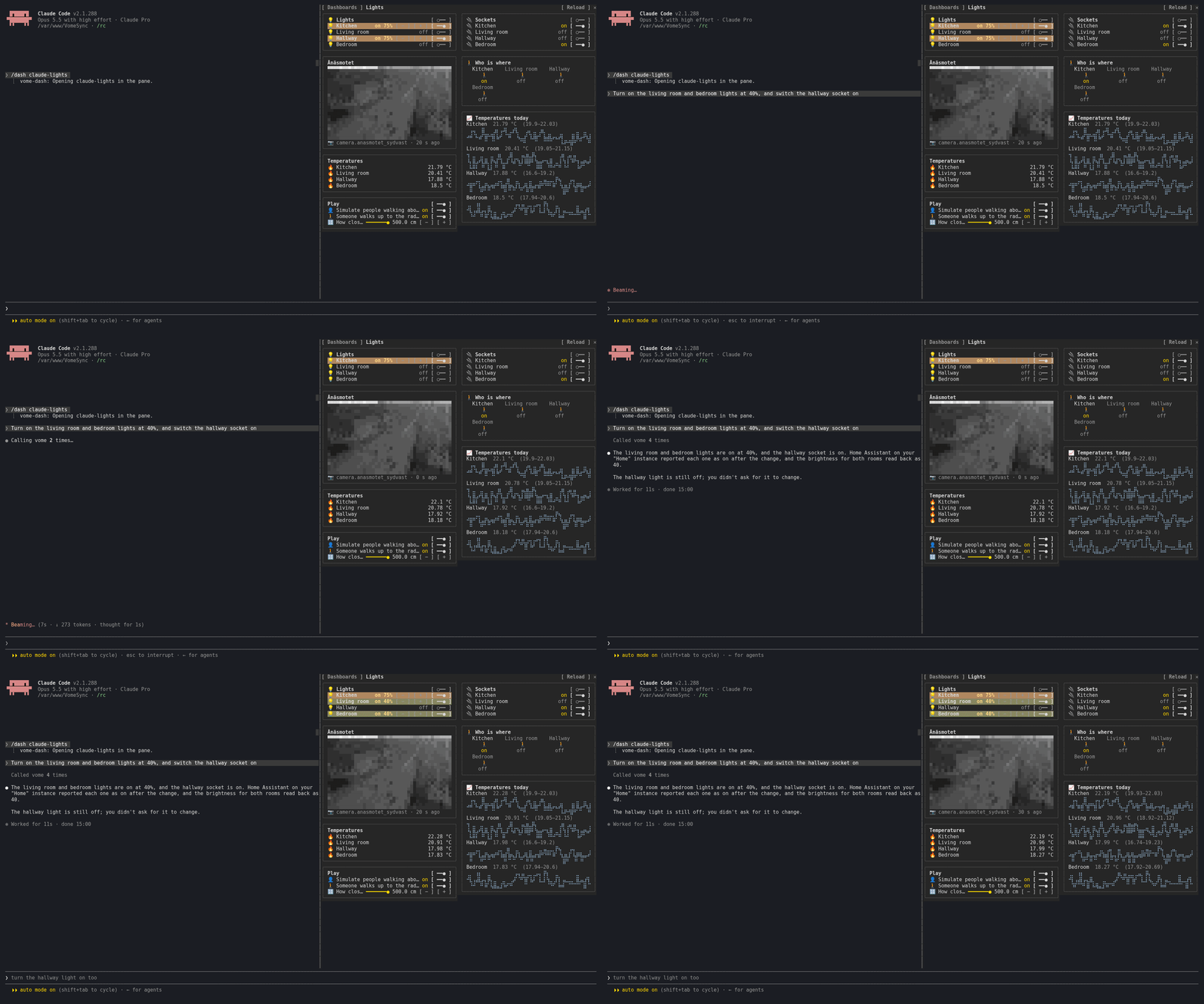
vome-dash 会在 Claude Code 中添加侧边面板,显示真正可运行的 Home Assistant 仪表板——可以是 Claude 正在处理的那个,也可以是你的任何仪表板。它显示实时状态(在一秒内更新,不使用轮询),支持真正的控件(开关、调光器、滑块、恒温器、场景、脚本、卡片按钮),并以 Home Assistant 的方式渲染卡片,包括历史图表和相机画面。Claude 修改的卡片会短暂亮起。通过 /plugin install vome-connect --marketplace Vortitron/home-assistant-mcp 安装,然后运行 /plugin install vome-dash --marketplace Vortitron/home-assistant-mcp 和 /reload-plugins;运行 /dash 打开面板。需要 Vome Home Assistant 应用和密钥。
请先查看作者 README 确认 marketplace 和插件名称;命令可能随仓库结构改变。
claude plugin marketplace add Vortitron/home-assistant-mcp
claude plugin install vome-dash
A side pane with a Home Assistant dashboard in it: the one Claude is working on, or any of yours. Not a picture of one: it works.
Presses are yours: Claude never presses anything in the pane.
1. Add the Vome app to Home Assistant, then get a key from it. No sign-up needed.

The button opens your own Home Assistant and adds the app's repository. Pick Vome and Install, open it, and on the Agent tab create a key. Live states need the Vome app 0.3.52 or newer.
2. Paste these into Claude Code, in a terminal (version 2.1.275 or newer):
/plugin install vome-connect --marketplace Vortitron/home-assistant-mcp
It asks for the key from step 1. Then:
/plugin install vome-dash --marketplace Vortitron/home-assistant-mcp
/reload-plugins
Or all four Vome panes at once (automations, ESPHome, health and this one):
/plugin install vome-panes --marketplace Vortitron/home-assistant-mcp.
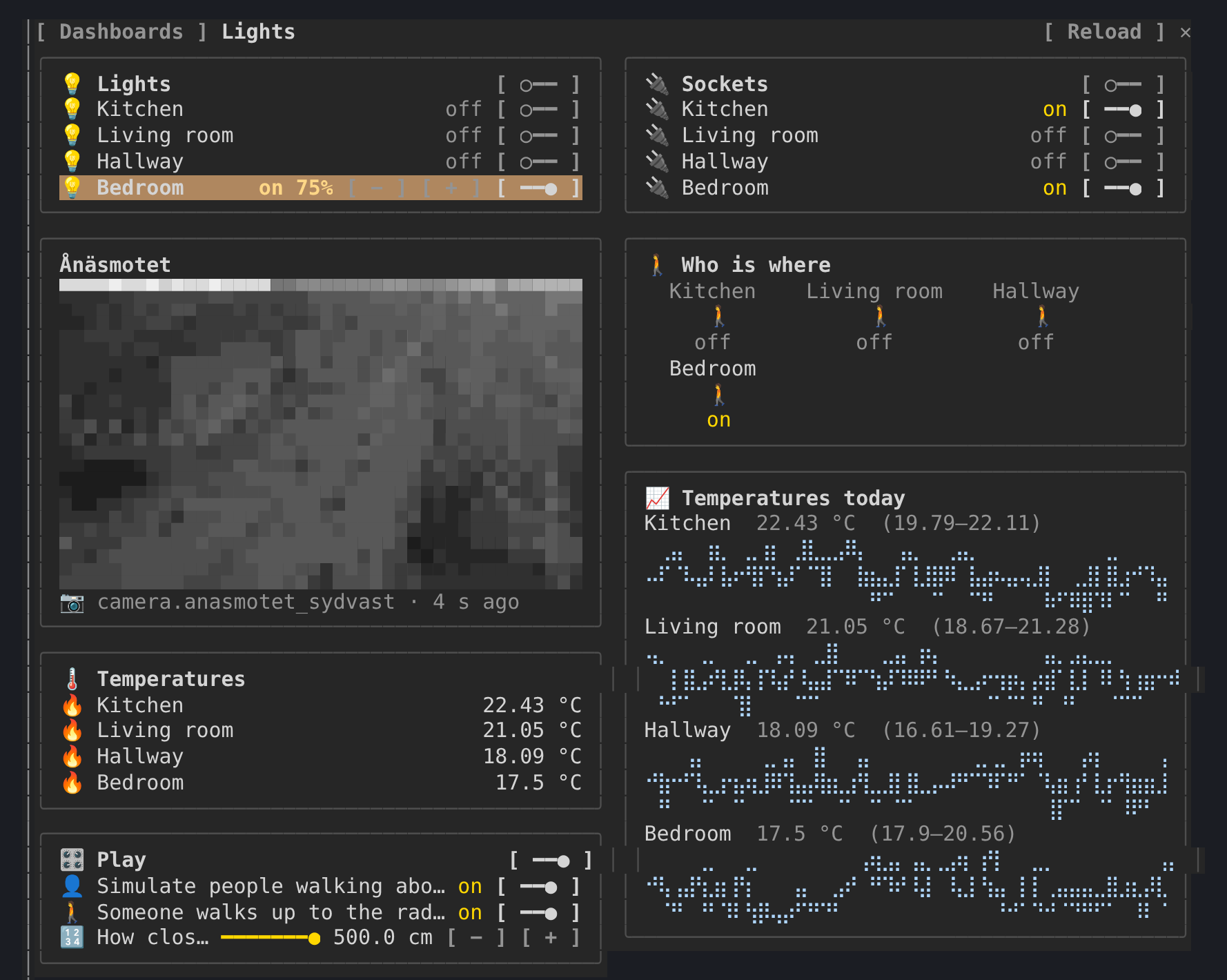
3. Run /dash, pick a dashboard, or ask Claude to build one: "Make me a
dashboard for the lights and the temperatures".
The pane reads in the background (states, the live watch, templates,
history, camera frames), all read-only. In auto mode Claude Code refuses
background calls nobody asked for unless they are allowed by name; the pane
shows the exact lines and where they go. With vome-connect:
"mcp__plugin_vome-connect_vome__ha_view_snapshot",
"mcp__plugin_vome-connect_vome__ha_watch_states",
"mcp__plugin_vome-connect_vome__ha_camera_frame",
"mcp__plugin_vome-connect_vome__ha_get_state",
"mcp__plugin_vome-connect_vome__ha_render_template",
"mcp__plugin_vome-connect_vome__ha_get_history",
"mcp__plugin_vome-connect_vome__ha_get_dashboard",
"mcp__plugin_vome-connect_vome__ha_list_dashboards"
A press calls ha_call_service. Allowing that by name would let Claude change
things without asking too, so the pane leaves that choice to you: use the
controls with auto mode off, or allow it if you are happy to.
| | |
| --- | --- |
| /dash | open the pane and pick a dashboard (/dash <url_path> opens one) |
| m | the dashboards sidebar |
| r | reload the dashboard |
The pane reads through the connection Claude Code already has. A live watch needs a key that may read the home, follows only the entities on show, reports states and never changes anything, and its access expires within minutes unless the key is still allowed. Camera pictures need the key's Cameras tick.

文档生成、漂移检测和 API 文档自动化插件,同时作为 function-hook 防护,拒绝包含机密的文档写入或 worker 调度。

Claude 桌面应用的状态栏。它显示在提示符上方,展示会话质量、上下文填充量、缓存倒计时,以及 5 小时和每周限额,并让 Clawd 演示会话正在进行的操作。

一个 Claude Code 插件 mod,提供 /databricks-pane:按照 databricks CLI,以树状结构展示 Databricks 工作区、Unity Catalog、计算资源、作业、管道、应用和仪表板,并支持实时高亮、配置文件切换和复制 CLI 参数。
