
alexgreensh@alexgreensh
alexgreensh/token-optimizer/tree/main/desktop/token-optimizer-desktop
Claude 桌面应用的状态栏。它显示在提示符上方,展示会话质量、上下文填充量、缓存倒计时,以及 5 小时和每周限额,并让 Clawd 演示会话正在进行的操作。
alexgreensh/token-optimizer/tree/main/desktop/token-optimizer-desktop
Claude 桌面应用的状态栏。它显示在提示符上方,展示会话质量、上下文填充量、缓存倒计时,以及 5 小时和每周限额,并让 Clawd 演示会话正在进行的操作。
它随 Token Optimizer plugin 一起提供(hooks/hooks.json 会在 modules 下指定此文件夹的 hooks/register.tsx),因此无需额外安装。此文件夹保留自己的 manifest,只是为了让测试可以通过 claude plugin test 独立运行。
需要 Claude Code 2.1.287 或更高版本,以及 Anthropic 的 mods 功能。Anthropic 可以远程关闭 mods;关闭时不会出现故障,只是状态栏不显示。终端会保留现有状态列。不支持 VS Code。
缓存倒计时只是估算值:Claude 套餐为 1 小时,API 为 5 分钟;如果可能,会从会话本身开始计时。
在 ~/.claude/settings.json 的 env 区块中设置 TOKEN_OPTIMIZER_STATUS_BAR=0 可隐藏状态栏,设置 TOKEN_OPTIMIZER_STATUS_BAR_ANIMATE=0 可让 Clawd 保持静止。
请参阅 Token Optimizer README 和文档站页面「Claude desktop app」。
请先查看作者 README 确认 marketplace 和插件名称;命令可能随仓库结构改变。
claude plugin marketplace add alexgreensh/token-optimizer
claude plugin install token-optimizer
A status bar for the Claude desktop app. It draws above your prompt and shows session quality, context fill, cache countdown, and your 5-hour and weekly limits, with Clawd acting out what the session is doing.
It ships inside the Token Optimizer plugin (hooks/hooks.json names this folder's hooks/register.tsx under modules), so there is nothing extra to install. This folder keeps its own manifest only so its tests run on their own with claude plugin test.
Needs Claude Code 2.1.287 or newer and Anthropic's mods feature. Anthropic can switch mods off remotely; when off, nothing breaks and the bar just does not appear. The terminal keeps its existing status line. VS Code is not supported.
The cache countdown is an estimate: 1 hour on Claude plans, 5 minutes on the API, measured from the session itself when possible.
TOKEN_OPTIMIZER_STATUS_BAR=0 hides the bar and TOKEN_OPTIMIZER_STATUS_BAR_ANIMATE=0 keeps Clawd still, set in the env block of ~/.claude/settings.json.
See the Token Optimizer README and the docs site page "Claude desktop app".

文档生成、漂移检测和 API 文档自动化插件,同时作为 function-hook 防护,拒绝包含机密的文档写入或 worker 调度。

一个 Claude Code 插件 mod,提供 /databricks-pane:按照 databricks CLI,以树状结构展示 Databricks 工作区、Unity Catalog、计算资源、作业、管道、应用和仪表板,并支持实时高亮、配置文件切换和复制 CLI 参数。


# RemCTL 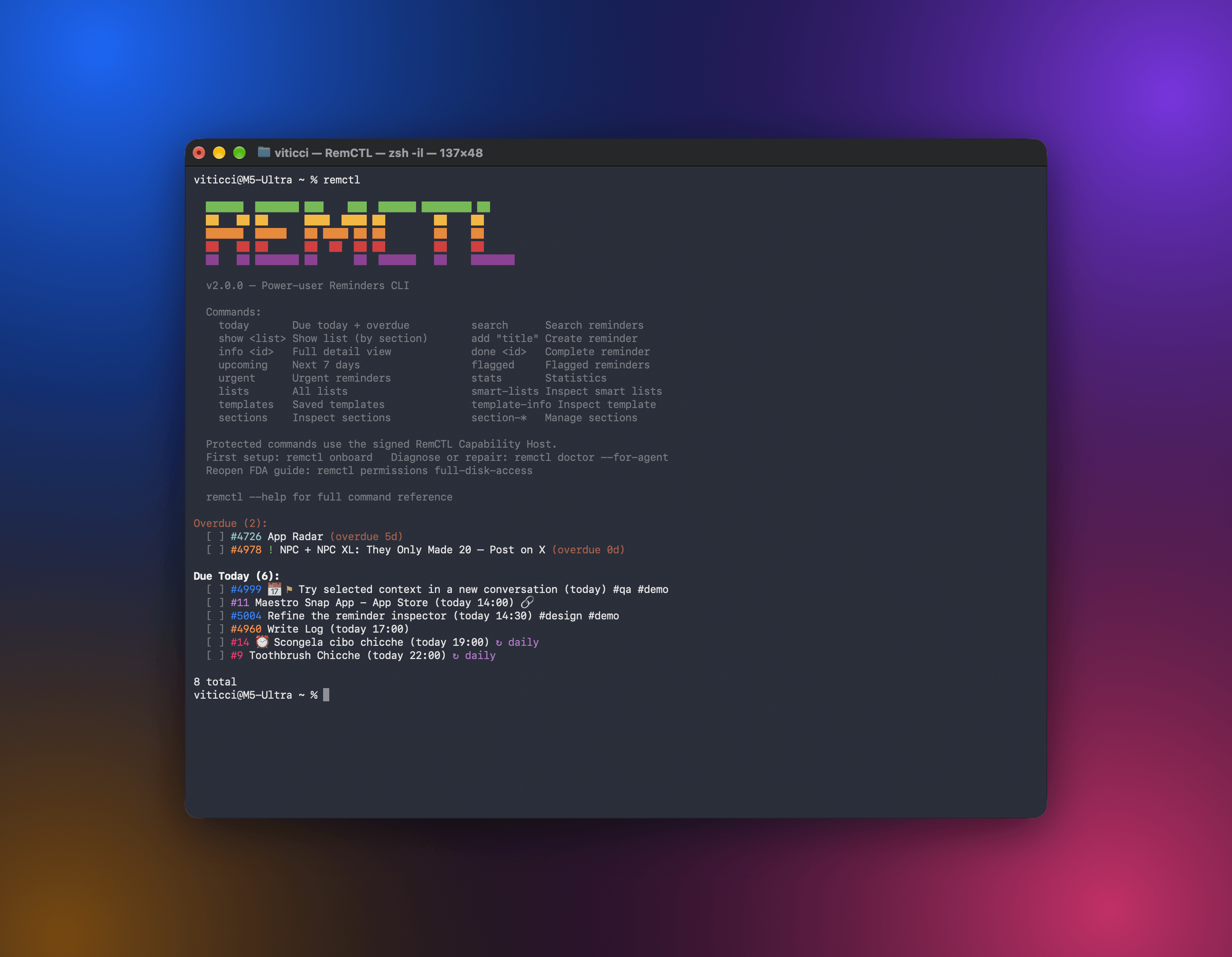 RemCTL 让你可以从终端、AI 应用、Codex 内的 Reminders 工作区,以及 Claude Code 中的 Today 横条,完全控制 Apple Reminders。它涵盖提醒事项、列表、到期日期、旗标和搜索等基础功能,也支持 Apple 没有向其他应用开放的 sections、tags、subtasks、smart lists 和 templates。
