data-goblin@data-goblin
data-goblin/power-bi-agentic-development/tree/main/plugins/reports

构建、格式化、优化和审查交互式 Power BI 报表,并提供一个遵循 pbir CLI 的报表面板,显示 Claude 读取和修改的内容。
data-goblin/power-bi-agentic-development/tree/main/plugins/reports
[!WARNING] 这些技能仍在积极开发中,并按周发布,因此请预期名称和结构会定期变化。
26.26 到 26.38 是有意进行的破坏性过渡。 在这一范围的每周发布中,技能可能会合并、重命名、移除,或变得不那么自动化。如果需要过渡前的技能结构和行为,请固定使用 26.25 或更早版本;不要假设一个过渡版本与下一个版本兼容。
以下是在 Claude Code 中开始使用的方法;在终端运行此命令以获取市集:
claude plugin marketplace add data-goblin/power-bi-agentic-development
添加市集,然后通过 /plugin 进入已安装的市集并安装插件。
另一种方式是通过命令行添加插件:
claude plugin install goblin-mode@power-bi-agentic-development
claude plugin install tabular-editor@power-bi-agentic-development
claude plugin install pbi-desktop@power-bi-agentic-development
claude plugin install pbip@power-bi-agentic-development
claude plugin install semantic-models@power-bi-agentic-development
claude plugin install reports@power-bi-agentic-development
claude plugin install paginated-reports@power-bi-agentic-development
claude plugin install custom-visuals@power-bi-agentic-development
claude plugin install fabric-cli@power-bi-agentic-development
claude plugin install fabric-admin@power-bi-agentic-development
claude plugin install databricks-cli@power-bi-agentic-development
claude plugin install fabric-data-app@power-bi-agentic-development
claude plugin install etl@power-bi-agentic-development
独立的 Copilot CLI 支持从 GitHub 仓库安装插件。Copilot CLI 会读取此仓库使用的同一个 .claude-plugin/marketplace.json 清单,因此市集和子插件布局无需修改即可使用。
TMDL 文件无法很好地处理超过 260 个字符的相对于仓库的路径。Windows 的旧版 MAX_PATH 会阻止 git clone 写入这些路径,除非同时在操作系统和 git 层级启用长路径支持。否则,copilot plugin install 会因 Filename too long 中止。
请查看 useful-stuff/agent-scripts/enable-windows-longpaths.ps1,其中有一个示例脚本,可以从提升权限的 ps 环境运行以启用长路径;你也可以在线找到其他方式……直接问 Copilot 即可。更改注册表后建议重新启动。这是 Windows 操作系统的限制,记录在 Maximum Path Length Limitation 中。
另请参阅下面的 git config 命令:
git config --system core.longpaths true
这个仓库是一个 Anthropic 格式的插件市集(一组插件),不是单个可分发插件,因此根目录 .claude-plugin/ 中只有 marketplace.json。有两种文档记录的安装路径:
1. 注册一次市集,然后安装指定名称的子插件。示例:
copilot plugin marketplace add data-goblin/power-bi-agentic-development
copilot plugin install tabular-editor@power-bi-agentic-development
2. 或直接从其子目录安装单个插件,无需注册市集。示例:
copilot plugin install data-goblin/power-bi-agentic-development:plugins/pbip
这两种形式都记录在 Copilot CLI 插件参考 和 插件使用方法 中。在交互式 Copilot 会话中,/plugin install PLUGIN-NAME@MARKETPLACE-NAME 等同于 (1)。不带限定符的 copilot plugin install data-goblin/power-bi-agentic-development 不会安装任何有用内容,因为根目录是市集目录而不是插件。
在 Copilot CLI 中:
/env                    # Loaded instructions, MCP servers, skills, agents, plugins, LSPs, extensions
/plugin list            # Installed plugins
/skills list            # Available skills
/skills info pbip       # Details for a specific skill
/agent                  # Browse installed agents
skills/<name>/SKILL.md。*.agent.md 扩展名。Claude Code 会匹配 agents/ 中的任何 *.md 文件,因此双重扩展名在两个工具中都能工作。.mcp.json(插件根目录)或 .github/mcp.json 加载。此仓库中的插件目前不提供 MCP 服务器。hooks/hooks.json(带有每个 hook 的 if 路径筛选器)。Copilot CLI 读取 .github/plugin/plugin.json,该文件指向 hooks/copilot-hooks.json:这是相同的脚本,通过明确的 bash 和 powershell 命令连接起来,因此没有 Git Bash 在 PATH 上的 Windows 主机可以得到干净的 no-op,而不是失败启动。Copilot 没有 if 筛选器,并且任何非零的 PreToolUse 退出码都会拒绝工具调用,因此每个脚本也会重新应用自己的路径和命令筛选器,对无关内容退出 0。对于 CLAUDE_PLUGIN_ROOT,需要 Copilot CLI >= 1.0.26(2026-04-14)(见 changelog);较旧版本会跳过 hooks 而不是失败。原生 Windows bash 用户还可能遇到上游跟踪的单独路径格式错误:claude-code#11984。~/.copilot/installed-plugins/,其 hooks 在机器上的每个会话中运行。它没有每个项目的安装范围,因此下面的“优先项目范围”建议仅适用于 Claude Code;在 Copilot 中,只在需要时安装插件。/plugin rm 或 copilot plugin uninstall 可能会失败并显示 Access is denied. (os error 5)。这是一个公开的 Copilot CLI bug,不是插件问题:安装程序通过重命名交换插件文件夹,而当另一个进程持有该文件夹的句柄时,Windows 会拒绝重命名。VS Code 的 Copilot 扩展会在每个已安装插件的 hooks/、agents/ 和 skills/ 文件夹上保留目录监视器,第二个 Copilot CLI 会话也会这样做。问题记录在 github/copilot-cli#4095 和 #4151。
%USERPROFILE%\\.copilot\\installed-plugins\\(或 %COPILOT_HOME%\\installed-plugins\\)下的插件文件夹,然后重新启动 Copilot CLI。hooks 文件夹。此仓库包含技能、代理和 hooks。
/skill-name 手动调用。在 Claude Code 中,技能和命令已经合并;命令只是规定性更强的技能工作流。可以通过配置文件单独切换 hook 检查。将任意检查设为 false 即可禁用:
plugins/pbip/hooks/config.yaml -- PBIR、TMDL 和报表绑定验证plugins/pbi-desktop/hooks/config.yaml -- DAX 引用、度量值元数据、引用完整性、元数据缓存<details> <summary><strong>goblin-mode</strong>   开始使用、设置工具,并审查和改进完整的代理式开发环境</summary>[!WARNING] 不要安装所有插件。每项技能都会争夺代理的注意力和上下文窗口,因此只在需要时安装插件,不需要时将其移除。优先安装限定在项目范围内的插件,而不是用户范围的插件,这样每个项目只携带实际使用的技能。
| 类型 | 名称 | 描述 |
|------|------|-------------|
| 技能 | help-me-get-started | 面向代理新手的慢速、友好、不使用术语的代理式开发指南;会讨论你想做什么,了解你的角色和访问权限,通过本地交互式解释器讲解五大支柱(模型、上下文、提示、工具、环境),并检查和安装所需内容(Windows/macOS 命令)。可适应节奏:完整教程或快速安装 |
| 技能 | improve-my-agent-setup | 具有多种模式(shallow/deep/ultra/yolo)的整体设置健康检查:技能、记忆、工具、STT、模型独立性
请先查看作者 README 确认 marketplace 和插件名称;命令可能随仓库结构改变。
claude plugin marketplace add data-goblin/power-bi-agentic-development
claude plugin install reports
[!WARNING] These skills are under active development with a weekly release cadence, so expect regular renaming and restructuring.
Versions 26.26 through 26.38 are a deliberate breaking transition. Skills may be consolidated, renamed, removed, or made less automatic between weekly releases in this range. Pin 26.25 or earlier if you need the pre-transition skill structure and behavior; do not assume compatibility from one transition release to the next.
Here's how you get started in Claude Code; run this in the terminal to get the marketplace:
claude plugin marketplace add data-goblin/power-bi-agentic-development
Click here for a YouTube walkthrough
Add the marketplace, then install plugins via /plugin and navigating to the installed marketplace.
Alternative; add plugins via command line:
claude plugin install goblin-mode@power-bi-agentic-development
claude plugin install tabular-editor@power-bi-agentic-development
claude plugin install pbi-desktop@power-bi-agentic-development
claude plugin install pbip@power-bi-agentic-development
claude plugin install semantic-models@power-bi-agentic-development
claude plugin install reports@power-bi-agentic-development
claude plugin install paginated-reports@power-bi-agentic-development
claude plugin install custom-visuals@power-bi-agentic-development
claude plugin install fabric-cli@power-bi-agentic-development
claude plugin install fabric-admin@power-bi-agentic-development
claude plugin install databricks-cli@power-bi-agentic-development
claude plugin install fabric-data-app@power-bi-agentic-development
claude plugin install etl@power-bi-agentic-development
The standalone Copilot CLI supports plugin installation from GitHub repos. Copilot CLI reads the same .claude-plugin/marketplace.json manifest this repo uses, so the marketplace and child-plugin layout works without modification.
TMDL files have a problem with repository-relative paths over 260 characters. Windows' legacy MAX_PATH blocks git clone from writing them unless long path support is enabled at both the OS and git level. Without this, copilot plugin install aborts with Filename too long.
Check useful-stuff/agent-scripts/enable-windows-longpaths.ps1 as an example of a script you can run from an elevated ps environment to enable long paths; there are other routes to do this that you can find online, too... just ask Copilot. A reboot is recommended after the registry change. This is a Windows OS limitation, documented at Maximum Path Length Limitation.
See also the below git config command:
git config --system core.longpaths true
This repository is an Anthropic-format plugin marketplace (a set of plugins), not a single distributable plugin, so the root .claude-plugin/ contains only marketplace.json. Two documented install paths work:
1. Register the marketplace once, then install named child plugins. Example:
copilot plugin marketplace add data-goblin/power-bi-agentic-development
copilot plugin install tabular-editor@power-bi-agentic-development
2. Or install a single plugin directly from its subdirectory, no marketplace registration needed. Example:
copilot plugin install data-goblin/power-bi-agentic-development:plugins/pbip
Both forms are documented in the Copilot CLI plugin reference and the plugins how-to. Inside an interactive Copilot session, /plugin install PLUGIN-NAME@MARKETPLACE-NAME is the equivalent of (1). The bare copilot plugin install data-goblin/power-bi-agentic-development (no qualifier) will not install anything useful, because the root is a marketplace catalog, not a plugin.
Inside Copilot CLI:
/env                    # Loaded instructions, MCP servers, skills, agents, plugins, LSPs, extensions
/plugin list            # Installed plugins
/skills list            # Available skills
/skills info pbip       # Details for a specific skill
/agent                  # Browse installed agents
skills/<name>/SKILL.md.*.agent.md extension required by Copilot CLI's documented convention. Claude Code matches any *.md file in agents/, so the dual extension works in both tools..mcp.json (plugin root) or .github/mcp.json. The plugins in this repo do not currently ship MCP servers.hooks/hooks.json (with per-hook if path filters). Copilot CLI reads .github/plugin/plugin.json, which points it at hooks/copilot-hooks.json: the same scripts, wired with explicit bash and powershell commands so a Windows host without Git Bash on PATH gets a clean no-op instead of a failed launch. Copilot has no if filter and denies a tool call on any non-zero PreToolUse exit, so every script also re-applies its own path and command filters and exits 0 on anything unrelated. Requires Copilot CLI >= 1.0.26 (2026-04-14) for CLAUDE_PLUGIN_ROOT (changelog); older builds skip the hooks rather than fail. Native Windows bash users may also hit a separate path-format bug tracked upstream at claude-code#11984.~/.copilot/installed-plugins/ and their hooks run in every session on the machine. There is no per-project install, so the "prefer project scope" advice below applies to Claude Code only; in Copilot, install a plugin only while you need it./plugin rm or copilot plugin uninstall can fail with Access is denied. (os error 5). This is an open Copilot CLI bug, not a plugin problem: the installer swaps the plugin folder by renaming it, and Windows refuses the rename while another process holds a handle on it. VS Code's Copilot extension keeps directory watchers on every installed plugin's hooks/, agents/ and skills/ folders, and a second Copilot CLI session does the same. Tracked at github/copilot-cli#4095 and #4151.
%USERPROFILE%\.copilot\installed-plugins\ (or %COPILOT_HOME%\installed-plugins\) and restart Copilot CLI.hooks folder from that same location.The repo contains skills, agents, and hooks.
/skill-name. In Claude Code, skills and commands have coalesced; commands are simply more prescriptive skill workflows.Hook checks can be individually toggled via config files. Set any check to false to disable it:
plugins/pbip/hooks/config.yaml -- PBIR, TMDL, and report binding validationplugins/pbi-desktop/hooks/config.yaml -- DAX references, measure metadata, referential integrity, metadata cache<details> <summary><strong>goblin-mode</strong>   Get started, set up your tools, and audit and improve your whole agentic setup</summary>[!WARNING] Don't install every plugin. Each skill competes for the agent's attention and context window, so install a plugin only when you need it and remove it when you don't. Prefer installing plugins scoped to a project rather than to your user, so each project carries only the skills it actually uses.
| Type | Name | Description |
|------|------|-------------|
| Skill | help-me-get-started | A slow, friendly, jargon-free guide to agentic development for people new to agents; talks through what you want to do, feels out your role and access, teaches the five pillars (model, context, prompt, tools, environment) with local interactive explainers, and checks and installs what you need (Windows/macOS commands). Adapts pace: full tutorial or a fast install run |
| Skill | improve-my-agent-setup | Setup-wide health check with modes (shallow/deep/ultra/yolo): skills, memory, tools, STT, model independence, other clients, harness config, git, permission/isolation, network and autonomous-agent exposure, safety enforcement, secrets and PII hygiene, and workflow habits; then offers to fix what's weak. Absorbs the old /audit-context |
| Type | Name | Description |
|------|------|-------------|
| Skill | bpa-rules | Create and improve Best Practice Analyzer rules for models |
| Skill | c-sharp-scripting | C# scripting and macros for TE |
| Skill | te-cli | Cross-platform Tabular Editor CLI (te, preview) for semantic models from the terminal |
| Skill | te2-cli | Tabular Editor 2 CLI usage and automation (not TE3) |
| Skill | te-docs | Tabular Editor documentation search, TE3 config files. Uses pbi-search CLI |
| Command | /suggest-rule | Generate BPA rules from descriptions |
| Agent | bpa-expression-helper | Debug and improve BPA rule expressions |
| Type | Name | Description |
|------|------|-------------|
| Skill | connect-pbid | Explore, query, and modify a model in Power BI Desktop, and reload/screenshot the report canvas via the Desktop Bridge |
| Agent | query-listener | Capture DAX queries from Power BI Desktop visuals in real time |
| Hook | DAX reference validation | Validates table, column, and measure references against the connected model; suggests corrections |
| Hook | Measure metadata enforcement | Blocks adding measures without DisplayFolder, Description, and FormatString |
| Hook | Referential integrity check | Reports unmatched many-side keys after relationship or column changes |
| Hook | Metadata cache refresh | Auto-snapshots model metadata on TOM connect or model modification |
| Hook | Compatibility level check | Reports features available by upgrading; optional auto-upgrade |
| Type | Name | Description |
|------|------|-------------|
| Skill | pbip | Power BI Project (PBIP) format, structure, and file types |
| Skill | tmdl | Author and edit TMDL files directly |
| Skill | pbir-format | Author and edit PBIR metadata files directly (visual.json, report.json, themes, filters, report extensions, visual calculations) |
| Agent | pbip-validator | Validate PBIP project structure, TMDL syntax, and PBIR schemas |
| Hook | PBIR validation | Validates PBIR structure, required fields, naming conventions, and schema URLs |
| Hook | Report binding validation | Validates semantic model binding (byPath directory exists; byConnection model exists via fab exists) |
| Hook | TMDL validation | Validates TMDL structural syntax |
| Type | Name | Description |
|------|------|-------------|
| Skill | create-pbi-report | Step-by-step workflow for building a complete report from scratch via the pbir CLI: model discovery, pages, theme, visuals, field binding, filtering, formatting, validation, publishing |
| Skill | pbi-report-design | The Power BI report design canon: design identity, visual hierarchy, layout, color discipline, chart selection, KPI/table design, accessibility. Shared reference used by the other report skills |
| Skill | modifying-theme-json | Design, enforce, audit, and validate report themes through the pbir CLI |
| Skill | review-report | Actionable feedback on report quality, usage, and effectiveness; usage analysis, health checks |
| Skill | pbir-cli | Programmatic report manipulation via the pbir CLI, including live Power BI Desktop refresh and page screenshots |
| Mod | /report-pane | Report pane: pages, visuals, bookmarks, filters and report measures of the .Report folder as a tree that follows pbir, with live highlights of what Claude reads or changes. Optional arg: a path to a .Report folder. Icons: FabricSymbols NF |
| Agent | deneb-reviewer | Review Deneb visual specs for Vega/Vega-Lite syntax and conventions |
| Agent | svg-reviewer | Review SVG DAX measures for syntax and design quality |
| Agent | r-reviewer | Review R visual scripts (ggplot2) for Power BI conventions |
| Agent | python-reviewer | Review Python visual scripts (matplotlib/seaborn) for Power BI conventions |
| Type | Name | Description |
|------|------|-------------|
| Skill | paginated-report | Author, validate, publish, and test Power BI paginated reports in RDL format (Report Builder, PBIRS/SSRS-compatible); connect to a semantic model, render to PDF/Excel |
| Hook | RDL validation | Validates .rdl structure after Write/Edit and on Bash commands touching .rdl files; blocks on structural errors only |
| Type | Name | Description |
|------|------|-------------|
| Skill | deneb-visuals | Deneb visual creation, Vega/Vega-Lite spec authoring, Deneb best practices for PBIR reports |
| Skill | r-visuals | Custom R visuals (ggplot2) for Power BI reports |
| Skill | python-visuals | Custom Python visuals (matplotlib/seaborn) for Power BI reports |
| Skill | svg-visuals | SVG generation via DAX measures and extension measures for inline chart visualizations (sparklines, bullet charts, KPI indicators, and more) |
| Skill | powerbi-custom-visuals | Power BI developer custom visual (.pbiviz) development with the pbiviz toolchain and its MCP server: scaffold, build, debug, package, certify, publish to AppSource |
Reviewer agents for these visual types (deneb-reviewer, svg-reviewer, r-reviewer, python-reviewer) ship in the reports plugin above.
| Type | Name | Description |
|------|------|-------------|
| Skill | semantic-model | Design, build, refresh, and review semantic models through a te-first tool cascade |
| Skill | standardize-naming-conventions | Audit and standardize naming conventions in semantic models |
| Skill | refresh-semantic-model | Trigger or troubleshoot refreshes |
| Skill | lineage-analysis | Trace downstream reports from a semantic model across workspaces |
| Skill | power-query | Write M expressions, debug query folding, execute M locally or via Fabric API |
| Skill | dax | Write, debug, and optimize DAX in semantic models. Contributed by Justin Martin |
| Agent | semantic-model-auditor | Audit semantic models for quality, memory, DAX, and design issues |
| Type | Name | Description |
|------|------|-------------|
| Skill | fabric-cli | Fabric CLI (fab) for any remote operation in Power BI or Fabric (works fully on Pro, PPU; Fabric not required) |
| Command | /migrating-fabric-trial-capacities | Migrate workspaces from trial to production capacity |
| Mod | /fabric-pane | Fabric pane: workspaces and items as a tree that follows fab, with live highlights, copy of fab paths, open in Fabric, and open semantic models in te. Optional arg: a workspace to reveal. Icons: FabricSymbols NF |
| Type | Name | Description |
|------|------|-------------|
| Skill | audit-tenant-settings | Audit Fabric and Power BI tenant settings, delegated overrides, and Entra security group membership |
| Type | Name | Description |
|------|------|-------------|
| Mod | /databricks-pane | Databricks pane: workspace, Unity Catalog, compute, jobs, pipelines, apps and dashboards as a tree that follows databricks, with live highlights, profile switching (-p or DATABRICKS_CONFIG_PROFILE), copy of CLI arguments, and open in Databricks. Optional arg: a profile. Icons: DatabricksSymbols NF |
| Type | Name | Description |
|------|------|-------------|
| Mod | /fabric-app-pane | Fabric app pane: every Fabric App (rayfin/rayfin.yml) under the working directory with its data sources, deploy state and files, as a tree that follows rayfin, with live highlights of what Claude deploys or changes. Optional arg: a folder. Icons: FabricSymbols NF |
| Type | Name | Description |
|------|------|-------------|
| Skill | executing-spark | Execute arbitrary Python or PySpark code on Fabric Spark compute without creating a notebook artifact; ephemeral Livy sessions with full Delta table access |
| Skill | using-duckdb | Query Fabric lakehouse and warehouse data with DuckDB, locally or inside a Fabric notebook; data freshness and quality checks |
[!WARNING] Mods only work in Claude Code 2.1.287 or newer. In other tools, such as Copilot CLI, the panes do not appear.
Mods add a pane to Claude Code's sidebar. These panes show your Fabric tenant, Databricks workspace, Power BI report or Fabric data apps as a tree beside the conversation, highlight what Claude reads, downloads, uploads, deploys or changes through the CLI, say when Claude is working, show spinners while a command runs, and pass the item you select to Claude as context. See the Claude Code mod docs.
/fabric-pane from the fabric-cli plugin follows fab: workspaces grouped by domain, items, lakehouse tables and files.
/databricks-pane from the databricks-cli plugin follows databricks: workspace, Unity Catalog, compute, jobs, pipelines, apps and dashboards.
/report-pane from the reports plugin follows pbir: pages, visuals, bookmarks, filters and report measures of a .Report folder.
/fabric-app-pane from the fabric-data-app plugin follows rayfin: every Fabric App under the working directory, its data sources, deploy state and files.
/tui fullscreen, or "tui": "fullscreen" in ~/.claude/settings.json) and a terminal at least 110 columns wide. In the default layout or tmux the panes stay hidden and their command tells you how to switch. In a fullscreen session the Fabric, Databricks and report panes open by themselves on Claude's first fab, databricks or pbir command, and the Fabric app pane when the working directory holds a Fabric Appglyphs optionglyphs forces an icon set; follow (Follow Claude) decides whether the tree scrolls to what Claude touches; fontHint turns off the one-line install hint Claude gets once per session when the icons fall back to plain UnicodeGeneral-purpose agent resources that don't fit into a plugin: defensive hooks, patterns, and tools. See useful-stuff/.
These plugins are intended for free community use.
You do not have the license to copy and incorporate them into your own products, trainings, courses, or tools. If you copy these skills - manually or by using an agent to rewrite them - you must include attribution and a link to this original project. That includes you, Microsoft.
<br> <p align="center"> <img src="media/bg22-06-2.png" alt="" width="800"> </p>
Ruflo 记忆系统的基底层插件:AgentDB 控制器桥接(15 个 agentdb_* MCP 工具)、RuVector ONNX 嵌入(10 个 embeddings_* 工具,包括 RaBitQ 32x 量化)和 WASM HNSW 模式路由器(3 个 ruvllm_hnsw_* 工具)。作为 mod(ADR-445):可选的安全召回会进入提示,写入守卫会把机密排除在记忆之外,还提供 /agentdb 和控制台显示的状态文件。

在提示列上方、状态行和 toast 中显示未读 AMP 消息,并可唤醒空闲的 Claude Code 工作階段来读取。需要 Claude Code 2.1.287 或更高版本。


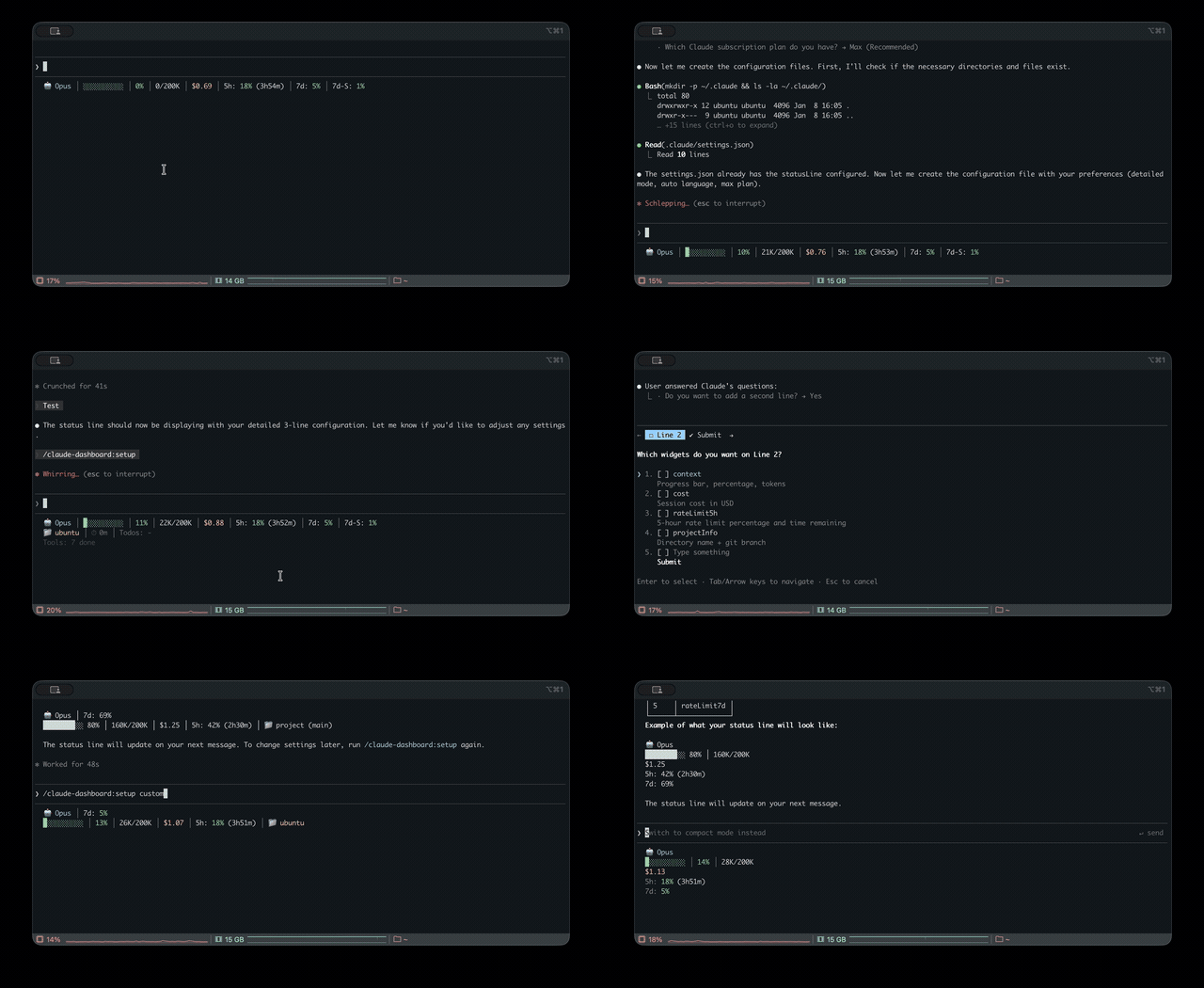
Claude Code 的统一状态行,用于监控多 CLI(Claude、Codex、Gemini、Antigravity、z.ai)的用量、上下文、速率限制和成本追踪