
Amorfx@Amorfx
Amorfx/claude-paste-view
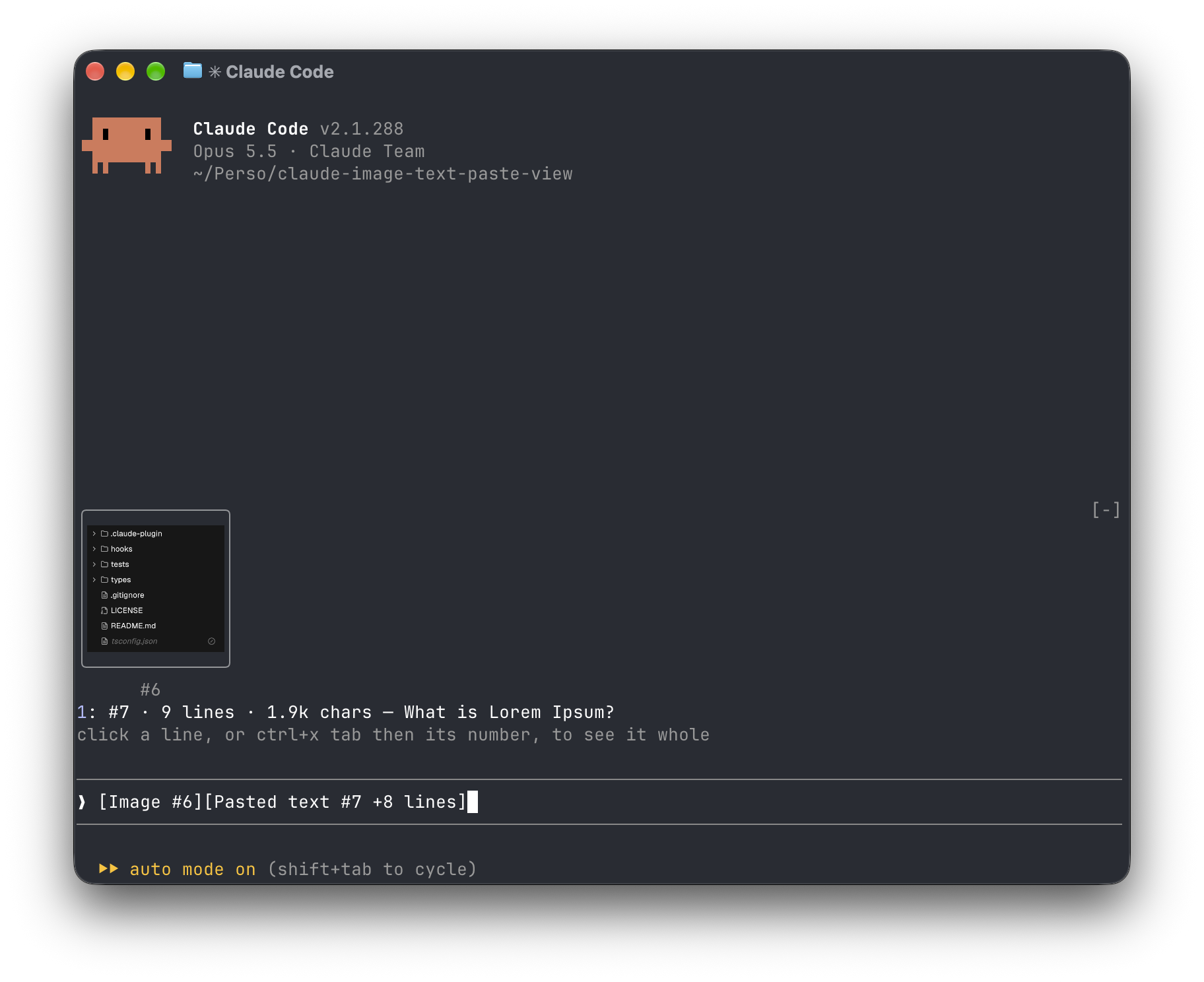
一个 Claude Code mod,显示您粘贴的内容:提示上方的图像缩略图和 long-text 预览,而不是裸露的 [图像 #1] 和 [粘贴的文本 #2 +41 行] 标签。
Amorfx/claude-paste-view
Claude Paste View 为 Claude Code 外挂,会在提示输入框上方显示贴上的内容:图片以缩图呈现,长文字则显示行数、大小与首行预览,取代原本的 [Image #1] 与 [Pasted text #2 +41 lines] 标签。
安装方式(于 Claude Code 内执行):
/plugin marketplace add Amorfx/claude-paste-view
/plugin install paste-view
/reload-plugins
也可使用终端机指令:
claude plugin marketplace add Amorfx/claude-paste-view
claude plugin install paste-view@claude-paste-view
功能特色:
运作原理:每 200ms 读取提示输入框寻找贴上标签;图片取自 Claude Code 的 session 图片快取,文字则在标签出现时读取一次剪贴簿,并在行数符合时保留于记忆体中。
限制:文字预览依赖剪贴簿;在 tmux、screen 或背景 session 中不显示缩图;标签格式与图片快取路径属 Claude Code 内部实作,未来版本可能变动。
安全性:完全在本机运作,不连网、不写入磁碟;仅读取提示输入框、session 图片快取、图片档首几个位元组与剪贴簿,并读取 TERM 等环境变数以判断终端机是否支援绘图。
需求:Claude Code v2.1.287 以上、macOS 或搭载 wl-clipboard/xclip 的 Linux,图片缩图需支援 kitty graphics protocol 的终端机(如 Ghostty、kitty)。授权为 MIT。
请先查看作者 README 确认 marketplace 和插件名称;命令可能随仓库结构改变。
claude plugin marketplace add Amorfx/claude-paste-view
claude plugin install paste-view
A Claude Code mod that shows what you paste, so you see image thumbnails and a preview of long text above your prompt instead of bare [Image #1] and [Pasted text #2 +41 lines] tags.
Inside Claude Code, run:
/plugin marketplace add Amorfx/claude-paste-view
/plugin install paste-view
/reload-plugins
claude plugin marketplace add Amorfx/claude-paste-view
claude plugin install paste-view@claude-paste-view
Then run /reload-plugins inside a session, or start a new one.
╭────────────────────────╮
│      (screenshot)      │
│           #1           │
╰────────────────────────╯
1: #2 · 42 lines · 3.1k chars — Traceback (most recent call last):
click a paste, or ctrl+x tab then its number, to read it whole
❯ why does this fail [Image #1] [Pasted text #2 +41 lines]
#1 · image 1630×632 — open, that opens it in your system's image viewer. A pasted JPEG, WebP or other non-PNG image is always a line, #1 · image · jpg — open, since the terminal draws only PNG files.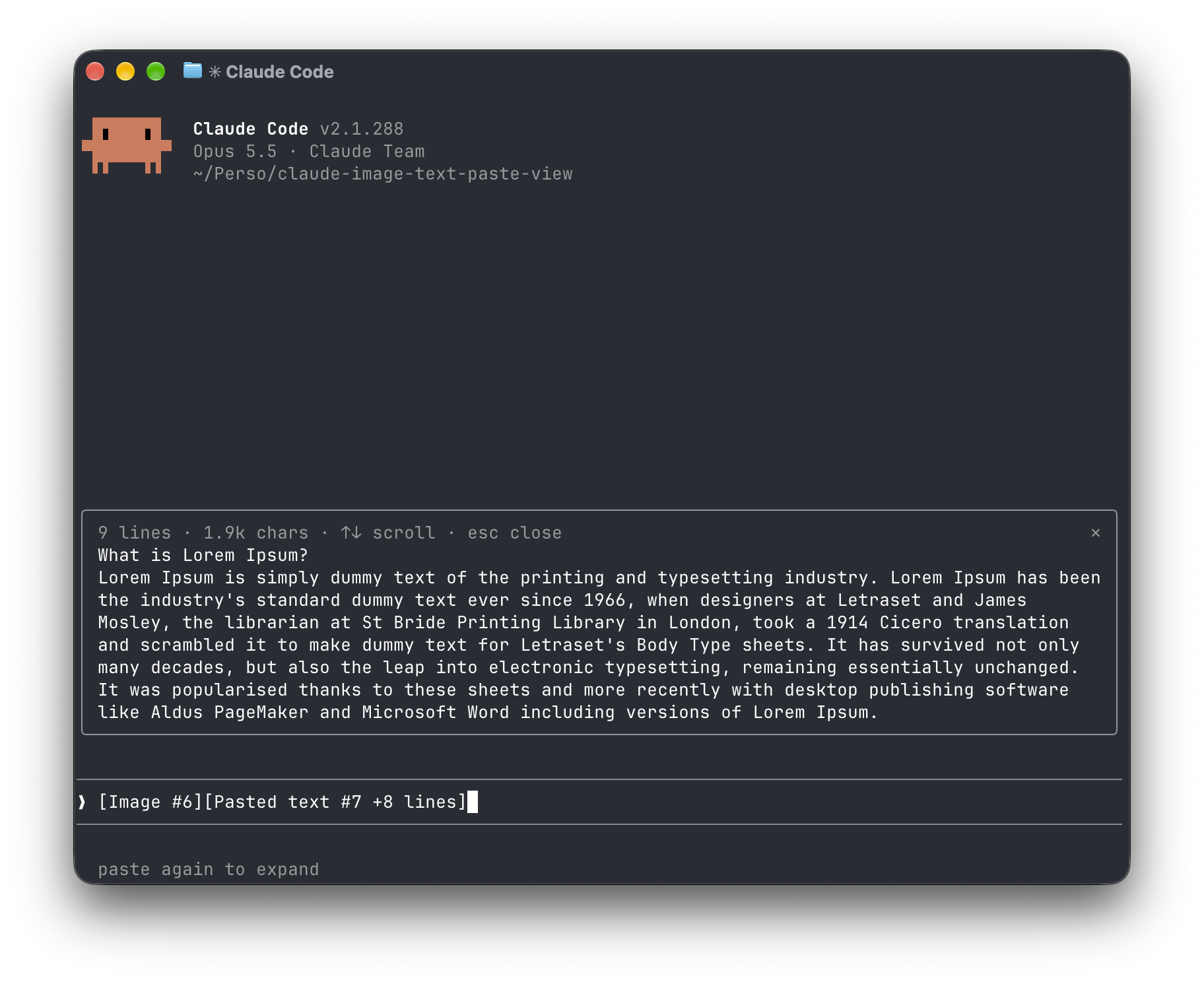
[Image #n] and [Pasted text #n …] tags. It polls because pasting raises no edit event.<tmp>/<project>/<session>/images/<n>.png, or <n>.jpg, <n>.webp, … when it was pasted in another format. The mod finds that file and draws a PNG with Claude Code's Image element.pbpaste on macOS, wl-paste or xclip on Linux). It keeps that text only if its line count matches the count in the tag, and holds it in memory until the tag leaves the prompt.no preview rather than showing the wrong text."env": { "CLAUDE_CODE_FORCE_TERMINAL_IMAGES": "1" } to ~/.claude/settings.json and start a new session.Everything stays on your machine: the mod never touches the network and never writes to disk. It reads the prompt box, lists Claude Code's temp folder to find the session's image cache and the pasted images in it, reads the first bytes of each pasted image, and reads the clipboard once per text paste. It reads TERM, TERM_PROGRAM, KITTY_WINDOW_ID, TMUX, STY, CLAUDE_CODE_SESSION_KIND and CLAUDE_CODE_FORCE_TERMINAL_IMAGES to know whether the terminal draws pictures. It runs id -u once if CLAUDE_CODE_TMPDIR isn't set, the clipboard tool for each text paste, and uname then open or xdg-open when you ask to open an image. Pasted text is kept in memory only, and dropped once its tag leaves the prompt.
Run claude plugin validate .claude-plugin/plugin.json on the repo to see every event it hooks and every call it makes.
wl-clipboard or xclip for text previewsTERM, TERM_PROGRAM and KITTY_WINDOW_ID; in any other terminal, or inside tmux, it lists images as lines that open them with open (macOS) or xdg-open (Linux).git clone https://github.com/Amorfx/claude-paste-view
cd claude-paste-view
# Load it for one session without installing
claude --plugin-dir .
# Check it and run the tests
claude plugin validate .claude-plugin/plugin.json
claude plugin test .
Once Claude Code has loaded the mod, it generates the API typings in .claude-plugin/types/ along with a tsconfig.json; after that, tsc -p . type-checks the code.
MIT. See LICENSE.

文档生成、漂移检测和 API 文档自动化插件,同时作为 function-hook 防护,拒绝包含机密的文档写入或 worker 调度。

A Claude Code plugin mod providing a /databricks-pane that presents Databricks workspace, Unity Catalog, compute, jobs, pipelines, apps and dashboards as a tree following the databricks CLI, with live highlights, profile switching, and CLI argument copy.


Claude Code 模组,可将粘贴的图片以缩略图预览在提示框上方,而不是只显示 `[Image #n]` 标签。
