
arihantbansal@arihantbansal
arihantbansal/claude-lightbox
arihantbansal/claude-lightbox
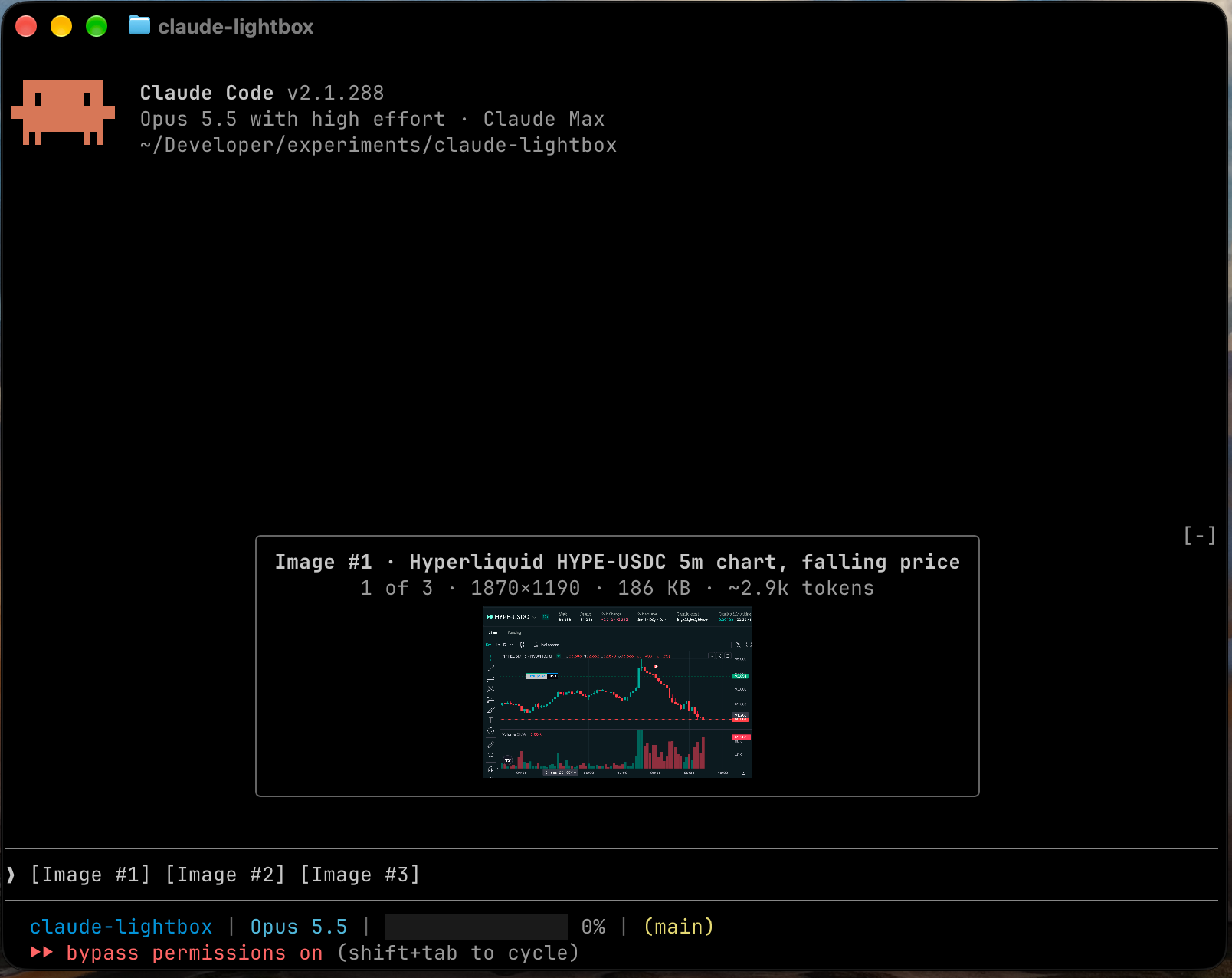
粘贴的图像会在提示栏上方打开为大型预览;输入时会折叠为带说明的缩略图,并显示大小和 token 估计值。通过 /plugin marketplace add arihantbansal/claude-lightbox 和 /plugin install lightbox@claude-lightbox 安装。需要 Claude Code 2.1.288+、支持 kitty graphics protocol 的终端,以及 macOS 或 Linux。
请先查看作者 README 确认 marketplace 和插件名称;命令可能随仓库结构改变。
claude plugin marketplace add arihantbansal/claude-lightbox
claude plugin install lightbox

Lightbox is a Claude Code mod that shows the images you paste into the prompt as large previews.
[Image #n] tag, with the arrow keys or a click, opens that image again.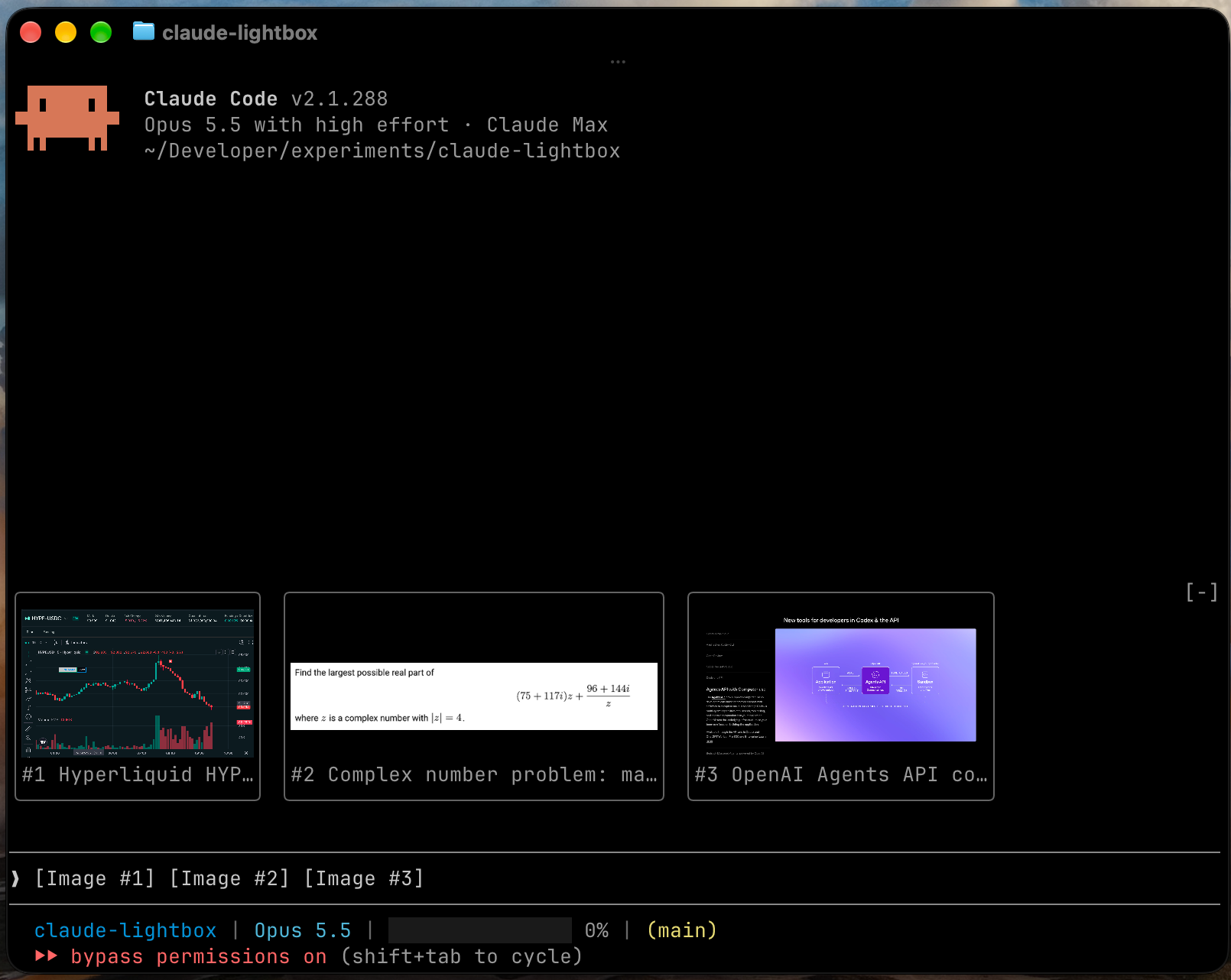
Two lines above each preview describe the image and how the model will read it:
Image #3 · Login page with validation error
2 of 3 · 2850×1672 · 1.1 MB · sent as 2520×1478 · ~4.8k tokens
The "sent as" size appears when Claude will scale the image down before reading it. Lightbox computes that size and the token estimate for the session's model, using the resizing rules in Anthropic's vision documentation.
Lightbox writes a short caption for each pasted image, so several images are easy to tell apart. It runs claude -p in the background with only the Read tool loaded, one image at a time. A caption takes about five seconds and one small model call on your Claude Code account. It appears in the preview's header and under the image's thumbnail.
To turn captions off, set the caption model to off.
Run these commands in Claude Code:
/plugin marketplace add arihantbansal/claude-lightbox
/plugin install lightbox@claude-lightbox
/reload-plugins
Both settings are in /config.
| Setting | Values | Default | Effect |
| --- | --- | --- | --- |
| Collapsed view | thumbnails, none | thumbnails | What stays above the prompt while you type |
| Caption model | sonnet, haiku, off | sonnet | The model that writes captions, or off for none |
/tmp/claude-<uid>, or CLAUDE_CODE_TMPDIR when it's set.od to read each image's dimensions and id -u to find the cache folder.claude -p once per image to write its caption, which sends the image to Anthropic on your Claude Code account. Setting the caption model to off stops this.[Image #n] tags. It never changes the prompt.Run claude plugin validate .claude-plugin/plugin.json in a clone to list every event Lightbox hooks and every call it makes.
git clone https://github.com/arihantbansal/claude-lightbox
cd claude-lightbox
bun install
claude --plugin-dir .
With --plugin-dir, Claude Code reloads the mod each time you save a file. It also writes the API types to .claude-plugin/types/, which tsconfig.json extends, so start a session once before type-checking a fresh clone.
bun run check   # Biome, tsc, plugin validation and tests
bun run fix     # Biome formatting and safe fixes

文档生成、漂移检测和 API 文档自动化插件,同时作为 function-hook 防护,拒绝包含机密的文档写入或 worker 调度。

Claude 桌面应用的状态栏。它显示在提示符上方,展示会话质量、上下文填充量、缓存倒计时,以及 5 小时和每周限额,并让 Clawd 演示会话正在进行的操作。

一个 Claude Code 插件 mod,提供 /databricks-pane:按照 databricks CLI,以树状结构展示 Databricks 工作区、Unity Catalog、计算资源、作业、管道、应用和仪表板,并支持实时高亮、配置文件切换和复制 CLI 参数。

