
mikhin@mikhin
mikhin/claude-iphone-cam
mikhin/claude-iphone-cam
Claude iPhone Cam 会在 Claude Code 提示栏上方加入一个 📷 snap 按钮。按下后,它会使用 ffmpeg/avfoundation 从 iPhone 摄像头抓取一帧(通过 Continuity Camera 作为 Mac 摄像头提供),显示带有重拍/丢弃控件的缩略图;发送时,prompt.submit hook 会附加 JPEG 路径,让 Claude 将图像作为对话的一部分读取。通过 /plugin marketplace add mikhin/claude-iphone-cam、/plugin install iphone-cam、/reload-plugins 安装。需要 macOS Ventura+、iOS 16+、iPhone XR 或更新机型、ffmpeg,以及两台设备使用同一个 Apple ID。mod 会在本地运行 ffmpeg 来列出设备和抓取画面,把 frame-<n>.jpg/png 写入 $TMPDIR/claude-cam/,并且不会建立网络连接。
请先查看作者 README 确认 marketplace 和插件名称;命令可能随仓库结构改变。
claude plugin marketplace add mikhin/claude-iphone-cam
claude plugin install iphone-cam
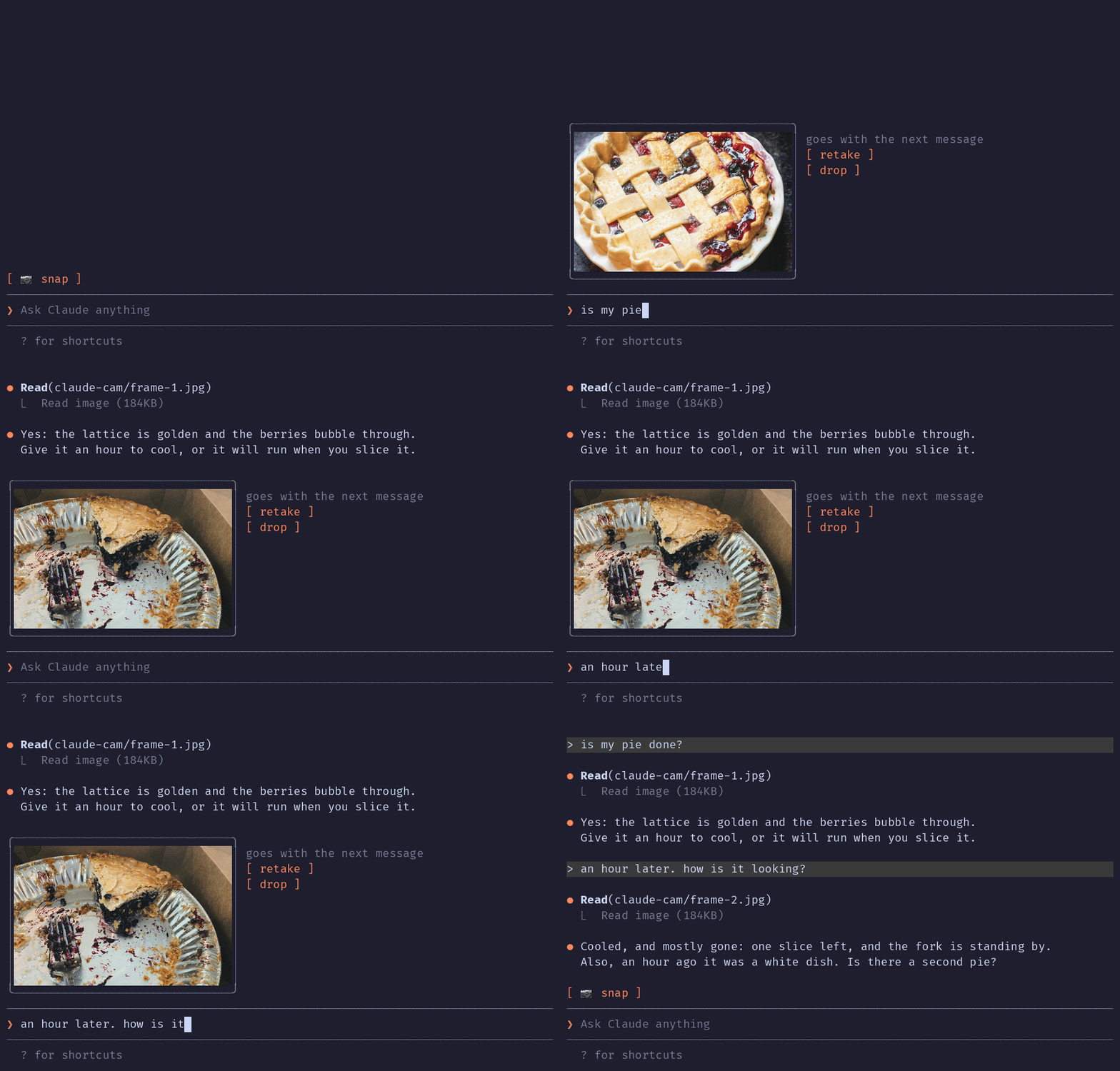
A Claude Code mod that lets Claude see what your iPhone camera sees. Press 📷 snap above the prompt, check the thumbnail, type your question, send.
The terminal in the demo is drawn, the pies are real: photos by Joe Dumas and Debby Hudson on Unsplash. The demo and its build script live in the demo branch, so installing the plugin doesn't download them.
No AirDrop, no Telegram-to-yourself, no saving files. The iPhone is already a Mac webcam through Continuity Camera; this mod grabs one frame from it.
Inside Claude Code, run:
/plugin marketplace add mikhin/claude-iphone-cam
/plugin install iphone-cam
/reload-plugins
ffmpeg (brew install ffmpeg)[ 📷 snap ]
❯ _
After a snap:
╭──────────────╮ goes with the next message
│   (frame)    │ [ retake ]
│              │ [ drop ]
╰──────────────╯
❯ is my pie done?
ffmpeg -f avfoundation -list_devices finds the device named … iPhone … Camera (Desk View is skipped).ffmpeg run waits 1.5 s for exposure, then writes a full JPEG and a 640 px PNG thumbnail to $TMPDIR/claude-cam/.Image element.prompt.submit hook adds the JPEG's path to the message context, and Claude reads it.A mod can only add text to a message, not image bytes, so Claude opens the frame with one Read call.
The mod runs only when you press snap, retake or drop, and when you send a message.
ffmpeg -hide_banner -f avfoundation -list_devices true -i "" lists the cameras, to find the iPhone by nameffmpeg … -i "<iPhone camera>" -ss 1.5 -frames:v 1 <frame>.jpg -ss 1.5 -frames:v 1 -vf scale=640:-2 <frame>.png takes one frame (the full command is captureArgs in hooks/camera.ts)mkdir -p $TMPDIR/claude-cam makes the folder the frames go toTMPDIR environment variable, checks that /opt/homebrew/bin/ffmpeg exists, and writes frame-<n>.jpg and frame-<n>.png to $TMPDIR/claude-cam/. It never deletes them; macOS clears that folder.prompt.submit, only for a message you typed, and only while a frame is waiting, it adds one line of context: the path of the JPEG and a request to read it. Nothing else in the message changes.MIT

输入提示时即时进行语法检查,并用繁体中文解释;修正内容会在按 Enter 前显示在提示框上方。


一个 Claude Code 插件,用于显示 localvoxtral 是否已连接到会话,把听写文本放入提示框,在提示上方显示听写内容,并在说出停止短语时结束回合。需要能加载 hooks 模块的 Claude Code 构建。
在 macOS 上预览提示标记处粘贴的图片。支持 Ghostty,并通过启动覆盖选项实验性支持 iTerm2 和 Herdr。Claude Code 2.1.287+。