T0mSIlver@T0mSIlver
T0mSIlver/localvoxtral/tree/main/integrations/claude-code/plugins/localvoxtral-mod
一个 Claude Code 插件,用于显示 localvoxtral 是否已连接到会话,把听写文本放入提示框,在提示上方显示听写内容,并在说出停止短语时结束回合。需要能加载 hooks 模块的 Claude Code 构建。
T0mSIlver/localvoxtral/tree/main/integrations/claude-code/plugins/localvoxtral-mod
localvoxtral-mod 是 localvoxtral(macOS 上的本地实时语音听写应用)的 Claude Code 集成插件。它会显示 localvoxtral 是否已连接到当前 Claude Code 会话,把听写文本放入提示输入框,在提示上方显示听写内容,并在你说出停止短语时结束回合。需要能加载 hooks 模块的 Claude Code 版本,否则不会有任何作用。
请先查看作者 README 确认 marketplace 和插件名称;命令可能随仓库结构改变。
claude plugin marketplace add T0mSIlver/localvoxtral
claude plugin install localvoxtral-mod
https://github.com/user-attachments/assets/81a341ff-0c53-4fcf-9b7f-ef148b24dfae
localvoxtral streams text as the audio arrives instead of transcribing after you stop speaking. It runs Mistral AI's Voxtral Mini 4B Realtime on your own Apple Silicon.
It is built first for prompting coding agents by voice, and it works as a general dictation app in any other app too. Everything runs on-device, with no account and no subscription. Nothing leaves your Mac unless you point it at a server yourself.
curl -fsSL https://raw.githubusercontent.com/T0mSIlver/localvoxtral/main/scripts/install.sh | bash
Or install with Homebrew:
brew install --cask T0mSIlver/localvoxtral/localvoxtral
You can also download the latest DMG from Releases. localvoxtral needs an Apple Silicon Mac on macOS 15 or later.
On first launch, a setup wizard asks for permissions and downloads the engine.
--force, "use auth dot t s" becomes useAuth.ts (details).[!TIP] If localvoxtral is useful to you, a ⭐ on this repo helps others find it.
Every guide is listed in the documentation index.

输入提示时即时进行语法检查,并用繁体中文解释;修正内容会在按 Enter 前显示在提示框上方。

在 macOS 上预览提示标记处粘贴的图片。支持 Ghostty,并通过启动覆盖选项实验性支持 iTerm2 和 Herdr。Claude Code 2.1.287+。

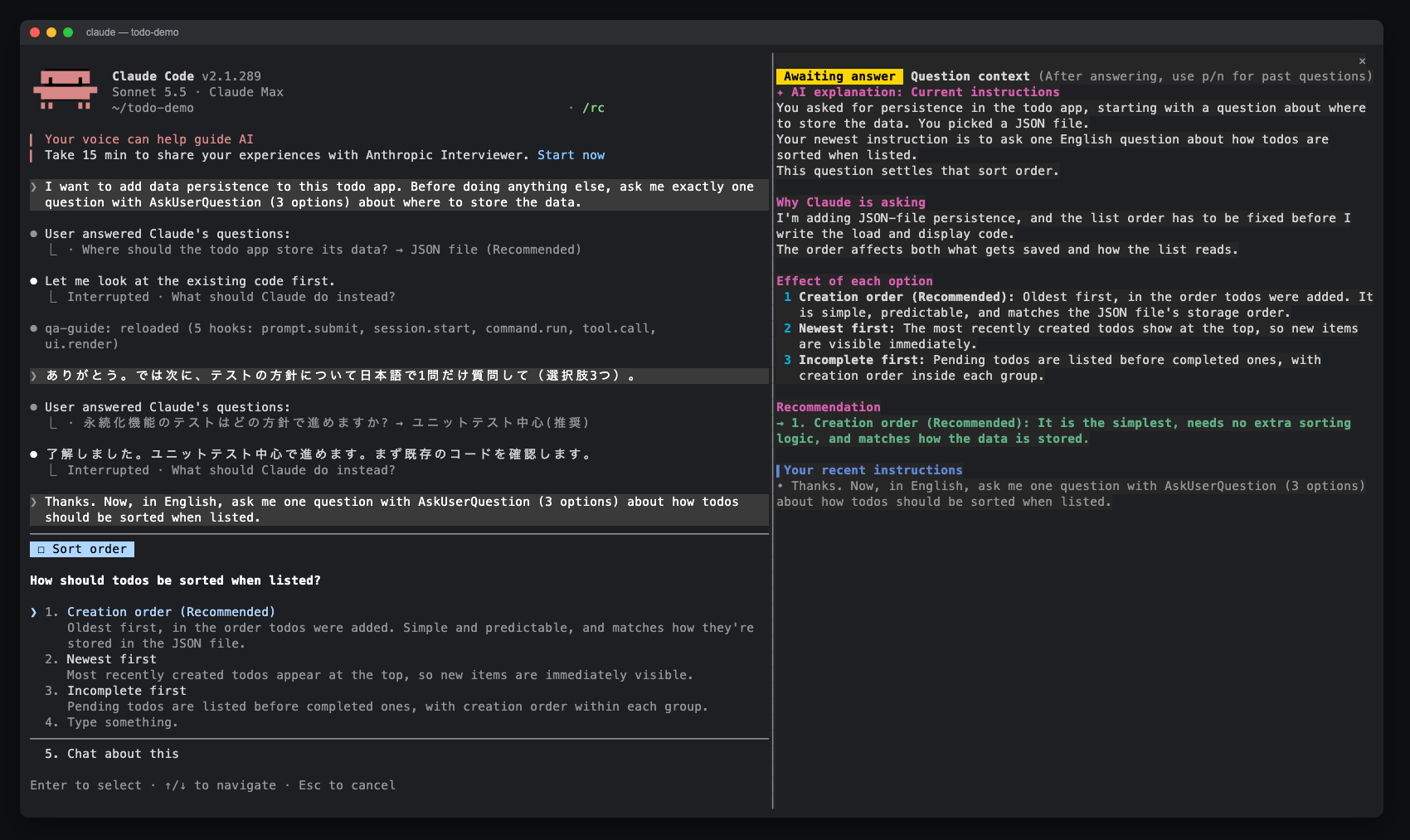
一个 Claude Code 模组,为 AskUserQuestion 提示打开一个侧边窗格,显示 AI 解释、选项效果、最近指令和回答历史。可通过 claude-qamods 市场安装;需要 Claude Code 2.1.286+ 和早期访问的 function-hooks 插件 API。