
briangtn@briangtn
briangtn/claude-gfm-render
Claude Code mod,可直接在 Claude 的回复中渲染 GitHub Flavored Markdown——包括提醒、任务列表、删除线和 Mermaid 图表,并支持终端、桌面、VS Code 与移动端界面。
briangtn/claude-gfm-render
claude-gfm-render 是一个 Claude Code 函数钩子 mod,会在 AssistantMessage 上挂接 ui.render,将终端原本会显示为纯文本的 GFM 语法绘制出来。它可以渲染提醒(> [!NOTE] [!TIP] [!IMPORTANT] [!WARNING] [!CAUTION])、任务列表(- [ ] / - [x])、删除线(~~text~~),以及 Mermaid 流程图、时序图、状态图、类图、ER 图和 xychart 图。在终端中,图表会通过内置的 84 KB ASCII 渲染器转换为 Unicode 艺术图;在桌面、VS Code 和移动端,它们会由 node 运行的 renderer/svg.mjs 转换为适配主题的 SVG。代码围栏和行内代码绝不会被重写,ctrl+o 仍会显示原始消息。它还提供 GFM.md,由 SessionStart hook 添加到 Claude 的上下文中,让 Claude 自己编写 GFM;可以通过 promptHint 选项禁用此行为。该 mod 基于 Claude Code 2.1.286 和 2.1.287 构建并测试,采用 MIT 许可证,不需要构建步骤。可通过 git clone 加 claude --plugin-dir 安装,也可以将 CLAUDE_CODE_PLUGIN_DIRS 添加到 ~/.claude/settings.json。
请先查看作者 README 确认 marketplace 和插件名称;命令可能随仓库结构改变。
claude plugin marketplace add briangtn/claude-gfm-render
claude plugin install gfm-render


Alerts, task lists, strikethrough and Mermaid diagrams, drawn inside Claude Code's replies.



Install · Before / after · What it handles · How it works
</div>Claude writes GitHub Flavored Markdown all day: > [!WARNING] callouts, - [ ] checklists, ```mermaid diagrams. The terminal shows them as raw text. This mod draws them, without touching the message itself (ctrl+o still shows the original).
git clone https://github.com/briangtn/claude-gfm-render.git ~/perso/claude-gfm-render
claude --plugin-dir ~/perso/claude-gfm-render
To load it in every session, terminal and desktop app alike, add it to ~/.claude/settings.json:
{
  "env": {
    "CLAUDE_CODE_PLUGIN_DIRS": "~/perso/claude-gfm-render"
  }
}
[!NOTE] Mods (function hooks) are an early-access API of Claude Code and may change between releases. Built and tested on Claude Code 2.1.286 and 2.1.287. No build step: the mod is plain files, and the folder is watched, so an edit reloads it in the running session.
Drawing GFM is half the job: Claude also has to write it. The mod ships GFM.md, a short note on what the transcript can draw (alerts, task lists, strikethrough, the Mermaid types that render), which a SessionStart hook adds to Claude's context at startup, after /clear and after a compaction. No CLAUDE.md to edit.
To turn it off and keep only the rendering, in ~/.claude/settings.json:
{
  "pluginConfigs": {
    "gfm-render": { "options": { "promptHint": false } }
  }
}
Real claude sessions (100 columns, captured with tmux); before is the same reply without the mod.
Alerts get a little more room, captured in the Claude desktop app (dark theme):
<img src="docs/screenshots/desktop-alerts-dark.png" alt="Alerts in the Claude desktop app">Mermaid becomes a real SVG that follows the light or dark scheme. Below, the mod's own output rendered by Chrome (not a capture of the app):
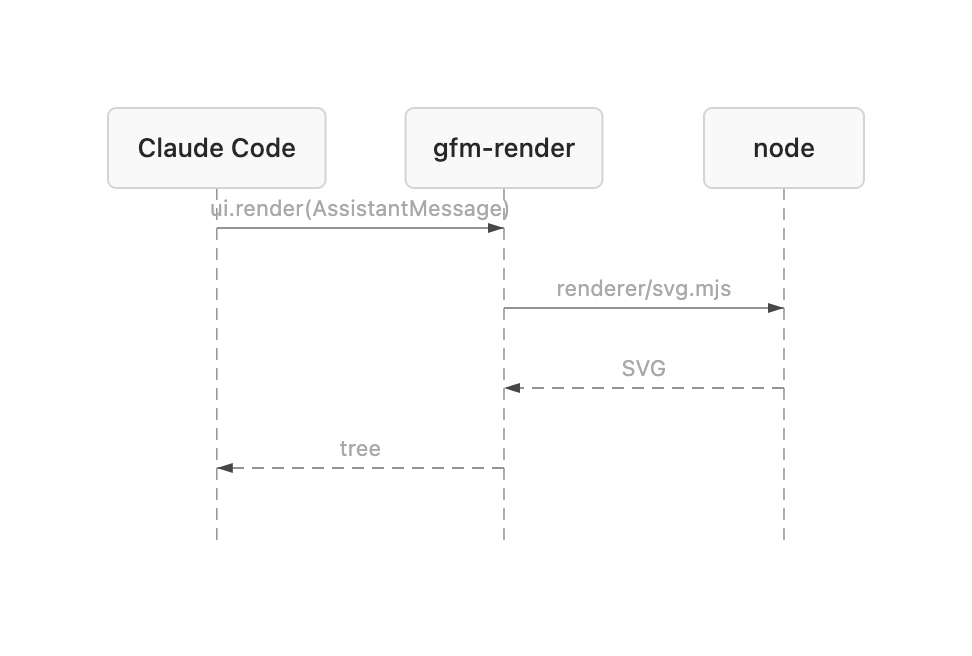
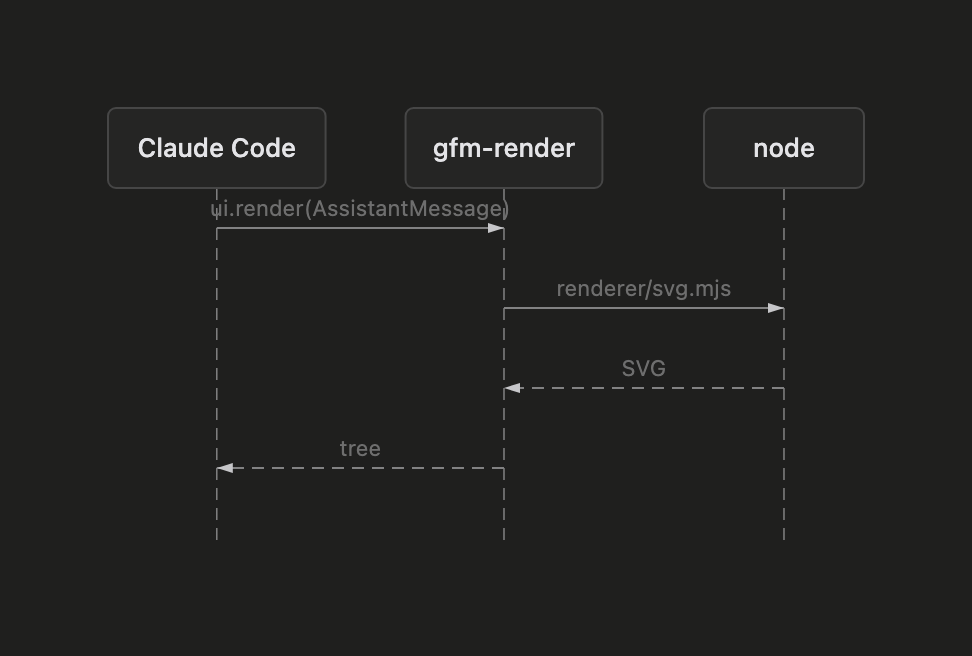
<picture> <source media="(prefers-color-scheme: dark)" srcset="docs/screenshots/desktop-flow-dark.png"> <img alt="Flowchart SVG" src="docs/screenshots/desktop-flow-light.png"> </picture> <details> <summary><b>Sequence diagram, light and dark</b></summary> <br>| Light | Dark |
| ------------------------------------------------------------------- | ----------------------------------------------------------------- |
| |  |
|
| | Markdown | Terminal | Desktop · VS Code · mobile |
| :---: | ----------------------------------------------------------------------------------------- | :-------------: | :------------------------: |
| 💬 | Alerts > [!NOTE] [!TIP] [!IMPORTANT] [!WARNING] [!CAUTION], any markdown inside | ✅ colored box | ✅ colored box |
| ☑️ | Task lists - [ ] / - [x] (also *, +, 1.) | ✅ ☐ / ☑ | ➖ native |
| ~~S~~ | Strikethrough ~~text~~ | ✅ | ➖ native |
| 🔀 | Mermaid flowchart / graph | ✅ Unicode art | ✅ SVG |
| 🧭 | Mermaid sequence, state, class, ER, xychart | ✅ Unicode art | ✅ SVG |
| 🔒 | Code fences and inline code | never rewritten | never rewritten |
| 📝 | Everything else (headings, tables, links, emphasis…) | native | native |
| Case | What you get |
| ---------------------------------------------------------------------------------------------------- | ------------------------------------------------------------------- |
| Mermaid gantt, pie, mindmap, gitGraph, journey, timeline, quadrantChart, sankey, C4… | the code block, as written |
| Mermaid with a syntax error, or wider than the terminal even with tighter spacing | the code block |
| Mermaid on desktop without node on the session's PATH | the Unicode art in a code block |
| Single-line Mermaid (graph TD; A-->B) | may fail to parse: write one statement per line |
| An alert nested in a list item or in another blockquote (> > [!NOTE]) | a plain blockquote |
| A reply still streaming in | the native rendering until the alert or the closing ``` arrives |
| A single reply block over 10,000 characters | the native rendering of that block |
| Footnotes, emoji shortcodes, #123 / @user autolinks, $math$, raw HTML | left to the native renderer |
| Your own messages and tool output | untouched: only Claude's replies are drawn |
Known glitch: in the terminal, an edge label leaving a {decision} node can show a stray ├ (beautiful-mermaid's ASCII layout, visible in the flowchart above).
The mod hooks ui.render on AssistantMessage: every text block of a reply goes through it, gets split into markdown, alert and Mermaid segments, and comes back as a tree the surface draws. A block with nothing to draw goes to the native renderer untouched.
graph LR
  A[Reply block] --> B{GFM inside?}
  B -->|no| N[Native renderer]
  B -->|alert| C[Colored box]
  B -->|mermaid| D{Surface}
  D -->|terminal| E[Unicode art, in process]
  D -->|desktop| F[SVG via node]
Mermaid is rendered by beautiful-mermaid, split in two because a hooks module may not import a file over 1 MiB and has no eval, while the ELK layout engine the SVG needs weighs 1.6 MB:
hooks/vendor/mermaid-ascii.js, the ASCII renderer alone (84 KB), imported by the mod.renderer/svg.mjs run by node, once per diagram, then cached.npm test # claude plugin test .
npm run validate # claude plugin validate .
npm run build:vendor # rebuild both Mermaid bundles with bun
| File | Role |
| -------------------- | ----------------------------------------------------------------------------------------- |
| hooks/register.tsx | the ui.render hook and the SVG process call |
| hooks/gfm.ts | splits a reply into blocks; task-list and strikethrough rewrites |
| hooks/mermaid.ts | Unicode art sized to the terminal, SVG theming |
| hooks/gfm.test.tsx | tests, run on every surface |
| renderer/svg.mjs | Mermaid on stdin, SVG on stdout |
| GFM.md | what Claude is told it can write, loaded by the SessionStart hook in hooks/hooks.json |
Issues and PRs welcome, especially screenshots from other terminals and the desktop app's light theme.
MIT. Vendored bundles keep their own licenses: beautiful-mermaid (MIT) and elkjs (EPL-2.0), in renderer/.

文档生成、漂移检测和 API 文档自动化插件,同时作为 function-hook 防护,拒绝包含机密的文档写入或 worker 调度。

Claude 桌面应用的状态栏。它显示在提示符上方,展示会话质量、上下文填充量、缓存倒计时,以及 5 小时和每周限额,并让 Clawd 演示会话正在进行的操作。

一个 Claude Code 插件 mod,提供 /databricks-pane:按照 databricks CLI,以树状结构展示 Databricks 工作区、Unity Catalog、计算资源、作业、管道、应用和仪表板,并支持实时高亮、配置文件切换和复制 CLI 参数。

