
natsukium@natsukium
natsukium/claude-code-figures-plugin
natsukium/claude-code-figures-plugin
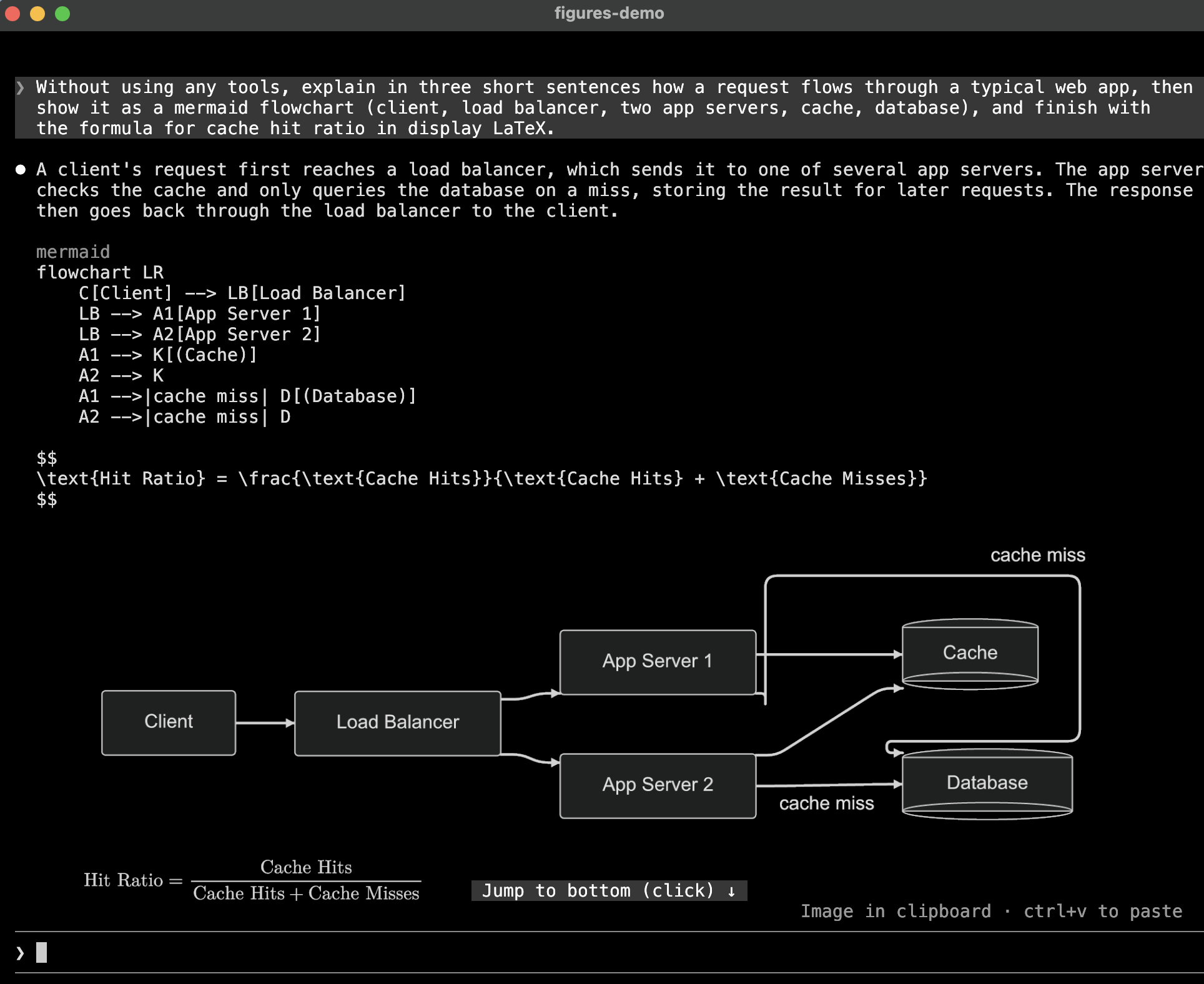
一个 Claude Code mod,使用 kitty graphics 协议,在终端转录中内嵌绘制图表、LaTeX 数学公式和工具结果图片。

如果图片按尺寸上限缩放后会小于自然尺寸的 60%,它会放大到终端高度;如果仍然太小,则会在图片下方说明,例如 shown at 43% · /figures to enlarge。
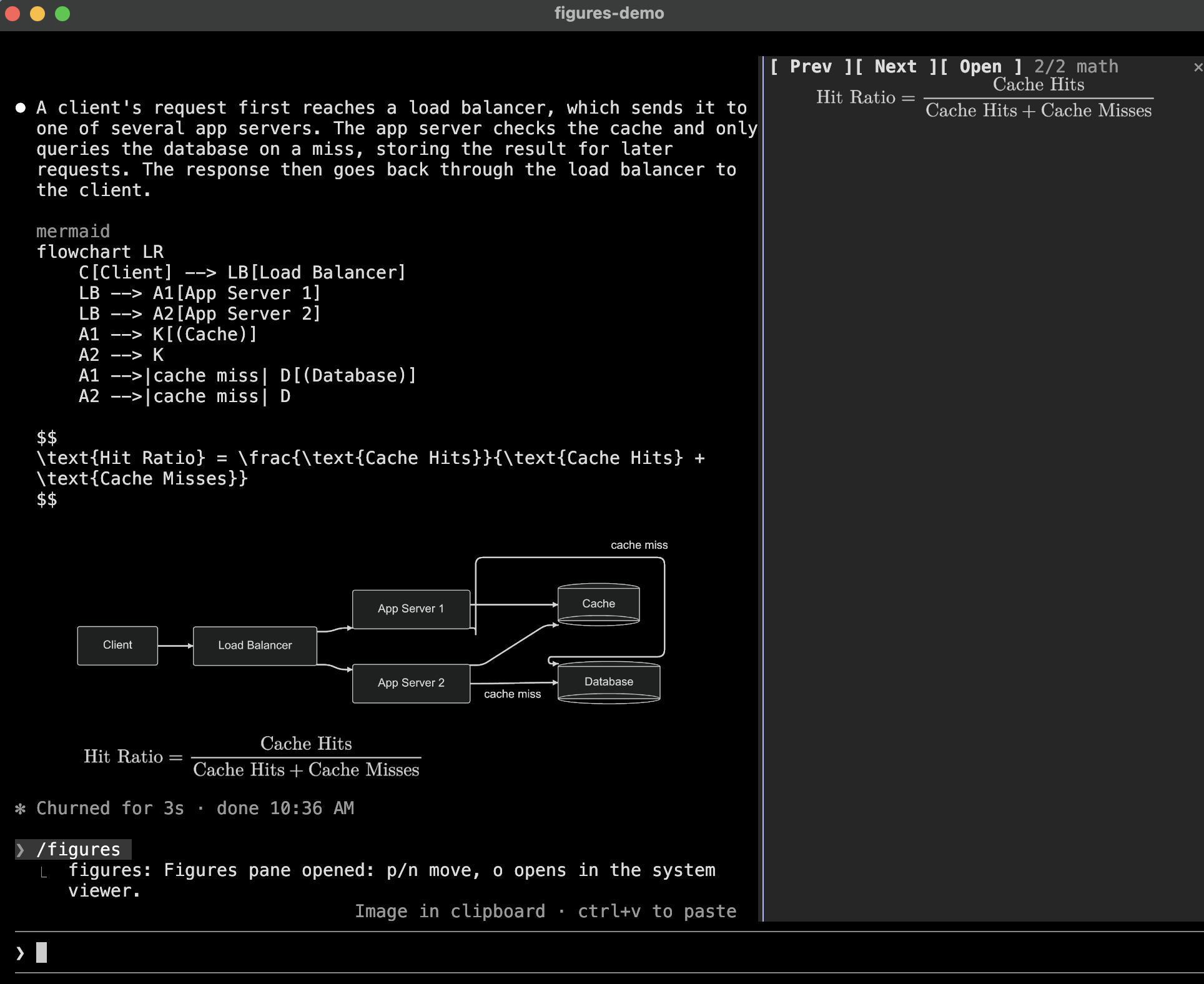
/figures 会打开一个显示当前会话图片的面板,初始显示最近一张小到难以阅读的图片;如果没有,则显示最新图片。按 p 和 n 浏览图片,按 o 使用 open(macOS)或 xdg-open 打开当前图片,按 Escape 或输入下一条提示关闭面板。

插件还附带一个 diagrams skill,用来告诉 Claude 哪些语言会被绘制,以及应如何编写这些语言才能渲染。
每张渲染后的 PNG 都会缓存在 $TMPDIR/claude-figures/ 下,文件名由源码和主题的哈希值组成,因此恢复会话时可以重新绘制图片而无需再次渲染。会话开始时会删除超过七天的文件。
需要 Claude Code 2.1.287 或更高版本,在启用 mods(function-hook plugins)的终端中运行,并且该终端被 Claude Code 视为支持 kitty graphics;请参阅 Terminal support。每种图片还需要 PATH 中存在相应程序:
| 图片 | 需要的程序 | | -------------------------- | ---------------------------------------------------------------------------------------------------------------------------------------------------------------------------- | | mermaid | mmdr 或 mmdc;推荐 resvg | | dot、graphviz | Graphviz 的 dot 和 resvg | | d2 | d2 和 resvg | | svg、数学公式 | resvg | | 除 PNG 以外的工具图片 | magick(ImageMagick)或 sips(macOS 内置) |
claude plugin marketplace add natsukium/claude-code-figures-plugin
claude plugin install figures@figures
使用 cargo install mermaid-rs-renderer 安装 mmdr。
使用 /config 或 claude plugin configure figures 设置以下选项。
| 选项 | 默认值 | 含义 | | --------------------- | ------------- | --------------------------------------------------------------------------------------------------------------------------------------------------------------------------------- | | theme | auto | auto 跟随 Claude Code 的主题;也可以使用 dark、default、forest、neutral、modern(仅 mmdr 支持;mmdc 会将其绘制为 default)。在 dark 下数学公式以浅色绘制,其他主题下以深色绘制 | | background | transparent | 图表背景;transparent 会让终端背景透出 | | scale | 2 | 图片的像素密度;大于 1 时需要 resvg | | cell_width_px | 8 | 假定一个终端单元格的宽度,单位是图表布局使用的像素 | | cell_aspect | 2.1 | 假定一个终端单元格的高宽比 | | max_columns | 120 | 图片允许的最大宽度,单位是单元格;图片也会保持在终端范围内 | | max_rows | 30 | 图片在为保证可读性而放大前允许的最大高度,单位是单元格 | | renderers | (空) | 按优先级排列的渲染器 id,以逗号分隔;见下文 | | tool_images | true | 绘制工具结果中找到的图片 | | tool_image_max_rows | 12 | 工具结果缩略图允许的最大高度,单位是单元格 |
renderers 会选择并排列绘制各语言的程序。id 包括 mmdr 和 mmdc(mermaid)、dot、d2、svg、mathjax。如果某种语言列出了任何渲染器,就只使用这些渲染器,并按列出的顺序执行;其他语言继续使用默认设置。因此,mmdc 会只用 mmdc 绘制 mermaid,而 mmdc,mmdr 会先尝试 mmdc。会话开始时会报告不存在渲染器的 id。
只有当终端的 XTVERSION 回复名称包含 kitty(0.28.0 或更高版本)或 Ghostty 时,Claude Code 才会启用图片。即使终端用其他名称响应 kitty graphics 查询,只要响应正确,仍会获得替代文本,例如 [mermaid diagram 1]。设置 TERM 或 TERM_PROGRAM 不会产生任何影响。
要在这样的终端中使用插件,请设置 Claude Code 会读取的覆盖选项:
CLAUDE_CODE_FORCE_TERMINAL_IMAGES=1 claude
这也会跳过 Claude Code 的 tmux 检查。在 tmux 内,图片还需要 set -g allow-passthrough on。
若要查看 Claude Code 的判断结果,请使用 --debug 启动它,并在调试日志中查找 Terminal capabilities: 行。
tsconfig.json 会扩展 .claude-plugin/types/ 中的引擎类型定义,Vite、Vitest 和 tsc 都会读取这些定义。Claude Code 只有从这个文件夹加载插件时才会写入类型定义,而且没有其他命令会单独写入它们,因此 pnpm types 会使用虚假的 API key 启动 claude -p --plugin-dir .,类型定义存在后会忽略失败的请求。build、test 和 typecheck 会先运行它。Claude Code 是开发依赖项,所以脚本和 pnpm exec claude 使用 pnpm-lock.yaml 中锁定的版本,与 PATH 上的 claude 版本无关。
pnpm install
pnpm build              # regenerate hooks/vendor/
pnpm test               # unit tests (Vitest, tests/unit/*.spec.ts)
pnpm typecheck
pnpm exec claude plugin validate .
pnpm exec claude plugin test .    # hooks through the engine (tests/engine/*.test.ts)
Claude Code 会将 hooks/ 作为 TypeScript 源码加载,因此只有第三方代码会被构建。pnpm build 会使用 Vite 将 MathJax 和 @noble/hashes 打包到 hooks/vendor/,并提交这些文件,使仓库保持开箱即用。Hooks 模块不能导入超过 1 MiB 的文件,也不能在运行时导入模块,因此构建会将包拆分为多个块,并把字体的每个字形范围写成 JSON;插件会在公式首次使用该字形范围时读取它。
引擎拒绝在导入之间传递 $ 的模块,因此 hooks/register.tsx 会把插件需要的 $ 包装在 Io 对象(hooks/io.ts)中,其他每个模块都会使用该对象。
Apache-2.0。hooks/vendor/ 由 MathJax 及其 New Computer Modern font 构建,两者均为 Apache-2.0;noble-hashes 使用 MIT 许可证。
请先查看作者 README 确认 marketplace 和插件名称;命令可能随仓库结构改变。
claude plugin marketplace add natsukium/claude-code-figures-plugin
claude plugin install figures
A Claude Code mod that draws diagrams, LaTeX math, and tool-result images inline in the terminal transcript, using the kitty graphics protocol.
mermaid, dot (or graphviz), d2, or svg in Claude's
reply is rendered and drawn under the reply. The code stays visible above the picture.$$ … $$, \[ … \], or a math, latex, or tex code block, is
typeset with MathJax. Inline $…$ stays text, since a picture cannot
sit inside a line, and a latex block holding a whole document (\documentclass) stays code.Read on a PNG, JPEG, GIF, WebP, or SVG file, or a screenshot an MCP
tool returns, is drawn under the tool's row, where Claude Code otherwise shows only a size line;
an SVG read only in part is left alone. In a collapsed tool group they are thumbnails; ctrl+o
unfolds the group and draws them full size. A PNG, JPEG, GIF, WebP, or SVG Claude sends to another
device with SendUserFile is drawn under its attachment line too, so it is on screen when you
come back to the terminal. It is read from disk when the row is first drawn; overwriting the file
later leaves that picture as it was.A picture the size caps would shrink below 60% of its natural size grows up to the terminal's
height, and one still smaller says so under it, such as shown at 43% · /figures to enlarge.
/figures opens a pane with the session's pictures, starting on the newest one drawn too small to
read, or else the newest. p and n step through them, o opens the current one with open
(macOS) or xdg-open, and Escape or your next prompt closes the pane.
The plugin also ships a diagrams skill, which tells Claude which languages are drawn and how to
write them so they render.
Each rendered PNG is cached under $TMPDIR/claude-figures/, named by a hash of the source and the
theme, so a resumed session draws its pictures again without re-rendering. Files older than seven
days are removed when a session starts.
Claude Code 2.1.287 or later, with mods (function-hook plugins) enabled, in a terminal it treats as
kitty-graphics capable; see Terminal support. Each kind of picture also needs
programs on PATH:
| Picture | Needs |
| -------------------------- | ---------------------------------------------------------------------------------------------------------------------------------------------------------------------------- |
| mermaid | mmdr or mmdc; resvg recommended |
| dot, graphviz | Graphviz's dot and resvg |
| d2 | d2 and resvg |
| svg, math | resvg |
| Tool images other than PNG | magick (ImageMagick) or sips (built into macOS) |
scale option.claude plugin marketplace add natsukium/claude-code-figures-plugin
claude plugin install figures@figures
Install mmdr with cargo install mermaid-rs-renderer.
Set these with /config or claude plugin configure figures.
| Option | Default | Meaning |
| --------------------- | ------------- | --------------------------------------------------------------------------------------------------------------------------------------------------------------------------------- |
| theme | auto | auto follows Claude Code's theme; or dark, default, forest, neutral, modern (mmdr only; mmdc draws it as default). Math is drawn light on dark and dark otherwise |
| background | transparent | Diagram background; transparent lets the terminal's background show through |
| scale | 2 | Pixel density of the picture; above 1 needs resvg |
| cell_width_px | 8 | Assumed width of one terminal cell, in the pixels diagrams are laid out in |
| cell_aspect | 2.1 | Assumed height-to-width ratio of one terminal cell |
| max_columns | 120 | Widest a picture may be, in cells; it is also kept inside the terminal |
| max_rows | 30 | Tallest a picture may be before it is grown for legibility, in cells |
| renderers | (empty) | Renderer ids in preference order, comma-separated; see below |
| tool_images | true | Draw images found in tool results |
| tool_image_max_rows | 12 | Tallest a tool-result thumbnail may be, in cells |
renderers picks and orders the programs that draw each language. The ids are mmdr and mmdc
(mermaid), dot, d2, svg, and mathjax. A language with any of its renderers listed uses only
those, in the listed order; the others keep the default. So mmdc draws mermaid with mmdc alone,
and mmdc,mmdr tries mmdc first. An id no renderer has is reported when a session starts.
Claude Code enables pictures only when the terminal's XTVERSION reply names kitty (0.28.0 or later)
or Ghostty. A terminal that answers the kitty graphics query correctly under any other name still
gets the alt text, such as [mermaid diagram 1]. Setting TERM or TERM_PROGRAM has no effect.
To use the plugin on such a terminal, set the override Claude Code reads:
CLAUDE_CODE_FORCE_TERMINAL_IMAGES=1 claude
This also skips Claude Code's tmux check. Inside tmux, the pictures additionally need
set -g allow-passthrough on.
To see what Claude Code decided, start it with --debug and look for the Terminal capabilities:
line in the debug log.
cell_width_px and cell_aspect, since mods are
not told the terminal's cell size in pixels. Adjust them if pictures look stretched.theme=auto follows Claude Code's own
theme (/config): a light variant draws light pictures, the others dark. When Claude Code's
theme is itself auto, its resolved value is not exposed, so COLORFGBG decides where the
terminal exports it, and dark otherwise.A --> B -->|ok| C) is misparsed; write one edge per line. Such a block renders
without an error, so it is not handed to mmdc; set renderers to mmdc to avoid mmdr.\text{日本語}, is drawn by resvg with a system
font./figures pane shares the screen with the prompt, so in a short terminal it has only a few
rows; o opens the picture at full size outside the terminal.tsconfig.json extends the engine's typings in .claude-plugin/types/, which Vite and Vitest read
as well as tsc. Claude Code writes them only when it loads the plugin from this folder, and no
command writes them alone, so pnpm types starts claude -p --plugin-dir . with a dummy API key
and ignores the failed request once the typings exist. build, test, and typecheck run it
first. Claude Code is a dev dependency, so the scripts and pnpm exec claude use the version
pinned in pnpm-lock.yaml, whatever claude is on PATH.
pnpm install
pnpm build              # regenerate hooks/vendor/
pnpm test               # unit tests (Vitest, tests/unit/*.spec.ts)
pnpm typecheck
pnpm exec claude plugin validate .
pnpm exec claude plugin test .    # hooks through the engine (tests/engine/*.test.ts)
Claude Code loads hooks/ as TypeScript source, so only third-party code is built. pnpm build
bundles MathJax and @noble/hashes with Vite into hooks/vendor/, which is committed so the
repository stays installable as is. A hooks module imports no file over 1 MiB and cannot import
modules at run time, so the build splits the bundle into chunks and writes each of the font's
glyph ranges as JSON, which the plugin reads the first time a formula uses it.
The engine refuses a module that passes $ across an import, so hooks/register.tsx wraps what
the plugin needs from $ in an Io object (hooks/io.ts), and every other module takes that.
Apache-2.0. hooks/vendor/ is built from MathJax and its
New Computer Modern font, both Apache-2.0, and
@noble/hashes, MIT.

Ruflo 记忆系统的基底层插件:AgentDB 控制器桥接(15 个 agentdb_* MCP 工具)、RuVector ONNX 嵌入(10 个 embeddings_* 工具,包括 RaBitQ 32x 量化)和 WASM HNSW 模式路由器(3 个 ruvllm_hnsw_* 工具)。作为 mod(ADR-445):可选的安全召回会进入提示,写入守卫会把机密排除在记忆之外,还提供 /agentdb 和控制台显示的状态文件。

data-goblin/power-bi-agentic-development Claude Code 插件 marketplace 中的 Fabric Data App 插件,被描述为跟随 rayfin CLI 的面板。


在提示列上方、状态行和 toast 中显示未读 AMP 消息,并可唤醒空闲的 Claude Code 工作階段来读取。需要 Claude Code 2.1.287 或更高版本。
