
LolerHero@LolerHero
LolerHero/claude-cockpit
LolerHero/claude-cockpit
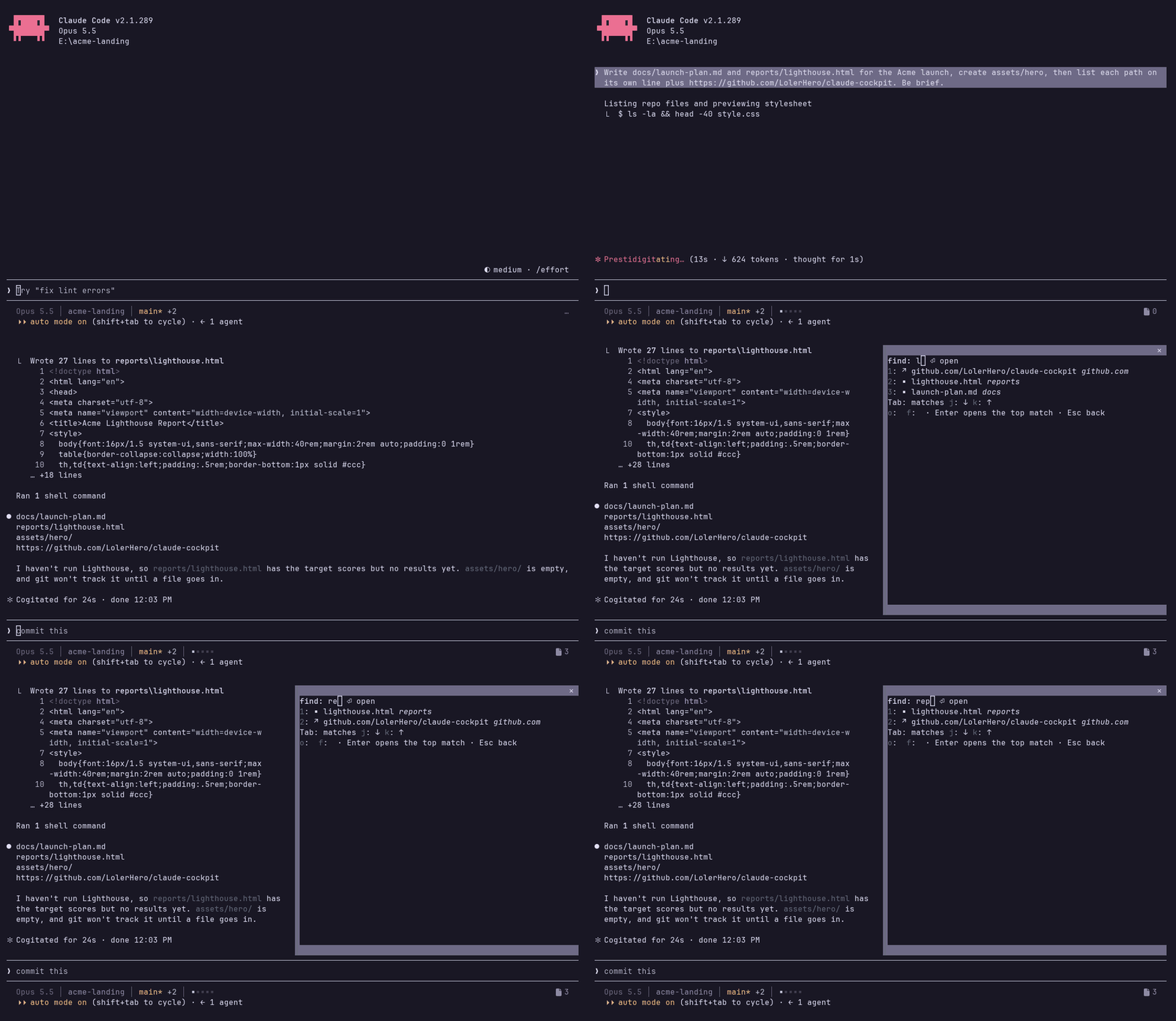
claude-cockpit 是一个 Claude Code 插件,提供单行密集状态栏(模型、目录、分支和变更行数、context 使用量、文件数和运行时间),以及可用 /files 或 ctrl+x f 打开的文件面板。面板汇总本次 session 生成的文件、链接和文件夹,最新的排在前面,支持使用 j/k 浏览、翻页和模糊筛选,并会在宽度不足时自动精简状态栏。内含四种配色(rose-pine、catppuccin-mocha、tokyo-night、ansi),需要 Claude Code 2.1.289+、Node 22+ 和 Nerd Font(可选)。通过 /plugin install cockpit --marketplace LolerHero/claude-cockpit 安装,再执行 setup.mjs 配置状态栏和按键。
请先查看作者 README 确认 marketplace 和插件名称;命令可能随仓库结构改变。
claude plugin marketplace add LolerHero/claude-cockpit
claude plugin install cockpit
A denser Claude Code status line and a pane of the files, links and folders your session produced, with a fuzzy filter.
The status line, one row:
Opus 5.5 │ Coding │ main* +12 -3 │ ▪▪▪▪▪ 3 · 1h 20m
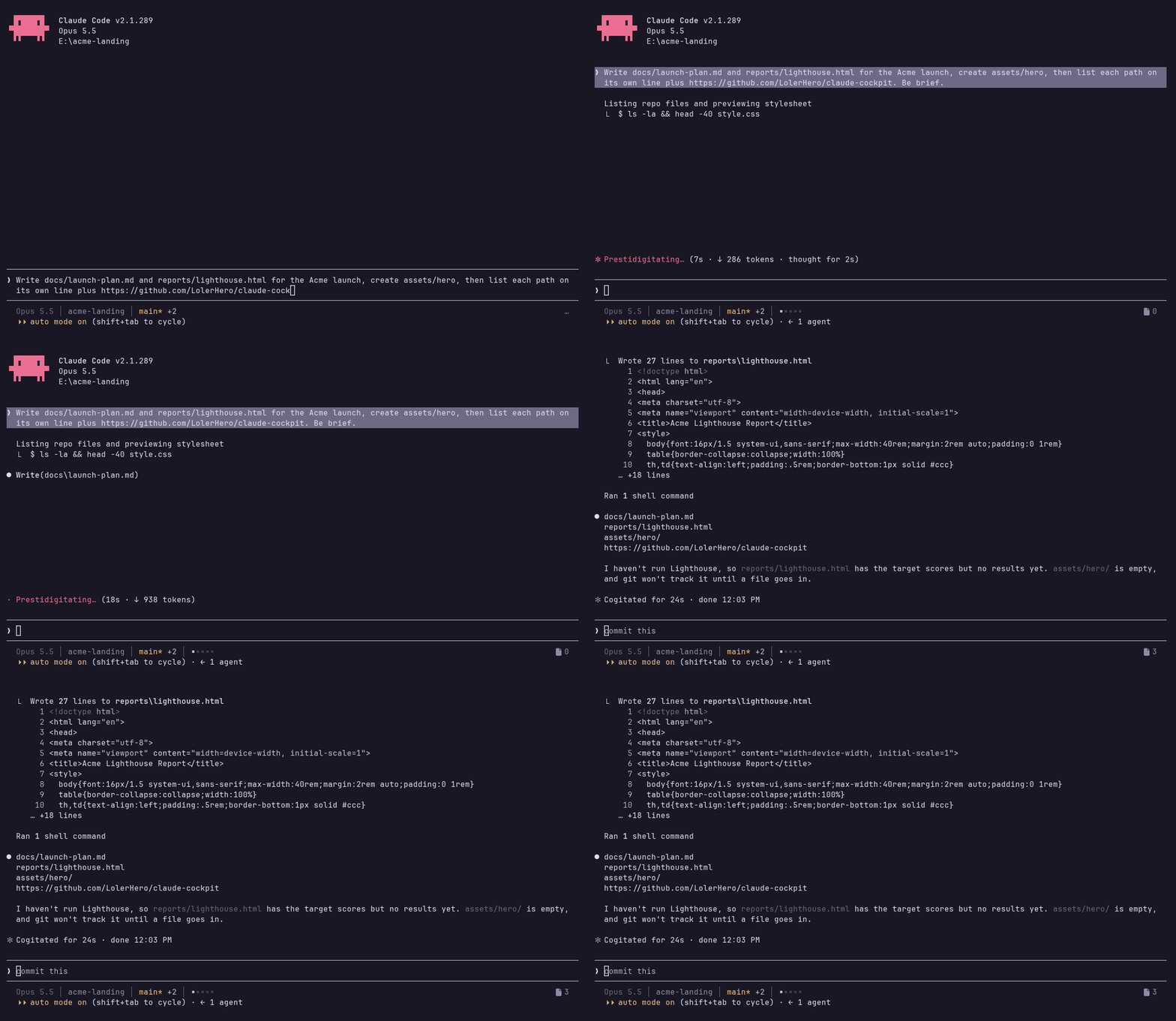
Opus 5.5 is the model.Coding is the directory the session runs in.main* is the branch, with * when there is uncommitted work, ↑2 ↓1 when it is ahead of or behind its upstream, and detached in red when there is no branch.+12 -3 is the lines added and removed against HEAD, shown only when the tree is dirty.▪▪▪▪▪ is the context window, one square per 20 %. It turns from calm to yellow to red as it fills.3 (after a file icon) is how many rows the Files pane holds: files, links and folders alike.1h 20m (after a clock icon) is how long the session has run.When the terminal is too narrow, segments drop in this order: model, directory, file count, churn, clock, branch, and the context bar last. The row never wraps.
The pane opens with /files or ctrl+x f. It is the session's hub: the files, links and folders this session produced, newest first, eight to a page, the newest 48 kept. Each row starts with its kind (▪ file, ↗ link, ▸ folder) and ends with a muted tail that says where it is: the file's folder, the link's host and port, the folder's parent.
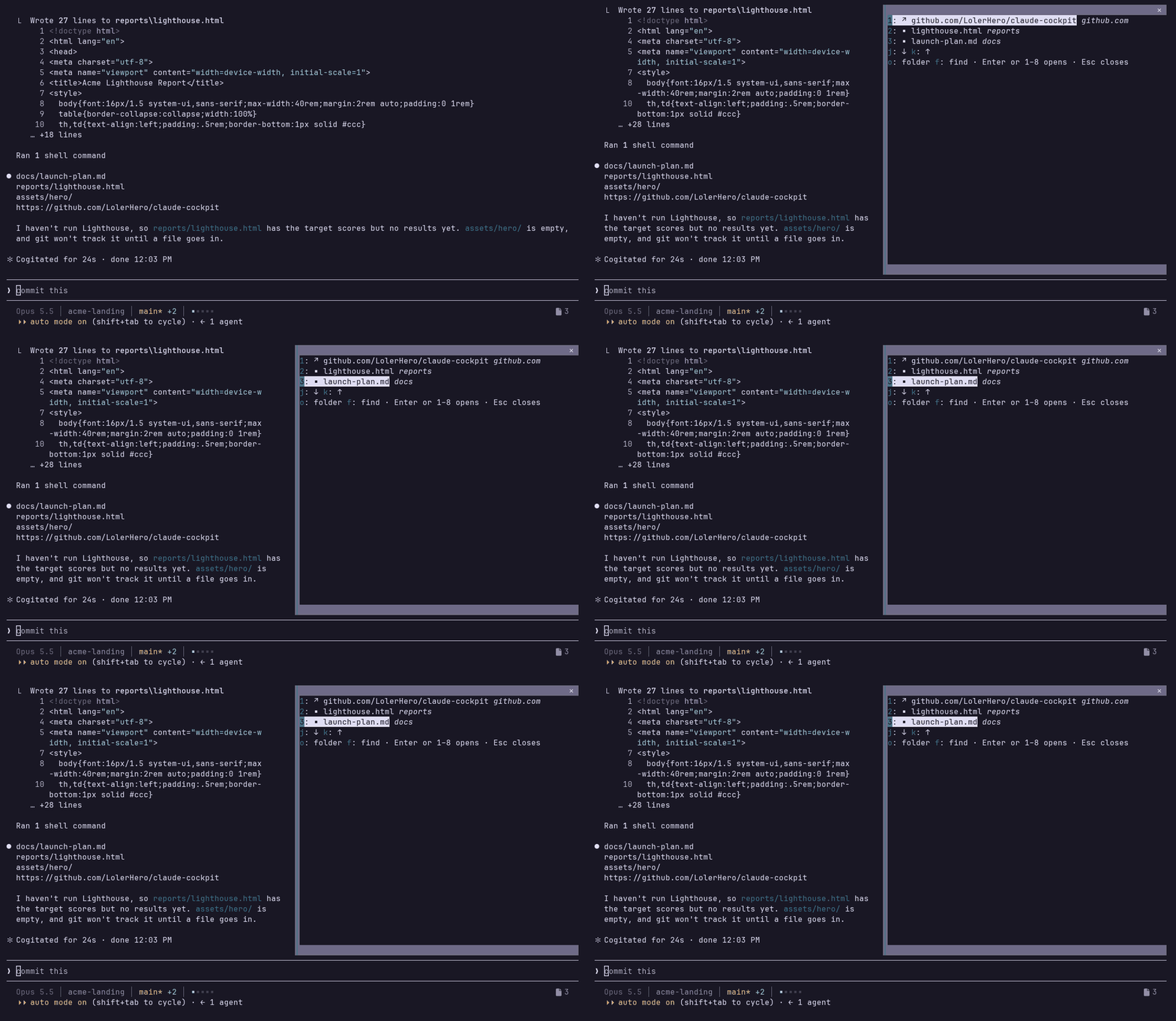
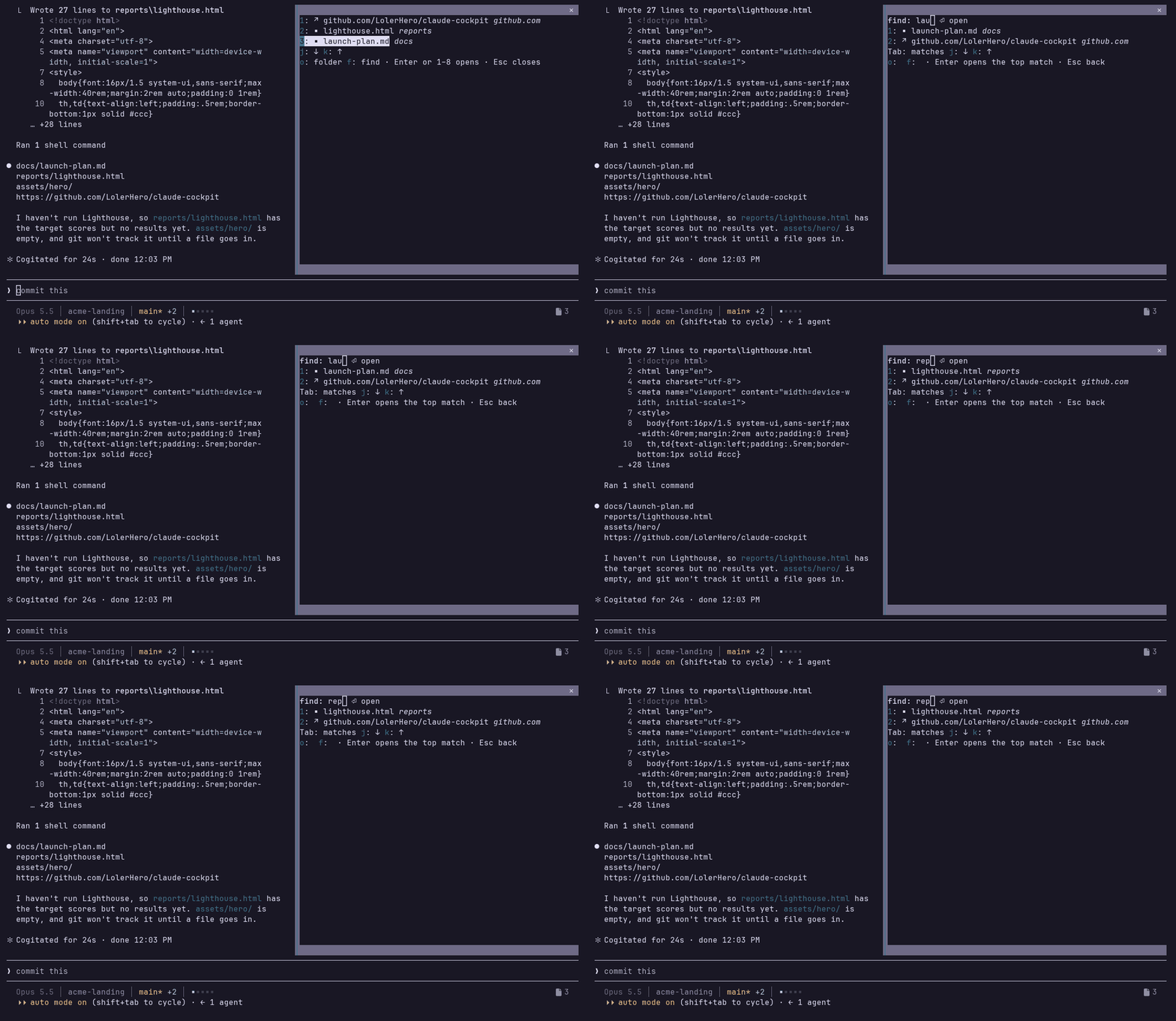
On a terminal narrower than 110 columns the pane sits inline above the prompt and a page is as long as the rows it is given; the hint shrinks to one row:
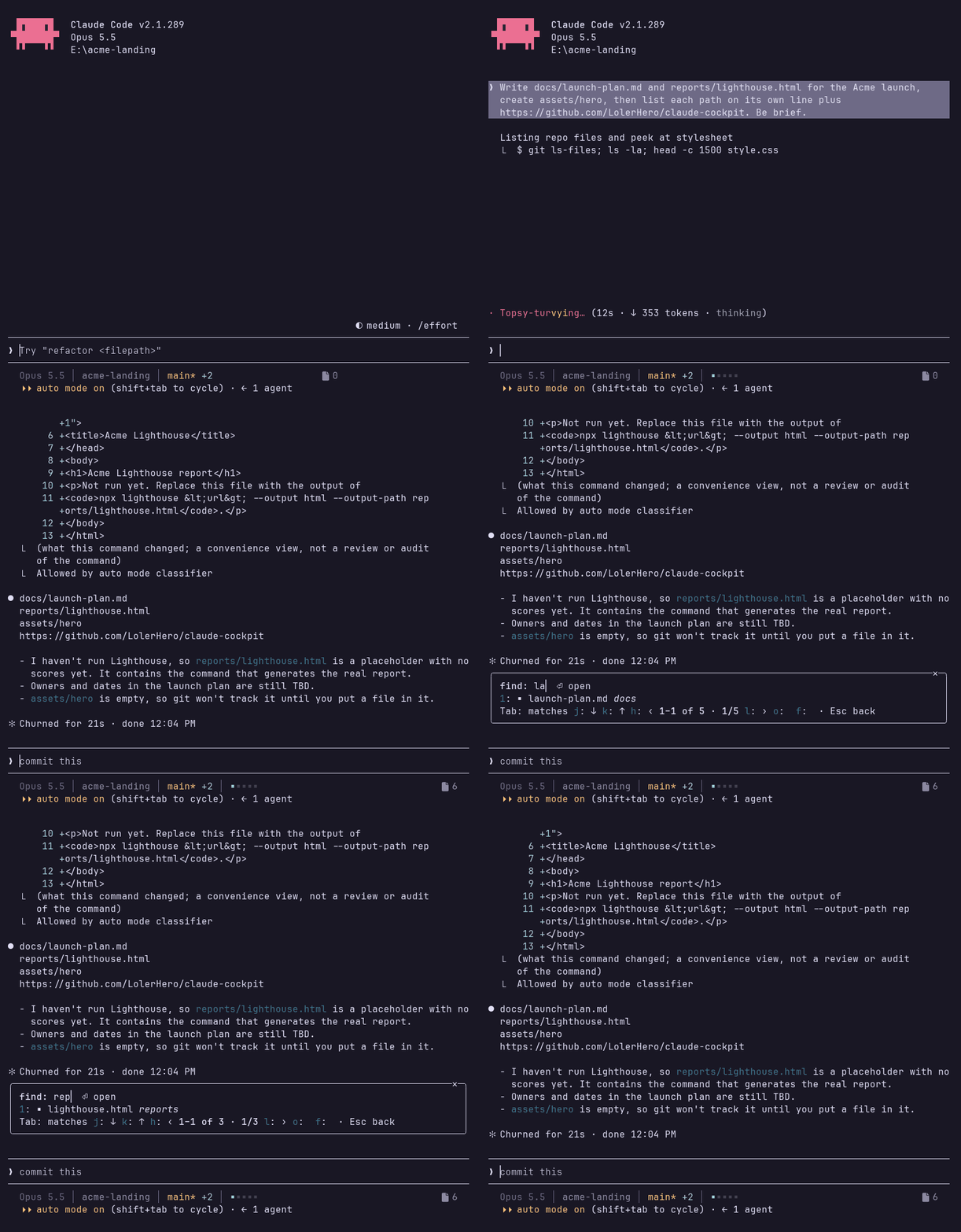
Keys: Enter or the row's digit (1–8) opens the row; j/k move the selection and wrap around (k on the first row reaches the last entry of the last page, j on the last entry the first row); h/l turn the page and wrap likewise; o opens the folder the row sits in (a folder opens itself; a link has none); f finds: a field appears, the list narrows as you type (fuzzy over the name and the tail: the typed characters in order, gaps allowed), Enter opens the top match, Tab moves into the matches (walk them as above) and f brings you back to the field with your text kept, Esc returns to the list; Esc in the list closes the pane. The arrows and Tab also walk the selection, since a pane cannot bind them. A thing that opened takes you to another app and the pane closes behind it. When the newest file is a PNG, it is also drawn in the pane, in terminals that can show pictures (kitty and Ghostty); elsewhere a line says so. The preview hides while you filter.
What counts:
file:// link in a reply counts on the same lines a web link does (see below) and becomes the file or folder row it points at.gh pr create / gh issue create / gh release create, a deploy tool (mcp__*deploy*), and a dev server a command started (localhost, 127.0.0.1, a LAN address with a port; 0.0.0.0 is shown as localhost). Other URLs in command output (registry notices, docs) are not collected. And from a reply, as it streams: a link alone on its line (bare, a bullet, or [text](url)), or on a line that contains one of the open words — open, öffne, ansehen, view, review by default, the openWords option in the config menu.mkdir and git worktree add in a command (once it exists), and an absolute path alone on a reply line that is a directory.A file or folder that vanished drops off the list; a link is never checked. The status-line count is every row the pane holds.
plain.Inside Claude Code:
/plugin install cockpit --marketplace LolerHero/claude-cockpit
or from your shell: claude plugin marketplace add LolerHero/claude-cockpit, then claude plugin install cockpit@cockpit. That installs the Files pane and /files.
A plugin cannot set your status line or your keybindings, so one more step wires those up, from the copy the install made:
node ~/.claude/plugins/marketplaces/cockpit/setup.mjs                      # macOS, Linux
node "$env:USERPROFILE\.claude\plugins\marketplaces\cockpit\setup.mjs"     # Windows PowerShell
Add --palette tokyo-night, --glyphs plain, --dry-run or --force as needed, then restart claude. The status line runs from that copy, which /plugin updates in place, so updates reach it too.
From source instead: git clone https://github.com/LolerHero/claude-cockpit, then node setup.mjs in the clone; setup then also loads the plugin from that folder. To stay on a release tested against your Claude Code build, clone its tag (git clone --branch v0.2.6 …); CHANGELOG.md names the build each release was tested on.
What setup changes, in ~/.claude (or CLAUDE_CONFIG_DIR):
settings.json → statusLine runs statusline/statusline.mjs. A status line you already have is kept unless you pass --force.settings.json → env.CLAUDE_CODE_PLUGIN_DIRS gains the folder, so the plugin loads in every session. Only from a source clone: installed through /plugin it loads already.keybindings.json → ctrl+x f opens /files, unless that chord is already bound to something else.settings.json is backed up next to itself before the first write. --dry-run prints the changes and writes nothing.
rose-pine (the default), catppuccin-mocha, tokyo-night and ansi. ansi uses your terminal's own 16 colors, so it follows whatever theme you run and works without truecolor.
The palette, the glyphs and the open words are options of the cockpit plugin in Claude Code's config menu. Change them there and the next redraw picks them up (openWords on the next session).
The mod runs inside Claude Code and writes the file count and the terminal width to ~/.claude/cockpit/<session id>.json, one small file per session, so two open sessions never mix their numbers. The status line is a separate Node process that reads its session's file, plus settings.json for your options. Both draw from palettes.js: the status line its colours, the Files pane its ground (base), with your terminal's own foreground on it.
Everything the mod in hooks/register.tsx reads, writes and runs. It makes no network requests and sends nothing anywhere; a link opens in your browser only when you pick it.
~/.claude/cockpit/<session id>.json (under CLAUDE_CONFIG_DIR if you set one), holding { "files": <count>, "columns": <terminal width> }. The status line script reads it to draw the count and to fit the row; the width comes from a hook on the row above the prompt (AbovePrompt), which measures it and draws nothing of its own. The path includes the session id, so it cannot be written as fixed text. Nothing else is written by the mod; setup.mjs, which you run yourself, edits settings.json and keybindings.json as listed under Install.CLAUDE_CONFIG_DIR, USERPROFILE and HOME to find the config folder for that file, and OS to tell Windows apart when opening something.classic.MessageDisplay) and on tool calls (tool.call, including Write and Edit) look for the files, links and folders to list, and pass every reply and call on unchanged. After a session switch the list is rebuilt from the same session's transcript. The list lives in the session's own state; nothing from the conversation leaves Claude Code.o for its folder) runs your system's opener with that file, folder or link: on Windows cmd /c start "" <path> for a file or folder and rundll32 url.dll,FileProtocolHandler <url> for a link, on macOS open <target>, on Linux xdg-open <target>. The target is built from the row, which is why the command cannot be written as fixed text.uname once, to tell macOS (open) from Linux (xdg-open)./files, which opens the pane. The pane's own keys work only while it is open.claude plugin validate .
claude plugin test .
node --test "test/*.test.mjs"
MIT

文档生成、漂移检测和 API 文档自动化插件,同时作为 function-hook 防护,拒绝包含机密的文档写入或 worker 调度。

Claude 桌面应用的状态栏。它显示在提示符上方,展示会话质量、上下文填充量、缓存倒计时,以及 5 小时和每周限额,并让 Clawd 演示会话正在进行的操作。

一个 Claude Code 插件 mod,提供 /databricks-pane:按照 databricks CLI,以树状结构展示 Databricks 工作区、Unity Catalog、计算资源、作业、管道、应用和仪表板,并支持实时高亮、配置文件切换和复制 CLI 参数。
