
aieo-product@aieo-product
aieo-product/claude_qamods/tree/main/plugins/qa-guide
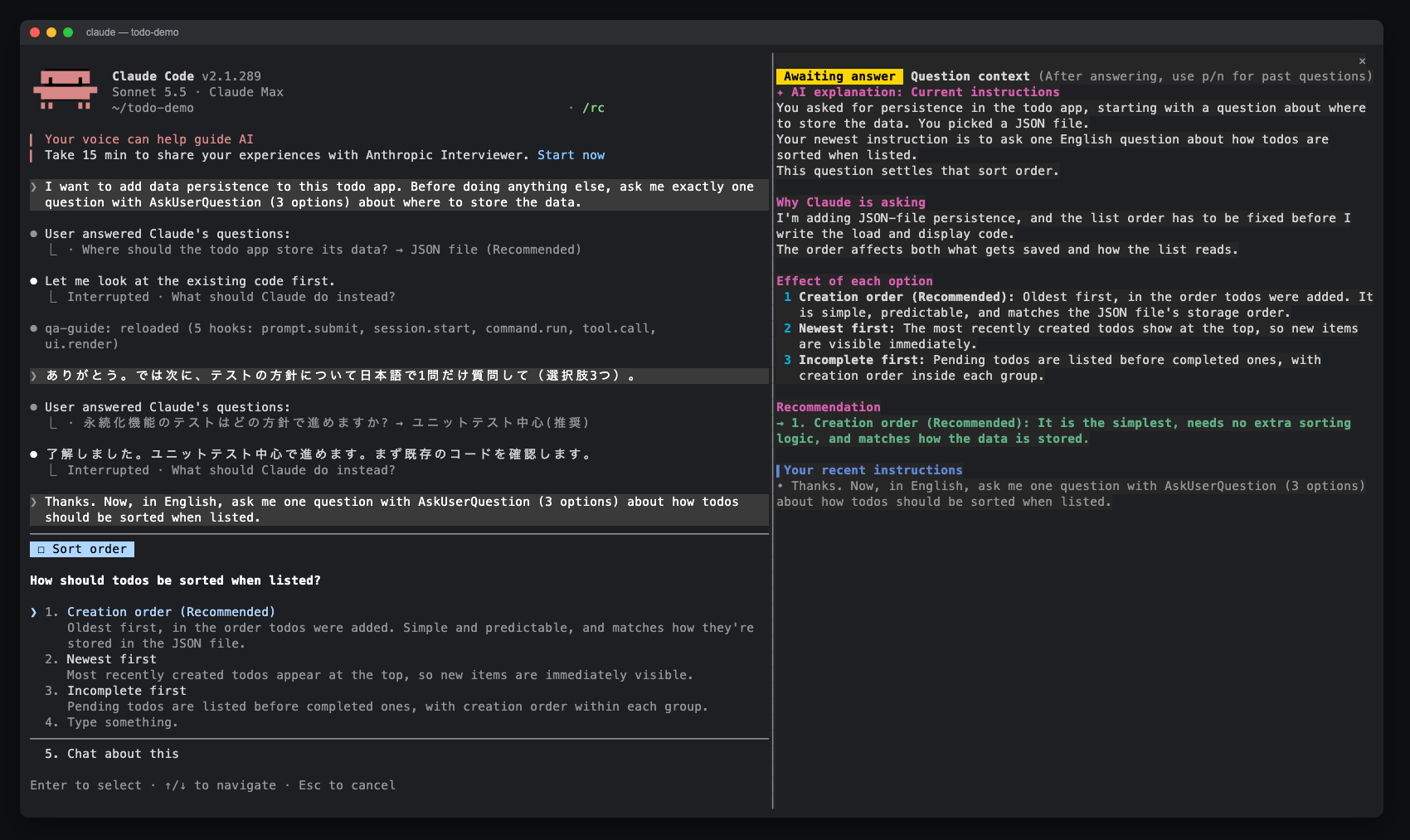
AskUserQuestion 프롬프트에 대한 사이드 창을 열어 AI 설명, 옵션 효과, 최근 지침 및 답변 기록을 표시하는 Claude Code 모드입니다. claude-qamods 마켓플레이스를 통해 설치할 수 있으며, Claude Code 2.1.286 이상 및 조기 액세스 function-hooks 플러그인 API가 필요합니다.
aieo-product/claude_qamods/tree/main/plugins/qa-guide
qa-guide는 Claude가 AskUserQuestion으로 질문할 때 사이드 패널을 열어 질문의 이유, 각 선택지의 결과, 최근 지침 및 답변 기록을 표시하는 Claude Code 모드입니다. 컴팩트 표시에서는 Haiku를 통해 제한된 프롬프트로 배경 설명을 생성하며(기본값, 세션 길이에 의존하지 않음), Full context에서는 세션의 트랜스크립트를 포크하여 전체를 고려한 설명을 다시 생성합니다. 답변 후에는 선택 카드와 최근 20개의 기록을 표시하며, p / n / l로 이동할 수 있습니다. 요구 사항은 Claude Code 2.1.286 이상(조기 액세스 function-hooks API)이며, 너비가 144자 이상일 때 자동으로 창이 열립니다. 설치는 /plugin marketplace add aieo-product/claude_qamods 및 /plugin install qa-guide@claude-qamods입니다. 개인 정보 보호 측면에서는 자체 네트워크 전송을 수행하지 않으며, 데이터는 세션 메모리($.state)에만 보관되고 디스크에는 기록되지 않습니다. AI 설명의 유무, context의 compact / full, 비용 표시(showCost)는 /config 또는 /plugin configure를 통해 전환할 수 있습니다.
먼저 작성자의 README에서 marketplace와 플러그인 이름을 확인하세요. 저장소 구조에 따라 명령어가 달라질 수 있습니다.
claude plugin marketplace add aieo-product/claude_qamods
claude plugin install qa-guide
日本語 · English
Claude Code mods that make Claude's questions easier to read and answer.
The first mod, qa-guide, opens a side pane whenever Claude asks you something with AskUserQuestion. The pane explains why Claude is asking and what each option leads to, so you can answer without scrolling back through the conversation.
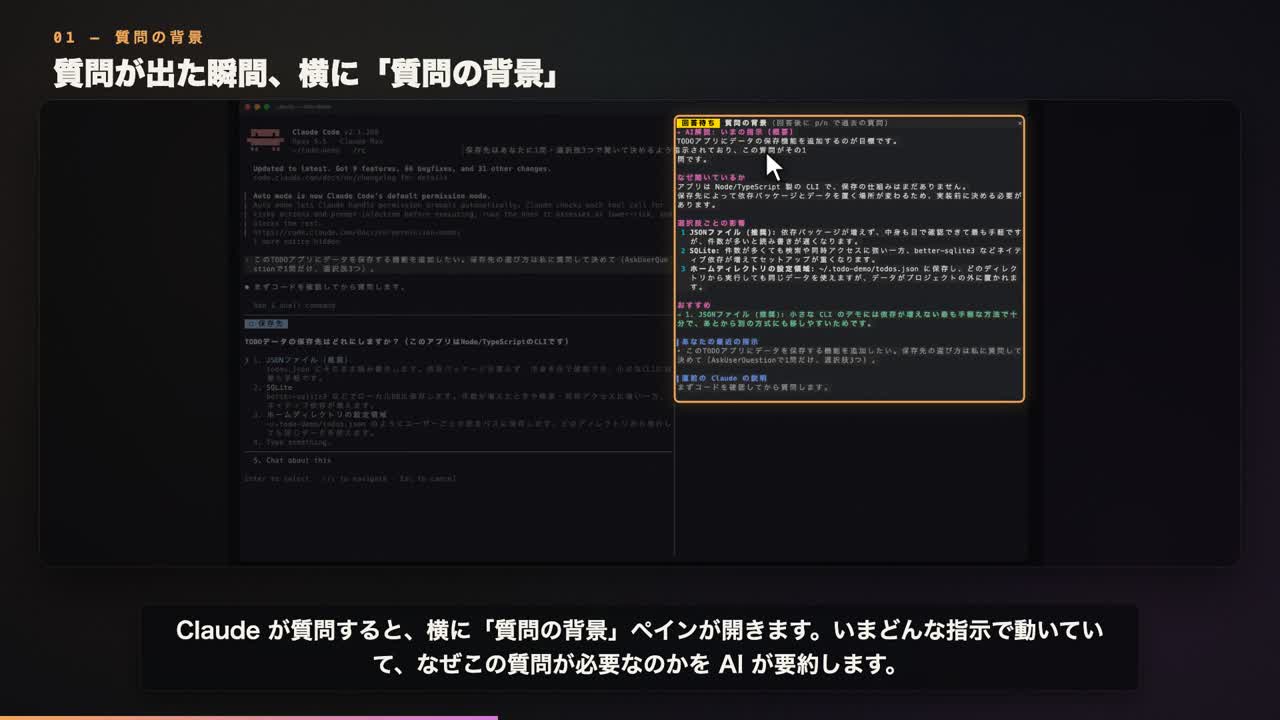
▶ Demo video: landscape 16:9 · portrait 9:16
Claude's question dialog shows a question and a few short options. After a long session it is easy to lose track of what the question is about, so you end up scrolling back through the transcript before you can answer. qa-guide keeps that context next to the dialog.
While a question is open (compact view, fits the pane without scrolling)
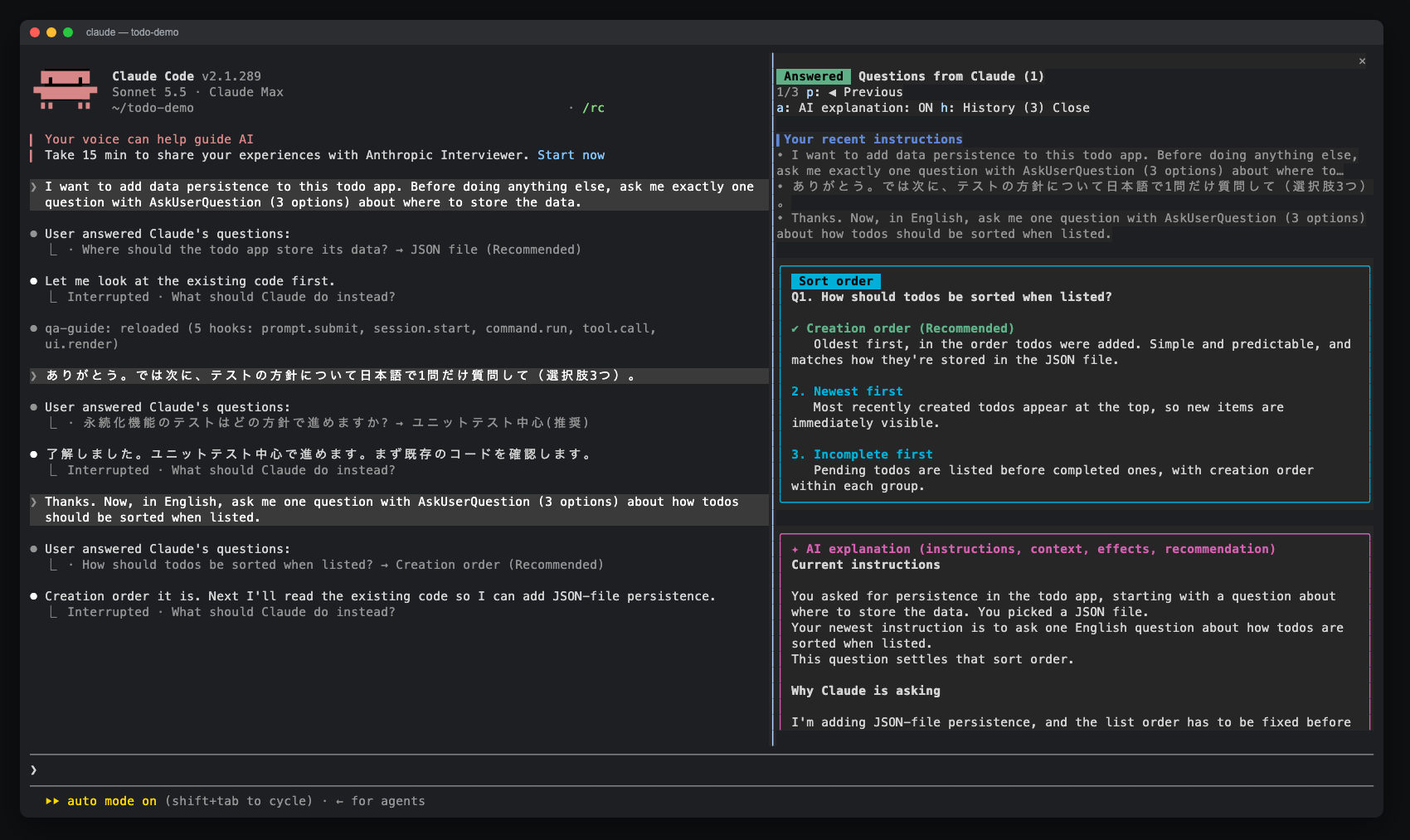
compact context or full context.After you answer (full view)
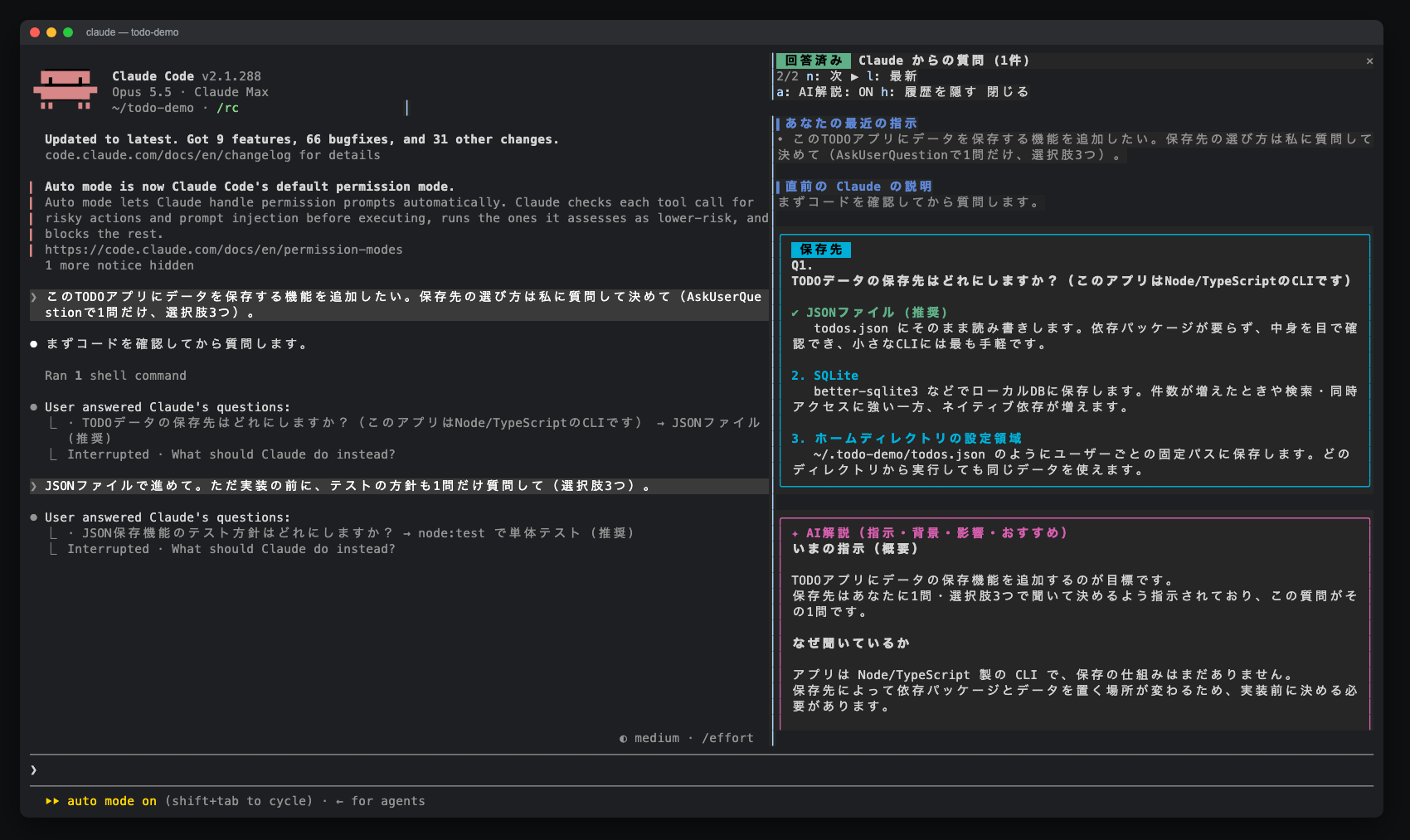
p / n / l, or open one from the list| Full view after answering | Browsing history with p / n |
| --- | --- |
|  |
|  |
|
/qa-guide opens it at any width.Run these commands inside Claude Code:
/plugin marketplace add aieo-product/claude_qamods
/plugin install qa-guide@claude-qamods
The installer may report unset userConfig options. You can ignore this: language defaults to auto, context to compact, and showCost to on. To change an option, run /plugin configure qa-guide@claude-qamods or use /config.
To update, run /plugin marketplace update claude-qamods and then /plugin update qa-guide@claude-qamods. To remove it, run /plugin uninstall qa-guide@claude-qamods.
When Claude asks a question, the pane opens next to the dialog. Answer in the dialog as usual.
The default language option is auto. A question or option label containing hiragana or katakana selects Japanese; otherwise, the pane and AI explanation use English. Chinese text alone selects English. Each history entry keeps the language chosen when it was created; entries saved by older versions stay Japanese.
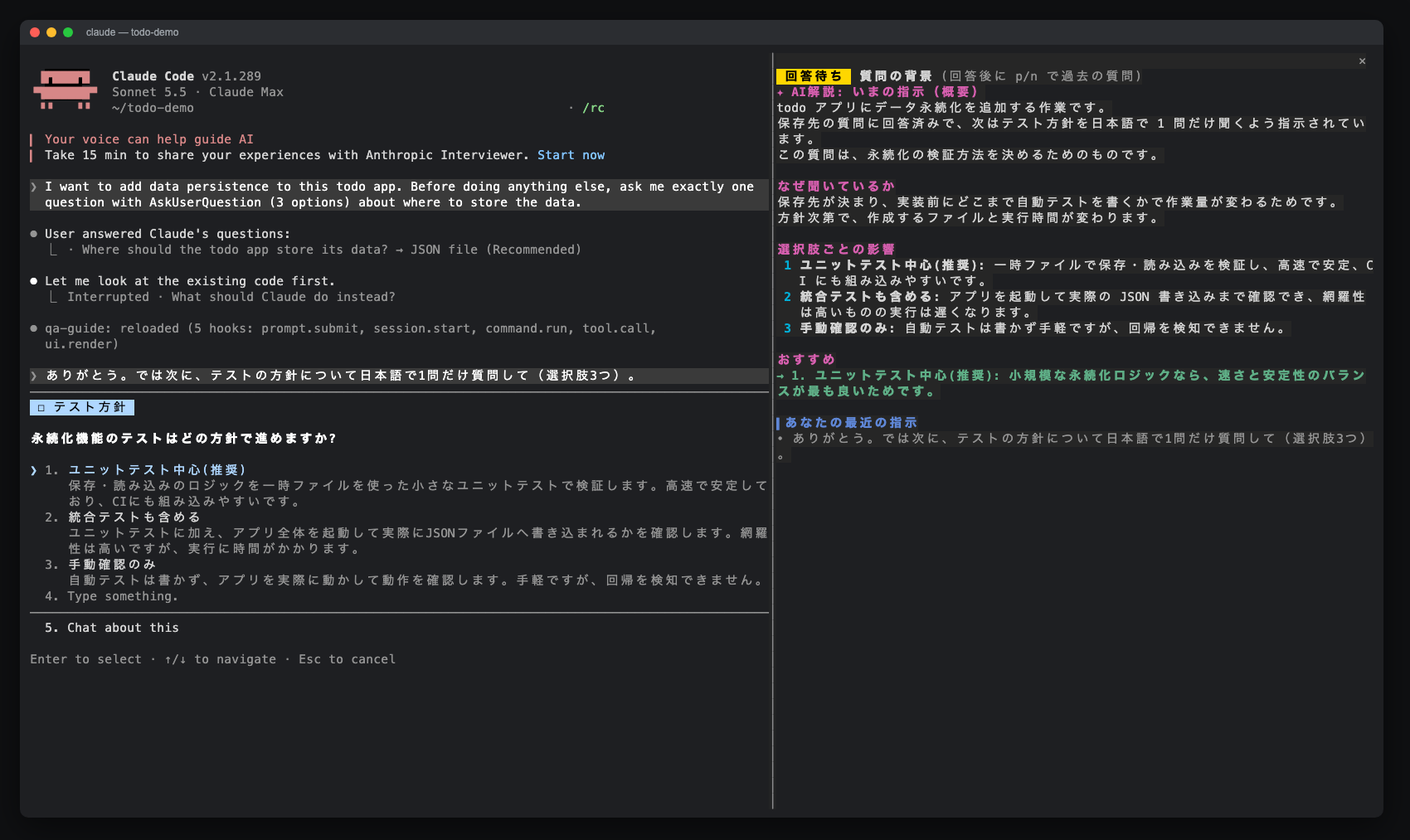
Run /config and set qa-guide's language option to en or ja to choose a fixed language, or auto to restore automatic selection. Before any question exists, automatic selection uses Claude Code's language setting when available (Japanese selects Japanese; other languages select English), then the locale (LC_ALL, or LANG when LC_ALL is empty). A locale starting with ja selects Japanese; otherwise, the fallback is English.
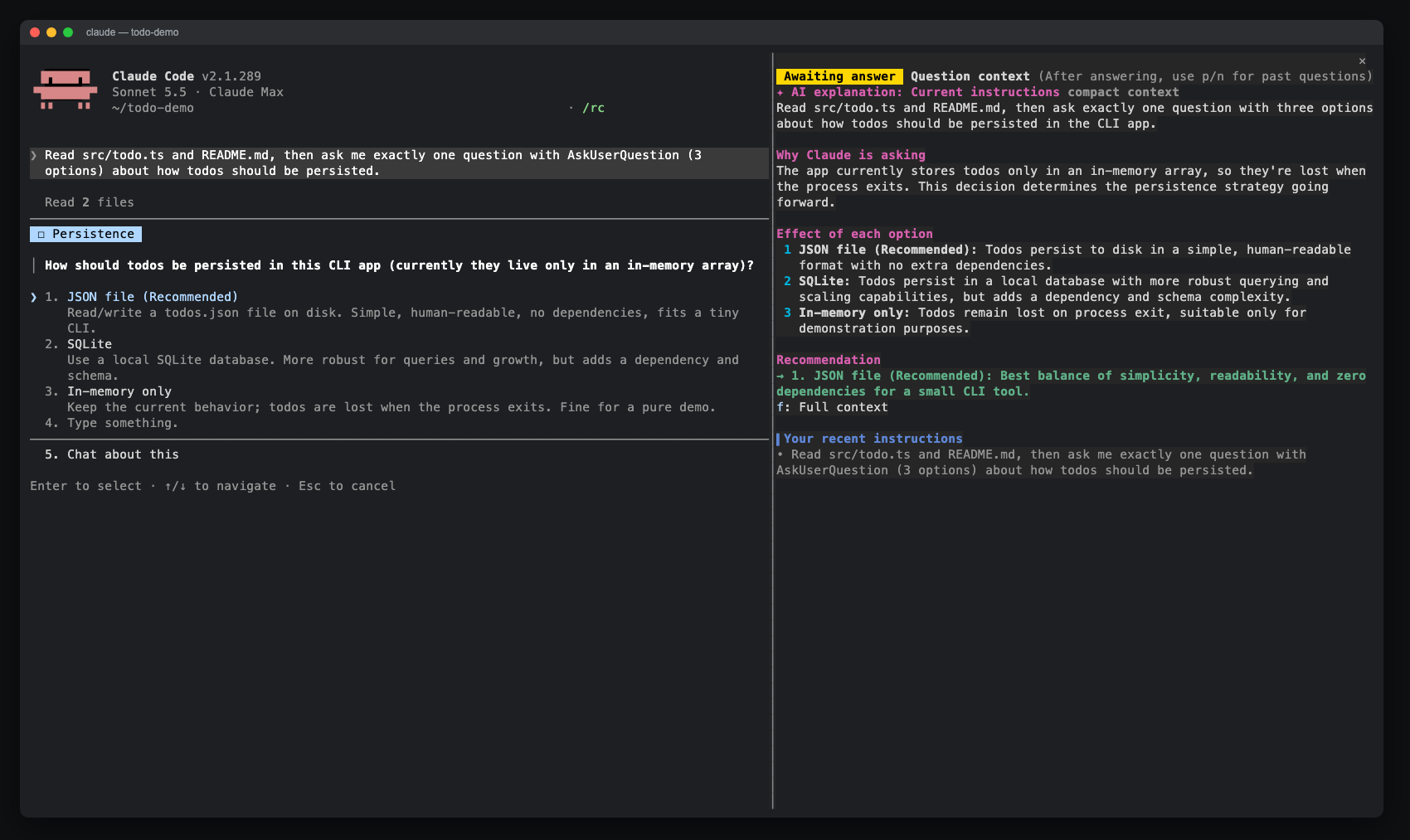
The context option defaults to compact: explanations use a bounded summary and Haiku, so their input does not grow with the session. Set context to full in /config to use the whole session for every new explanation. For one question, choose Full context to replace its explanation with a new one using the whole session. The button can be clicked on surfaces that support clicks. After answering, focus the pane and press f.
In the Claude Desktop app, the Full context button can be clicked while the question dialog is still open.
The showCost option is an on / off picker and defaults to on. Set it to off in /config or /plugin configure qa-guide@claude-qamods to show measured tokens without the API-price estimate.
| Control | Where | Action |
| --- | --- | --- |
| /qa-guide | prompt | Open the guide (also before the first question) |
| p / n | pane focused | Previous (older) / next (newer) question |
| l | pane focused | Back to the latest question |
| h | pane focused | Show or hide the history list |
| a | pane focused | Turn AI explanations on or off for the next questions |
| f / Full context | pane focused / button | Regenerate the selected question's explanation using the whole session |
| Ctrl+X then Tab, or click | anywhere | Move keyboard focus into the pane |
| Esc | pane focused | Return focus to the prompt |
While the question dialog is open it holds the keyboard, so the pane cannot be scrolled. That is why the compact view is sized to fit. After you answer, the full view can be scrolled.
qa-guide is a single hooks module, plugins/qa-guide/hooks/register.tsx:
| Hook | What it does |
| --- | --- |
| prompt.submit | Records the last 5 prompts you typed (origins composer, bridge, sdk) |
| tool.call (AskUserQuestion) | Collects context, opens the pane, starts the AI explanation without blocking, then waits for the dialog and stores the answer |
| ui.render (Pane) | Draws the compact view while the question is open and the full view afterwards |
| session.start / command.run | Registers and handles /qa-guide |
By default, the AI explanation uses $.model.complete with model: 'haiku' and an output limit of 1,500 tokens. Its compact prompt contains qa-guide's instructions, your last 3 prompts (up to 600 characters each), the tail of Claude's lead-up text (up to 2,500 characters), a summary of tool activity since your last real prompt (the last 12 tool uses, each tool name and first string input clipped to 120 characters), and the questions. The entire prompt is capped at 12,000 characters, regardless of transcript size.
With context: full or Full context, qa-guide uses $.model.fork to ask one tool-less question over the session's existing transcript on the session's model. If Claude asks before the session has produced its first response, there is no transcript to fork yet, so this path falls back to a short haiku completion. The explanation arrives while you are still reading, and the dialog is never held back. A newer explanation replaces the selected entry's previous explanation; late results from an older run are ignored. State lives in $.state, so it survives a hot reload but not the end of the session.
context: full sends the whole session transcript to the session's model through a fork; if no transcript exists yet, it falls back to a short Haiku completion.$.state) and are gone when the session ends.a to turn automatic explanations off; rendering the pane alone never calls a model.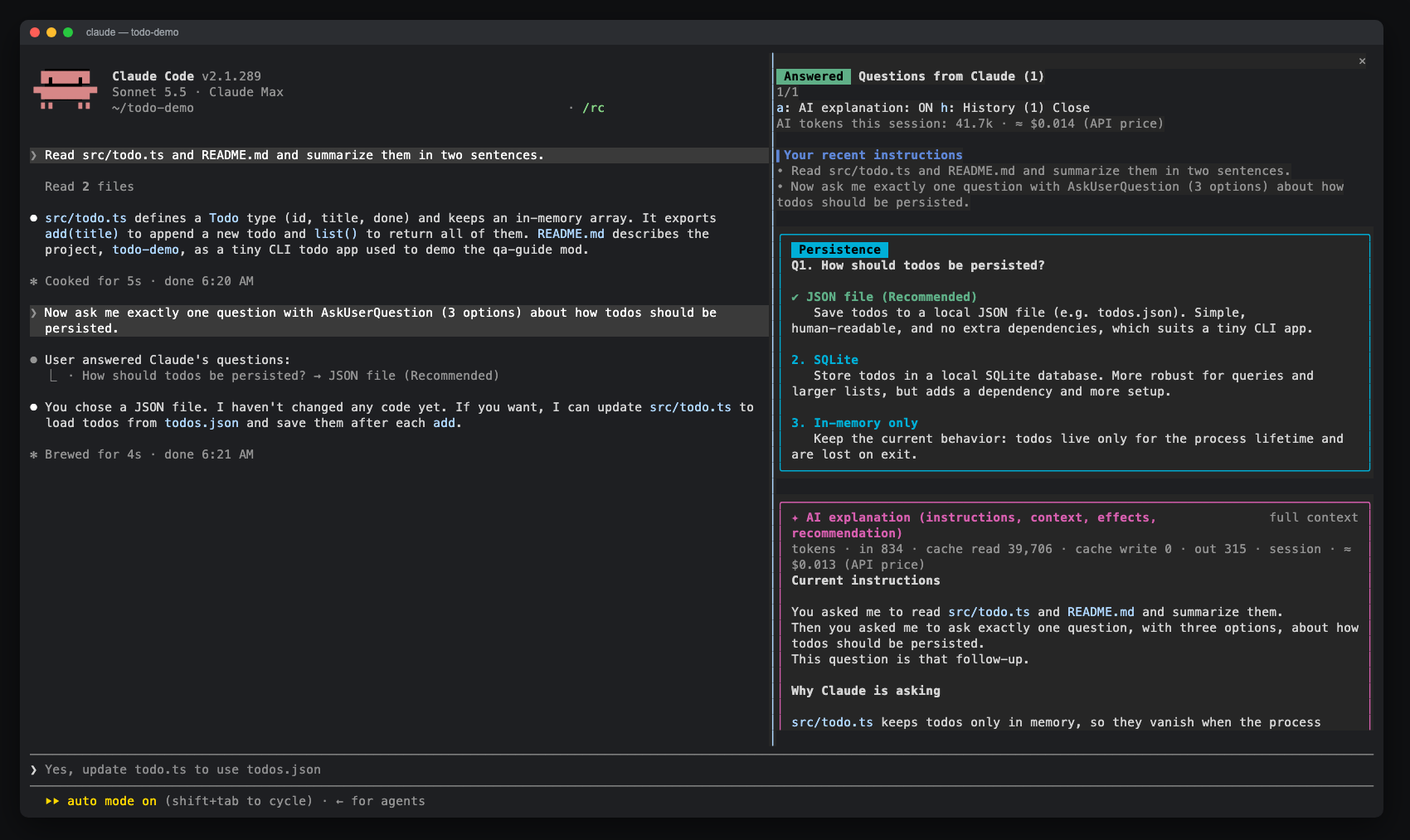
| | What is sent | Approximate tokens |
| --- | --- | --- |
| Pane (no AI) | Nothing. Your recent prompts and Claude's lead-up text are read from the local session. | 0 |
| AI explanation (compact, default) | Instructions, last 3 prompts (600 characters each), Claude's lead-up text (last 2,500 characters), last 12 tool summaries (120 characters each), and questions. The whole prompt is capped at 12,000 characters; the full transcript is not sent. | Input: typically ~1,500–4,000, independent of session length (tokens vary by language and content).<br>Output: up to 1,500. |
| AI explanation (full context) | A fork of the whole session transcript, plus qa-guide's instructions, your last 3 prompts (up to 600 characters each) and the question. Used by context: full and the Full context button. | Transcript: read from the prompt cache (as many tokens as the session holds).<br>Added input: ~1,000–3,000.<br>Output: ~500–1,000, more if the model thinks. |
| Full-context fallback | Only when there is no transcript to fork yet: a short prompt with the recent instructions, Claude's lead-up text and the questions. | Input: typically ~1,500–4,000.<br>Output: up to 1,500. |
haiku or session for the model used. The compact view shows this line when a row is available. A Full context re-run replaces that entry's usage with the new result.≈ $0.0052 (API price). It multiplies measured tokens by a built-in table of USD list prices as of 2026-09, including cache reads and cache writes (1.25 × the input rate). This table must be updated when prices change. Unknown models show tokens only.+, as in ≈ $0.031+, means some usage could not be priced. These totals survive a hot reload and reset when the session ends.haiku alias, priced as claude-haiku-4-5. Full-context forks run on the session's model, whose ID is read when the request starts, so switching with /model changes them too. If a full-context run falls back to Haiku, the fork and fallback usage are priced separately and added together./model, the whole transcript is processed as fresh input once. Compact mode never forks the transcript.| Symptom | Fix |
| --- | --- |
| The pane does not open when Claude asks | The terminal is narrower than 144 columns. Widen it, or run /qa-guide. A toast tells you when this happens. |
| /qa-guide is not recognised | Run /plugin and check that qa-guide@claude-qamods is installed and enabled, then start a new session. |
| AI explanation says it could not be generated | The model request failed or returned no text (for example an API error or rate limit). The rest of the pane still works, and the next question tries again. |
| Nothing renders after a Claude Code update | The early-access API may have changed. Please open an issue with your Claude Code version. |
git clone https://github.com/aieo-product/claude_qamods
cd claude_qamods
claude --plugin-dir plugins/qa-guide        # try it in a session
Checks:
claude plugin validate .                    # marketplace manifest
claude plugin validate plugins/qa-guide     # plugin manifest and hooks module
claude plugin test plugins/qa-guide         # tests on terminal and desktop surfaces
npx -y -p typescript@5 tsc -p plugins/qa-guide --noEmit
Type checking needs the engine-written declarations in plugins/qa-guide/.claude-plugin/types/. They are gitignored, and Claude Code writes them the first time it loads the plugin from your checkout. See CONTRIBUTING.md for the full workflow.
Issues and pull requests are welcome. Please read CONTRIBUTING.md and the Code of Conduct. To report a security issue, follow SECURITY.md.
MIT © aieo-product

입력하는 동안 프롬프트의 문법을 검사하고 번체 중국어로 설명합니다. Enter를 누르기 전에 수정 내용이 프롬프트 상자 위에 표시됩니다.


localvoxtral이 세션에 연결되어 있는지 보여 주고 받아쓴 텍스트를 프롬프트 상자에 넣으며 프롬프트 위에 받아쓰기 내용을 표시하고 음성 중지 문구로 턴을 끝내는 Claude Code 플러그인입니다. hooks 모듈을 로드하는 Claude Code 빌드가 필요합니다.
macOS에서 프롬프트 마커에 붙여 넣은 이미지를 미리 봅니다. Ghostty를 지원하며 시작 오버라이드로 iTerm2와 Herdr도 실험적으로 지원합니다. Claude Code 2.1.287+。