vinta@vinta
vinta/hal-9000/tree/main/plugins/hal-grammar-check

입력하는 동안 프롬프트의 문법을 검사하고 번체 중국어로 설명합니다. Enter를 누르기 전에 수정 내용이 프롬프트 상자 위에 표시됩니다.
vinta/hal-9000/tree/main/plugins/hal-grammar-check
입력하는 동안 프롬프트의 문법을 검사하고 번체 중국어로 설명합니다. Enter를 누르기 전에 수정 내용이 프롬프트 상자 위에 표시됩니다.
이 플러그인에는 로컬 Ollama와 gemma4:31b-mlx 모델이 필요합니다.
ollama pull gemma4:31b-mlx
mod이므로 Claude Code 2.1.287 이상도 필요합니다.
claude plugin marketplace add vinta/hal-9000
claude plugin install hal-grammar-check@hal-9000
그다음 Claude Code를 다시 시작하세요.
그냥 입력하면 됩니다. 입력을 멈춘 뒤 약 250ms가 지나면 초안이 Ollama로 전송되고 결과가 프롬프트 상자 위에 표시됩니다. 이전 초안에 대한 결과는 버립니다.
hal-statusline은 제출 후 각 프롬프트를 검사합니다. 두 결과를 모두 보고 싶지 않다면 환경 변수에 HAL_STATUSLINE_GRAMMAR_CHECK_DISABLED=1을 설정해 해당 기능을 끄세요.
초안의 처음 500자를 로컬 Ollama의 localhost:11434로 보냅니다. 완전히 오프라인이며 어떤 내용도 컴퓨터 밖으로 나가지 않습니다.
먼저 작성자의 README에서 marketplace와 플러그인 이름을 확인하세요. 저장소 구조에 따라 명령어가 달라질 수 있습니다.
claude plugin marketplace add vinta/hal-9000
claude plugin install hal-grammar-check
A grammar check on your prompt while you type, with explanations in Traditional Chinese. The corrections show up above the prompt box, before you hit Enter.
This plugin needs a local Ollama with the gemma4:31b-mlx model:
ollama pull gemma4:31b-mlx
It's a mod, so it also needs Claude Code 2.1.287 or later.
claude plugin marketplace add vinta/hal-9000
claude plugin install hal-grammar-check@hal-9000
Then restart Claude Code.
Just type. About 250ms after you stop, the draft goes to Ollama and the result shows up above the prompt box. A result for an older draft is dropped.
hal-statusline checks each prompt after you submit it. To avoid seeing both, turn that one off with HAL_STATUSLINE_GRAMMAR_CHECK_DISABLED=1 in your environment variables.
It sends the first 500 characters of your draft to your local Ollama at localhost:11434. Fully offline, nothing leaves your machine.

localvoxtral이 세션에 연결되어 있는지 보여 주고 받아쓴 텍스트를 프롬프트 상자에 넣으며 프롬프트 위에 받아쓰기 내용을 표시하고 음성 중지 문구로 턴을 끝내는 Claude Code 플러그인입니다. hooks 모듈을 로드하는 Claude Code 빌드가 필요합니다.
macOS에서 프롬프트 마커에 붙여 넣은 이미지를 미리 봅니다. Ghostty를 지원하며 시작 오버라이드로 iTerm2와 Herdr도 실험적으로 지원합니다. Claude Code 2.1.287+。

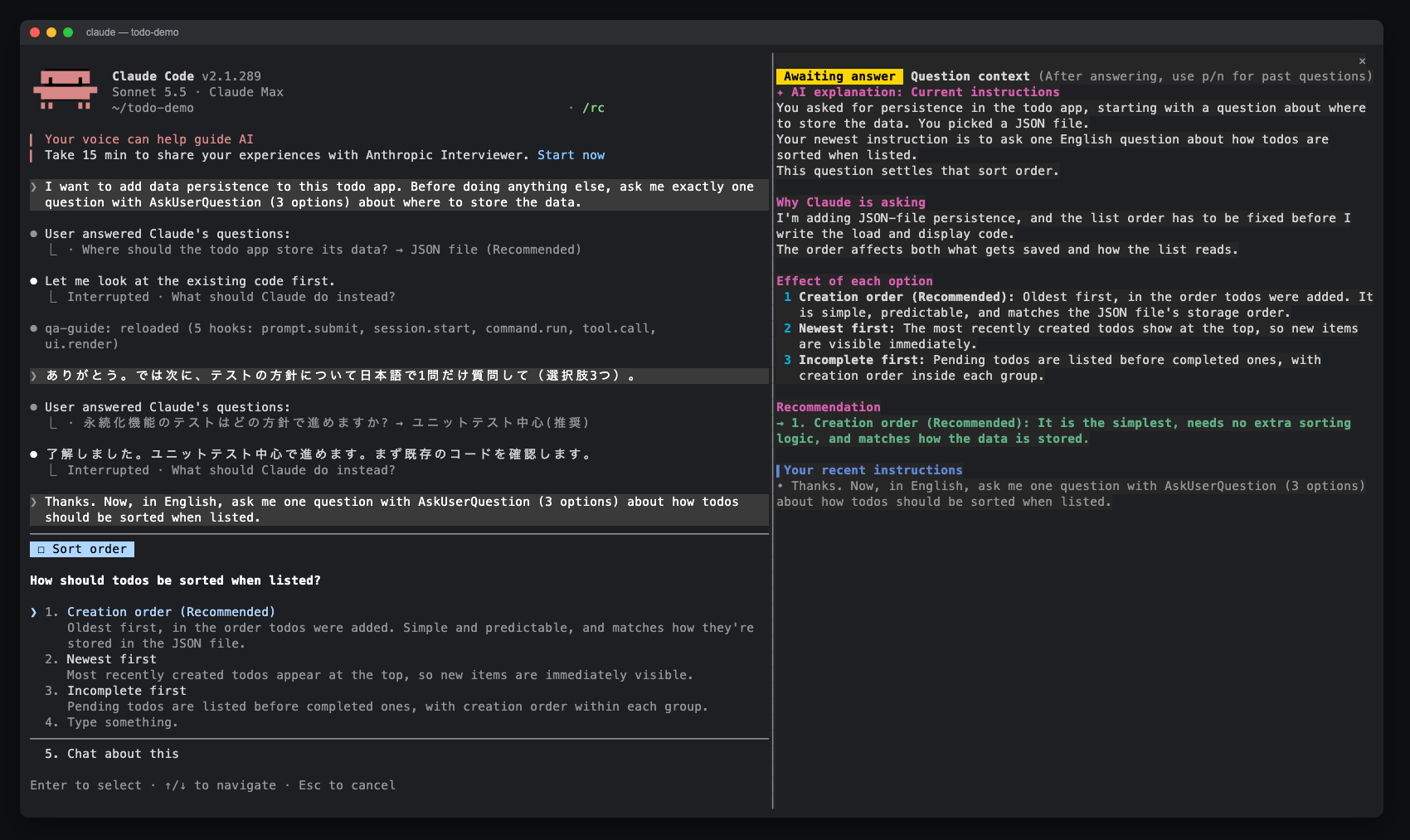
AskUserQuestion 프롬프트에 대한 사이드 창을 열어 AI 설명, 옵션 효과, 최근 지침 및 답변 기록을 표시하는 Claude Code 모드입니다. claude-qamods 마켓플레이스를 통해 설치할 수 있으며, Claude Code 2.1.286 이상 및 조기 액세스 function-hooks 플러그인 API가 필요합니다.