
mikhin@mikhin
mikhin/claude-iphone-cam
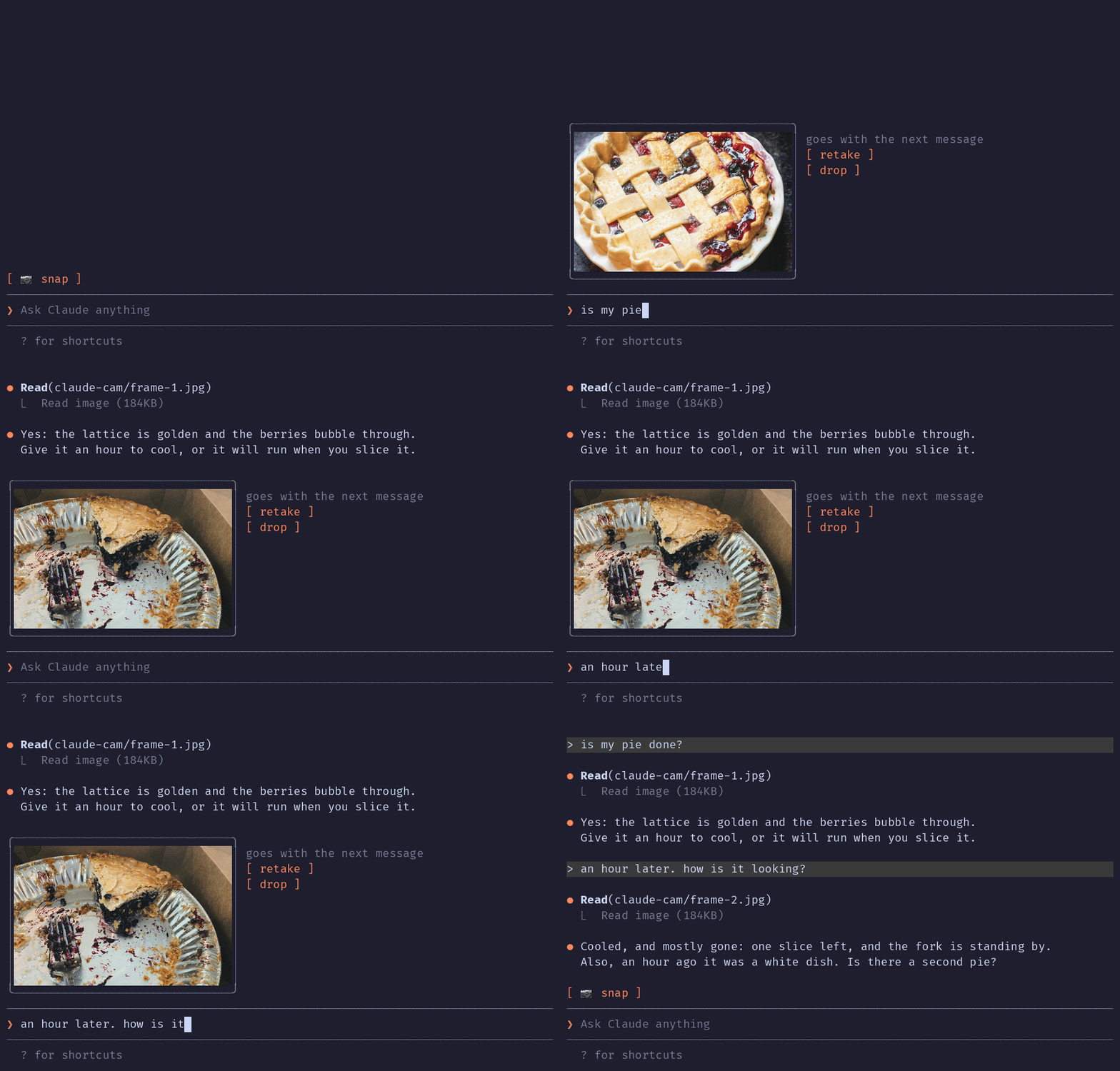
Continuity Camera 経由で iPhone からフレームを取得し、次のメッセージに添付する Claude Code mod です。
mikhin/claude-iphone-cam
Claude iPhone Cam は Claude Code のプロンプト上に 📷 snap ボタンを追加します。押すと ffmpeg/avfoundation で iPhone のカメラから 1 フレームを取得します(Continuity Camera により Mac のウェブカメラとして公開されます)。撮り直し・破棄の操作を備えたサムネイルを表示し、送信時には prompt.submit hook が JPEG のパスを追加するため、Claude は画像を会話の一部として読み取れます。/plugin marketplace add mikhin/claude-iphone-cam、/plugin install iphone-cam、/reload-plugins でインストールします。macOS Ventura+、iOS 16+、iPhone XR 以降、ffmpeg、両方のデバイスで同じ Apple ID が必要です。mod はローカルで ffmpeg を実行してデバイスを一覧し、フレームを取得します。frame-<n>.jpg/png を $TMPDIR/claude-cam/ に書き込み、ネットワーク接続は開きません。
まず作者の README で marketplace とプラグイン名を確認してください。コマンドはリポジトリの構成によって変わる場合があります。
claude plugin marketplace add mikhin/claude-iphone-cam
claude plugin install iphone-cam
A Claude Code mod that lets Claude see what your iPhone camera sees. Press 📷 snap above the prompt, check the thumbnail, type your question, send.
The terminal in the demo is drawn, the pies are real: photos by Joe Dumas and Debby Hudson on Unsplash. The demo and its build script live in the demo branch, so installing the plugin doesn't download them.
No AirDrop, no Telegram-to-yourself, no saving files. The iPhone is already a Mac webcam through Continuity Camera; this mod grabs one frame from it.
Inside Claude Code, run:
/plugin marketplace add mikhin/claude-iphone-cam
/plugin install iphone-cam
/reload-plugins
ffmpeg (brew install ffmpeg)[ 📷 snap ]
❯ _
After a snap:
╭──────────────╮ goes with the next message
│   (frame)    │ [ retake ]
│              │ [ drop ]
╰──────────────╯
❯ is my pie done?
ffmpeg -f avfoundation -list_devices finds the device named … iPhone … Camera (Desk View is skipped).ffmpeg run waits 1.5 s for exposure, then writes a full JPEG and a 640 px PNG thumbnail to $TMPDIR/claude-cam/.Image element.prompt.submit hook adds the JPEG's path to the message context, and Claude reads it.A mod can only add text to a message, not image bytes, so Claude opens the frame with one Read call.
The mod runs only when you press snap, retake or drop, and when you send a message.
ffmpeg -hide_banner -f avfoundation -list_devices true -i "" lists the cameras, to find the iPhone by nameffmpeg … -i "<iPhone camera>" -ss 1.5 -frames:v 1 <frame>.jpg -ss 1.5 -frames:v 1 -vf scale=640:-2 <frame>.png takes one frame (the full command is captureArgs in hooks/camera.ts)mkdir -p $TMPDIR/claude-cam makes the folder the frames go toTMPDIR environment variable, checks that /opt/homebrew/bin/ffmpeg exists, and writes frame-<n>.jpg and frame-<n>.png to $TMPDIR/claude-cam/. It never deletes them; macOS clears that folder.prompt.submit, only for a message you typed, and only while a frame is waiting, it adds one line of context: the path of the JPEG and a request to read it. Nothing else in the message changes.MIT

入力中のプロンプトを文法チェックし、繁体字中国語で説明します。Enter を押す前に、修正内容がプロンプトボックスの上に表示されます。


localvoxtral がセッションに接続されているかを示し、ディクテーションした文字列をプロンプトボックスに入れ、プロンプト上にディクテーションを表示し、音声の停止フレーズでターンを終える Claude Code プラグインです。hooks モジュールをロードできる Claude Code ビルドが必要です。
macOS でプロンプトのマーカーに貼り付けた画像をプレビューします。Ghostty に対応し、起動時のオーバーライドで iTerm2 と Herdr も試験的にサポートします。Claude Code 2.1.287+。