vinta@vinta
vinta/hal-9000/tree/main/plugins/hal-grammar-check

入力中のプロンプトを文法チェックし、繁体字中国語で説明します。Enter を押す前に、修正内容がプロンプトボックスの上に表示されます。
vinta/hal-9000/tree/main/plugins/hal-grammar-check
入力中のプロンプトを文法チェックし、繁体字中国語で説明します。Enter を押す前に、修正内容がプロンプトボックスの上に表示されます。
このプラグインにはローカルの Ollama と gemma4:31b-mlx モデルが必要です。
ollama pull gemma4:31b-mlx
これは mod なので、Claude Code 2.1.287 以降も必要です。
claude plugin marketplace add vinta/hal-9000
claude plugin install hal-grammar-check@hal-9000
その後 Claude Code を再起動します。
入力するだけです。入力を止めてから約 250ms 後、下書きが Ollama に送られ、結果がプロンプトボックスの上に表示されます。古い下書きに対する結果は破棄されます。
hal-statusline は送信後の各プロンプトをチェックします。両方の結果を表示したくない場合は、環境変数に HAL_STATUSLINE_GRAMMAR_CHECK_DISABLED=1 を設定して無効にしてください。
下書きの先頭 500 文字をローカル Ollama の localhost:11434 に送ります。完全にオフラインで、データがマシンの外へ出ることはありません。
まず作者の README で marketplace とプラグイン名を確認してください。コマンドはリポジトリの構成によって変わる場合があります。
claude plugin marketplace add vinta/hal-9000
claude plugin install hal-grammar-check
A grammar check on your prompt while you type, with explanations in Traditional Chinese. The corrections show up above the prompt box, before you hit Enter.
This plugin needs a local Ollama with the gemma4:31b-mlx model:
ollama pull gemma4:31b-mlx
It's a mod, so it also needs Claude Code 2.1.287 or later.
claude plugin marketplace add vinta/hal-9000
claude plugin install hal-grammar-check@hal-9000
Then restart Claude Code.
Just type. About 250ms after you stop, the draft goes to Ollama and the result shows up above the prompt box. A result for an older draft is dropped.
hal-statusline checks each prompt after you submit it. To avoid seeing both, turn that one off with HAL_STATUSLINE_GRAMMAR_CHECK_DISABLED=1 in your environment variables.
It sends the first 500 characters of your draft to your local Ollama at localhost:11434. Fully offline, nothing leaves your machine.

localvoxtral がセッションに接続されているかを示し、ディクテーションした文字列をプロンプトボックスに入れ、プロンプト上にディクテーションを表示し、音声の停止フレーズでターンを終える Claude Code プラグインです。hooks モジュールをロードできる Claude Code ビルドが必要です。
macOS でプロンプトのマーカーに貼り付けた画像をプレビューします。Ghostty に対応し、起動時のオーバーライドで iTerm2 と Herdr も試験的にサポートします。Claude Code 2.1.287+。

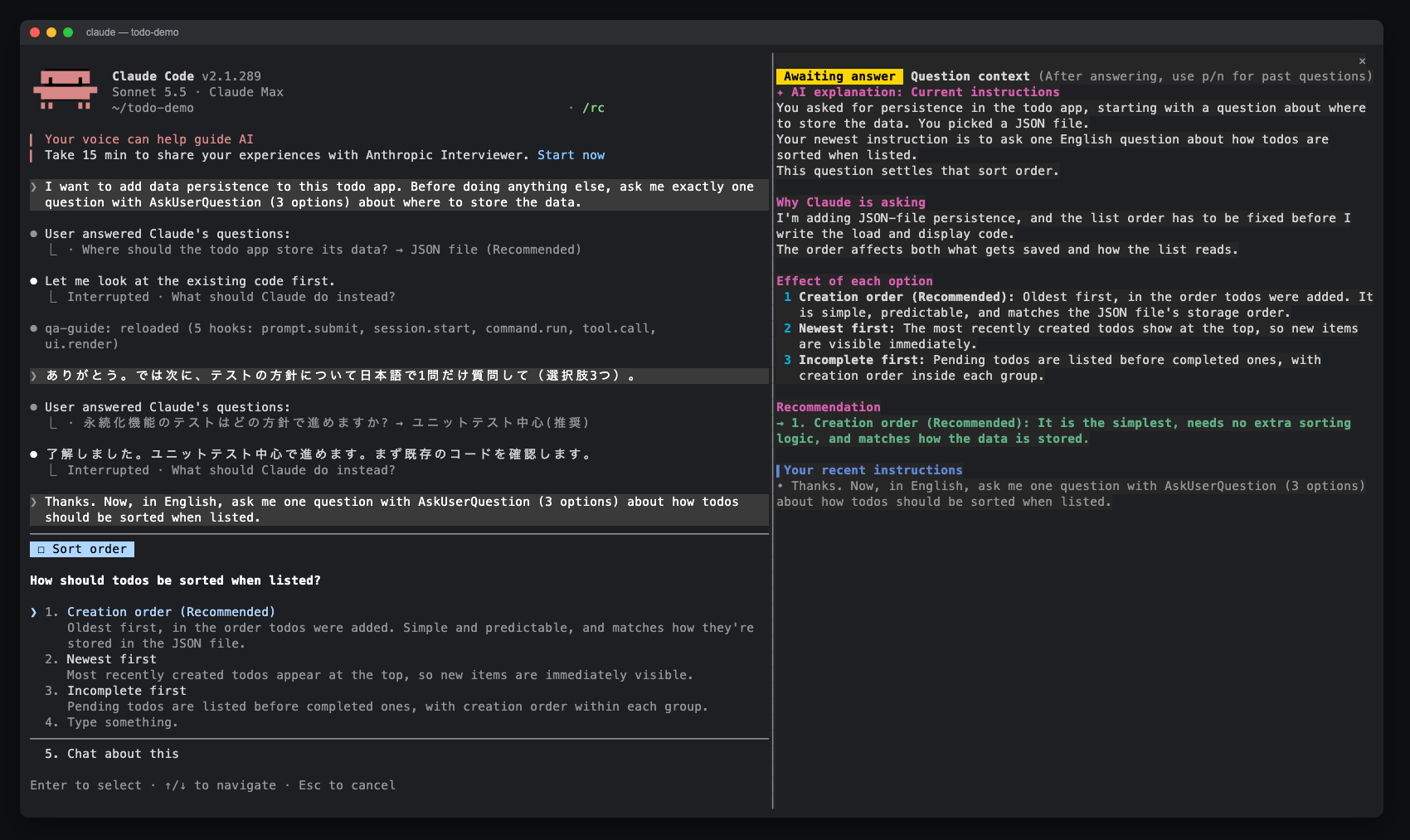
AskUserQuestion プロンプトのサイドペインを開き、AI の説明、オプションの効果、最近の指示、回答履歴を表示する Claude Code mod。claude-qamods マーケットプレイスからインストール可能。Claude Code 2.1.286 以降と、早期アクセス機能である function-hooks プラグイン API が必要です。