artemnovichkov@artemnovichkov
artemnovichkov/xcode-mods/tree/main/mods/xcode-mods
透過無頭 Xcode MCP server,將 Xcode 建置、測試、主控台和 SwiftUI 預覽帶進 Claude Code 的 Claude Code 外掛。
artemnovichkov/xcode-mods/tree/main/mods/xcode-mods
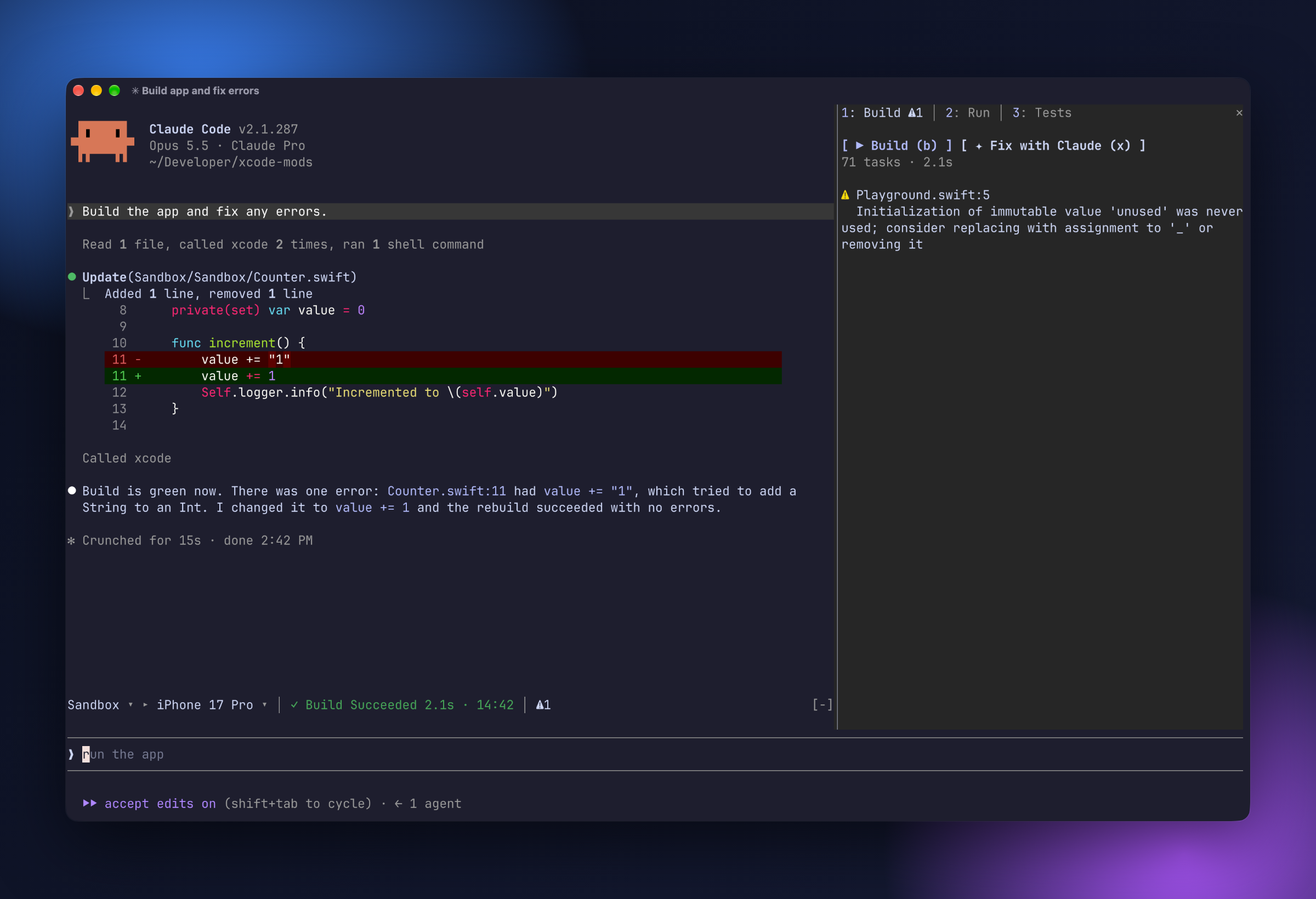
在 Claude Code 中使用 Xcode 的建置、測試、主控台和 SwiftUI 預覽,底層採用無頭 Xcode MCP server。它會在提示列上方加入工具列資訊帶(scheme ▸ destination、活動、問題計數器),提供帶有 Build · Run · Tests 分頁的 Xcode 面板,以及用於 SwiftUI #Preview 快照的 Canvas 面板。包含命令(/xcode、/build、/tests、/run、/stop、/preview)、通知 toast 和疑難排解說明。需要 Xcode 27+(附無頭 MCP server)以及 Claude Code 2.1.286+。
請先查看作者 README,確認 marketplace 與外掛名稱;指令可能隨儲存庫結構而變動。
claude plugin marketplace add artemnovichkov/xcode-mods
claude plugin install xcode-mods
Xcode's build, tests, console and SwiftUI previews inside Claude Code, built on the headless Xcode MCP server.
One Claude Code plugin that adds:
#Preview snapshots.It picks up Claude's own Xcode tool calls too. When Claude builds, runs tests, launches the app or renders a preview, the result appears in the pane.
Turn on Xcode's headless MCP server (once):
sudo xcrun mcp-server enable
xcrun mcp-server status
Add the server to Claude Code. The mods expect it to be named xcode:
claude mcp add --scope user xcode -- xcrun mcpbridge
Allow the mods' Xcode calls in ~/.claude/settings.json. Without this rule, every build or refresh asks for permission:
{
  "permissions": {
    "allow": ["mcp__xcode"]
  }
}
Install the plugin:
/plugin marketplace add artemnovichkov/xcode-mods
/plugin install xcode-mods@xcode-mods
Open Claude Code in a folder with an .xcodeproj or .xcworkspace (up to 3 levels deep). The band appears above the prompt. In other folders the plugin stays hidden and doesn't register any commands.
| Command | What it does |
| --- | --- |
| /xcode | Open the Xcode pane |
| /build | Build the active scheme |
| /tests [filter] | Run all tests, or only those whose Target/identifier contains the filter |
| /run | Build and run on the active destination, then stream the console |
| /stop | Stop the running app |
| /preview [file.swift] | Render a #Preview into the Canvas pane. Without an argument, uses ContentView.swift, or the first file with #Preview. |
The band above the prompt works like Xcode's toolbar:
Sandbox ▸ iPhone 17 Pro │ ✓ Build Succeeded 1.4s · 14:02 │ ⚠1 ✗2
◐ Building 3s · Compile ContentView.swift, ◐ Testing, ◐ Launching, ● Running Sandbox), or the last result with its time (✓ Build Succeeded, ✗ Tests Failed, ■ Sandbox stopped).⛔ errors, ⚠ warnings, ✗ failed tests. Click one to open the matching tab.The band also shows Claude's own builds, test runs and launches.
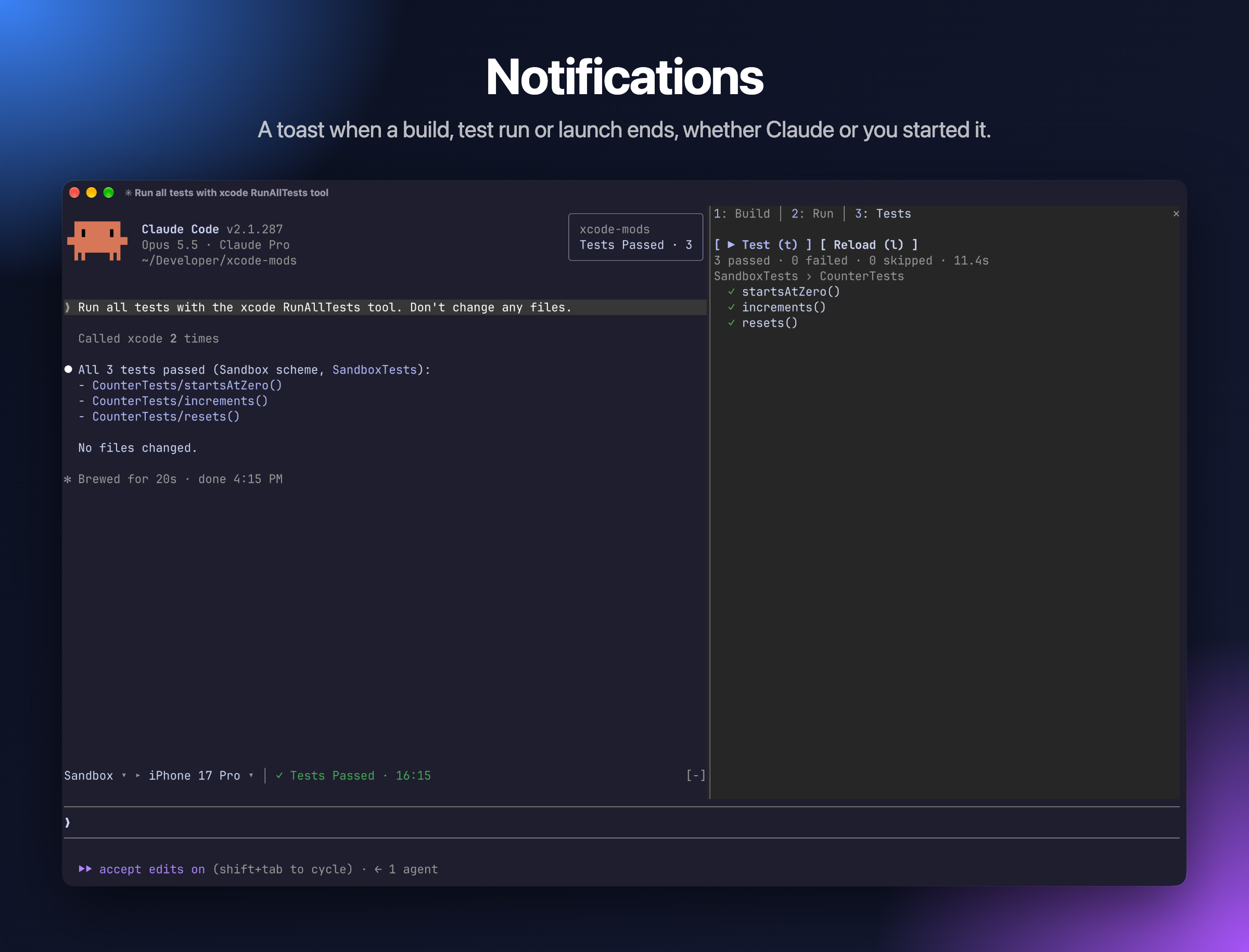
A toast pops up in the top right corner when an action ends, whether you or Claude started it:
Build Succeeded · 2 warnings, Build Failed · 3 errorsTests Passed · 12, Tests Failed · 2 failedRun FailedPreview ready: /preview to show, when the window is too narrow to open the Canvas pane by itself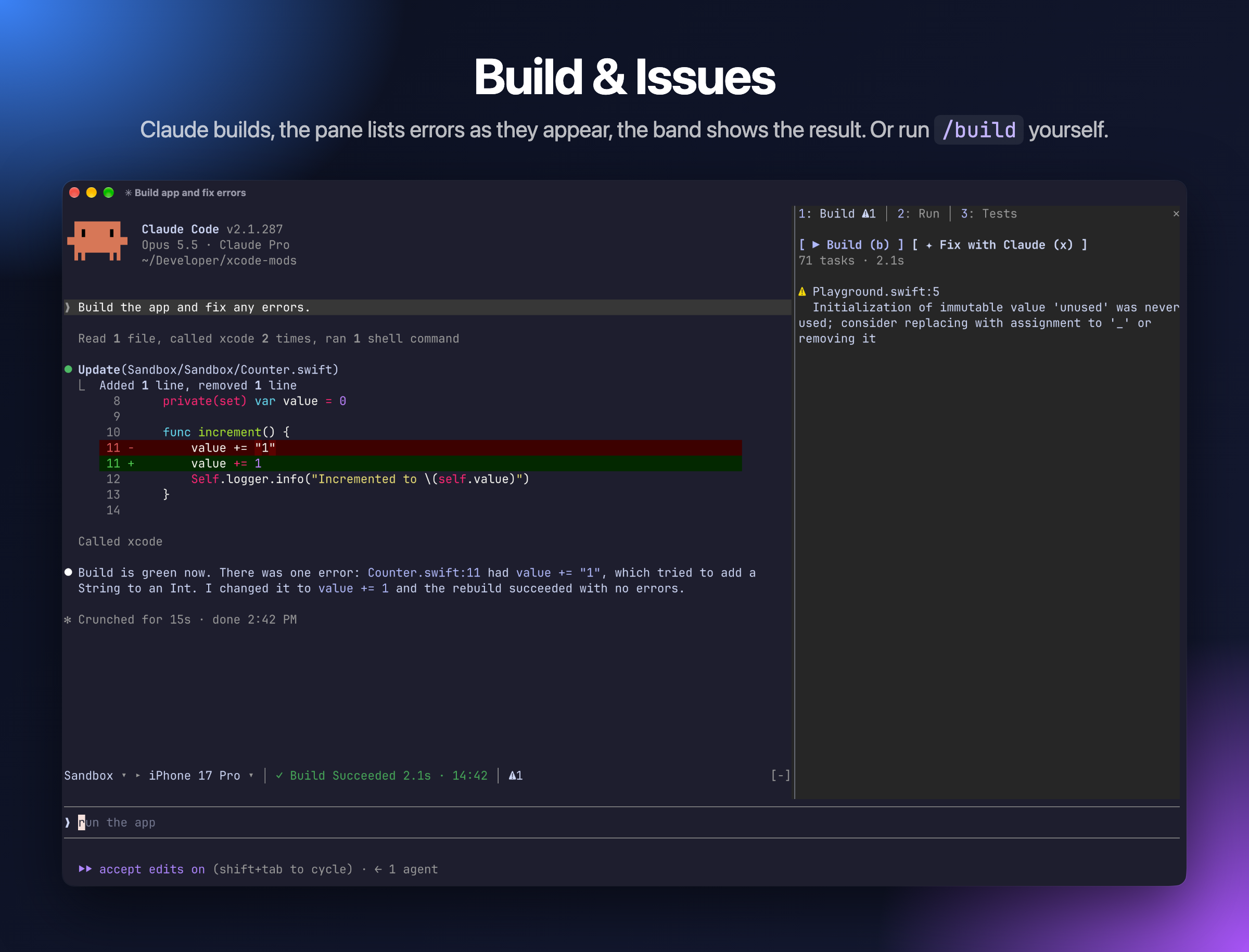
Live progress while the build runs, then errors and warnings. Click a file name to open that line in Xcode.
Keys: b build · x send the issues to Claude to fix
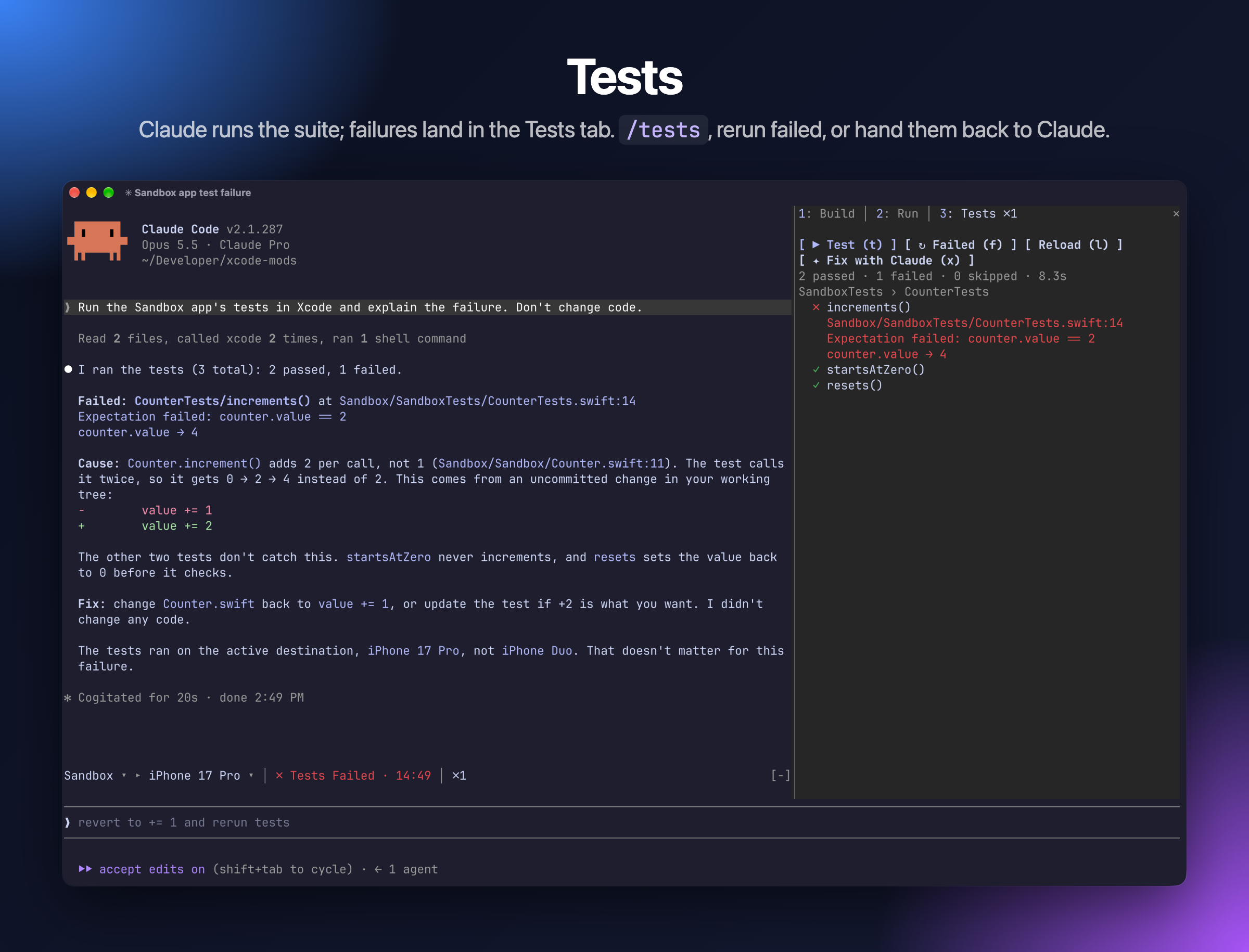
Tests are grouped by target and suite, with failures first and their messages shown inline. Click a test to run only that test.
Keys: t run all · f rerun failed · l reload the list · x ask Claude to fix the failures
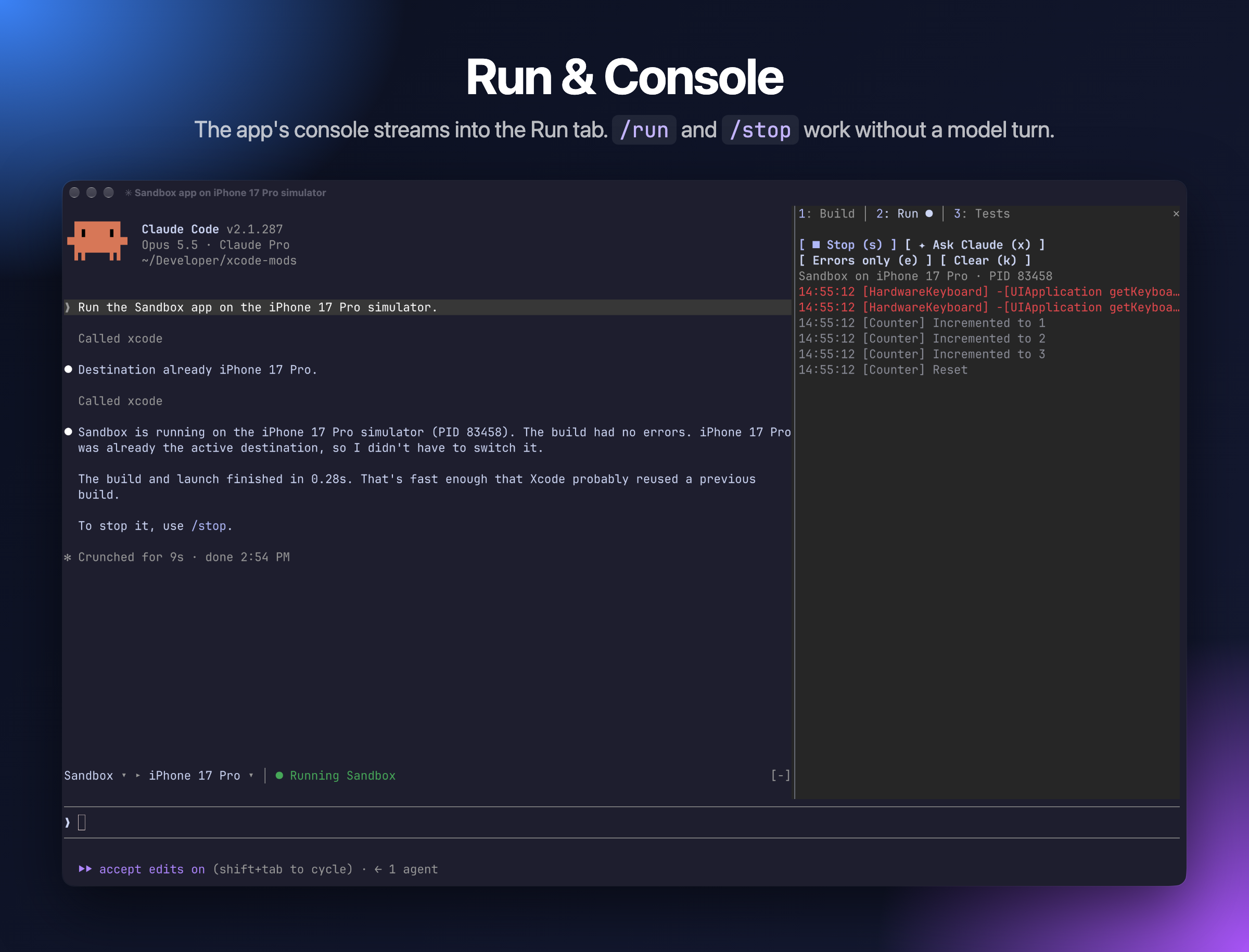
The app's stdout and OSLog stream in while it runs.
Keys: r run · s stop · e errors only · k clear · x ask Claude about the console
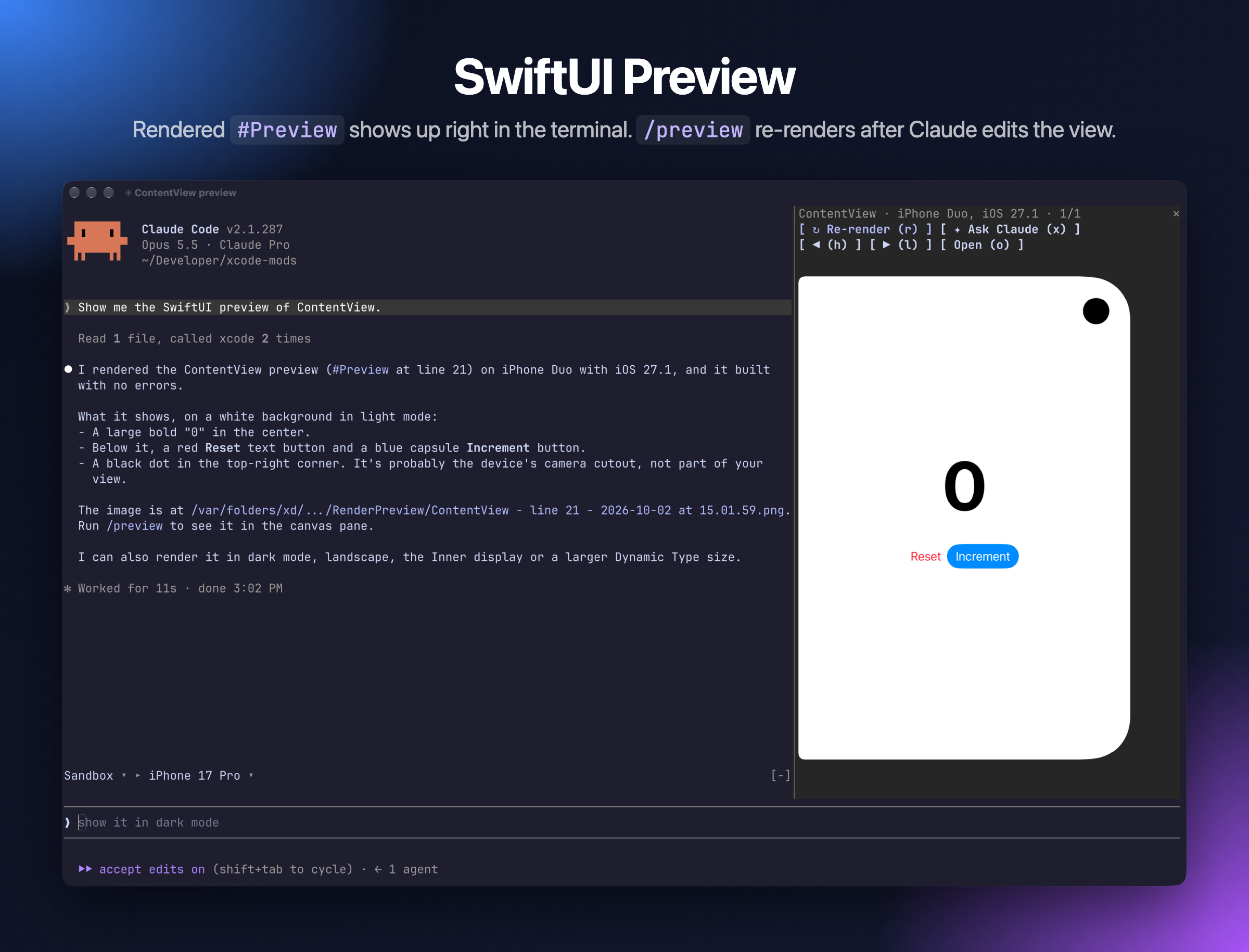
Keeps the last 10 snapshots. Once you have rendered a preview, it re-renders after Claude edits a Swift file that contains #Preview.
Keys: r re-render · h/l previous/next · o open the PNG · x ask Claude to review the layout
Switch tabs with 1 2 3.
Xcode MCP server "xcode" not connected. Run /mcp and check that the xcode server is connected. Check that xcrun mcp-server status reports it as enabled.mcp__xcode allow rule from Setup.o to open it.mods/xcode-mods/hooks/register.tsx # entry: wires both modules
mods/xcode-mods/hooks/build.tsx # toolbar band + Build · Run · Tests pane
mods/xcode-mods/hooks/canvas.tsx # SwiftUI preview pane
Sandbox/ # test iOS app (XcodeGen: project.yml)
.mcp.json # xcode MCP server for this repo
To run the plugin from source with hot reload:
claude --plugin-dir mods/xcode-mods
Claude Code writes the mod API types into mods/xcode-mods/.claude-plugin/types/ (git-ignored) when it loads the plugin with --plugin-dir, so start a session that way once before type-checking with tsc -p mods/xcode-mods.
To check and test the plugin:
claude plugin validate mods/xcode-mods
claude plugin test mods/xcode-mods
Sandbox is a SwiftUI counter app with Swift Testing tests. Playground.swift holds an intentional warning; edit it to break the build. After editing project.yml, regenerate the project with cd Sandbox && xcodegen.
Artem Novichkov, https://artemnovichkov.com/
The project is available under the MIT license. See the LICENSE file for more info.

由 neural-trader(v2.7+)驅動的神經交易策略:自我學習的 LSTM/Transformer/N-BEATS 模型、Rust/NAPI 回測、112+ 個 MCP 工具、群體協調和投資組合最佳化。

claude-seo 的選用 mods companion。它在 Claude Code 內以 mod(function-hook 外掛)執行,因此能強制執行 skill 只能要求的事項。

Repowise for Claude Code——提供 Graph、Git、Docs、Decisions、Code Health 五層程式碼智慧,透過 MCP 工具、slash commands 與自動 skills 讓 Claude 掌握架構、擁有者、熱點和缺陷風險。也內含 Lens 這個 Claude Code mod,提供 spinner 提示、margin notes、變更審查和 /lens 面板。