repowise-dev@repowise-dev
repowise-dev/repowise/tree/main/plugins/claude-code
Repowise for Claude Code——提供 Graph、Git、Docs、Decisions、Code Health 五層程式碼智慧,透過 MCP 工具、slash commands 與自動 skills 讓 Claude 掌握架構、擁有者、熱點和缺陷風險。也內含 Lens 這個 Claude Code mod,提供 spinner 提示、margin notes、變更審查和 /lens 面板。
repowise-dev/repowise/tree/main/plugins/claude-code
Repowise 會把程式碼庫整理成五個智慧層(Graph、Git、Docs、Decisions、Code Health),再透過 task-shaped MCP 工具、slash commands 和自動 skills 提供給 Claude Code。這讓 Claude 能回答「auth 為什麼這樣運作」,而不只列出檔案內容。安裝指令是 /plugin marketplace add repowise-dev/repowise 和 /plugin install repowise@repowise;本機開發則使用 claude --plugin-dir ./plugins/claude-code,接著執行 /repowise:init。預設的 keyless 模式不會呼叫 LLM;也支援 model-written wiki 與本機 Ollama 模式。
內含位於 hooks/lens/ 的 Lens Claude Code mod,提供 spinner 檔案觸及提示、編輯下方的 margin notes、精簡輸出列、回合後的變更審查卡,以及含 Flow、map、Ask 和 session recap 的 /lens 面板。Lens 需要 Claude Code 2.1.287 以上版本與已索引的 repo,並由 6 個 userConfig 開關控制。需求:Python 3.11+、Git,以及 PATH 上的 repowise CLI。授權為 AGPL-3.0。
請先查看作者 README,確認 marketplace 與外掛名稱;指令可能隨儲存庫結構而變動。
claude plugin marketplace add repowise-dev/repowise
claude plugin install repowise
Gives Claude Code deep understanding of your codebase — architecture, ownership,
hotspots, dependencies, architectural decisions, and a defect-validated
code-health score. Claude answers "why does auth work this way?" instead of
"here's what auth.ts contains" — with fewer greps, fewer file reads, and
lower cost per query.
/plugin marketplace add repowise-dev/repowise
/plugin install repowise@repowise
claude --plugin-dir ./plugins/claude-code
After installing the plugin, run:
/repowise:init
Claude walks you through everything: installing repowise, choosing a mode, configuring your LLM provider, and indexing your codebase. Once indexed, the MCP tools and skills activate automatically.
Graph (tree-sitter dependency graph, 16 languages) · Git (hotspots, ownership, co-change, bus factor) · Docs (LLM-generated wiki + semantic search) · Decisions (architectural rationale mined from five sources) · Code Health (1–10 defect-validated score from deterministic markers).
| Command | What it does |
|---------|-------------|
| /repowise:init | Interactive setup — installs repowise, asks your preferences, indexes your codebase |
| /repowise:status | Health check — sync state, page counts, provider info |
| /repowise:update | Incremental update — sync the index with recent code changes |
| /repowise:search | Search the codebase wiki (fulltext, semantic, or symbol) |
| /repowise:ask | Cited, synthesised answer to a codebase question (LLM call) |
| /repowise:context | Triage card for files/modules/symbols (layer, hotspot, freshness) |
| /repowise:symbol | Read one symbol body with live-verified line bounds |
| /repowise:reindex | Rebuild the vector store (re-embed; no LLM calls) |
| /repowise:health | Code-health KPIs, lowest-scoring files, refactoring targets, trends |
| /repowise:coverage | Ingest or inspect coverage reports (lights up untested hotspots + per-test map) |
| /repowise:impacted-tests | Tests whose coverage intersects a change (commit / range / staged) |
| /repowise:risk | Repo-relative review priority plus a supporting diff-shape score |
| /repowise:security | Full-history secret scan (repowise security scan --history) |
| /repowise:dead-code | Unreachable files, unused exports, zombie packages by confidence |
| /repowise:export | Export wiki pages or a Structurizr architecture model |
| /repowise:decision | List, inspect, add, or confirm architectural decisions |
| /repowise:why | Why the code is shaped this way (decisions + archaeology) |
| /repowise:doctor | Diagnose (and optionally repair) the setup, keys, and index drift |
Claude uses these when relevant — no slash command needed:
get_overview / get_answer / search_codebase / get_context / get_symbol instead of raw file reads.get_risk (and get_health for refactors) before editing to assess blast radius.get_change_risk (whole-change score) with get_risk's per-file directive block (will-break / missing co-changes / missing tests).get_health.get_why for the why before architectural changes.get_dead_code, conservatively, during cleanup.list_repos)Registered automatically when the plugin is enabled. The default single-repo
surface is the ten flagship tools below plus list_repos (see
MCP_TOOLS.md):
| Tool | What it answers |
|------|-----------------|
| get_overview | Architecture summary, module map, entry points, git health |
| get_answer | Cited, synthesised answer to a code question + a calibrated confidence |
| get_context | Triage card (docs, signatures, hotspot bit, callers, decisions) for files/modules/symbols |
| get_symbol | Raw source of one symbol with exact line bounds |
| search_codebase | Hybrid code search — mode="auto" routes identifiers to indexed symbols, paths to files, prose to semantic wiki search |
| get_risk | Per-file hotspot, dependents, co-changes, owners; PR directive block with changed_files |
| get_change_risk | Benchmarked live-change percentile/classification plus supporting diff-shape score |
| get_why | Architectural decisions — search, path-anchored, or health dashboard |
| get_dead_code | Unused/unreachable findings tiered by confidence |
| get_health | 1–10 code-health score and marker findings per file |
| Mode | What you get | Requirements | |------|-------------|-------------| | Default (keyless) | Graph + Git + Code Health + Dead Code + a full wiki rendered from structure | Nothing | | Model-written wiki | Same, with LLM-written pages and decision mining | Provider key | | Local (Ollama) | Model-written wiki, fully offline | Ollama running |
The keyless default makes zero LLM calls and still produces a complete wiki; a
provider key changes who writes the pages, not whether you get them, and that
layer can continue in the background. Run /repowise:init and Claude helps
you choose.
The plugin registers two hooks that run repowise-augment:
SessionStart (startup|resume|clear) — emits live index-freshness /
trust context at session start.PostToolUse after
Grep|Glob|Read|Edit|Write|mcp__.*[Rr]epowise.*__.* —
stays silent unless it has something asymmetric to add (rescuing a
zero-result grep with the closest indexed symbol, ranking a flood of
matches by graph centrality, flagging a stale read, or recording
read-after-served MCP traffic).No LLM, no network. (repowise init installs the same hooks in
~/.claude/settings.json; running both is safe — duplicate enrichment is
de-duplicated.)
Lens is the part of the plugin you see, a Claude Code mod that ships in
hooks/lens/. It adds the file's reach to the spinner, margin notes under
edits, a row under output repowise distill shortened, a change review under
Claude's answer after a turn that edits files, and a /lens pane with Flow (a dashboard
of each turn: what an edit reaches, where Claude's context came from, what
Repowise answered), a map of the repo lit by Claude's turn with its story
underneath, Ask, and a session recap. Lens never blocks or rewrites Claude's
tool calls, makes no model calls of its own, and sends Claude nothing unless you
press a button. Ask questions that do not start with "why" go to get_answer,
which may use the model your repo configures. See
the footprint for the full list.
It needs Claude Code 2.1.287 or later and an indexed repo. The map and the
savings row also need repowise serve --no-ui. Six userConfig toggles
control it: lens_margin, lens_squeeze, lens_review and lens_flow (on by
default), and lens_pane_autoopen and lens_map_health (off). In the map,
j and k walk the files Claude's turn lit, z and u zoom into and out of a
folder, x clears the selection and h switches health colours. On an older Claude Code, or where mods are switched
off, the rest of the plugin works as before.
Guide: docs/agent/LENS.md
repowise CLI on PATH (/repowise:init installs it)MCP tools not connecting: run /repowise:init — the plugin auto-registers the
MCP server, but the repowise binary must be installed and on PATH.
pip install fails on Windows: try python -m pip install repowise.
Semantic search / get_answer returns nothing: the wiki may be
template-rendered (no embeddings). Run /repowise:reindex, or repowise generate
to upgrade pages with a model.
Stale results after code changes: run /repowise:update.
The plugin itself is Markdown (commands and skills), a hooks.json, an
.mcp.json and the Lens module. Everything it runs comes from the repowise
CLI you install with pip:
.mcp.json starts repowise mcp, which reads the index in
your repo's .repowise/ folder.repowise-augment when it is on PATH and do
nothing otherwise. They read the local index only.repowise serve on a loopback address. It contacts no
other host. The Lens list below says exactly what it runs and
reads.Network traffic from the repowise CLI and MCP server:
https://api.repowise.dev/telemetry/events:
command and tool names, coarse counts and timings, and an anonymous install
id. Never source code, file paths, repo or symbol names, or query text. Turn
it off with DO_NOT_TRACK=1 or REPOWISE_TELEMETRY_DISABLED=1; details in
docs/reference/TELEMETRY.md.init and update, and get_answer, send code excerpts and
your question to that provider. With no provider configured nothing is sent,
and get_answer answers from local retrieval.repowise serve downloads its web UI from the project's GitHub release.repowise login, repowise publish, or sending feedback).Lens is the mod in hooks/lens/lens.js, built from packages/claude-mod.
Everything it does goes through Claude Code's mods API:
$.process.run, read-only, 5 second timeout):
git rev-parse --is-inside-work-tree to tell whether the session is in a git
repo, and git rev-parse HEAD plus git diff --name-only <indexed> <HEAD> --
to count the files changed since the last index (<indexed> is the commit in
.repowise/state.json, used only when it is a bare hex sha). To check that a
repowise serve or repowise update named in a lock file is still running
it runs tasklist /FI "PID eq <pid>" /NH /FO CSV on Windows and
ps -p <pid> -o pid= elsewhere.$.fs): .repowise/state.json, .repowise/serve.lock.json
and .repowise/.update.lock in the repo and the folders above the session's
directory. It writes no files.$.mcp.call, on this plugin's own repowise
server only): get_context for a file Claude starts reading or editing (the
caller count and owner in the spinner), get_change_risk after a turn that
edits files (the review card), and get_why or get_answer when you ask a
question in the Ask tab or with /lens ask. get_answer may use the model
your repo configures; the others are local. These calls go through Claude
Code's permission rules like Claude's own; see Permissions
below.$.http.fetch): the repowise serve address in
.repowise/serve.lock.json, and only when that address is plain http on a
loopback host (127.0.0.1, localhost or ::1). It asks that server for
its health, its repo list, the health map, the blast radius of a file Claude
edited (the file's path) and the savings ledger. Nothing it reads from the
conversation goes anywhere else.turn.start; and at
turn.complete the answer's
text (to place the review card under it), the turn's duration and how it
ended. It keeps these in memory for the session's Flow tab and map, and
writes none of it to disk.$.prompt.submit), only when you press the button:
Run tests sends Run the tests Repowise names for this change, ...: <test ids>. Brief Claude (offered after a compaction) sends The context was compacted. This brief is built from the Repowise index and this session's edits: followed by up to three lines, Files edited:, Decisions in play:
and Open review items:, at most 1,200 characters. Why submits nothing:
it fills the Ask field with why <decision title> and waits for Enter.tool.check
hook, so it never approves or denies a tool call. Its tool.call hook passes
every call and result on unchanged. turn.complete adds the review card as
a line under Claude's answer, which Claude does not read. command.run
answers only /lens
(opening the pane on the tab you name, and asking with /lens ask).
classic.PostCompact only offers the brief, and classic.PostToolUse reads
the note the Repowise hook added for an edit to show it in the margin; both
pass their event and result on unchanged.Proxy, getters or then methods of its own.Lens's own lookups ask Claude Code's permission like any MCP tool call. To let
them run without a prompt, allow the four read-only tools once, for example
with /permissions or in .claude/settings.json:
{
  "permissions": {
    "allow": [
      "mcp__plugin_repowise_repowise__get_context",
      "mcp__plugin_repowise_repowise__get_change_risk",
      "mcp__plugin_repowise_repowise__get_why",
      "mcp__plugin_repowise_repowise__get_answer"
    ]
  }
}
Without the rules, a lookup that is refused (in auto mode, dontAsk, or
claude -p) leaves that part of Lens empty: no file card in the spinner, no
review card, or an error line in the Ask tab. The rest of Lens works.
AGPL-3.0, same as repowise. See the repository.

由 neural-trader(v2.7+)驅動的神經交易策略:自我學習的 LSTM/Transformer/N-BEATS 模型、Rust/NAPI 回測、112+ 個 MCP 工具、群體協調和投資組合最佳化。

給 Claude Code 使用的 Power BI / Microsoft Fabric 外掛,提供 fabric-cli(fab)技能、移轉指令,以及遵循 fab、以樹狀結構顯示工作區和項目的 /fabric-pane mod。


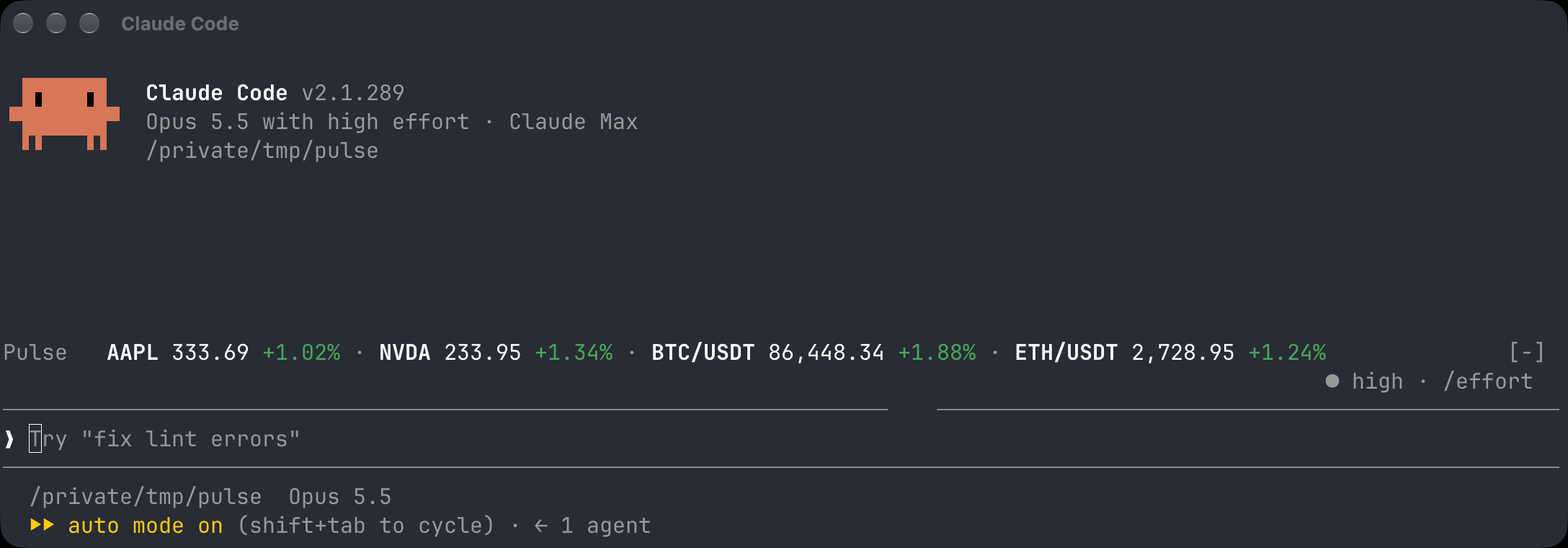
Claude Code 的 Pulse:在提示列上方顯示股票與加密貨幣行情,並提供 /pulse 面板管理自選清單,或透過 MCP 顯示 Pulse Mac 的自選清單。