
ccdwyer@ccdwyer
ccdwyer/speedrun-splits

一個 LiveSplit 風格的 Claude Code 計時器,會在 recon、首次編輯、測試、green、commit 和 PR 時自動分段,並記錄個人最佳和 gold segment。
ccdwyer/speedrun-splits
一個 LiveSplit 風格的 Claude Code 計時器:為每次從 bug 到 PR 的執行計時並自動分段,同時按儲存庫記錄個人最佳和 gold segment。它接入 session.start、session.end、command.run{command=splits}、prompt.submit、tool.call 和 ui.render{component=AbovePrompt},並提供 /splits 命令來查看 PB 表格、start/reset/clear、設定 finish-on 以及隱藏計時器。執行記錄和 PB 都保存在 Claude Code 的外掛儲存區中;GitHub CLI 只在 gh pr create 時用來解析 PR/儲存庫關聯。
請先查看作者 README,確認 marketplace 與外掛名稱;指令可能隨儲存庫結構而變動。
claude plugin marketplace add ccdwyer/speedrun-splits
claude plugin install speedrun-splits
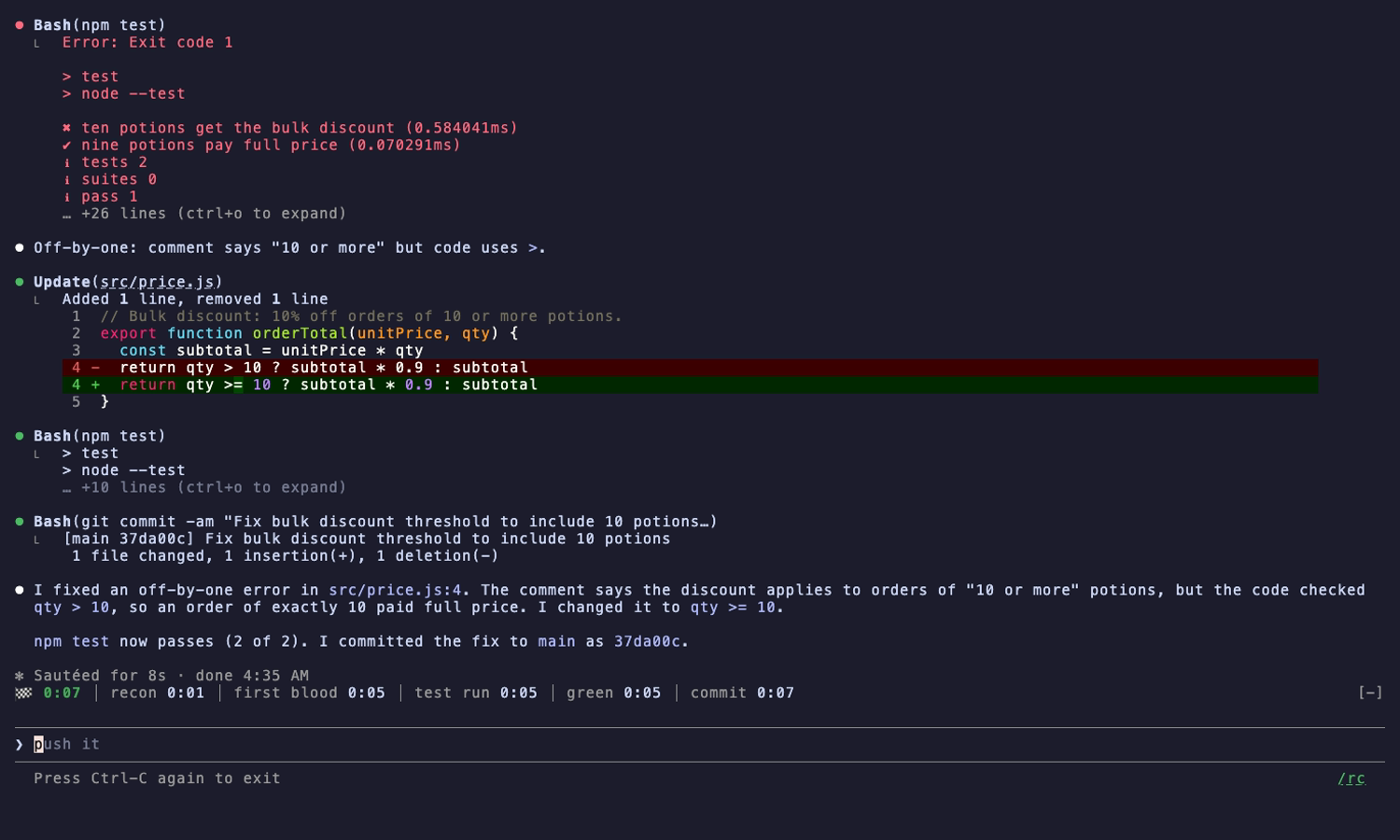
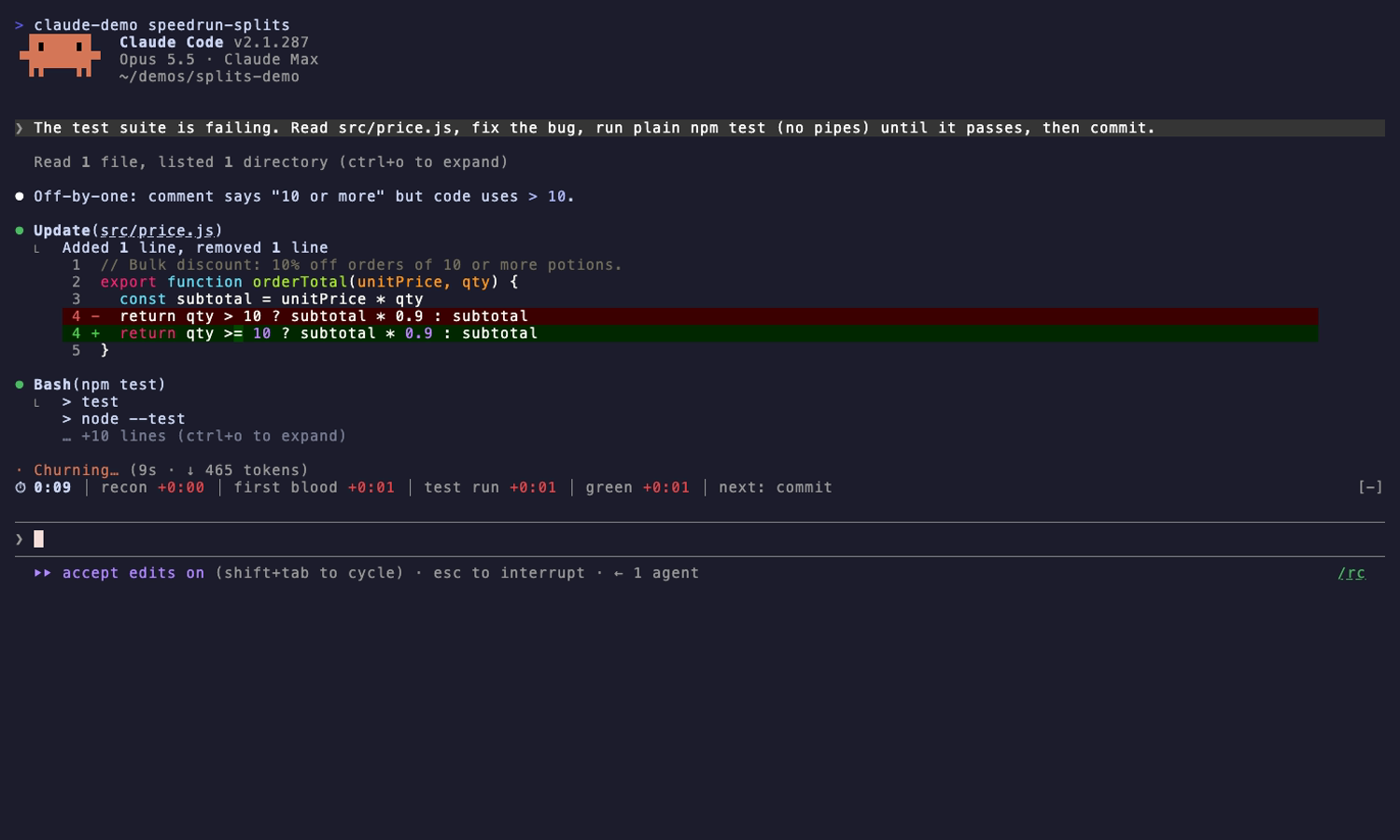
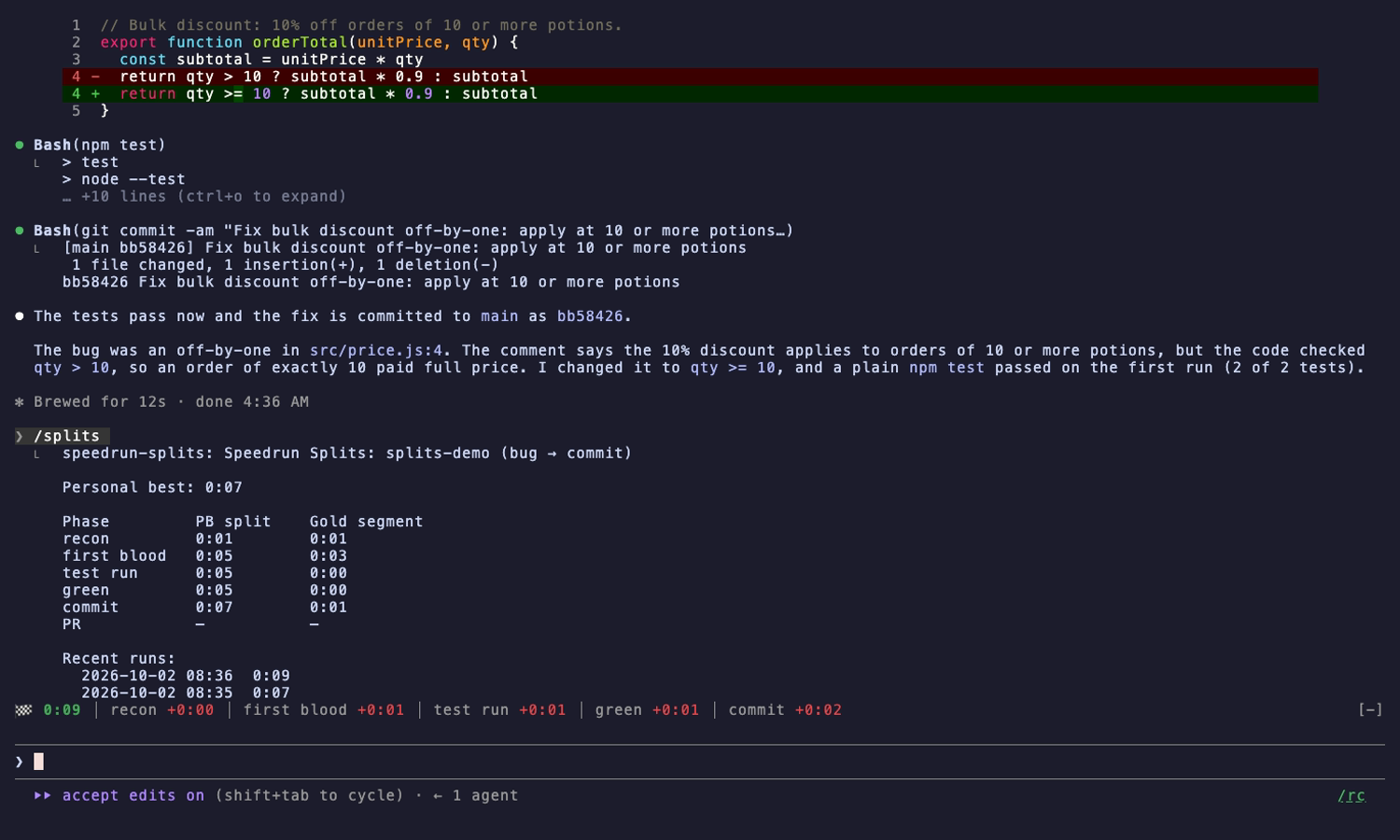
Two runs of the same bug fix: the first sets a personal best, and the second shows live deltas against it.
| First run sets a PB | Live deltas on the next run | /splits PB table |
|---|---|---|
|  |
|  |
|  |
|
A LiveSplit-style timer for Claude Code: it times every bug-to-PR run, splitting automatically, with personal bests and gold segments per repo.
⏱ 4:12 │ recon −0:08 │ first blood ★−0:31 │ test run +0:12 │ next: green
/splits start).npm test || true, npm test; echo, npm test | tail, npm test &, list/help/compile-only flags (--help, --collect-only, --list, --no-run, go test -list), a backgrounded run, or a test command inside quotes or a comment doesn't count. A test behind a failed && never started, so it doesn't end the test-run segment either.git commit)finish-on commit.cd into another checkout or npm --prefix elsewhere, and a commit there don't split. Snapshot, coverage and build output, installs (npm install, pip install, poetry install, ...) and history moves (checkout, pull, cherry-pick, ...) are not first blood. A fix and its tests in one command (python fix.py && npm test) count as both.gh pr create -R/--repo/GH_REPO, else the checkout's repo. A commit or PR command sent to the background is watched for up to ten minutes. A commit counts only when the reflog says HEAD moved by a commit (not a checkout, pull or reset); a PR only if it wasn't already on the branch. A test sent to the background marks the test run but never green, since its result isn't seen.finish-on choice is remembered across sessions.| | |
|---|---|
| /splits | PB table, sum of best, recent runs |
| /splits start | start a run now |
| /splits reset | abandon the current run |
| /splits clear | delete PBs, golds and history for this repo and finish line |
| /splits finish-on commit | end new runs at the commit instead of the PR (finish-on pr to switch back) |
| /splits hide / show | toggle the timer |
/plugin marketplace add ccdwyer/claude-mods
/plugin install speedrun-splits@ccdwyer-mods
/reload-plugins
claude plugin validate .
claude plugin test .
Events this mod hooks, as claude plugin validate reads the module:
session.startsession.endcommand.run{command=splits}prompt.submittool.callui.render{component=AbovePrompt}Engine calls it makes: $.clock.every (via startTicking, watchBackground), $.clock.now, $.command.register, $.process.run (via commitTime, commonDir, headOf, landedCommit, ourRepos, prBranch, prsOn, remotesOf), $.session.cwd (via shellChangedCode), $.session.repo (via repoOf, rootOf), $.state.get, $.state.set, $.store.delete (via clear, prune), $.store.get, $.store.keys (via clear, finishedRuns), $.store.set, $.ui.resolve, $.ui.toast (via finish).
A tool.call hook sits in the middle of every tool call: it can see the call, refuse it, or add context to its result. This mod only observes: it never refuses or changes a call.
Timing runs entirely on your machine, and run times and personal bests are kept in Claude Code's local plugin store. The one exception: when a command runs gh pr create, the mod uses your existing GitHub CLI (gh) login to ask GitHub which pull requests are on that branch and which repo is this checkout's fork parent, so it can tell when the PR lands and whether it belongs to this run. Those requests go only to GitHub (or your GitHub Enterprise host), under your own account, and send nothing but the repo and branch names. Nothing is sent anywhere else.
The mod collects no analytics or telemetry, and its author receives no data from it.
Full policy: PRIVACY.md.
MIT

由 neural-trader(v2.7+)驅動的神經交易策略:自我學習的 LSTM/Transformer/N-BEATS 模型、Rust/NAPI 回測、112+ 個 MCP 工具、群體協調和投資組合最佳化。

claude-seo 的選用 mods companion。它在 Claude Code 內以 mod(function-hook 外掛)執行,因此能強制執行 skill 只能要求的事項。

Repowise for Claude Code——提供 Graph、Git、Docs、Decisions、Code Health 五層程式碼智慧,透過 MCP 工具、slash commands 與自動 skills 讓 Claude 掌握架構、擁有者、熱點和缺陷風險。也內含 Lens 這個 Claude Code mod,提供 spinner 提示、margin notes、變更審查和 /lens 面板。