
LorcanChinnock@LorcanChinnock
LorcanChinnock/claude-desk-neighbours/tree/main/plugins/show-and-tell
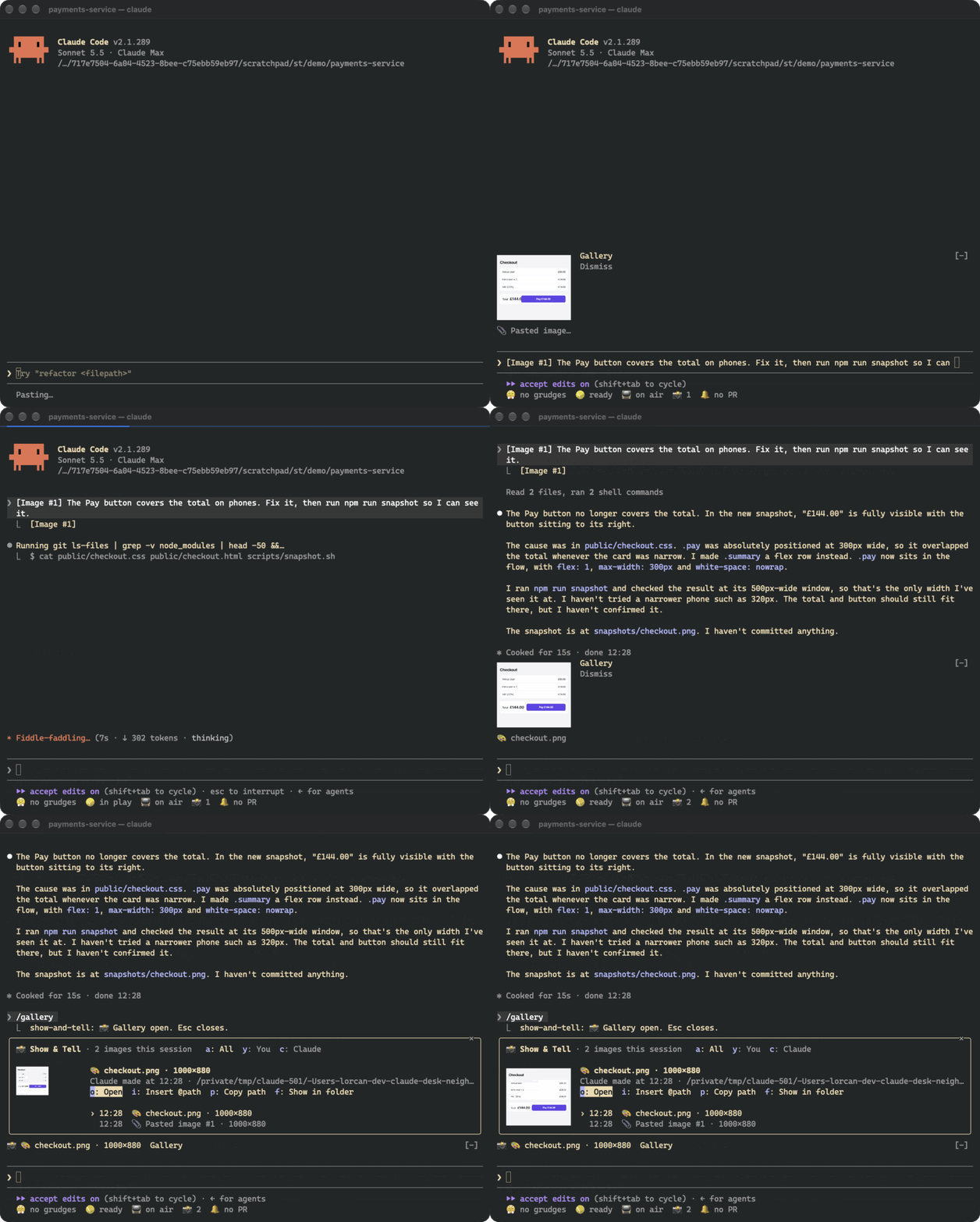
LorcanChinnock/claude-desk-neighbours/tree/main/plugins/show-and-tell
Show & Tell 會監看草稿中的 Claude Code [Image #N] 標記並複製對應圖片,因此貼上後約四分之一秒內、送出之前,提示列上方就會出現縮圖。它也會接收 Claude 讀取、寫入或編輯的圖片,以及 browser/MCP 截圖和 shell 命令等工具在工作目錄中建立的圖片。提示列上方的橫條會顯示最新縮圖,並提供 Gallery 與 Dismiss 按鈕;/gallery(或狀態列中的 📸 計數器)會開啟工作階段中每張圖片的完整圖庫,可預覽、篩選你的圖片與 Claude 的圖片,並執行開啟、重新附加(@path)、複製路徑或顯示檔案等操作。圖片透過 kitty graphics protocol(Ghostty、kitty)渲染;其他終端機會退回文字佔位符。非 PNG 格式會使用 sips、ImageMagick 或 qlmanage 轉換一次。不會呼叫模型;副本位於 ~/.claude/show-and-tell/<session>/,manifest.json 會在 /resume 後還原圖庫,超過 7 天的副本會在工作階段開始時清理。安裝方式:/plugin install show-and-tell@claude-desk-neighbours
請先查看作者 README,確認 marketplace 與外掛名稱;指令可能隨儲存庫結構而變動。
claude plugin marketplace add LorcanChinnock/claude-desk-neighbours
claude plugin install show-and-tell
Shows a thumbnail as soon as you paste a screenshot, and keeps a gallery of every image in the session.
/plugin install show-and-tell@claude-desk-neighbours
Hit ctrl+v with an image on your clipboard and a thumbnail appears above the prompt within about a quarter of a
second, before you've sent anything. Show & Tell watches your draft for Claude Code's [Image #1] and copies the
image Claude Code saved for it. If that file isn't where it expects, it reads the clipboard itself (osascript
on macOS, wl-paste or xclip on Linux, PowerShell on Windows). If that doesn't work either, it grabs the image
when you send the prompt.
Claude's pictures get picked up the same way. That covers images Claude opens with Read, screenshots returned by
browser or MCP tools, pictures Claude writes or edits, and images a shell command creates in the working
directory or one level down (playwright screenshot, a chart script).
The band above the prompt shows the newest thumbnails, with Gallery and Dismiss buttons. A pasted thumbnail goes
away when you send it. Everything else disappears after 20 seconds, which you can change in /config.
Click 📸 4 in the status row, or run /gallery, to see every image from this session, newest first, with a big
preview of whichever one you select. a, y and c filter to all images, yours, or Claude's. o opens the
image in your viewer, i puts @path in your prompt so Claude can look at it again, p copies the path, and
f shows it in its folder. Tab moves through the list. This is after Claude fixed the checkout and took a
snapshot:
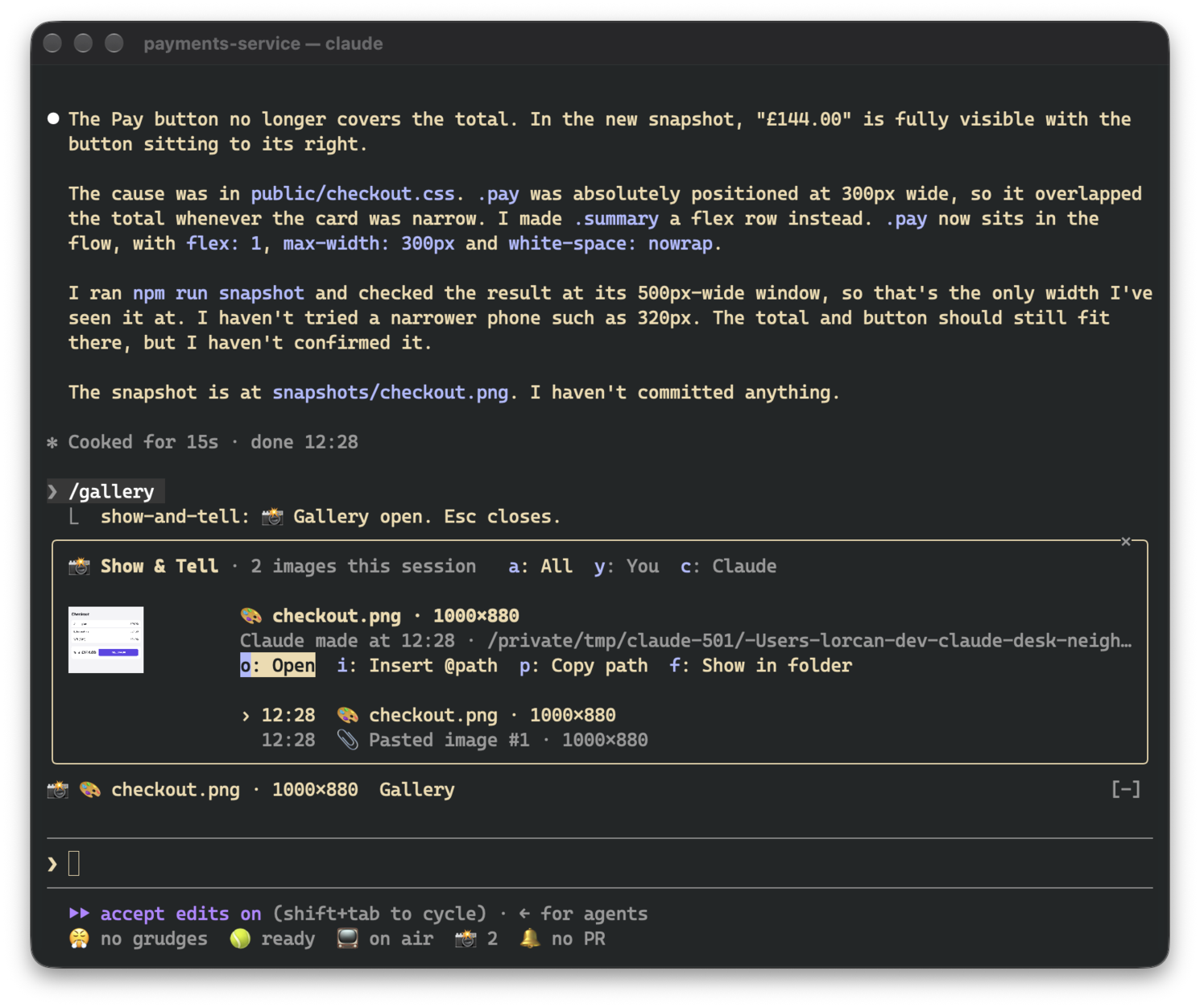
The gallery asks for enough room to show a picture. If it doesn't get it (say, an inline pane in a small terminal), the picture shrinks to fit and the footer is hidden so the header, actions and list stay visible.
Pictures only render in terminals that support the kitty graphics protocol, which means Ghostty and kitty. In
other terminals, in tmux and in the desktop app, the band and gallery show the same thing as text
(📎 Pasted image #1 · 200×120), and all the buttons still work.
Thumbnails have to be PNGs, so other formats get converted once: with sips on macOS and ImageMagick (magick or
convert) elsewhere. On macOS, qlmanage handles SVG and PDF. If there's no converter, the image is still
listed, just without a picture.
There are no model calls. Pasted images, and images that only exist inside a tool's result, are copied to
~/.claude/show-and-tell/<session>/ next to a manifest.json that restores the gallery after /resume. Files
Claude read or created stay where they are. Copies older than seven days are deleted when a session starts. The
cleanup uses find, so on Windows they stick around until you delete them yourself.
While a session is open, the draft is checked four times a second. That's just a read of the prompt box, and
nothing runs unless a new [Image #N] shows up. Where Claude Code saves pastes (/tmp/claude-<uid>/…/images/)
isn't part of the plugin API, so a future version of Claude Code might move it. If that happens, Show & Tell
falls back to reading the clipboard.

文件產生、漂移偵測與 API 文件自動化外掛程式,同時作為 function-hook 防護,拒絕含有機密的文件寫入或 worker 派送。

Claude 桌面應用程式的狀態列。它顯示在提示列上方,呈現工作階段品質、內容脈絡填充量、快取倒數,以及 5 小時與每週限額,並讓 Clawd 演出工作階段正在做什麼。

一個 Claude Code 外掛 mod,提供 /databricks-pane:依照 databricks CLI,以樹狀結構呈現 Databricks 工作區、Unity Catalog、計算資源、工作、管線、應用程式和儀表板,並支援即時醒目顯示、設定檔切換和複製 CLI 參數。
