
alexgreensh@alexgreensh
alexgreensh/token-optimizer/tree/main/desktop/token-optimizer-desktop
Claude 桌面應用程式的狀態列。它顯示在提示列上方,呈現工作階段品質、內容脈絡填充量、快取倒數,以及 5 小時與每週限額,並讓 Clawd 演出工作階段正在做什麼。
alexgreensh/token-optimizer/tree/main/desktop/token-optimizer-desktop
Claude 桌面應用程式的狀態列。它顯示在提示列上方,呈現工作階段品質、內容脈絡填充量、快取倒數,以及 5 小時與每週限額,並讓 Clawd 演出工作階段正在做什麼。
它隨 Token Optimizer 外掛提供(hooks/hooks.json 會在 modules 下指定此資料夾的 hooks/register.tsx),因此不需要額外安裝。此資料夾保留自己的 manifest,只是為了讓測試可以透過 claude plugin test 獨立執行。
需要 Claude Code 2.1.287 或更新版本,以及 Anthropic 的 mods 功能。Anthropic 可以遠端關閉 mods;關閉時不會出錯,只是狀態列不會出現。終端機會保留現有的狀態列。不支援 VS Code。
快取倒數是估計值:Claude 方案為 1 小時,API 為 5 分鐘;可能時會從工作階段本身開始計算。
在 ~/.claude/settings.json 的 env 區塊中設定 TOKEN_OPTIMIZER_STATUS_BAR=0 可隱藏狀態列,設定 TOKEN_OPTIMIZER_STATUS_BAR_ANIMATE=0 可讓 Clawd 保持不動。
請參閱 Token Optimizer README 和文件網站頁面「Claude desktop app」。
請先查看作者 README,確認 marketplace 與外掛名稱;指令可能隨儲存庫結構而變動。
claude plugin marketplace add alexgreensh/token-optimizer
claude plugin install token-optimizer
A status bar for the Claude desktop app. It draws above your prompt and shows session quality, context fill, cache countdown, and your 5-hour and weekly limits, with Clawd acting out what the session is doing.
It ships inside the Token Optimizer plugin (hooks/hooks.json names this folder's hooks/register.tsx under modules), so there is nothing extra to install. This folder keeps its own manifest only so its tests run on their own with claude plugin test.
Needs Claude Code 2.1.287 or newer and Anthropic's mods feature. Anthropic can switch mods off remotely; when off, nothing breaks and the bar just does not appear. The terminal keeps its existing status line. VS Code is not supported.
The cache countdown is an estimate: 1 hour on Claude plans, 5 minutes on the API, measured from the session itself when possible.
TOKEN_OPTIMIZER_STATUS_BAR=0 hides the bar and TOKEN_OPTIMIZER_STATUS_BAR_ANIMATE=0 keeps Clawd still, set in the env block of ~/.claude/settings.json.
See the Token Optimizer README and the docs site page "Claude desktop app".

文件產生、漂移偵測與 API 文件自動化外掛程式,同時作為 function-hook 防護,拒絕含有機密的文件寫入或 worker 派送。

一個 Claude Code 外掛 mod,提供 /databricks-pane:依照 databricks CLI,以樹狀結構呈現 Databricks 工作區、Unity Catalog、計算資源、工作、管線、應用程式和儀表板,並支援即時醒目顯示、設定檔切換和複製 CLI 參數。


# RemCTL 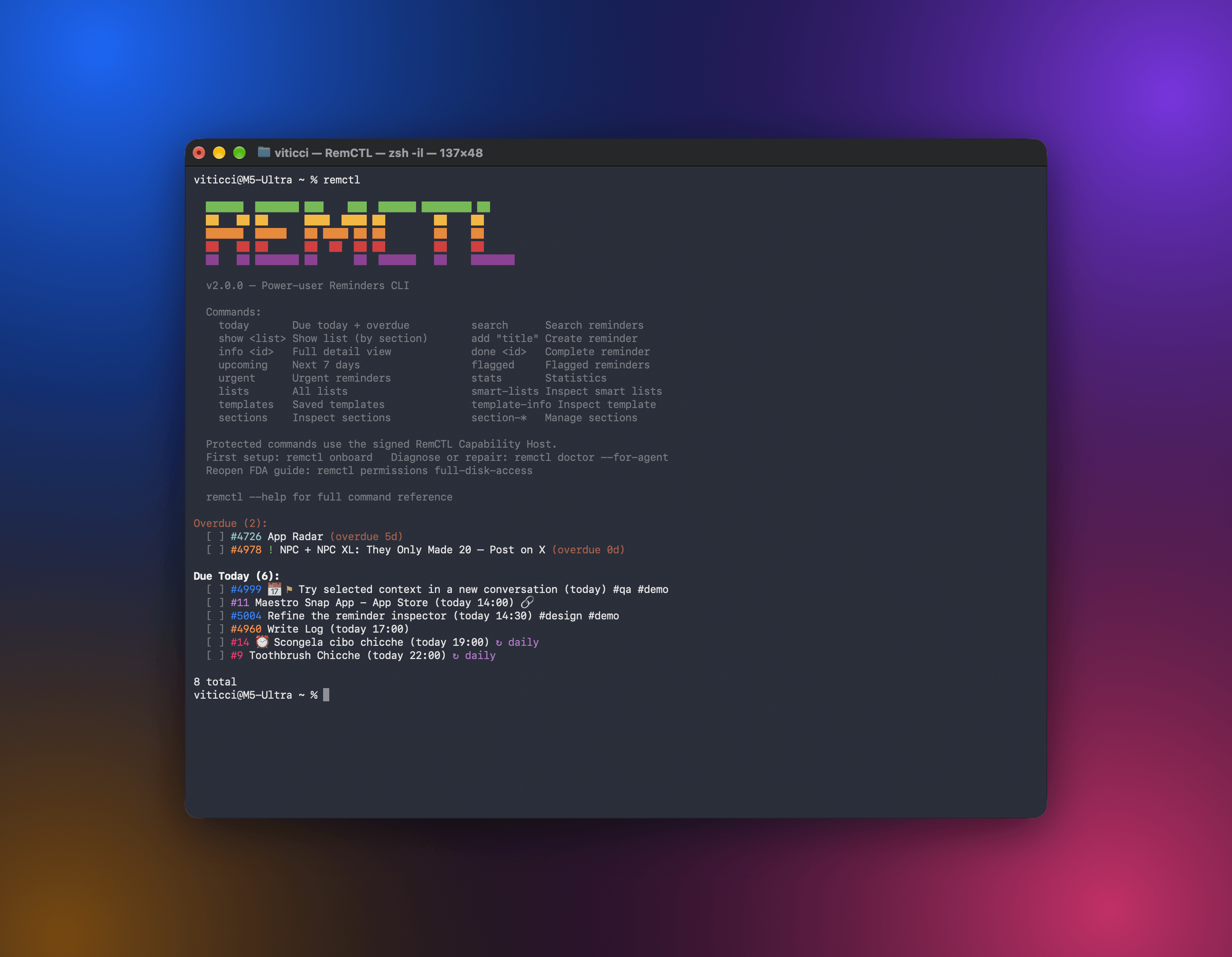 RemCTL 讓你能從終端機、AI 應用程式、Codex 裡的 Reminders 工作區,以及 Claude Code 的 Today 橫列,完整控制 Apple Reminders。除了提醒事項、列表、到期日、旗標和搜尋等基本功能,也支援 Apple 沒有對其他 App 開放的 sections、tags、subtasks、smart lists 和 templates。
