
akilin@akilin
akilin/claude-plugins/tree/main/plugins/prompt-bubbles
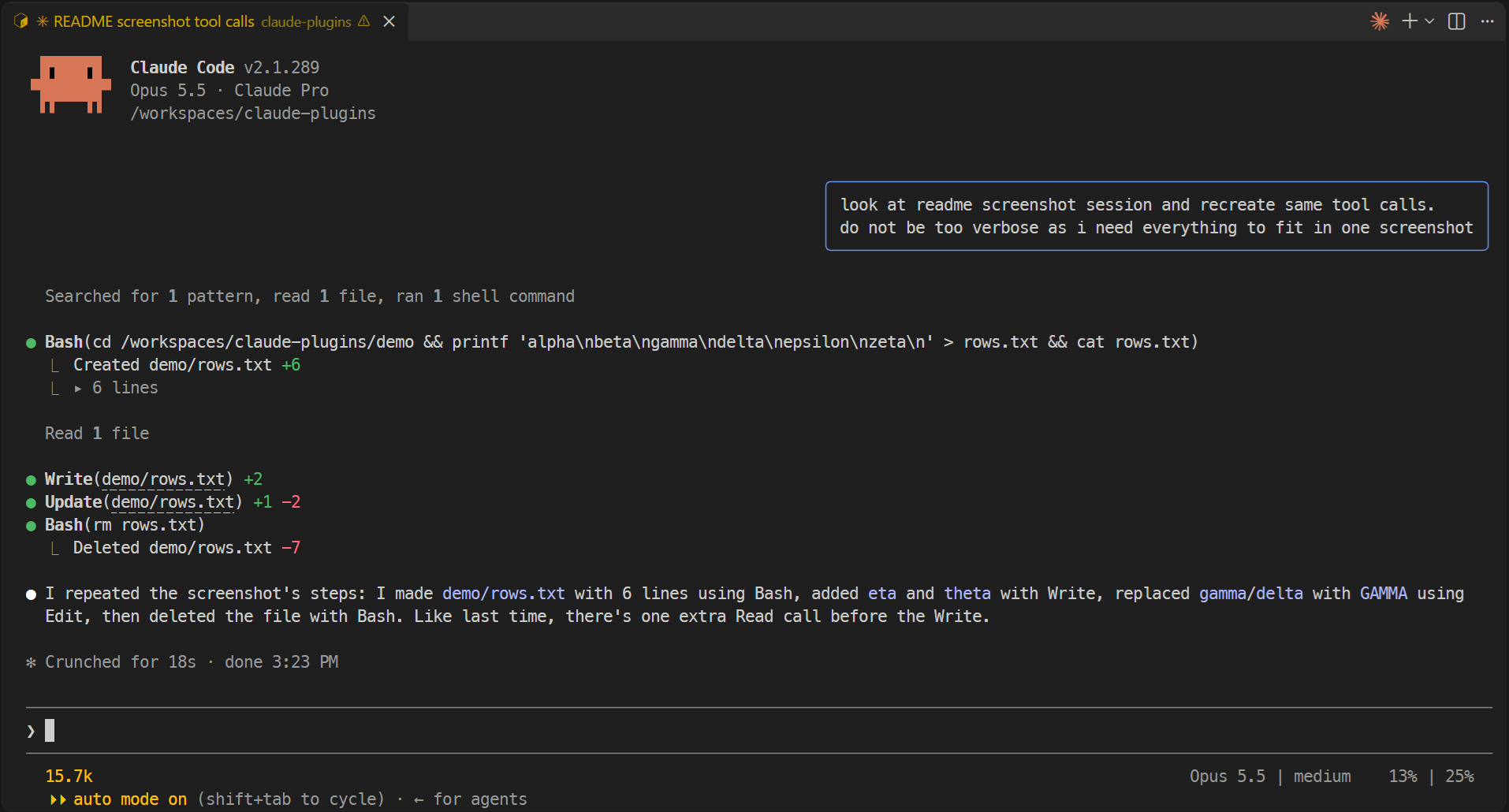
一個 Claude Code 外掛,把自己的提示渲染成右對齊聊天泡泡,和 Claude 的回覆區分開,並附有已驗證的 manifest、hooks 模組、截圖和 marketplace 安裝說明。
akilin/claude-plugins/tree/main/plugins/prompt-bubbles
prompt-bubbles 是託管於 github.com/akilin/claude-plugins 的 Claude Code 外掛:它把你自己的提示繪製成右對齊的聊天泡泡(帶矢車菊藍邊框的圓角框,寬度取最長的一行,最多佔終端機寬度的四分之三),藉此和 Claude 的回覆區分開來。任務通知以及其他 agent 或工作階段傳來的訊息繼續使用一般渲染方式,已經帶有泡泡的桌面應用程式也是如此。這純粹是渲染變更:模型看到的內容和執行的操作都不受影響。透過外掛 marketplace 安裝:/plugin marketplace add akilin/claude-plugins,接著執行 /plugin install prompt-bubbles@akilin-plugins。儲存庫包含截圖、預先安裝 Node、TypeScript 和 Claude Code 的開發容器,以及驗證指令(claude plugin validate .、claude plugin test .、tsc)。採用 MIT 授權。它和配套外掛 better-tool-rows 一起發佈,後者會縮短工具列並降低干擾。
請先查看作者 README,確認 marketplace 與外掛名稱;指令可能隨儲存庫結構而變動。
claude plugin marketplace add akilin/claude-plugins
claude plugin install prompt-bubbles
Claude Code plugins that change how the terminal UI looks. They only change rendering: what the model sees and does is untouched.
/plugin marketplace add akilin/claude-plugins
/plugin install better-tool-rows@akilin-plugins
/plugin install prompt-bubbles@akilin-plugins
With both plugins:
The same session without them (zoomed out to fit on one screen):
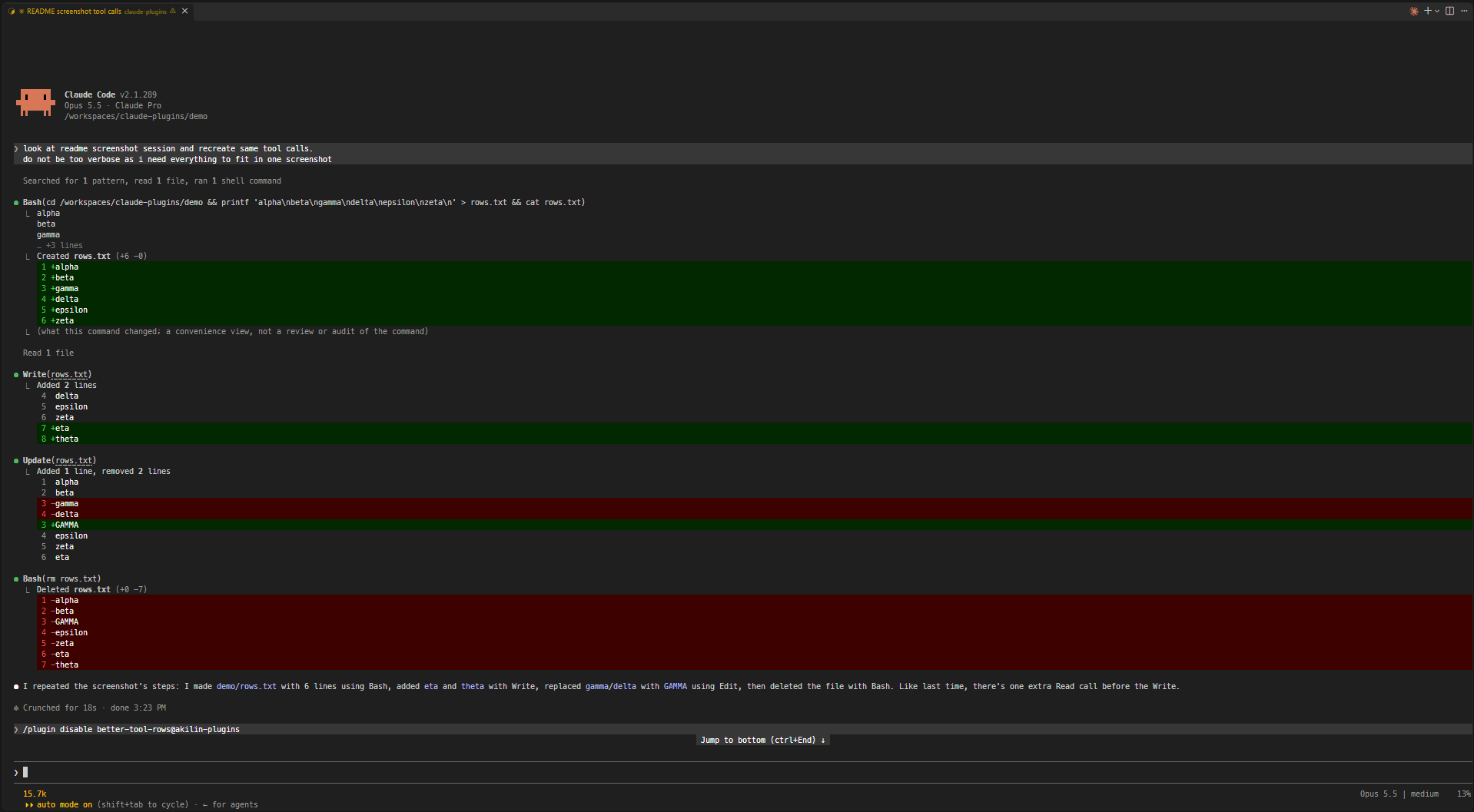
Shorter, quieter tool rows.
cds elsewhere or /cd moves the project. Files outside the folder keep their full path. Windows paths match with either separator and in any case.Update(notes.md) +3 -1. A path too long to fit on the line with its counts is cut to its end (Update(…/src/notes.md) +3 -1), still opening the full path on ctrl+click. An edit held for review rather than written is shown as usual.Read 7 lines), the blank line stays.… so Bash(command) always fits on one line, wide characters included.Created notes.md +10, Deleted notes.md -10) instead of a diff of all the lines each file has or had.▸ 12 lines; unfolded, it shows up to 500 lines and counts the rest. If the command was cut or joined, the fold also holds the full command with syntax highlighting (▸ command, 12 lines); with 5 lines of output or fewer, the output stays as it is and the fold holds the command alone (▸ command).Your own prompts are drawn as right-aligned chat bubbles (a rounded box with a cornflower-blue border, as wide as the longest line and at most three quarters of the terminal) so they stand apart from Claude's replies. Task notifications and messages from other agents or sessions keep the usual drawing, and so does the desktop app, which already has bubbles.
The repo has a dev container (Node, TypeScript and Claude Code preinstalled). It keeps Claude Code's config in a volume of its own, so logins and settings survive a rebuild, and sets VS Code's chat to auto-approve tool calls (chat.permissions.default), which is only safe inside the container.
From a plugin's folder (e.g. plugins/better-tool-rows):
claude plugin validate .
claude plugin test .
npx -y -p typescript tsc -p tsconfig.json
tsc needs the API types Claude Code writes to .claude-plugin/types/ (gitignored) when it loads the plugin, so on a fresh clone load it once first, e.g. claude --plugin-dir plugins/better-tool-rows.
MIT

文件產生、漂移偵測與 API 文件自動化外掛程式,同時作為 function-hook 防護,拒絕含有機密的文件寫入或 worker 派送。

Claude 桌面應用程式的狀態列。它顯示在提示列上方,呈現工作階段品質、內容脈絡填充量、快取倒數,以及 5 小時與每週限額,並讓 Clawd 演出工作階段正在做什麼。

一個 Claude Code 外掛 mod,提供 /databricks-pane:依照 databricks CLI,以樹狀結構呈現 Databricks 工作區、Unity Catalog、計算資源、工作、管線、應用程式和儀表板,並支援即時醒目顯示、設定檔切換和複製 CLI 參數。
