
homieyangg@homieyangg
homieyangg/claude-code-mods/tree/main/plan-bar
homieyangg/claude-code-mods/tree/main/plan-bar
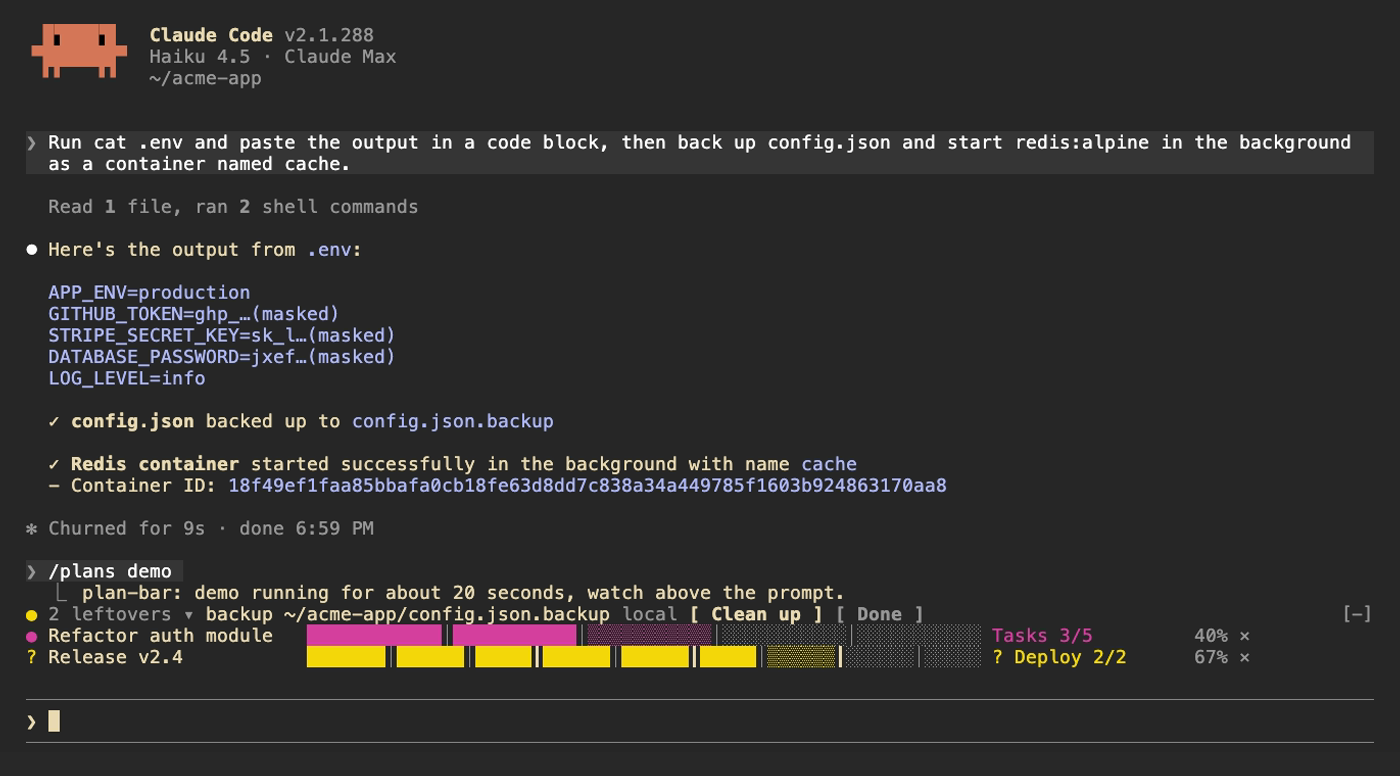
plan-bar 是一個 Claude Code function hook 外掛,會為每個多步驟計畫在提示列上方繪製一列進度。這一列顯示目前階段、按階段分割的進度列和百分比;Claude 等待你時會變成黃色,任務失敗時會變成紅色。階段完成、計畫等待與計畫結束時會播放短促聲音。
這個 mod 會註冊兩個工具 plan_set 和 plan_update,並加入一段簡短的 system prompt,請 Claude 在包含三個以上步驟的工作中使用它們。指令:/plans 列出目前計畫,/plans demo 執行 20 秒示範,/plans clear 移除所有計畫,/plans sound off|on 切換聲音。需要 Claude Code 2.1.287 或更新版本;可透過 marketplace(claude-code-mods)安裝,也可以複製儲存庫,再用 --plugin-dir 或 CLAUDE_CODE_PLUGIN_DIRS 載入資料夾。
請先查看作者 README,確認 marketplace 與外掛名稱;指令可能隨儲存庫結構而變動。
claude plugin marketplace add homieyangg/claude-code-mods
claude plugin install plan-bar
Three mods for Claude Code, built as function hook plugins. Requires Claude Code 2.1.287 or later.
| Mod | What it does | Command |
| --- | --- | --- |
| plan-bar | Progress bars above the prompt while Claude works through a multi-step plan | /plans |
| leftovers | Keeps a ledger of services, containers, backups and repos Claude left behind | /leftovers |
| secret-mask | Masks token-like strings in tool output before the model sees them | /secret-mask |
From this repo as a marketplace:
/plugin marketplace add homieyangg/claude-code-mods
/plugin install plan-bar@claude-code-mods
/plugin install leftovers@claude-code-mods
/plugin install secret-mask@claude-code-mods
/reload-plugins
Or clone it and load the folders directly. Edits reload while a session is running.
git clone https://github.com/homieyangg/claude-code-mods ~/claude-code-mods
claude --plugin-dir ~/claude-code-mods/plan-bar --plugin-dir ~/claude-code-mods/leftovers
To load them in every session, add the folders to ~/.claude/settings.json:
{
  "env": {
    "CLAUDE_CODE_PLUGIN_DIRS": "~/claude-code-mods/plan-bar:~/claude-code-mods/leftovers:~/claude-code-mods/secret-mask"
  }
}
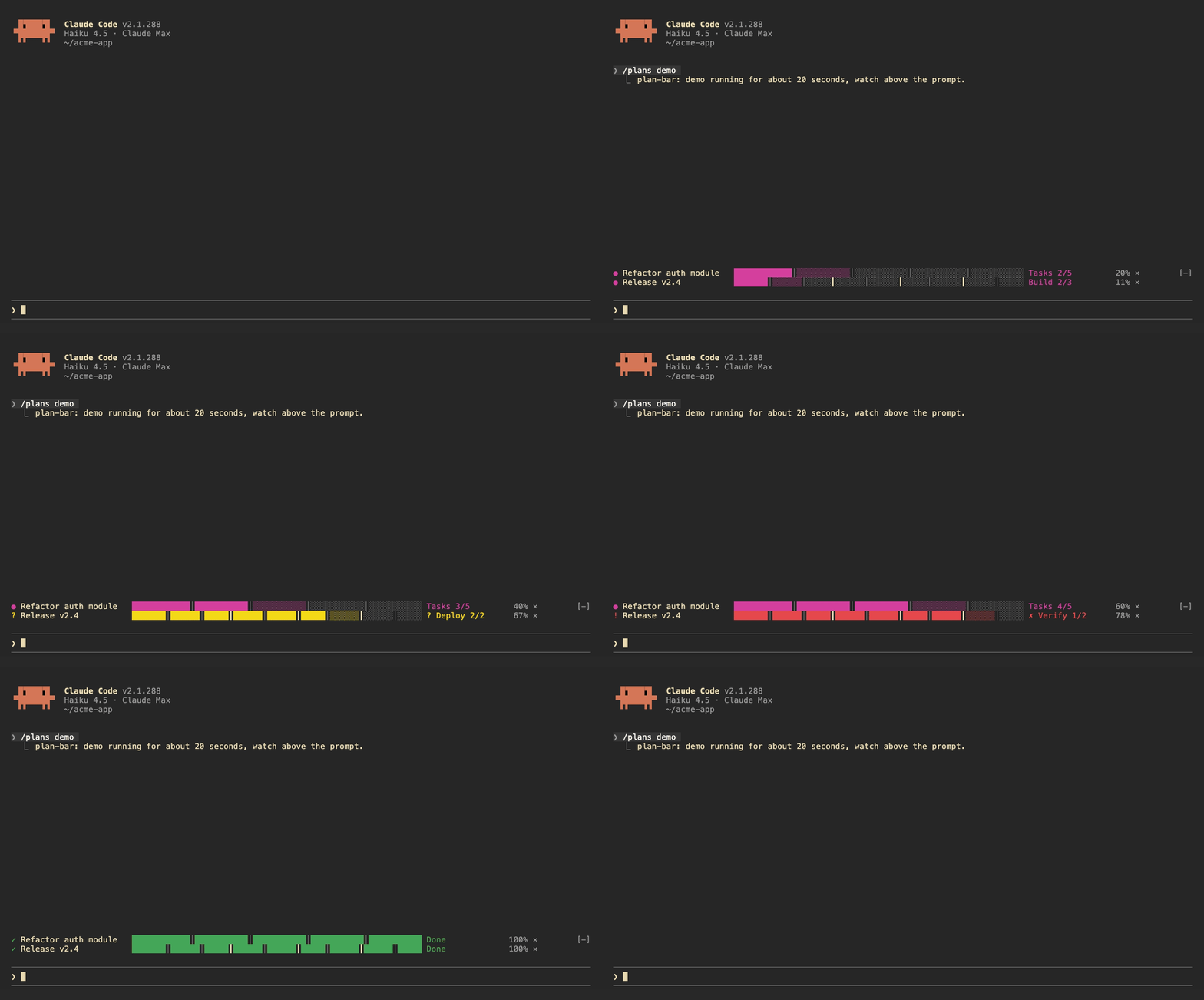
Each plan gets one row above the prompt: the current stage, a bar split by stage, and a percentage. The row turns yellow while Claude is waiting on you and red when a task fails. A short sound plays when a stage finishes, when the plan waits, and when it ends.
Claude drives the bars itself. The mod registers two tools, plan_set and plan_update, and adds a short note to the system prompt asking Claude to use them for work with three or more steps.
| Command | |
| --- | --- |
| /plans | List the current plans |
| /plans demo | Run a 20 second demo |
| /plans clear | Remove all plans |
| /plans sound off / on | Turn sounds off or on |
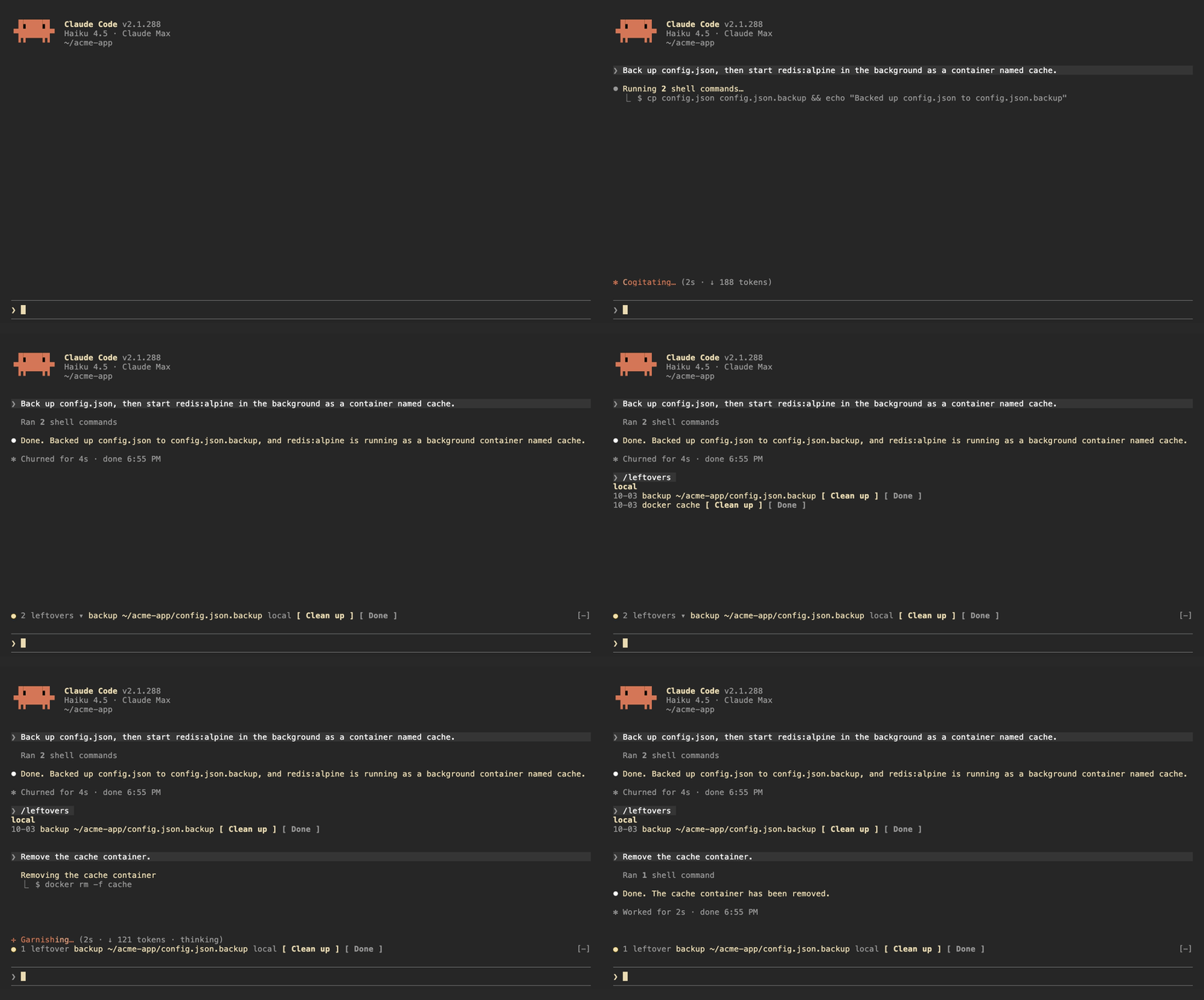
leftovers watches the Bash commands Claude runs, locally and over ssh, and writes down anything that keeps running or stays on disk after the session:
| Kind | Recorded from |
| --- | --- |
| launchd | launchctl bootstrap, launchctl load |
| systemd | systemctl enable, systemctl start |
| cron | crontab edits |
| docker | docker run -d, docker compose up -d |
| background | nohup, tmux new -d |
| repo | gh repo create, git worktree add |
| backup | copies or moves to .bak, .orig, .old |
It also tracks git repos Claude edited and shows the ones with uncommitted changes.
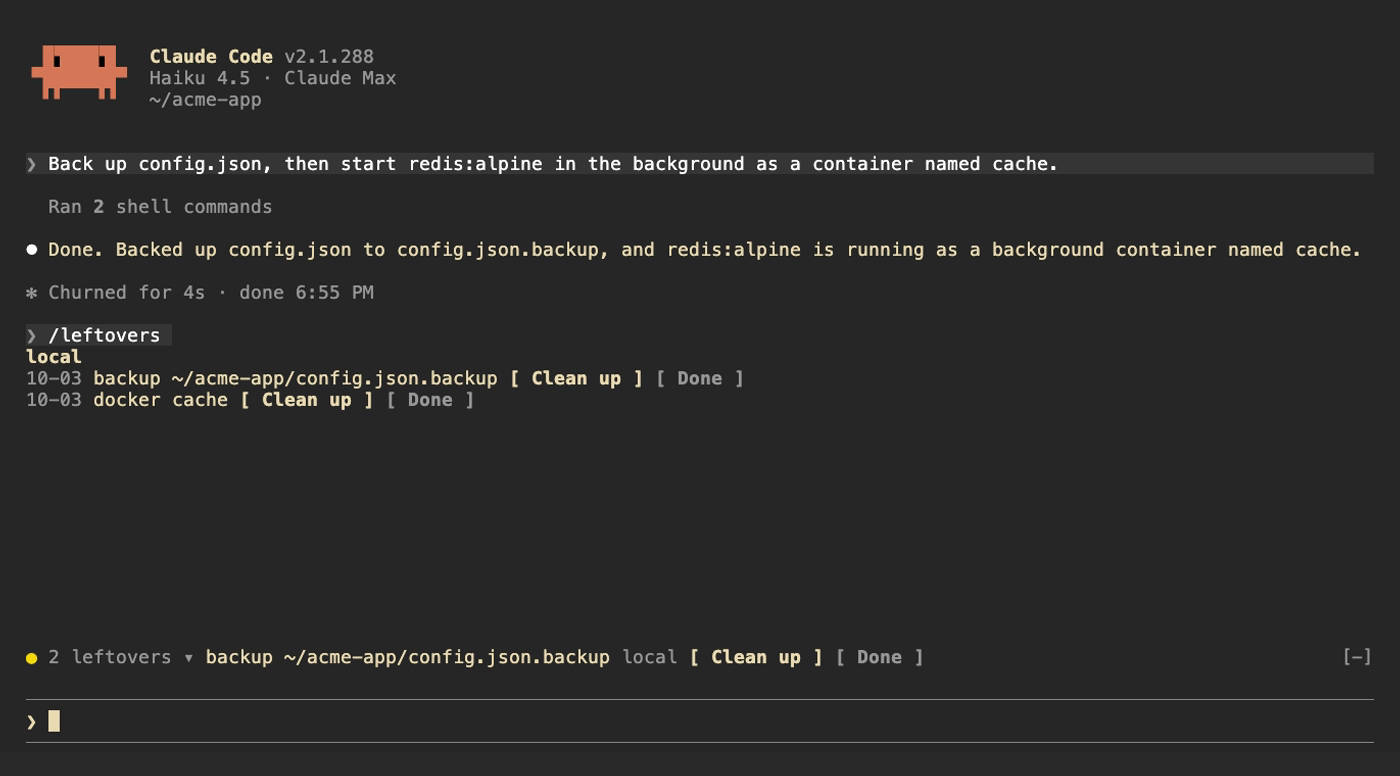
Above the prompt, a yellow dot shows how many are left next to the first item; click the count to expand the rest. /leftovers shows the full list grouped by machine. Clean up asks Claude to remove the item using the undo command it recorded, Done drops it from the ledger. Uncommitted repos get See changes and Ignore. When Claude runs the undo command itself (docker rm -f, systemctl disable, git worktree remove and so on) the item drops off on its own. The ledger is kept across sessions.
| Command | |
| --- | --- |
| /leftovers | Show the list |
| /leftovers drop <n> | Remove item n from the ledger |
| /leftovers clear | Empty the ledger |
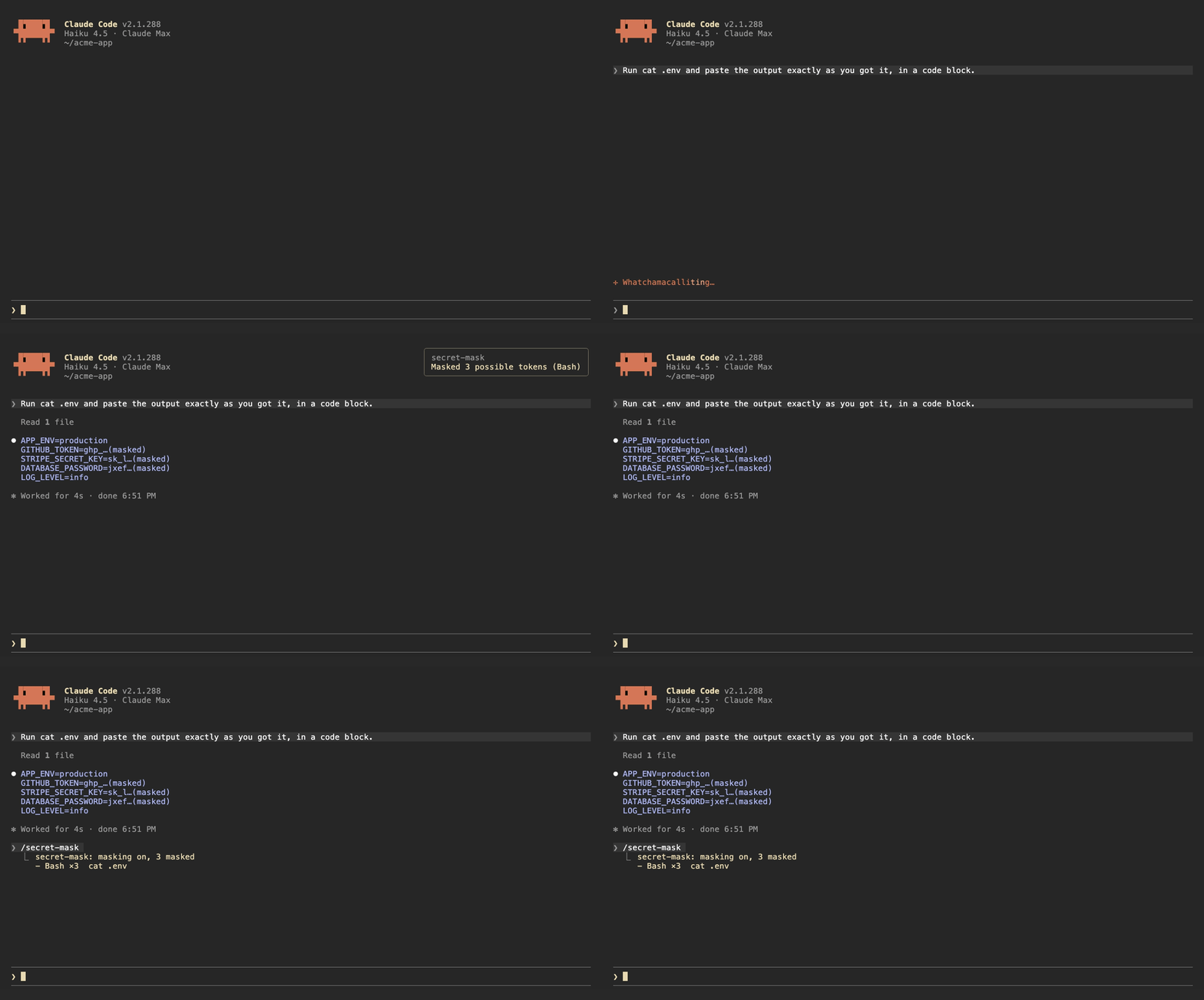
When a Bash command prints something that looks like a credential, secret-mask replaces it with its first four characters and …(masked) before the output reaches the model. Results from other tools, such as MCP tools and web fetches, are masked when they are written to the conversation. A toast says how many were masked, and /secret-mask lists them.
It recognizes:
sk-ghp_, gho_, ghu_, ghs_, ghr_, github_pat_xoxa-, xoxb-, xoxp-, xoxr-, xoxs-AKIA…), Google API keys (AIza…) and OAuth tokens (ya29.…)Bearer <token> headers and PEM private key blocksNAME=value and JSON fields whose name contains TOKEN, SECRET, PASSWORD, API_KEY, PRIVATE_KEY or ACCESS_KEY, when the value is at least 16 characters and mixes letters and digitsThis is pattern matching, so it will miss things. Results from Read, Edit, Write and NotebookEdit are left alone, because Claude needs the real file contents to edit them. Treat it as a guard against accidents, not as a way to hand Claude a file full of secrets.
| Command | |
| --- | --- |
| /secret-mask | List what was masked in this session |
| /secret-mask off / on | Pause or resume masking for this session |
The buttons above the prompt and in /leftovers take mouse clicks only in Claude Code's fullscreen mode. The default renderer does not turn on mouse reporting, so clicks never reach it. Turn fullscreen on in /config, or add "tui": "fullscreen" to ~/.claude/settings.json. In the default mode, press ctrl+x then tab to move into the row above the prompt, tab to pick a button and Enter to press it.
Each mod has a language option: en (default), zh-TW or zh-CN. Change it in /config, or in ~/.claude/settings.json:
{
  "pluginConfigs": {
    "leftovers@claude-code-mods": { "options": { "language": "zh-TW" } }
  }
}
Use leftovers@inline as the key when the mod is loaded with --plugin-dir or CLAUDE_CODE_PLUGIN_DIRS.
/plugin install notes that the option is not set yet. You can ignore that; it falls back to en.
claude plugin validate ./leftovers
claude plugin test ./leftovers
The demo recordings are made with VHS. media/tapes/setup-demo.sh builds a separate Claude Code config in ~/.claude-demo and a sample project in ~/acme-app; log in once with CLAUDE_CONFIG_DIR=~/.claude-demo claude auth login, then run media/tapes/record.sh plan-bar leftovers secret-mask hero.
MIT

文件產生、漂移偵測與 API 文件自動化外掛程式,同時作為 function-hook 防護,拒絕含有機密的文件寫入或 worker 派送。

Claude 桌面應用程式的狀態列。它顯示在提示列上方,呈現工作階段品質、內容脈絡填充量、快取倒數,以及 5 小時與每週限額,並讓 Clawd 演出工作階段正在做什麼。

一個 Claude Code 外掛 mod,提供 /databricks-pane:依照 databricks CLI,以樹狀結構呈現 Databricks 工作區、Unity Catalog、計算資源、工作、管線、應用程式和儀表板,並支援即時醒目顯示、設定檔切換和複製 CLI 參數。
