
Amorfx@Amorfx
Amorfx/claude-paste-view
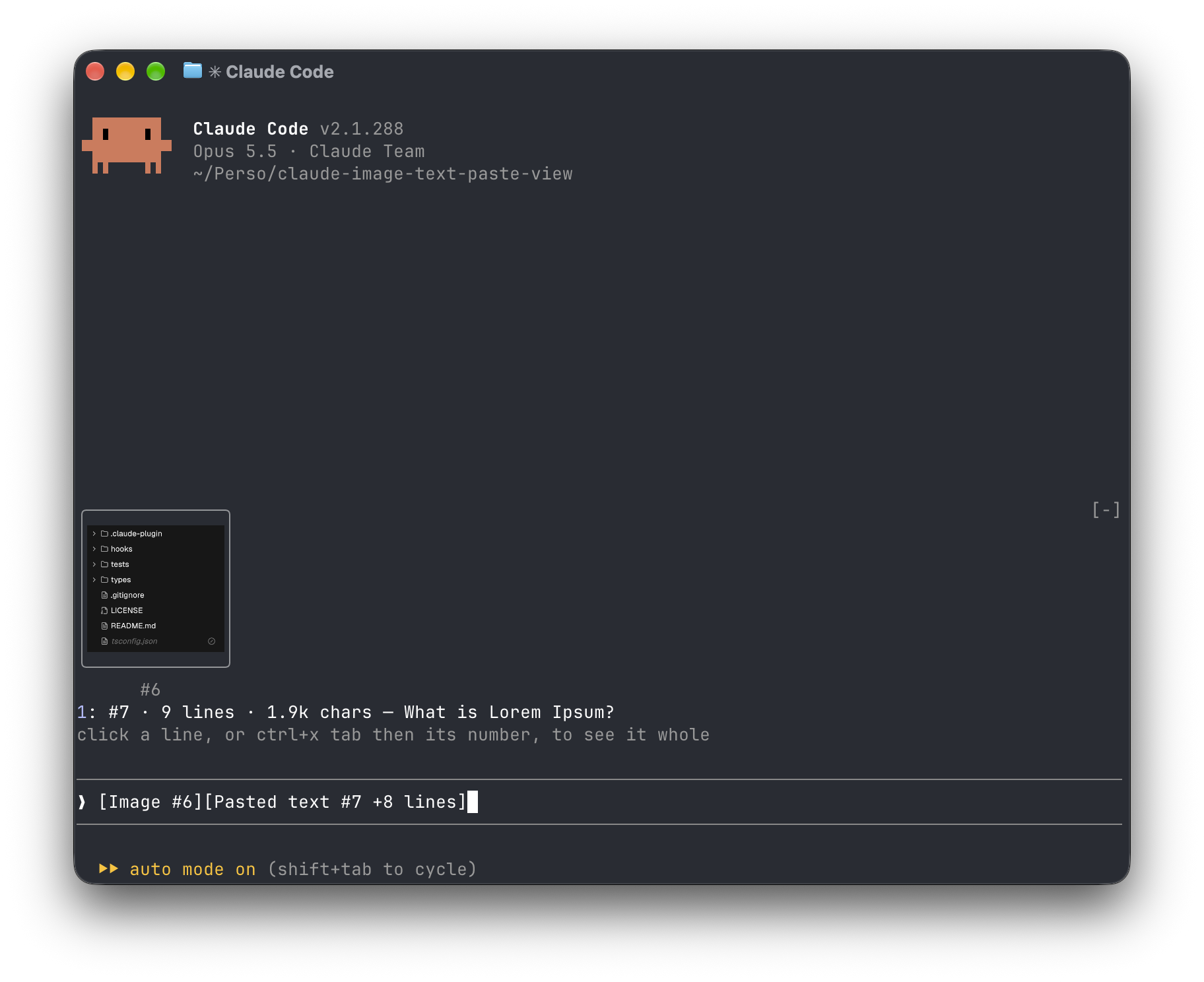
一個 Claude Code mod,顯示您貼上的內容:提示上方的圖像縮圖和 long-text 預覽,而不是裸露的 [圖片 #1] 和 [貼上的文字 #2 +41 行] 標籤。
Amorfx/claude-paste-view
Claude Paste View 為 Claude Code 外掛,會在提示輸入框上方顯示貼上的內容:圖片以縮圖呈現,長文字則顯示行數、大小與首行預覽,取代原本的 [Image #1] 與 [Pasted text #2 +41 lines] 標籤。
安裝方式(於 Claude Code 內執行):
/plugin marketplace add Amorfx/claude-paste-view
/plugin install paste-view
/reload-plugins
也可使用終端機指令:
claude plugin marketplace add Amorfx/claude-paste-view
claude plugin install paste-view@claude-paste-view
功能特色:
運作原理:每 200ms 讀取提示輸入框尋找貼上標籤;圖片取自 Claude Code 的 session 圖片快取,文字則在標籤出現時讀取一次剪貼簿,並在行數符合時保留於記憶體中。
限制:文字預覽依賴剪貼簿;在 tmux、screen 或背景 session 中不顯示縮圖;標籤格式與圖片快取路徑屬 Claude Code 內部實作,未來版本可能變動。
安全性:完全在本機運作,不連網、不寫入磁碟;僅讀取提示輸入框、session 圖片快取、圖片檔首幾個位元組與剪貼簿,並讀取 TERM 等環境變數以判斷終端機是否支援繪圖。
需求:Claude Code v2.1.287 以上、macOS 或搭載 wl-clipboard/xclip 的 Linux,圖片縮圖需支援 kitty graphics protocol 的終端機(如 Ghostty、kitty)。授權為 MIT。
請先查看作者 README,確認 marketplace 與外掛名稱;指令可能隨儲存庫結構而變動。
claude plugin marketplace add Amorfx/claude-paste-view
claude plugin install paste-view
A Claude Code mod that shows what you paste, so you see image thumbnails and a preview of long text above your prompt instead of bare [Image #1] and [Pasted text #2 +41 lines] tags.
Inside Claude Code, run:
/plugin marketplace add Amorfx/claude-paste-view
/plugin install paste-view
/reload-plugins
claude plugin marketplace add Amorfx/claude-paste-view
claude plugin install paste-view@claude-paste-view
Then run /reload-plugins inside a session, or start a new one.
╭────────────────────────╮
│      (screenshot)      │
│           #1           │
╰────────────────────────╯
1: #2 · 42 lines · 3.1k chars — Traceback (most recent call last):
click a paste, or ctrl+x tab then its number, to read it whole
❯ why does this fail [Image #1] [Pasted text #2 +41 lines]
#1 · image 1630×632 — open, that opens it in your system's image viewer. A pasted JPEG, WebP or other non-PNG image is always a line, #1 · image · jpg — open, since the terminal draws only PNG files.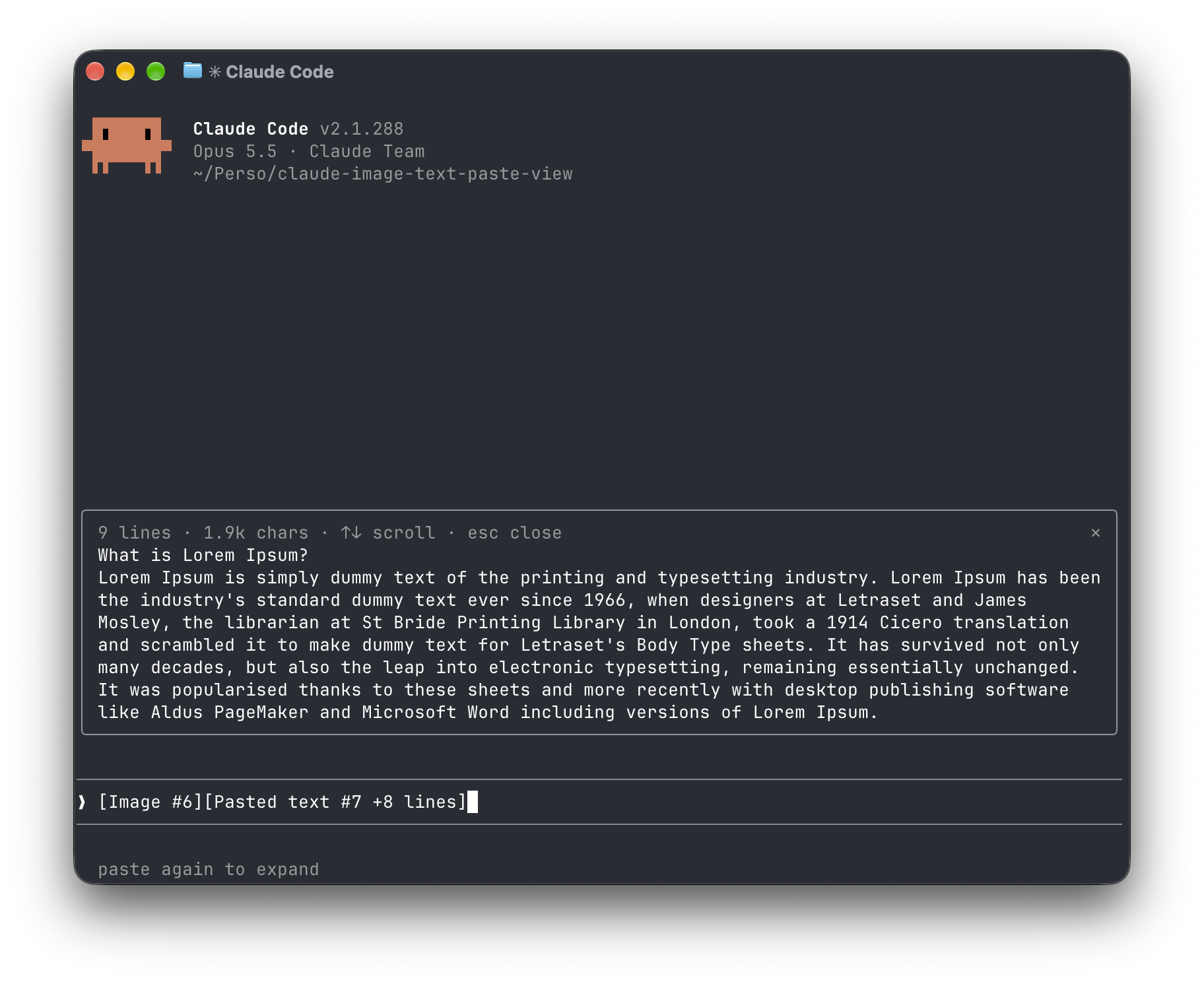
[Image #n] and [Pasted text #n …] tags. It polls because pasting raises no edit event.<tmp>/<project>/<session>/images/<n>.png, or <n>.jpg, <n>.webp, … when it was pasted in another format. The mod finds that file and draws a PNG with Claude Code's Image element.pbpaste on macOS, wl-paste or xclip on Linux). It keeps that text only if its line count matches the count in the tag, and holds it in memory until the tag leaves the prompt.no preview rather than showing the wrong text."env": { "CLAUDE_CODE_FORCE_TERMINAL_IMAGES": "1" } to ~/.claude/settings.json and start a new session.Everything stays on your machine: the mod never touches the network and never writes to disk. It reads the prompt box, lists Claude Code's temp folder to find the session's image cache and the pasted images in it, reads the first bytes of each pasted image, and reads the clipboard once per text paste. It reads TERM, TERM_PROGRAM, KITTY_WINDOW_ID, TMUX, STY, CLAUDE_CODE_SESSION_KIND and CLAUDE_CODE_FORCE_TERMINAL_IMAGES to know whether the terminal draws pictures. It runs id -u once if CLAUDE_CODE_TMPDIR isn't set, the clipboard tool for each text paste, and uname then open or xdg-open when you ask to open an image. Pasted text is kept in memory only, and dropped once its tag leaves the prompt.
Run claude plugin validate .claude-plugin/plugin.json on the repo to see every event it hooks and every call it makes.
wl-clipboard or xclip for text previewsTERM, TERM_PROGRAM and KITTY_WINDOW_ID; in any other terminal, or inside tmux, it lists images as lines that open them with open (macOS) or xdg-open (Linux).git clone https://github.com/Amorfx/claude-paste-view
cd claude-paste-view
# Load it for one session without installing
claude --plugin-dir .
# Check it and run the tests
claude plugin validate .claude-plugin/plugin.json
claude plugin test .
Once Claude Code has loaded the mod, it generates the API typings in .claude-plugin/types/ along with a tsconfig.json; after that, tsc -p . type-checks the code.
MIT. See LICENSE.

文件產生、漂移偵測與 API 文件自動化外掛程式,同時作為 function-hook 防護,拒絕含有機密的文件寫入或 worker 派送。

Claude 桌面應用程式的狀態列。它顯示在提示列上方,呈現工作階段品質、內容脈絡填充量、快取倒數,以及 5 小時與每週限額,並讓 Clawd 演出工作階段正在做什麼。

一個 Claude Code 外掛 mod,提供 /databricks-pane:依照 databricks CLI,以樹狀結構呈現 Databricks 工作區、Unity Catalog、計算資源、工作、管線、應用程式和儀表板,並支援即時醒目顯示、設定檔切換和複製 CLI 參數。
