vinta@vinta
vinta/hal-9000/tree/main/plugins/hal-grammar-check

vinta/hal-9000/tree/main/plugins/hal-grammar-check
輸入提示時即時進行文法檢查,並用繁體中文解釋。修正內容會在按下 Enter 前顯示於提示框上方。
這個外掛需要本機的 Ollama 與 gemma4:31b-mlx 模型:
ollama pull gemma4:31b-mlx
這是一個 mod,因此也需要 Claude Code 2.1.287 或更新版本。
claude plugin marketplace add vinta/hal-9000
claude plugin install hal-grammar-check@hal-9000
然後重新啟動 Claude Code。
直接輸入即可。停止輸入約 250ms 後,草稿會送到 Ollama,結果會顯示在提示框上方。較舊草稿的結果會被捨棄。
hal-statusline 會在送出後檢查每個提示。為了避免同時看到兩份結果,請在環境變數中設定 HAL_STATUSLINE_GRAMMAR_CHECK_DISABLED=1 將它關閉。
它會將草稿前 500 個字元送到本機 Ollama 的 localhost:11434。完全離線,不會有任何內容離開你的電腦。
請先查看作者 README,確認 marketplace 與外掛名稱;指令可能隨儲存庫結構而變動。
claude plugin marketplace add vinta/hal-9000
claude plugin install hal-grammar-check
A grammar check on your prompt while you type, with explanations in Traditional Chinese. The corrections show up above the prompt box, before you hit Enter.
This plugin needs a local Ollama with the gemma4:31b-mlx model:
ollama pull gemma4:31b-mlx
It's a mod, so it also needs Claude Code 2.1.287 or later.
claude plugin marketplace add vinta/hal-9000
claude plugin install hal-grammar-check@hal-9000
Then restart Claude Code.
Just type. About 250ms after you stop, the draft goes to Ollama and the result shows up above the prompt box. A result for an older draft is dropped.
hal-statusline checks each prompt after you submit it. To avoid seeing both, turn that one off with HAL_STATUSLINE_GRAMMAR_CHECK_DISABLED=1 in your environment variables.
It sends the first 500 characters of your draft to your local Ollama at localhost:11434. Fully offline, nothing leaves your machine.

一個 Claude Code 外掛,顯示 localvoxtral 是否已連線到工作階段,把聽寫文字放入提示輸入框,在提示列上方顯示聽寫內容,並在說出停止語句時結束回合。需要能載入 hooks 模組的 Claude Code 建置。
在 macOS 上預覽提示標記處貼上的圖片。支援 Ghostty,並透過啟動覆寫選項實驗性支援 iTerm2 與 Herdr。Claude Code 2.1.287+。

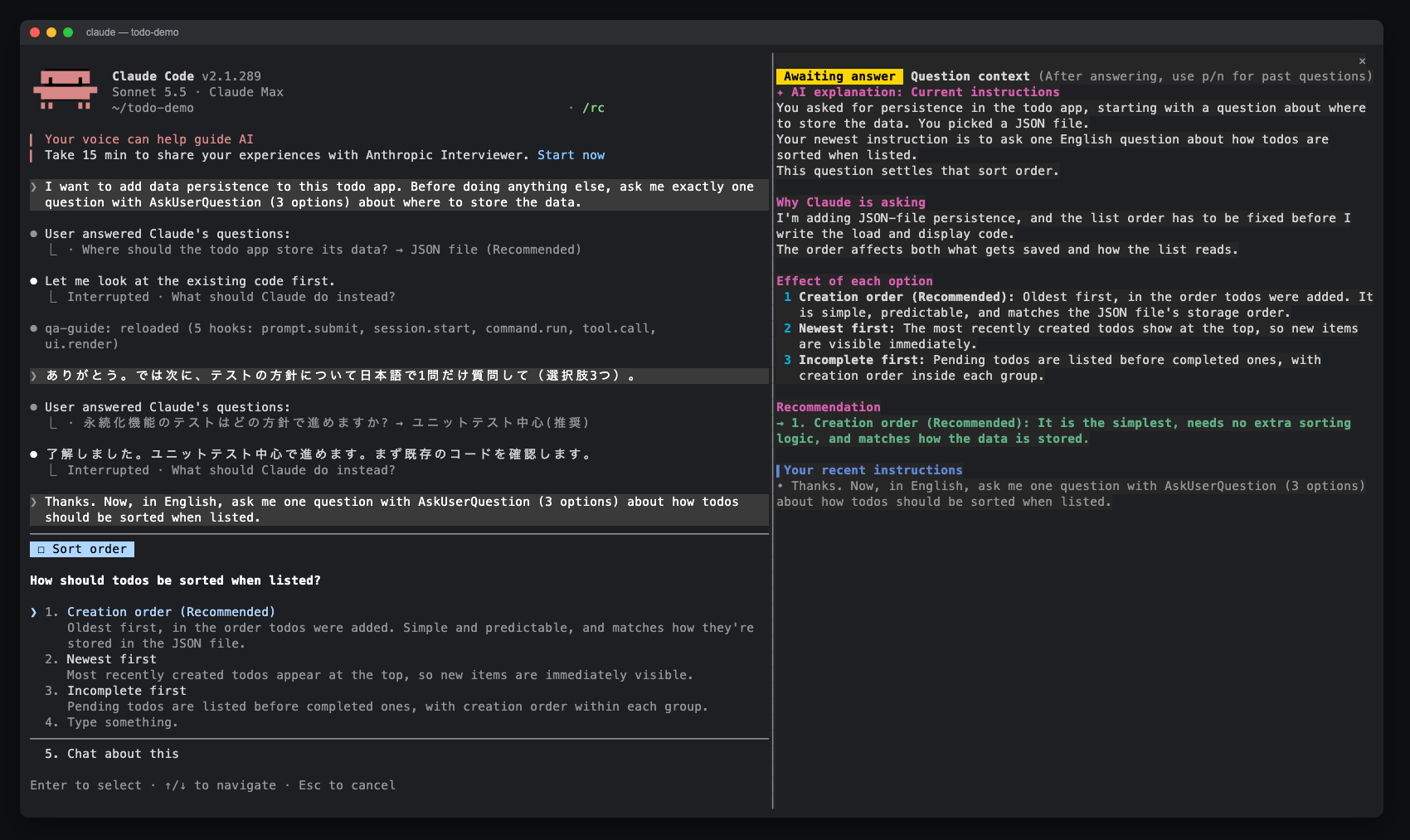
一個 Claude Code 模組,為 AskUserQuestion 提示開啟一個側邊窗格,顯示 AI 解釋、選項效果、最近指令和回答歷史。可透過 claude-qamods 市集安裝;需要 Claude Code 2.1.286+ 和早期存取的 function-hooks 外掛程式 API。