
Chinteyley@Chinteyley
Chinteyley/tiktok-break
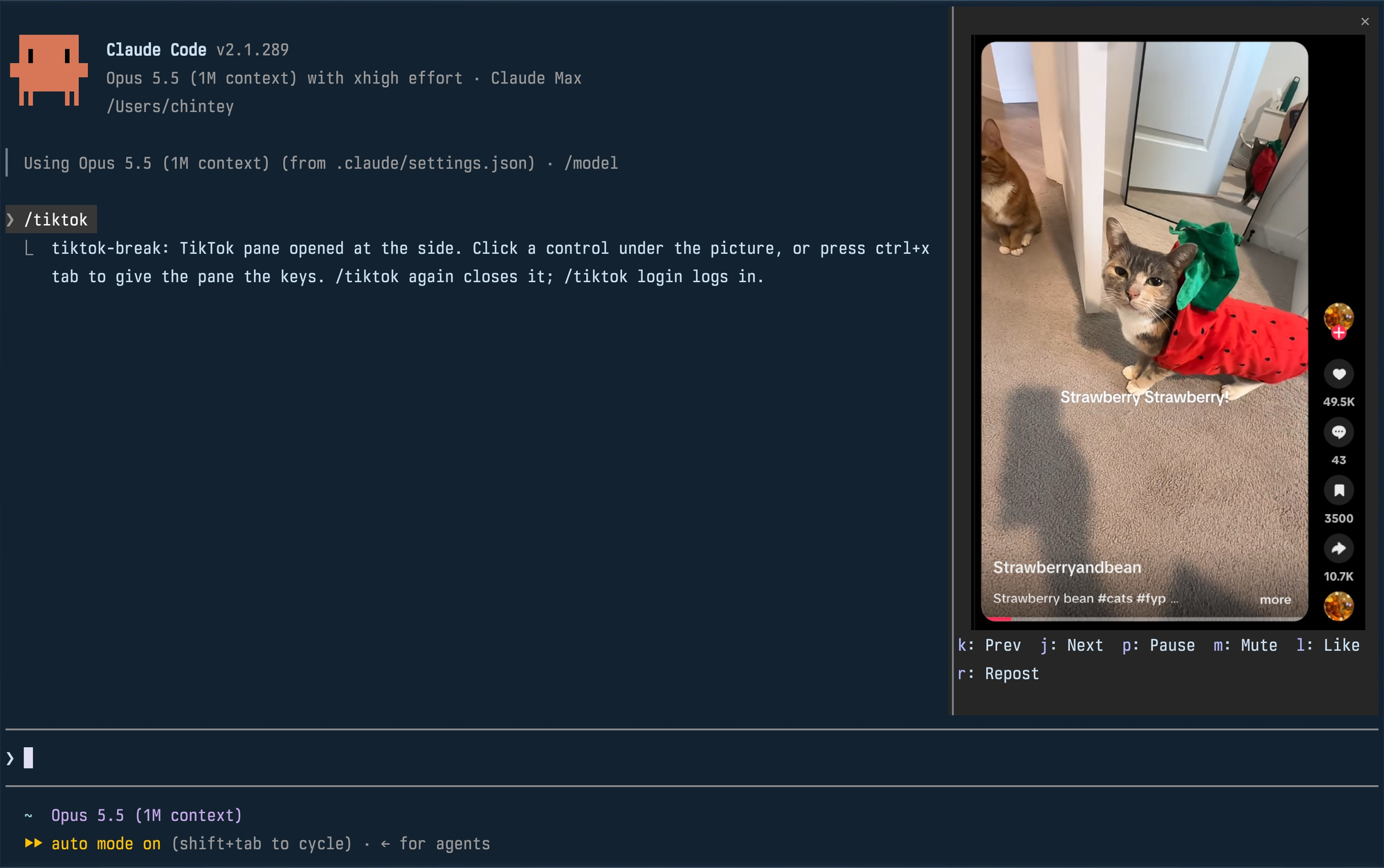
Chinteyley/tiktok-break
一个非官方 Claude Code 插件,会在 Claude 工作时于侧边面板播放 TikTok 的 For You 信息流。它使用自己的配置文件运行无头 Chromium,通过 DevTools 协议将信息流录制成 PNG 画格,再通过终端的 kitty graphics 协议重绘面板。命令包括 /tiktok 和 /tiktok login;面板控制包括下一个/上一个、暂停、静音、点赞和转发。需要 macOS 或 Linux、基于 Chromium 的默认浏览器、位于 PATH 上的 Bun、支持 kitty graphics 的终端,以及带有 function-hook 模组的 Claude Code 构建。注意:它会关闭自动化标志启动 Chrome 以绕过 TikTok 的自动化检查,并执行真实账号操作;同时会以每秒约 30 次的速度写入约 0.5 MB 的 PNG 画格。许可证为 MIT。
请先查看作者 README 确认 marketplace 和插件名称;命令可能随仓库结构改变。
claude plugin marketplace add Chinteyley/tiktok-break
claude plugin install tiktok-break
Watch TikTok inside Claude Code while Claude works, in a pane beside the transcript.
Unofficial. Not affiliated with TikTok or Anthropic.
| Command | What it does |
| --- | --- |
| /tiktok | Plays your For You feed in a pane; run it again to close. |
| /tiktok login | Opens a real browser window on the mod's profile so you can log in. Close it, then run /tiktok. |
The pane docks at the side, full height, when Claude Code is in its fullscreen layout and the terminal is at least 110 columns wide. In a smaller terminal it is a block above the prompt. Docked, a video is framed with its creator, likes, comments, saves and shares; above the prompt, the video alone.
Click a control under the picture, or press ctrl+x tab to give the pane the keyboard and use its key. Esc hands the keyboard back to the prompt.
| Key | Control |
| --- | --- |
| k | Previous video |
| j | Next video |
| p | Pause or play |
| m | Mute or unmute |
| l | Like |
| r | Repost (again takes it back) |
A video that finishes moves on to the next by itself. Like and Repost are real actions on the account you logged in with.
env or flatpak isn't
detected. A snap-packaged Chromium can't write the profile in ~/.config
and won't work.PATHclaude plugin marketplace add Chinteyley/tiktok-break
claude plugin install tiktok-break@tiktok-break
Then start Claude Code, or run /reload-plugins in a session that is already
open.
To work on the mod instead, clone the repository and load the folder directly; edits to it reload live:
git clone https://github.com/Chinteyley/tiktok-break
claude --plugin-dir ./tiktok-break
viewer/viewer.ts runs a headless Chrome on a profile of its own
(~/Library/Application Support/tiktok-break on macOS,
~/.config/tiktok-break on Linux), opens the For You feed and
screencasts it over the DevTools protocol. Each frame is written to one PNG
file, and the mod (hooks/register.tsx) repaints the pane's picture from that
file through the terminal's graphics protocol. The controls go the other way
over a Unix socket: the viewer presses TikTok's own keyboard shortcuts in the
page. Sound comes from that Chrome.
/tiktok login opens a plain app window of the same browser on the same profile, which is
how the pane comes to be logged in.
/tiktok login window for comments and search./tiktok login.claude plugin validate .
claude plugin test .
tsc -p .
tsc needs the type declarations Claude Code lays into .claude-plugin/types/
the first time it loads the mod; that folder is not checked in.
MIT

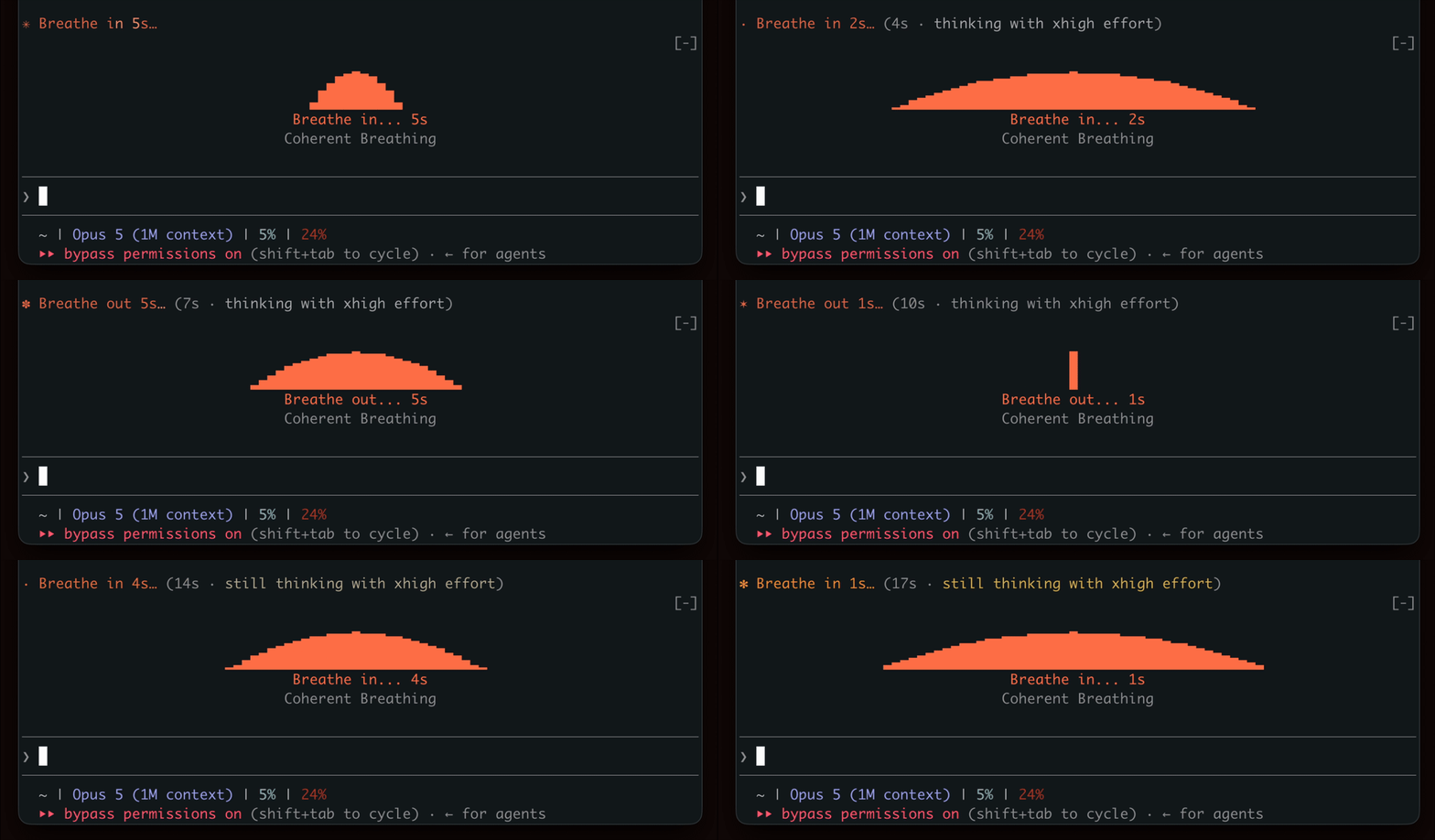
在等待生成时表现出呼吸节奏,鼓励短暂的休息。

终端面板中的 YouTube Shorts:Claude 工作时播放,Claude 完成后暂停。


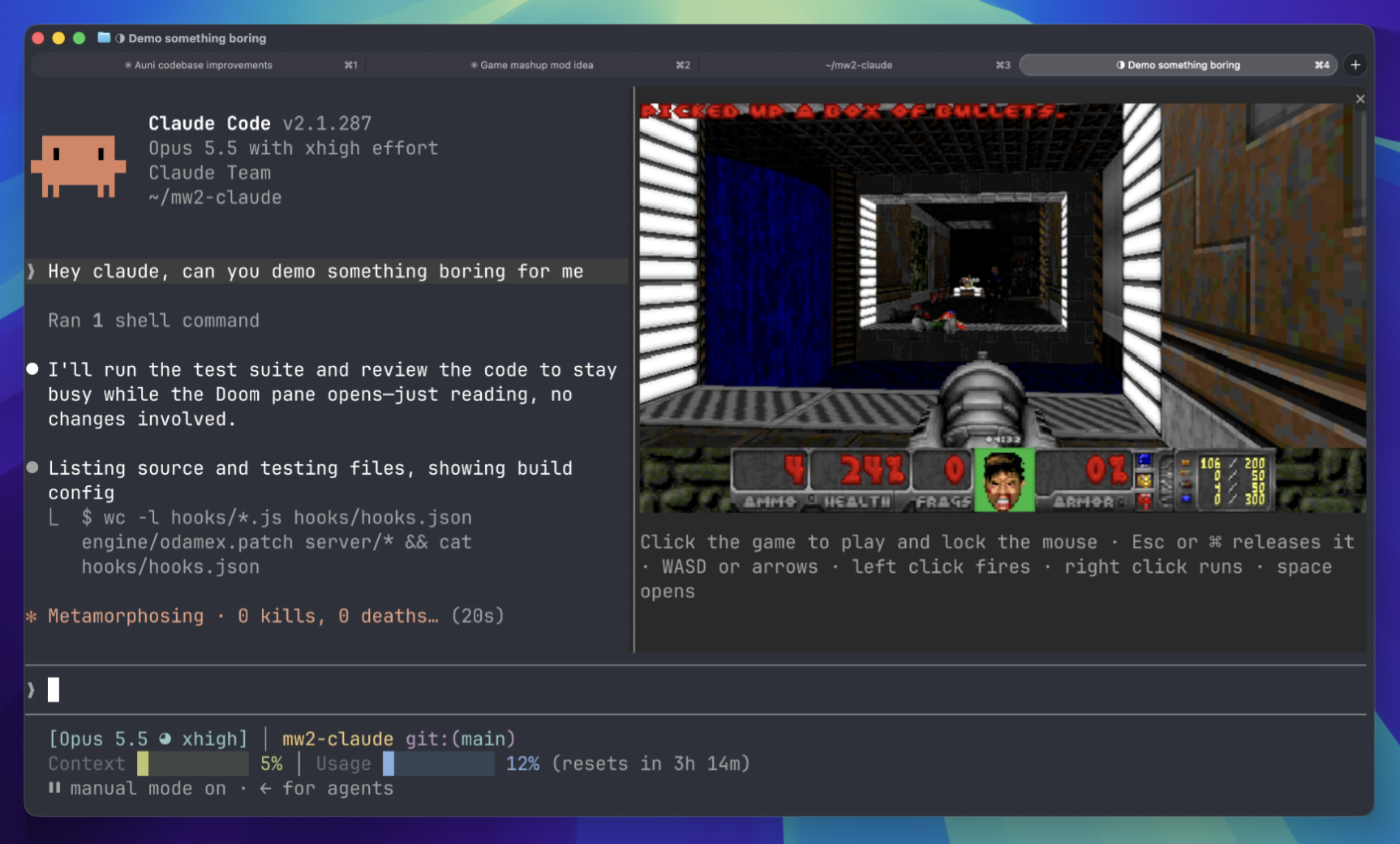
等待时在终端面板上玩 Doom 比赛。需要下载游戏组件并连接到服务器。
 ▶ ♫
▶ ♫