
soefrey@soefrey
soefrey/net-connections
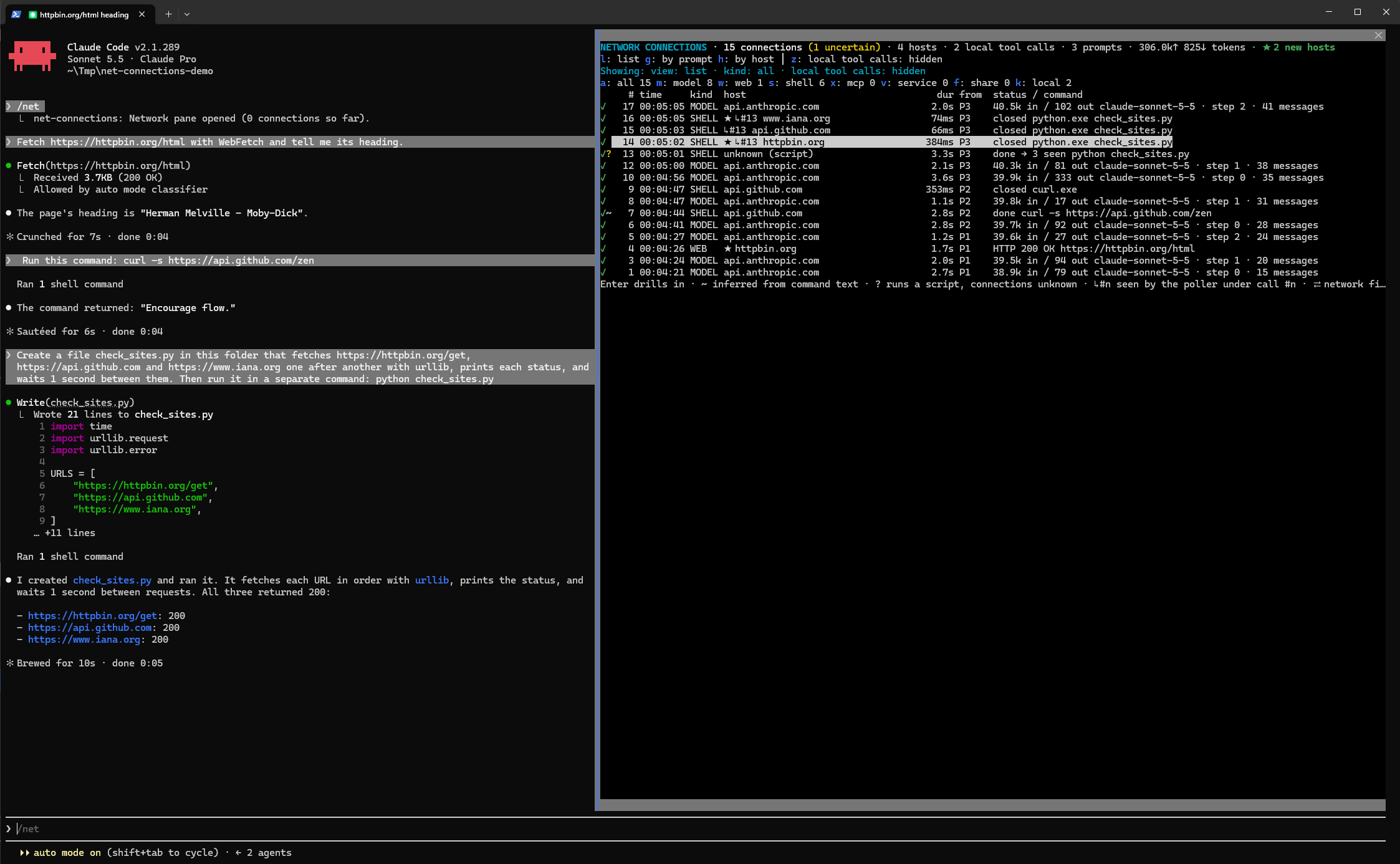
soefrey/net-connections
net-connections 是 Claude Code mod,会添加 Network connections 面板,将会话建立的每个网络连接追溯到触发它的提示和命令。
请先查看作者 README 确认 marketplace 和插件名称;命令可能随仓库结构改变。
claude plugin marketplace add soefrey/net-connections
claude plugin install net-connections
A Claude Code mod that adds a Network connections pane: every network connection a session makes, traced back to the prompt and the command that caused it.
| Kind | Source | Evidence |
| --- | --- | --- |
| MODEL | each Messages API request (turn step): model, tokens, time to first chunk | observed |
| WEB | WebFetch / WebSearch: status, size, the tool's output, and on request the page's raw body | observed |
| SHELL | Bash / PowerShell commands: hosts read off the command text (curl, git push, pip install, …) | ~ inferred, ? uncertain (scripts, interpreters) |
| SHELL ↳#n | Windows: connections the processes of shell call #n actually opened, seen in the TCP table | observed |
| MCP / SVC | MCP tool calls, claude.ai connectors and services | observed |
| SHARE | file access on UNC paths, mapped network drives and network mounts | observed / inferred |
Local tool calls (Read, Edit, …) are kept too, so each prompt's calls are complete, but hidden by default.
/net opens the pane, also while a turn is running./net clear empties the log. /net drives (or /net mounts) lists network drives.↑/↓ then select a connection in the list, Enter opens its details, and b goes back with that connection still selected. Esc returns to the prompt.l list, g by prompt, h by host, z show or hide local calls. n/p page to older/newer.a all, m model, w web, s shell, x mcp, v service, f share, k local. u clears a prompt or host you drilled into.p/n newer/older, o all from its prompt, t all to its host, c copy.w tool output, r raw page (fetched again by the pane, listed as its own connection), f fetch it again, j/k parts of a long body.u jumps to the call that caused it; on a call, 1–9 jump to the connections seen under it.The engine reports a shell call, not what its processes connect to. While shell calls run, the mod runs a small PowerShell loop (hooks/poller.ts) that reads the TCP table and the process list through the Win32 API every 25 ms and reports connections of processes Claude Code started. It stops 30 s after the last shell call.
Here python check_sites.py shows no host in its command line, so the call itself is only ? uncertain; the poller saw the three connections the script made:
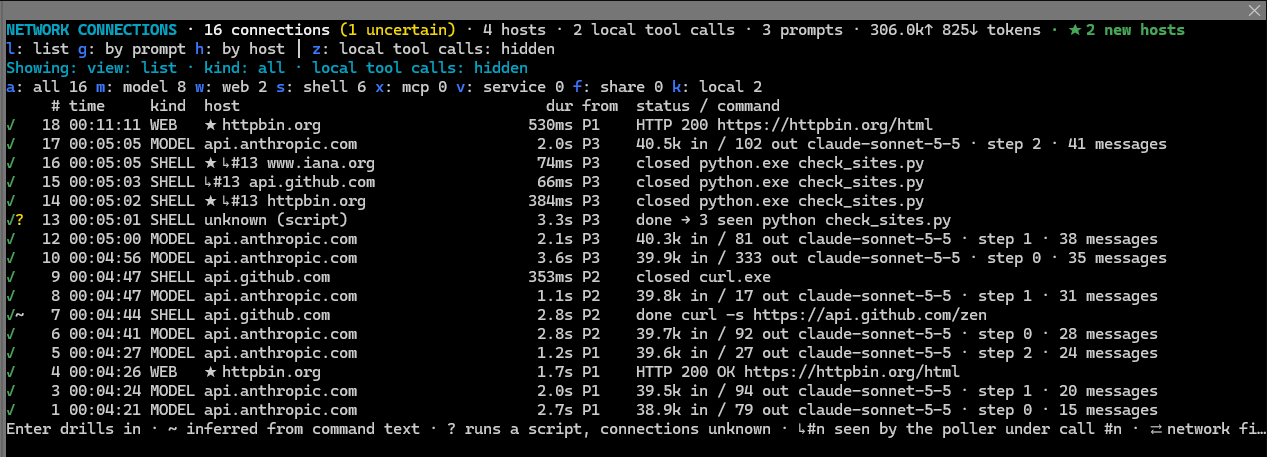
Limits: a connection that opens and closes between two looks is missed; a process whose parent already exited (a daemonized child) cannot be traced to Claude Code; with parallel shell calls the call a connection is attributed to may be off.
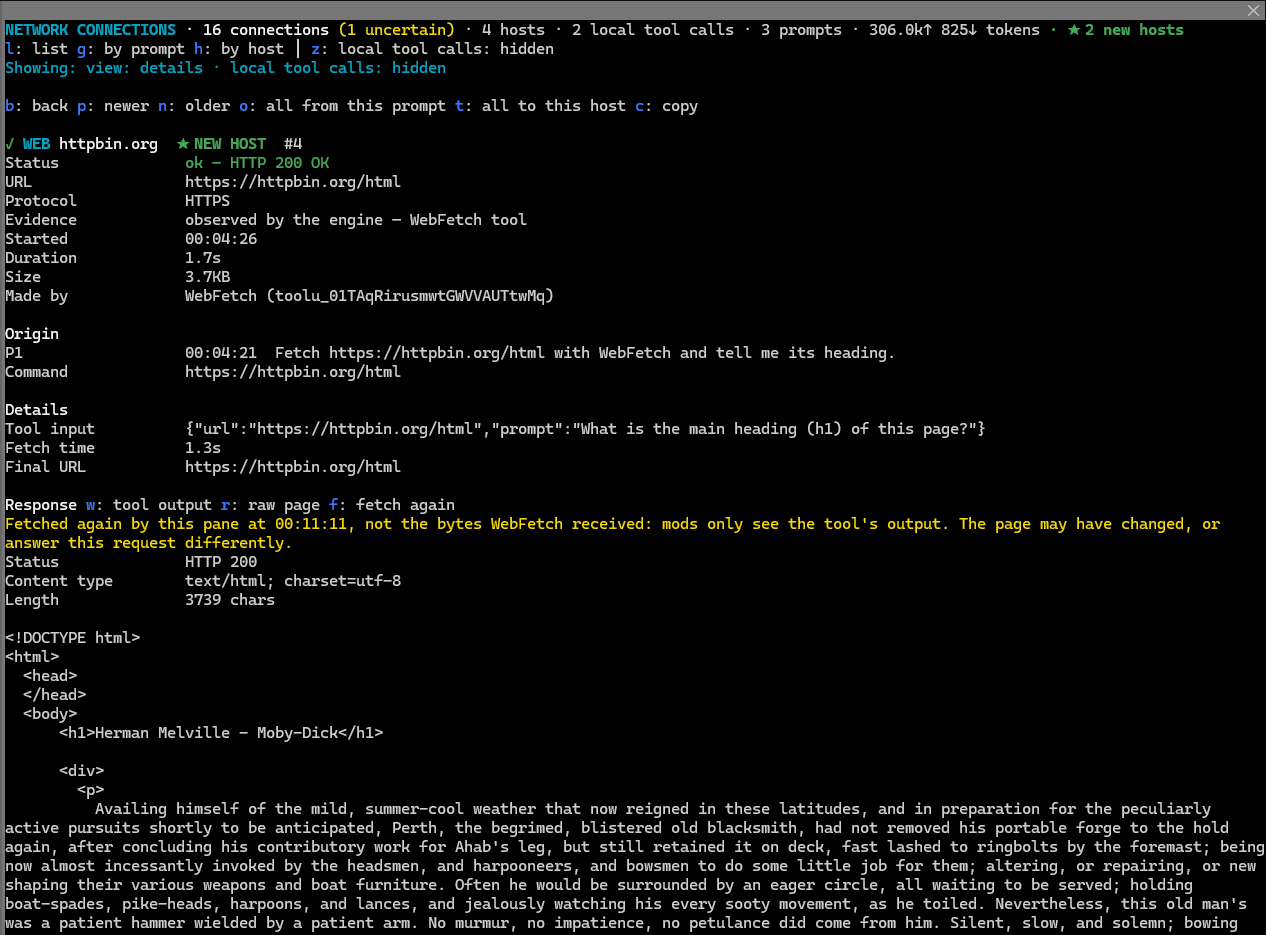
Mods only see what WebFetch hands back: its processed output. r fetches the page again and shows the raw body, in parts for long pages; w switches back to the tool output.
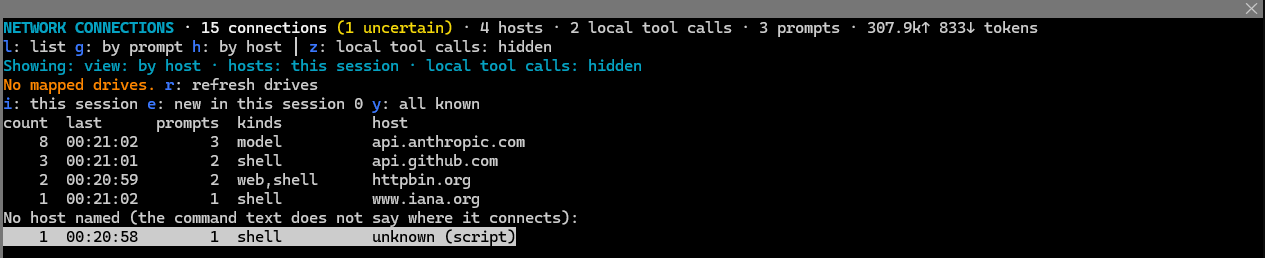
By prompt (g) and by host (h). The by-host view also lists hosts by set: i the hosts this session reached, e only the new ones, y all known hosts, including those only earlier sessions used (dim, marked earlier).

The by-host view with the i set (this session) selected; e and y switch the set.
With the option flagNewHosts (on by default; a row in the config menu), a host no earlier session connected to is marked ★ in the list, ★ NEW in the by-host view, ★ NEW HOST in its details, and counted in the header. Only hosts the engine or poller actually observed are remembered; a host guessed from command text (~ or ?) does not count as seen. Hosts are remembered across sessions, so the flag shows only in the session that first saw the host. The first run flags every host, as none are known yet. With the option off, hosts are still remembered, so switching it on later does not flag everything.
$.store, key knownHosts, at most 5000 hosts), used for the new-host flag above. Nothing is sent anywhere.~, and credentials (Authorization headers, bearer tokens, --password=…, API_KEY=…, user:pass@ in URLs, well-known token formats) are masked as *** before they are kept.r.Clone into a folder and load it as a plugin directory:
claude --plugin-dir /path/to/net-connections
Claude Code writes the API types into .claude-plugin/types/ when it loads the mod; tsc -p . type-checks it after that, and claude plugin test . runs the tests.

thimble thimble 在普通 Claude Code 工作階段中的分析指导,作为一个 [mod](https://code.claude.com/docs/en/plugins/mods/overview)。

克劳德代码模块,可以对工作树进行指纹识别,并记住同一代码上通过和失败的测试,因此该模型会重新运行不稳定的测试,而不是更改工作代码。

像黑匣子一样记录工具调用的 Claude Code mod:通过 /blackbox 在错误或拒绝前重放最近操作,并在日志中遮盖 token 和密码。