
Ahmad8864@Ahmad8864
Ahmad8864/cc-side
Ahmad8864/cc-side
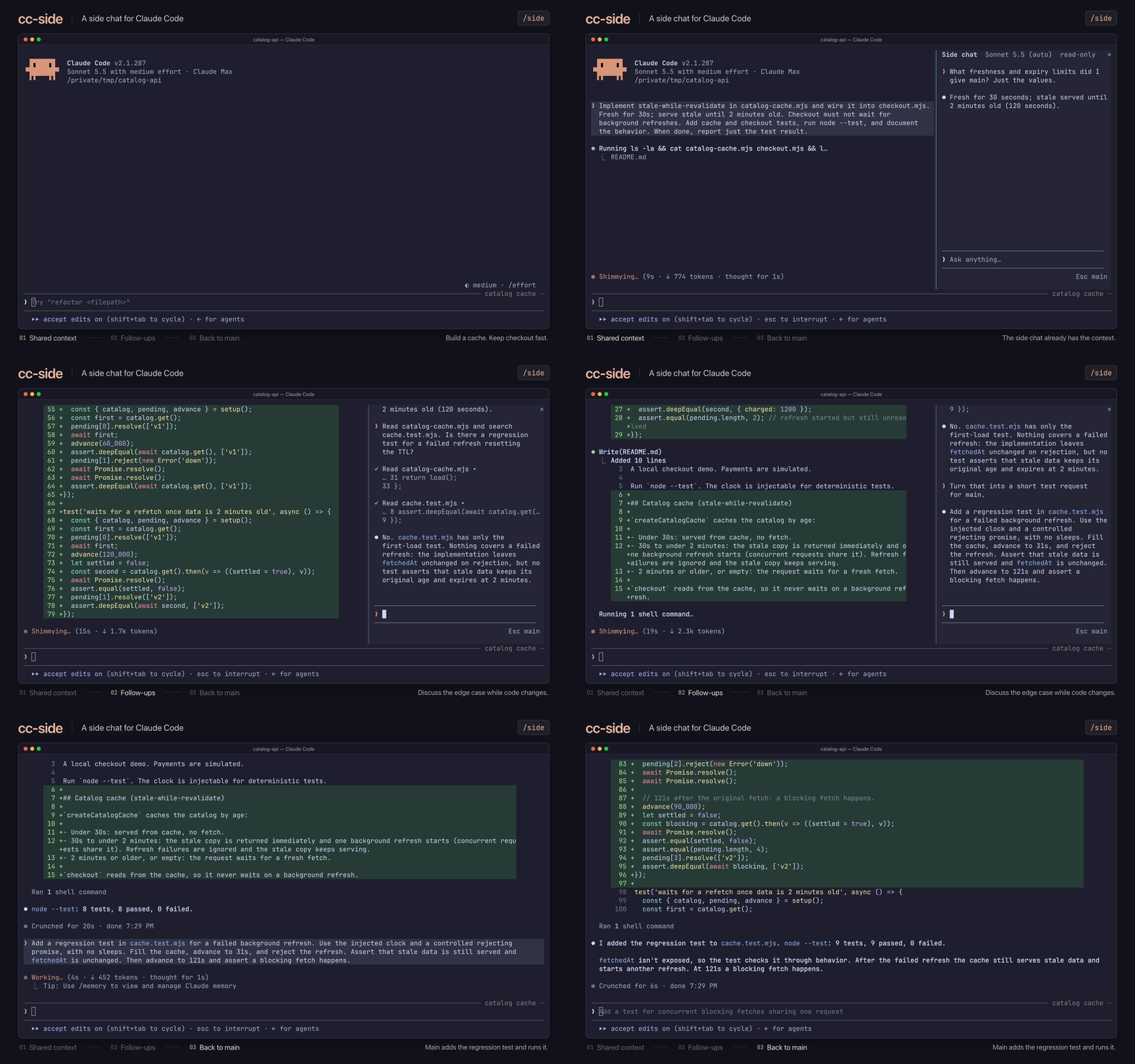
运行 /side,在主对话旁打开第二个对话;它从当前主聊天上下文分叉而来。侧边聊天知道主聊天知道的内容,开始时为只读,也可以刷新或插回主聊天。它支持模型/effort 变更、文件提及和工具调用检查。
请先查看作者 README 确认 marketplace 和插件名称;命令可能随仓库结构改变。
claude plugin marketplace add Ahmad8864/cc-side
claude plugin install cc-side
A side chat for Claude Code. Run /side to open a second conversation next to your
main one. It knows everything your main chat knows, so you can ask a quick question,
dig into some code, or try an idea while Claude keeps working, without any of it
landing in your main conversation. Closing the side chat throws it away.
Works on macOS, Linux, and Windows. You'll need Claude Code 2.1.287 or later, Node.js 18 or later (or Bun), and a terminal window at least 110 characters wide.
Install the plugin:
claude plugin marketplace add Ahmad8864/cc-side
claude plugin install cc-side@cc-side
In Claude Code, run /tui fullscreen to switch to the fullscreen view. You only need
to do this once.
Run /side to open the side chat, or /side <question> to open it and ask right away.
| Action | What happens |
| ------------------- | ------------------------------------------------------------------ |
| Click the input box | Start typing. Enter sends; Shift+Enter starts a new line |
| Type / | See commands. Claude Code's own commands and your skills work too |
| Type @ | Mention a file or folder, and press Tab to pick it (git projects) |
| Press ↑ or ↓ | Move through suggestions, or bring back a message you sent earlier |
| Press Esc | Go back to the main chat |
| Click a tool call | See its full details |
| Command | What it does |
| ----------------------- | ------------------------------------------------------------------------------------------- |
| /model, /effort | Change the model or effort for the side chat only |
| /edit on, /edit off | Let Claude edit files, or stop it. Side chats start read-only and remember your last choice |
| /refresh | Catch up with the main chat without losing your side conversation |
| /insert | Put the last reply into the main chat's input box |
| /copy | Copy the last reply |
| /stop | Stop Claude mid-reply (or click Stop) |
| /close | Close the side chat and throw it away (or click ×) |
/refresh catches up. After a refresh, Claude remembers your side
conversation but not the files or output it looked at earlier.@ aren't listed under your message as they are in the
main chat, though Claude still sees them./side <question> doesn't wait if the side chat is busy; your question goes back
to your input box.Want to help? See CONTRIBUTING.md. MIT licensed; bundled components keep their own licenses. cc-side is an unofficial project, not affiliated with Anthropic.

将工作阶段作为 skill 使用的浏览器自动化:Playwright + RVF 认知容器 + ruvector 轨迹 + AgentDB 选择器记忆 + AIDefence PII/注入守门。作为 mod(ADR-445 模式):只收紧的工具守门、本地斜杠命令和控制台显示的状态文件。

为 Claude 提供 register_assumption 工具,并在提示列上方显示本回合的假设、决定和考虑过但未完成的事项。

用于 hermitd 的测试包装 mod;hermitd 是一个带聊天频道、例程、心跳和学习循环的常驻 Claude Code agent plugin。