
manfye@manfye
manfye/cc-dino
一个 Claude Code 插件,通过 function hooks 在提示上方运行离线恐龙游戏;需要交互式终端并启用 function hooks。
manfye/cc-dino
这是一个开源 Claude Code mod,其 hooks 模块注册 /dino,在 ui.render 时于提示上方绘制游戏横幅,在 turn.complete 时暂停,并将最高分存入插件商店。它需要 Claude Code 2.1.269+、CLAUDE_CODE_ENABLE_FUNCTION_HOOKS=1 和交互式终端。使用 claude plugin marketplace add manfye/cc-dino 与 claude plugin install cc-dino@cc-dino 安装,然后运行 /dino 并点击棋盘,让游戏取得键盘控制。操作包括跳跃(space/up/w/Enter/click)、定时下蹲(down/s)、暂停(p)、重新开始(r),以及按 Esc 将键盘控制权交还给提示。游戏包含仙人掌群、从 200 分开始出现的翼龙、最高 2.4 cells/frame 的速度缩放、每 700 分出现的夜晚,以及持久保存的最高分。实现说明介绍半行位图精灵、33 ms 帧时钟、与帧率无关的调校,以及关于 h 绑定和模块字符串字面量的 surface-module 注意事项。采用 MIT 授权。
请先查看作者 README 确认 marketplace 和插件名称;命令可能随仓库结构改变。
claude plugin marketplace add manfye/cc-dino
claude plugin install cc-dino
The offline dinosaur, above the Claude Code prompt.
Run /dino, click the board, and jump cacti while Claude works on your request. When Claude
finishes the turn the run pauses and the status line says so, so you never miss a reply. Playing
costs no tokens: the plugin answers every key and click itself, without asking the model.
A clone of the genre, not affiliated with or endorsed by Google.
CLAUDE_CODE_ENABLE_FUNCTION_HOOKS=1 set. Function hooks
are in early access and the API can change between releases.claude -p, the desktop app or mobile.Turn function hooks on. Add this to ~/.claude/settings.json (create the file if it does not
exist, or merge the env key into what is there). Without it the plugin installs fine but does
nothing.
{
  "env": {
    "CLAUDE_CODE_ENABLE_FUNCTION_HOOKS": "1"
  }
}
This also loads the hooks module of any other installed plugin that ships one. For a single
session instead, prefix the command: CLAUDE_CODE_ENABLE_FUNCTION_HOOKS=1 claude.
Install from GitHub. The repo is its own marketplace:
claude plugin marketplace add manfye/cc-dino
claude plugin install cc-dino@cc-dino
Start claude — an interactive session, not claude -p — and run /dino.
Click the board, then press space. The click is what gives the game the keyboard; until then your keys go to the prompt. Esc gives the keyboard back.
To remove it:
claude plugin uninstall cc-dino
claude plugin marketplace remove cc-dino
To try it without installing, or to hack on it, clone and load it for one session:
git clone https://github.com/manfye/cc-dino
cd cc-dino
claude --plugin-dir .
The repo's own .claude/settings.json sets the variable for sessions started inside the folder.
| | |
|---|---|
| space, ↑, w, Enter, or a click | jump — and start the next run after a crash |
| ↓, s | duck, for about 0.6s (a terminal reports no key release, so a duck is timed) |
| p | pause |
| r | start again |
| Esc | give the keyboard back to the prompt |
/dino stop or the close button closes the board. /dino reset clears the best score.
It is a mod: a plugin whose behaviour is a hooks module of TypeScript running inside Claude
Code's process, rather than shell commands in settings.json.
hooks/register.tsx is the hooks module. It registers /dino on session.start, answers it on
command.run, draws the band on ui.render for AbovePrompt, pauses the run on turn.complete,
and keeps the best score in $.store — taking a finished run's score off ui.message.hooks/boards/dino.tsx is a surface module, mounted as a Client element. It runs on the
drawing thread with its own 33 ms frame clock, keyboard and mouse, and posts a finished run's score
back to the hooks module.hooks/games/dino.ts is the rules — gravity, spawning, collision — as pure functions over a plain
state object, so they can be simulated without a terminal.The dino is drawn from a bitmap of half-rows, not from characters: a terminal row holding the
sprite's upper half is ▀, its lower half ▄, both █. So the sprite moves in half cells, and a
jump draws 11 distinct positions where whole cells would give 6.
The bitmap is five columns by four half-rows, which is about square once the terminal's 2:1 cell is accounted for — the room a tyrannosaur's silhouette needs:
  hr3   . . . # #        snout                 ▄█▀
  hr2   . . # # .        head and neck       ▀▀█▄
  hr1   # # # . .        tail and body
  hr0   . . # # .        legs
The two leg frames differ in hr0 alone, so the run cycle is a foot lifting rather than the whole
body bobbing. The hit box covers the three columns of body, head and legs; the tail overhangs two
cells further left and is not hittable, since a tail that ends a run is a hit the player cannot read
off the sprite. The frame clock runs at 33 ms for
the other half of it. The game constants are per-frame and therefore tied to FRAME_MS — at twice
the frame rate a velocity halves and an acceleration quarters — so hooks/games/dino.ts derives the
obstacle gap from the jump's airtime rather than from a hand-tuned cell count, and the tuning
survives a change of frame rate.
The hit test rounds the dino's feet to the nearest cell instead of flooring them, so the half cell the board can draw but the test cannot see is an error in the player's favour.
The other half of smoothness is not clipping: the region holds two border rows, the sky, the ground and the status line, and a board that asks for more than that loses the top of every jump.
Two things that will bite you if you write one of these:
h in a surface module: every JSX tag compiles to a call of h.module= on a Client must be a string literal — the engine reads the path off the source,
not off the running value.claude plugin validate . # manifest, hooks, and the $ calls each module makes
CLAUDE_CODE_ENABLE_FUNCTION_HOOKS=1 claude -p "/plugin-types" # writes .claude/types/claude-code.d.ts
npm i -D typescript && ./node_modules/.bin/tsc -p tsconfig.json
.claude/types/claude-code.d.ts is the real API reference; it is regenerated per release and is not
checked in.
MIT

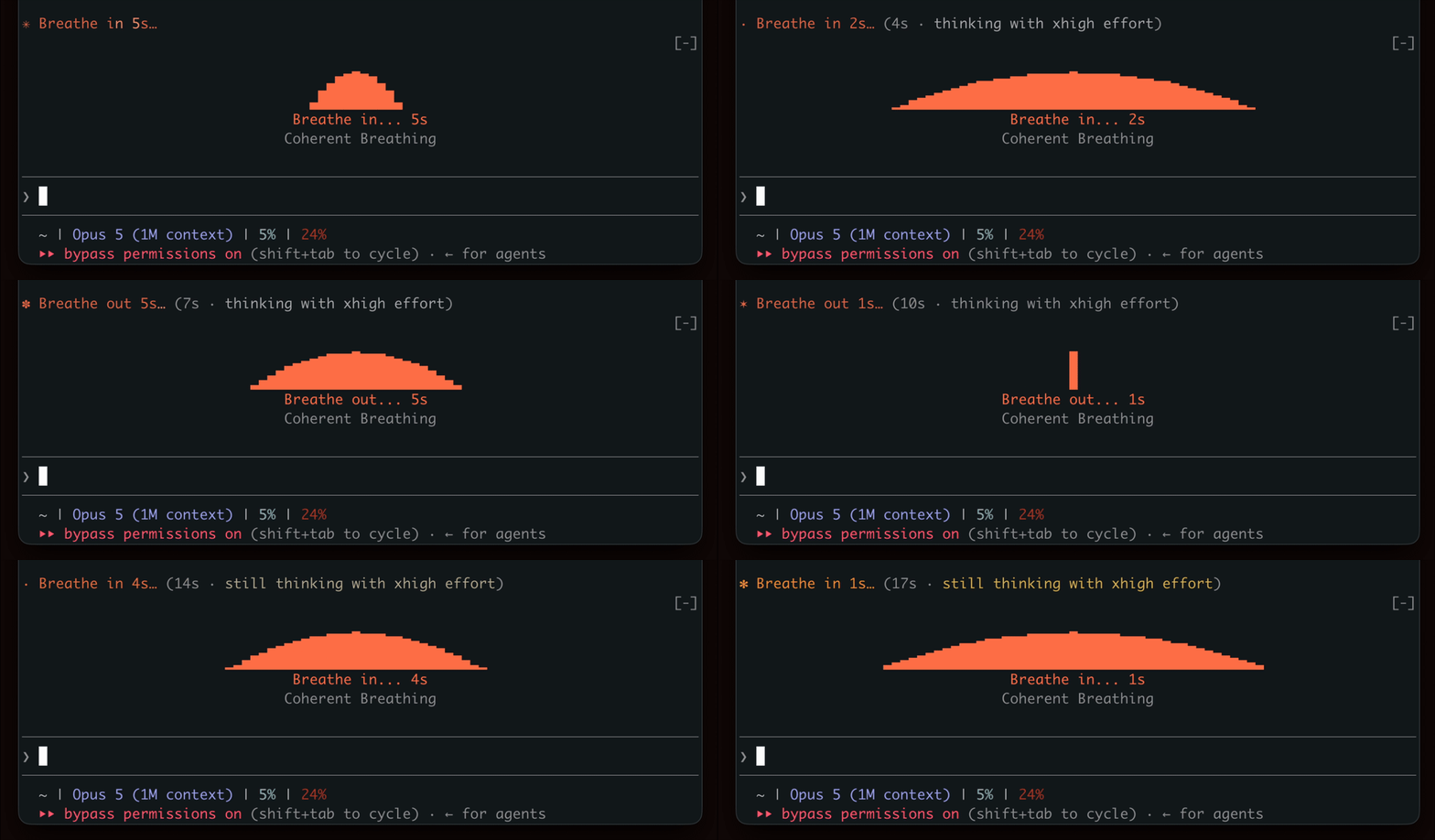
在等待生成时表现出呼吸节奏,鼓励短暂的休息。

终端面板中的 YouTube Shorts:Claude 工作时播放,Claude 完成后暂停。


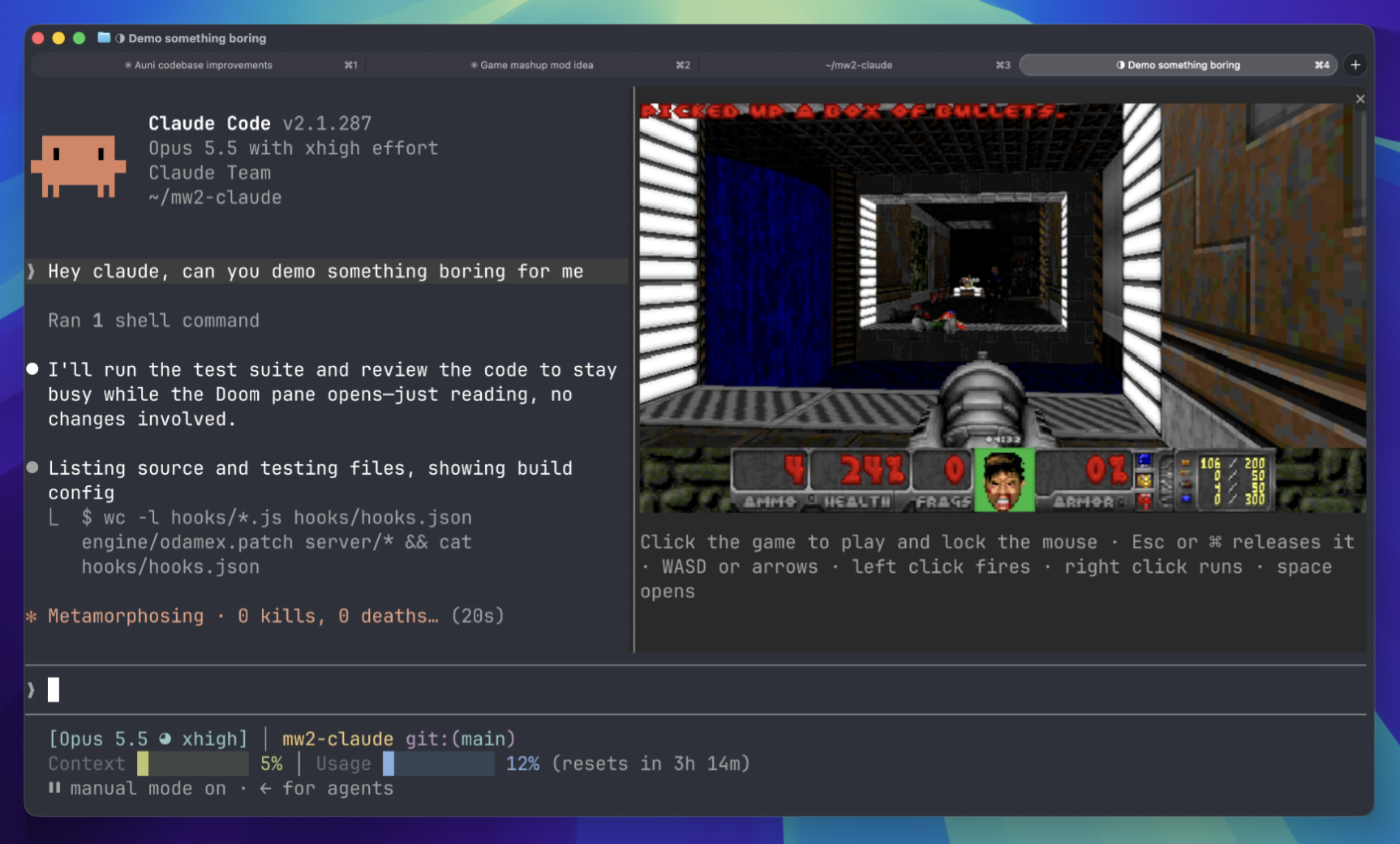
等待时在终端面板上玩 Doom 比赛。需要下载游戏组件并连接到服务器。
 ▶ ♫
▶ ♫