
LorcanChinnock@LorcanChinnock
LorcanChinnock/claude-desk-neighbours/tree/main/plugins/your-serve
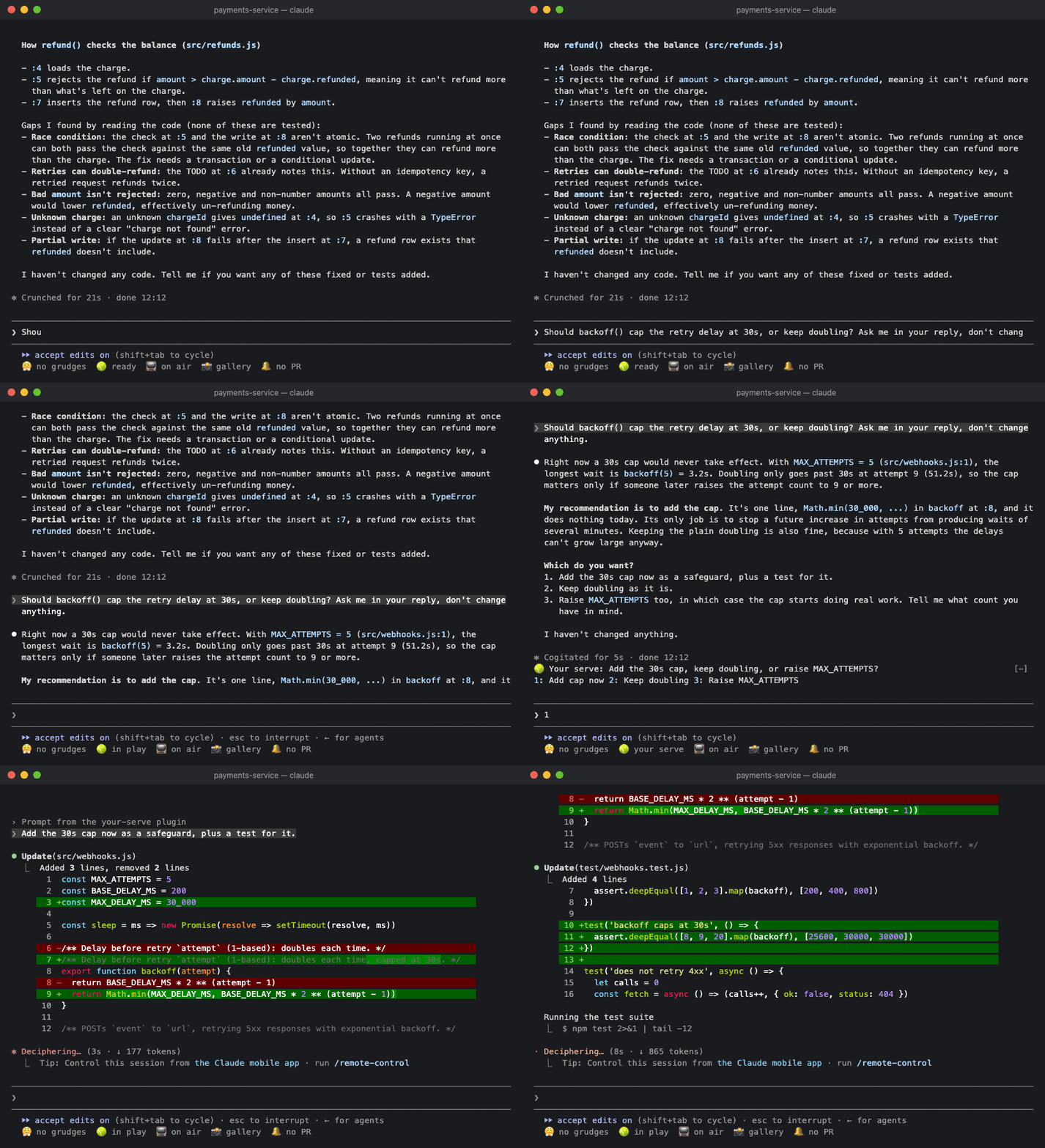
🎾 Claude가 사용자를 필요로 할 때 알려 줍니다. Claude가 마지막에 남긴 질문을 한 줄로 보여 주고 답변은 버튼으로 제공합니다.
LorcanChinnock/claude-desk-neighbours/tree/main/plugins/your-serve
Claude가 사용자의 응답을 기다릴 때 알려 주므로 긴 답변 맨 아래에 있는 질문을 놓치지 않습니다.

/plugin install your-serve@claude-desk-neighbours
턴이 질문, 선택지, 또는 “should I also…”로 끝나면 밴드의 맨 위 줄에 표시됩니다.
🎾 Your serve: 이전 캐시를 유지할까요, 삭제할까요? 1: 유지 2: 삭제 3: 기타
답변을 누르면 자연스러운 문장으로 된 답변(“Drop the old cache.”)이 Claude로 바로 전송됩니다. 빈 프롬프트에 숫자를 입력하거나 버튼을 클릭하면 됩니다. 이미 입력을 시작했다면 답변이 초안 끝에 붙으므로, 계속 작성한 뒤 전송할 수 있습니다. 분명한 선택지가 없으면 질문만 표시됩니다. 어느 경우든 프롬프트를 보낼 때까지 그대로 남습니다. 질문이 없는 답변은 아무것도 만들지 않으며, 서브에이전트 턴은 무시됩니다.
Claude가 여러 가지를 한 번에 묻는다면 몇 개든 한 번에 하나씩 표시합니다.
🎾 Your serve (2/3): 새 타임아웃은 얼마로 할까요? 1: 30s 2: 60s other skip
각 답변을 선택하면 다음 질문으로 넘어갑니다. 마지막 질문까지 답하면 모든 내용이 하나의 답변으로 Claude에 전송됩니다.
1. 이전 캐시를 유지할까요, 삭제할까요?Drop the old cache.
2. 새 타임아웃은 얼마로 할까요?Make it 30 seconds.
3. 재시도를 추가할까요?Yes, add a retry.
맞는 답변이 없으면 other를 클릭하고 직접 입력합니다. Enter를 누르면 입력한 내용으로 질문에 답하고 다음으로 넘어가며, 답변 버튼을 누른 것과 같습니다. 질문을 건너뛰거나 빈 other에서 Enter를 누르면 답하지 않은 채 남고, 답변은 전송되지 않고 프롬프트에 들어갑니다. 전송하기 전에 답변을 입력하면 됩니다. other와 skip은 클릭하거나 Tab으로 이동해야 합니다. 3 이후의 숫자는 다른 Desk Neighbours에 속하기 때문입니다. 모바일 앱은 텍스트 필드를 표시할 수 없으므로 그곳에서는 skip만 사용할 수 있습니다.
내용이 잘리지 않습니다. 질문과 답변이 한 줄에 들어가지 않으면 답변이 다음 줄로 줄바꿈됩니다. 버튼으로 표시되는 답변은 3개뿐입니다. 나머지는 other를 사용하고, 질문이 하나라면 프롬프트에 직접 입력하세요.
Your Serve는 Claude 답변의 텍스트를 읽으므로 Claude가 자체 질문 선택기로 묻는 질문은 표시하지 않습니다. 이미 눈앞에 질문 선택기가 있기 때문입니다.
턴이 1분보다 오래 걸리면 자리를 비운 경우를 대비해 🎾 Claude needs a decision 토스트도 표시됩니다.
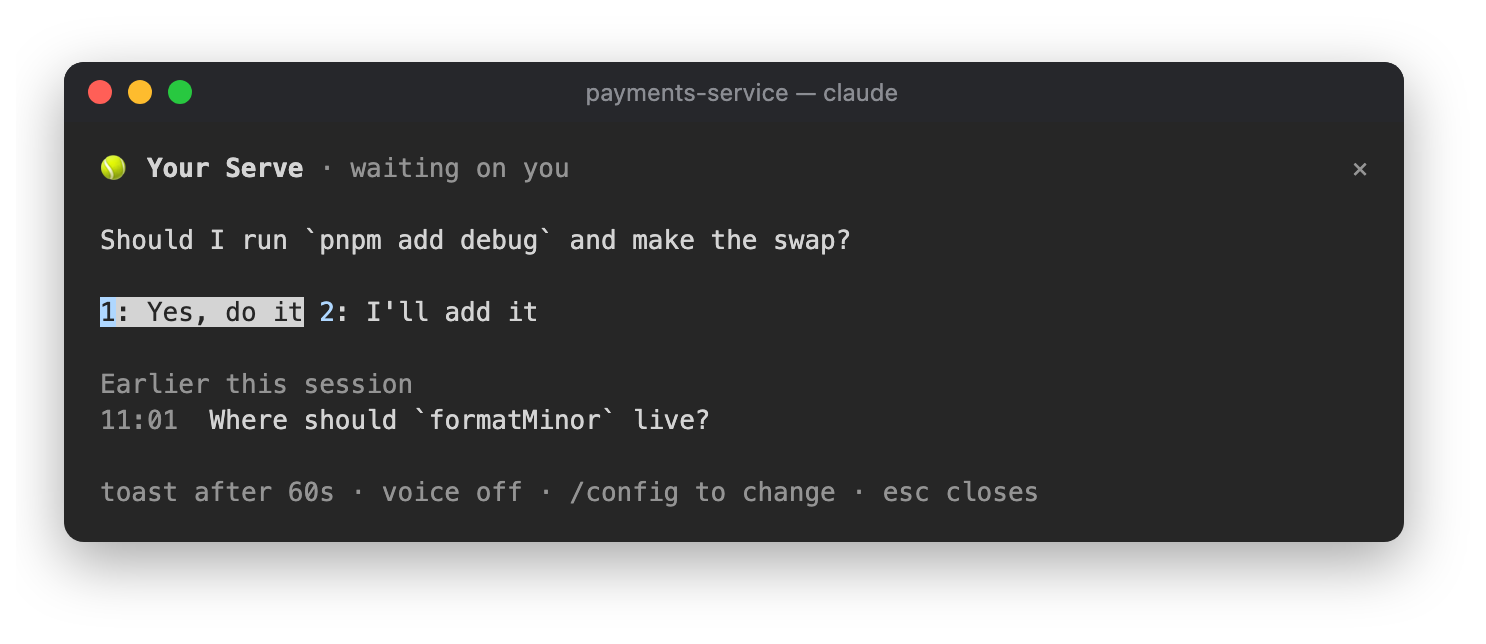
상태 행의 🎾 ready를 클릭하거나 /your-serve를 실행하면 기다리고 있는 질문과 답변, 그리고 이 세션에서 Claude가 앞서 물었던 질문을 볼 수 있습니다.

| 설정 | 기본값 | |---|---| | 사용자의 응답이 필요한 턴이 몇 초를 넘으면 토스트를 표시할지 | 60 | | 음성으로도 알리기(macOS) | off |
Haiku는 물음표로 끝나는 답변, 선택지 목록, 또는 질문처럼 표현된 내용만 답변으로 인식합니다. 모든 질문과 각 질문에 대한 최대 3개의 답변을 추려 냅니다.
먼저 작성자의 README에서 marketplace와 플러그인 이름을 확인하세요. 저장소 구조에 따라 명령어가 달라질 수 있습니다.
claude plugin marketplace add LorcanChinnock/claude-desk-neighbours
claude plugin install your-serve
Lets you know when Claude is waiting on you, so you don't miss the question at the bottom of a long answer.
/plugin install your-serve@claude-desk-neighbours
When a turn ends with a question, a choice between options, or a "should I also…", it shows up on the top line of the band:
🎾 Your serve: Keep the old cache or drop it? 1: Keep 2: Drop 3: Something else
Press an answer and a natural-sounding reply ("Drop the old cache.") goes straight to Claude. You can type its digit into an empty prompt or click it. If you've already started typing, the reply goes on the end of your draft instead, for you to finish and send. If there aren't any clear options, you just get the question. Either way it stays put until you send a prompt. Answers that don't ask anything produce nothing, and subagent turns are ignored.
If Claude asks several things at once, you get them one at a time, however many there are:
🎾 Your serve (2/3): What should the new timeout be? 1: 30s 2: 60s other skip
Each answer takes you to the next question. After the last one, they all go to Claude as a single reply:
1. Keep the old cache or drop it? Drop the old cache.
2. What should the new timeout be? Make it 30 seconds.
3. Add a retry? Yes, add a retry.
If none of the answers fit, click other and type your own. Enter answers the question with what you typed and
moves on, the same as pressing an answer. If you skip a question, or press Enter on an empty other, it's left
unanswered, and the replies go into your prompt instead of being sent, so you can type that answer before
sending. You have to click other and
skip (or reach them with Tab) because the digits after 3 belong to the other Desk Neighbours. The mobile app
can't show a text field, so there you only get skip.
Nothing gets cut off. If the question and its answers don't fit on one line, the answers wrap onto the next one.
Only three answers get buttons. For anything else, use other, or with a single question just type it in the
prompt.
Your Serve reads the text of Claude's answer, so it won't show questions Claude asks through its own question picker. You've already got the picker in front of you anyway.
If the turn took longer than a minute, you'll also get a 🎾 Claude needs a decision toast in case you'd
wandered off.
Click 🎾 ready in the status row, or run /your-serve, to see the question waiting on you with its answers,
plus the questions Claude asked earlier in the session.
| Setting | Default | |---|---| | Toast when a turn that needs you took longer than (seconds) | 60 | | Also say it out loud (macOS) | off |
Haiku only sees answers that end with a question mark, a list of options or something phrased as a question. It picks out every question and up to three answers for each one.

Ruflo 메모리 기반용 플러그인입니다. AgentDB 컨트롤러 브리지(15개 agentdb_* MCP 도구), RuVector ONNX 임베딩(RaBitQ 32x 양자화를 포함한 10개 embeddings_* 도구), WASM HNSW 패턴 라우터(3개 ruvllm_hnsw_* 도구)를 제공합니다. mod(ADR-445)로서 프롬프트에 안전한 선택적 회수를 넣고, 비밀이 메모리에 들어가지 않도록 쓰기 가드를 두며, /agentdb와 콘솔이 보여 주는 상태 파일을 제공합니다.

pbir CLI를 따르는 리포트 패널에서 Claude가 읽고 변경하는 내용을 보여 주면서 대화형 Power BI 리포트를 만들고, 형식을 지정하고, 최적화하고, 검토합니다.


프롬프트 위, 상태 줄과 toast에 읽지 않은 AMP 메시지를 표시하고 유휴 Claude Code 세션을 깨워 읽게 합니다. Claude Code 2.1.287 이상이 필요합니다.
