이 mod 소개
데스크톱 링과 터미널 상태 표시줄로 사용량, 추론 강도, 최근 턴 비용을 보여줍니다.
커뮤니티 작성자가 관리하는 프로젝트입니다. 기능, 버전 요구 사항, 설정 방법은 아래 원본 README를 확인하세요. 이 사이트는 권한 스캔 결과를 제공합니다. 설치 전에 소스와 외부 의존성을 확인하세요.
ClaudeMods에서 이 Claude Code 플러그인의 원본 소스와 필요한 권한을 확인하세요. 데스크톱 링과 터미널 상태 표시줄로 사용량, 추론 강도, 최근 턴 비용을 보여줍니다.

데스크톱 링과 터미널 상태 표시줄로 사용량, 추론 강도, 최근 턴 비용을 보여줍니다.
커뮤니티 작성자가 관리하는 프로젝트입니다. 기능, 버전 요구 사항, 설정 방법은 아래 원본 README를 확인하세요. 이 사이트는 권한 스캔 결과를 제공합니다. 설치 전에 소스와 외부 의존성을 확인하세요.
먼저 작성자의 README에서 marketplace와 플러그인 이름을 확인하세요. 저장소 구조에 따라 명령어가 달라질 수 있습니다.
claude plugin marketplace add BatuhanCakmakk/wavy-usage
claude plugin install wavy-usage
Liquid-filled rings above the Claude Code prompt: your 5-hour and 7-day limit windows, how full the context is, and how long the prompt cache stays warm. A small fighter jet shows the model's effort: the lower the effort, the faster it flies. A side pane shows your last turns, what each one cost, and which projects and models filled the window.
Zero tokens: everything is read from what Claude Code already knows. No network, no model calls.

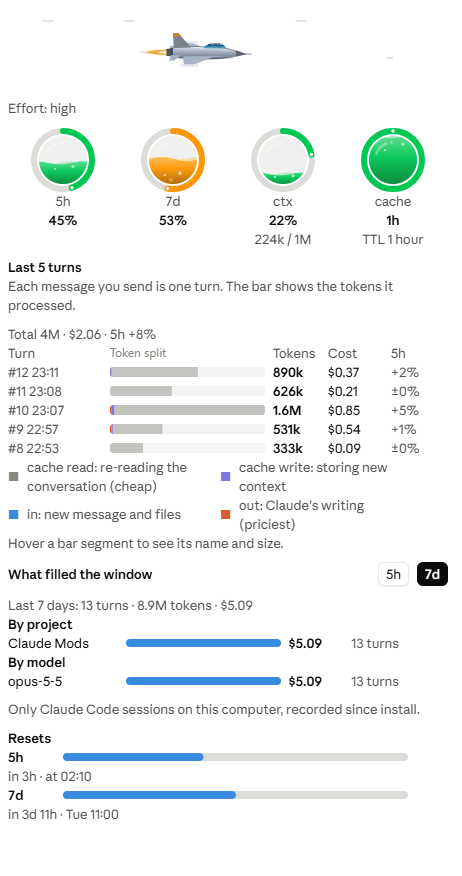

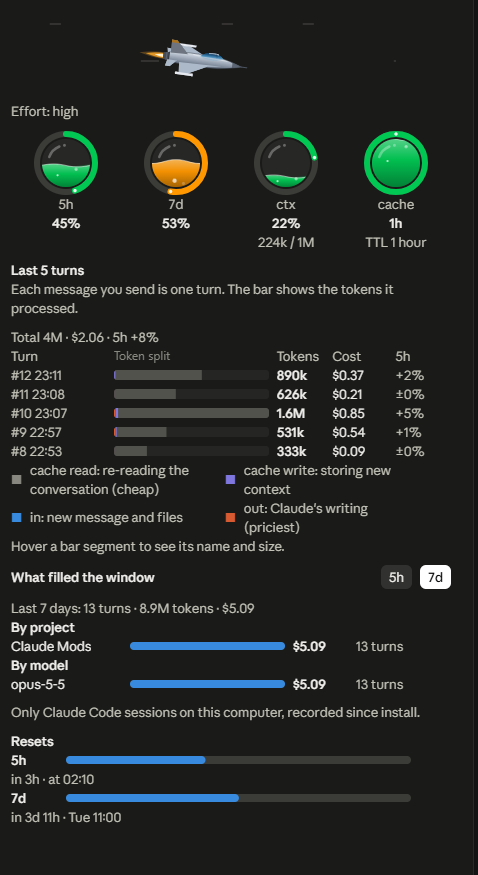

The band (above the prompt, Claude Code desktop)
| Ring | Shows |
| --- | --- |
| 5h | Share of the 5-hour limit window used |
| 7d | Share of the 7-day limit window used |
| ctx | Context window fill, with the token count |
| cache | Time left before the prompt cache goes cold |
The liquid rises and falls with the value and keeps a gentle wave. Rings turn amber past 50% and red past 75%. The cache ring drains as the cache lifetime runs out, in 5-minute steps for the 1-hour lifetime, and turns amber in its last fifth. The rings hold still while Claude works and move when the prompt finishes, and the band redraws only when something on it changes. The session cost sits at the end of the band, and Panel opens the pane.
The jet: a small fighter jet flies just left of Panel and shows the model's effort. It banks right and left, then rolls through a corkscrew, with wind streaming past. Lower effort answers faster, so the jet flies faster: low races with a violet afterburner and shock diamonds, then medium (red), high (orange) and xhigh (amber), down to max, which cruises slowly with a small blue flame because it thinks longest. It hides on a narrow band, and the terminal shows ✈ low and so on instead.
The pane (Panel or /wavy-usage)
In the terminal the band is one colored line:
◔ 5h 34% ○ 7d 12% ◑ ctx 62% 124k ◕ cache 47m $1.23
The pane is drawn on desktop only. Both the band and the pane follow the app's light or dark theme.
When the context passes 55%, a toast suggests /clear for a new task or /compact to keep going, once per new tenth.
Requires Claude Code with mods (function hooks). On 2.1.287 and later they are on by default. On earlier builds with early access, set this first in ~/.claude/settings.json:
{ "env": { "CLAUDE_CODE_ENABLE_FUNCTION_HOOKS": "1" } }
Then, in a Claude Code session:
/plugin marketplace add BatuhanCakmakk/wavy-usage
/plugin install wavy-usage@wavy-usage
Or from your shell:
claude plugin marketplace add BatuhanCakmakk/wavy-usage
claude plugin install wavy-usage@wavy-usage
Or both at once inside a session (Claude Code 2.1.275 or later):
/plugin install wavy-usage --marketplace BatuhanCakmakk/wavy-usage
Start a new session and the band appears after the first reply.
To get a new release later, run claude plugin update wavy-usage@wavy-usage, or turn on auto-update for the marketplace in /plugin.
| Command | Does |
| --- | --- |
| /wavy-usage | Opens or closes the pane |
| /wavy-usage off | Hides the band and the pane, and stops the toasts. Kept across sessions |
| /wavy-usage on | Turns it back on |
| /wavy-usage ttl 5m / ttl 1h | Sets the cache lifetime the countdown uses (default 1 hour, what Claude Code uses on a subscription) |
English, Türkçe, Français, Deutsch, 日本語, 한국어, Português (Brasil) and Español. The languages after English and Turkish follow the countries with the largest share of Claude.ai use in the Anthropic Economic Index (February 2026).
Pick one under Language in /config. With auto (the default), wavy-usage follows Claude Code's own language setting, then your system locale, then English.
Translations other than English and Turkish have not yet been reviewed by native speakers. Corrections are very welcome: every string lives in hooks/i18n.ts.
session.measure event: the figures the last API response already reported. Nothing extra is requested.turn.complete. A turn's counts are the sum of all its requests, so cache reads grow with context size times the number of steps.Run claude plugin validate on the folder to see every event it hooks and every call it makes.
To switch it off without uninstalling, set CLAUDE_MODS_DISABLE=wavy-usage (or all) in the environment.
claude plugin validate .
claude plugin test .
Tests run against the engine's own test kit and cover the pure logic (hooks/model.ts, hooks/svg.ts, hooks/terminal.ts, hooks/i18n.ts) and the hooks on both the desktop and the terminal surface.
Inspired by usage-band by Yash Gadodia, and by cache-ttl-timer and claude-runway.
MIT © 2026 Batuhan Çakmak

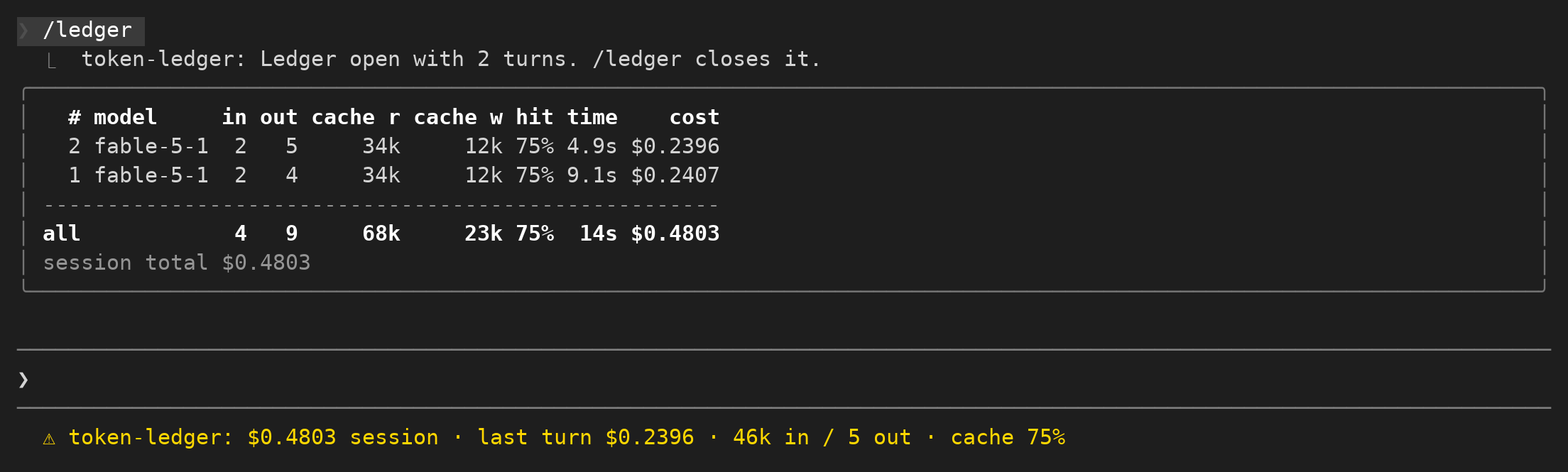
세션 지출, 최근 턴의 토큰, 캐시 적중률을 기록하고 사용량 표를 제공합니다.
세션 예산을 설정하고 한도에 가까워지면 알림을 보내며 추가 지출을 제한합니다.
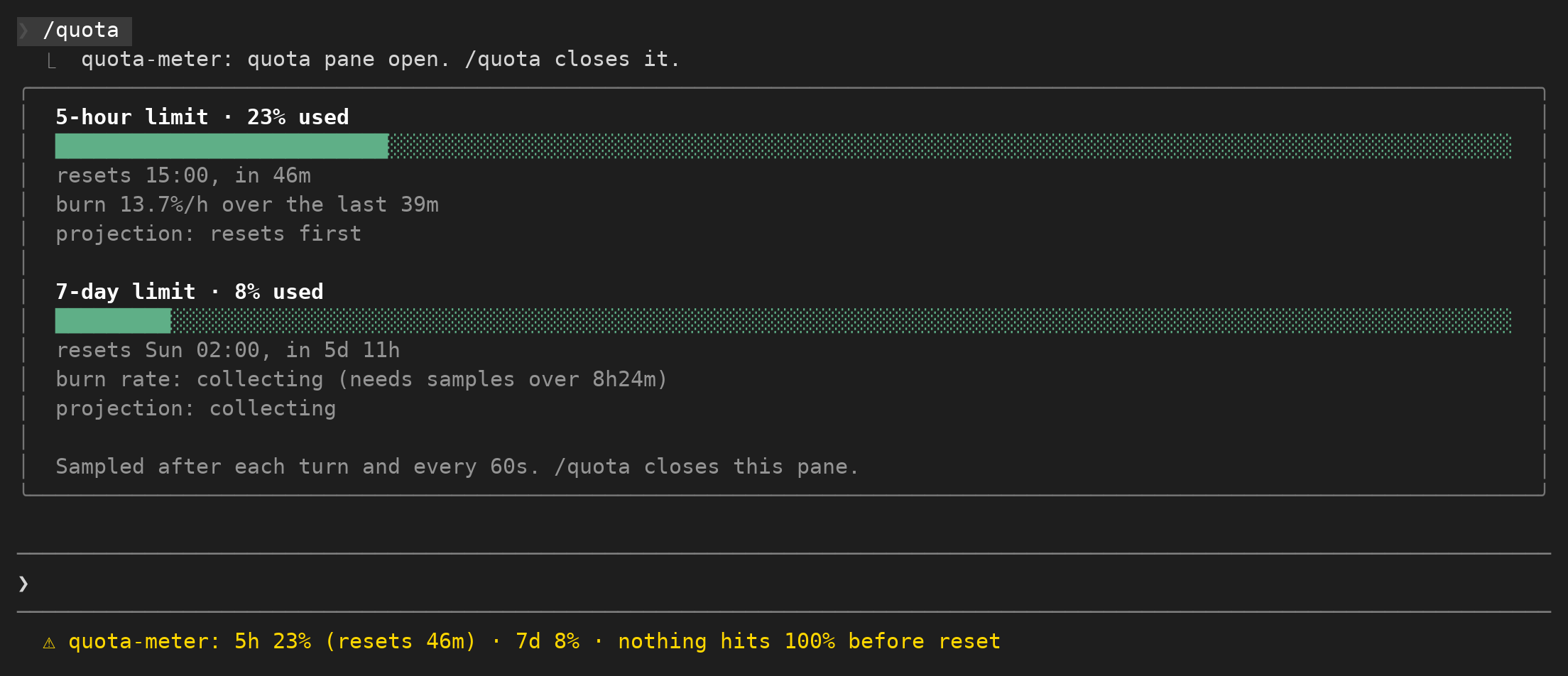
고정 상태 표시줄에서 5시간 및 7일 요금제 기간의 사용량을 보여줍니다.