korro_ai@korro_ai
KorroAi/seuil

Seuil은 오픈소스 Claude Code 모드로, 매 턴 후 대화 크기를 모니터링하고 설정 가능한 임계값(기본 300k 토큰)을 넘으면 자동으로 압축해 토큰 비용을 줄입니다. 실시간 상태 표시줄과 /seuil 명령이 포함되어 있으며, 픽셀 아트 Campfire 테마도 함께 제공됩니다. 작성자는 144개의 재생된 세션에서 약 30% 절감을 보고했고, 읽기 전용 로컬 시뮬레이터 스크립트도 제공합니다.
KorroAi/seuil
이 글은 Seuil을 설명합니다. 각 턴 후 실제 대화 크기를 측정하고, 300k 토큰을 넘으면(/seuil 250으로 조정 가능, /seuil off로 비활성화) 턴 사이에 압축하여 결정 사항, 작업 상태, 파일 경로를 유지합니다. 상태 표시줄에 진행 상황이 표시됩니다(Seuil · 182k / 300k). 벤치마크 스크립트는 로컬 세션을 읽기 전용으로 재생하여 절감량을 추정하며, 작성자는 전체적으로 약 30%(50k 토큰 손실을 비관적으로 가정한 경우 27%)의 절감을 보고했고, 이는 긴 세션에 집중되어 있습니다. 선택적인 Windows Terminal 픽셀 아트 'Campfire' 테마가 함께 제공됩니다. 설치: /plugin install seuil --marketplace KorroAi/seuil; 저장소는 github.com/KorroAi/seuil입니다.
먼저 작성자의 README에서 marketplace와 플러그인 이름을 확인하세요. 저장소 구조에 따라 명령어가 달라질 수 있습니다.
claude plugin marketplace add KorroAi/seuil
claude plugin install seuil@seuil
Automatic compaction for Claude Code: between two turns, once the conversation passes a threshold.
Every model call re-reads the whole conversation, so a long session pays mostly for re-reading.<br> Seuil keeps the conversation short without you thinking about it. Seuil is French for threshold.



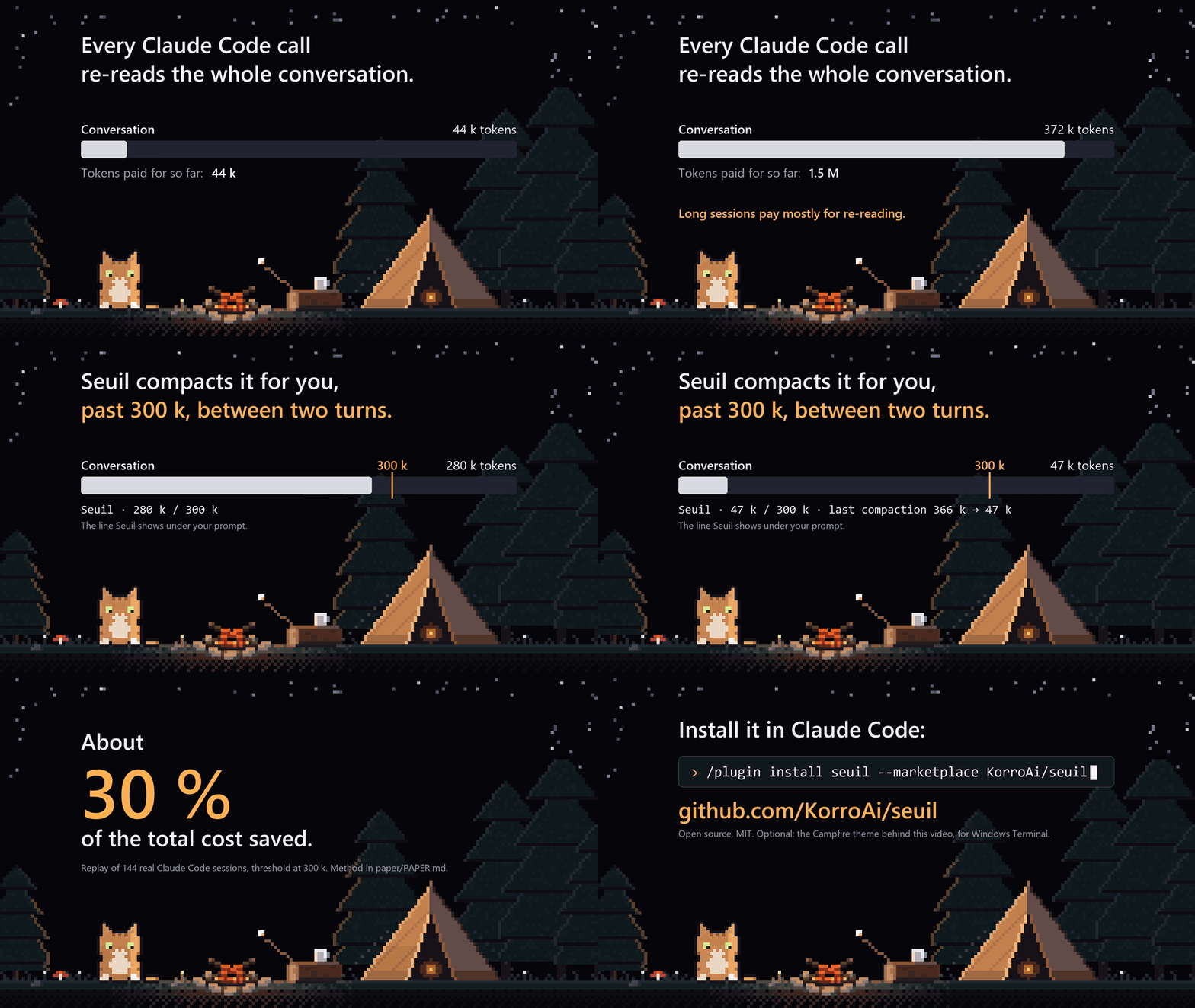
<sub>Seuil in 15 seconds. The compaction shown (366 k → 47 k) comes from a real session, the 30 % from the paper. <a href="https://github.com/KorroAi/seuil/raw/main/docs/media/seuil-demo.mp4">Watch it in HD (1080p)</a>.</sub>
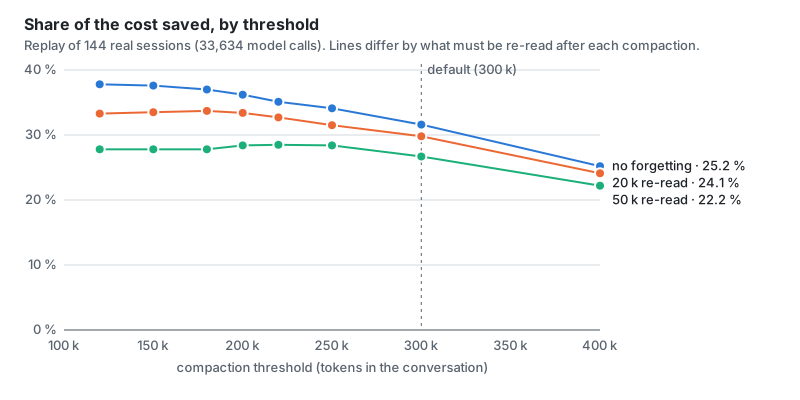
</div>On 144 real sessions (30 days, 33,634 model calls), replayed with automatic compaction at 300 k tokens:
Trimming tool outputs instead, the obvious idea, would save 0.1 % without loss and 5 % at most.
The method, the tables and the limits are in the paper.
bench/simulate.mjs runs the same replay on your own sessions.
At the prompt of a Claude Code terminal session:
/plugin install seuil --marketplace KorroAi/seuil
Answer y to add the marketplace, then pick a scope (user scope = every session). From a shell:
claude plugin install seuil --marketplace KorroAi/seuil
In the desktop app: click + next to the prompt box, then Plugins, Add marketplace with KorroAi/seuil,
then Add plugin.
Seuil uses the Claude Code mod API (function hooks), which is in early access. Checked on Claude Code 2.1.325.
At the end of each turn it reads the real size of the conversation from Claude Code.
Above the threshold (300 k tokens by default) it starts Claude Code's own compaction, with instructions that ask the summary to keep the goal, every decision and correction you gave (quoted), the exact state of the work, the files with their paths, what remains to do, and the pitfalls met.
It never compacts in the middle of a turn or inside a subagent.
It does not start again right after a compaction that left the conversation close to the threshold: then it waits until the conversation has grown back by half.
On a model whose context window is smaller than the setting, the threshold drops to 75 % of the window.
You always see where you are, live, even during a long turn. In the terminal, at the end of the hint line under the prompt:
? for shortcuts · Seuil · 182 k / 300 k · last compaction 341 k → 64 k
In the desktop app and remote sessions, as the plugin's status line. Each compaction also leaves a line in the transcript.
In a headless session (claude -p, an SDK host) it goes through /compact, since direct compaction is not
available there yet.
| Command | Effect |
|---|---|
| /seuil | status, last compaction, total taken out since install |
| /seuil 250 | sets the threshold to 250 k (minimum 100 k) |
| /seuil now | compacts as soon as the turn ends |
| /seuil off, /seuil on | switches automatic compaction off or on |
The model also gets a diagnostic tool that reports the real state read from the engine.
node bench/simulate.mjs        # the last 30 days
node bench/simulate.mjs 60     # the last 60 days
It reads ~/.claude/projects without changing anything and sends nothing anywhere. Projects are numbered, never
named, so the output can be shared. Node 18 or newer, no dependency.
A night landscape in pixel art, drawn by a shader behind the text: starry sky, shooting stars, mountains, forest, and a camp with a fire and a cat that sits, blinks and falls asleep. It stays dark and in the back, fades out under text, and never passes under the line you type in. It is the background of the demo above.

node theme/install.mjs               # adds a "Seuil · Campfire" profile to the new-tab menu
node theme/install.mjs --everywhere  # applies it to every Windows Terminal profile
node theme/install.mjs --remove      # removes everything it added
A copy of Windows Terminal's settings is kept before the first change (settings.json.before-seuil-theme).
The theme uses Windows Terminal's experimental pixel shader settings; it was checked on Windows Terminal 1.24.
Other terminals (VS Code, macOS, Linux) have no pixel shaders: the theme is Windows Terminal only, the mod works
everywhere Claude Code runs.
Everything is code: paint.mjs paints the camp, campfire.hlsl
draws the rest and animates it.
claude --plugin-dir .          # run Claude Code with this folder as a mod
claude plugin test .           # 15 tests
claude plugin validate .
What changed between versions: CHANGELOG.md.
내 프로젝트인가요? 이 배지를 README나 웹사이트에 넣으면 이 페이지로 연결됩니다.


Claude Code 모드로, 만료 직전에 작은 새로 고침 포크를 전송하여 휴식 시간 동안 프롬프트 캐시를 따뜻하게 유지하여 다음 프롬프트 비용을 줄입니다.
CodeCraft는 무료 오픈 소스 Claude Code mod로 인터페이스를 Minecraft 스타일 HUD로 다시 그립니다. 하트는 컨텍스트 창, 배고픔은 사용량 제한, 갑옷은 작업 안전성을 나타내며 아이템 핫바, 주민 서브에이전트, 60개의 업적을 추가합니다.


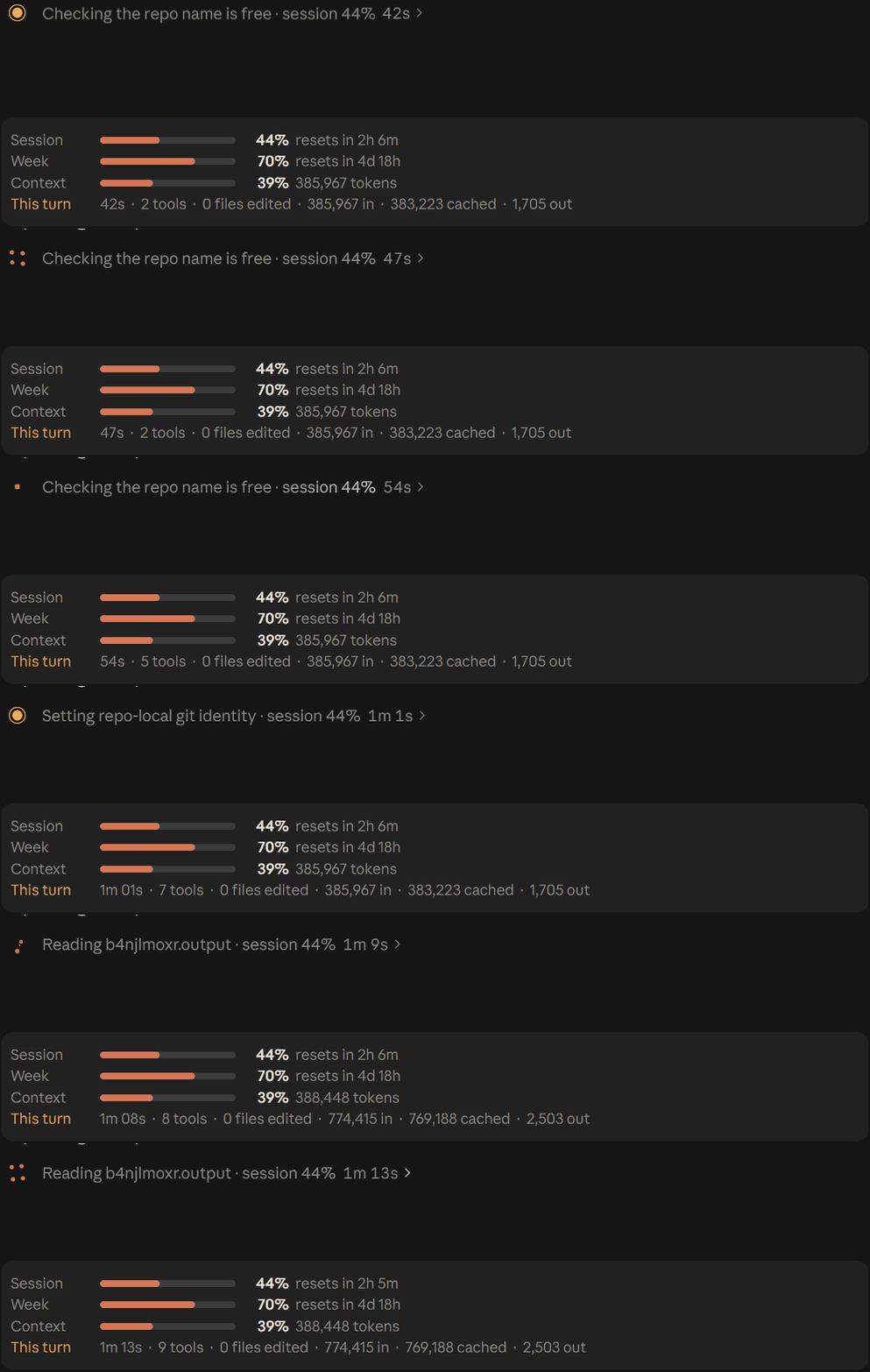
재설정 카운트다운, 연소율 및 time-to-empty 추정치, 세션 비용, 캐시 적중률 및 tokens-per-turn 스파크라인이 포함된 5-hour 및 7-day plan-limit 막대를 표시하는 Claude Code 플러그인입니다.

claude-pro-kit 마켓플레이스의 Claude Code mod로, 상태 줄에 프롬프트 캐시 만료까지의 카운트다운을 표시하고 만료되면 다음 메시지가 캐시 없이 다시 보낼 토큰 수를 정확히 알려 줍니다.

도구 출력을 압축하고, 압축 전 체크포인트를 만들고, 컨텍스트 품질을 평가하며, 로컬 대시보드에 token/비용 절감액을 보고하는 Claude Code 플러그인입니다. hooks와 localhost 데몬을 함께 제공합니다.
쉬는 동안 1시간 프롬프트 캐시를 따뜻하게 유지하고 예상 재작성 비용을 보여 주며 콜드 전송을 한 번 막는 Claude Code 모드입니다. 워밍업에는 모델 요청과 토큰이 사용됩니다. Claude Code 2.1.287+가 필요합니다.