
andrej-kolic@andrej-kolic
andrej-kolic/claude-mods/tree/main/plugins/usage-bar
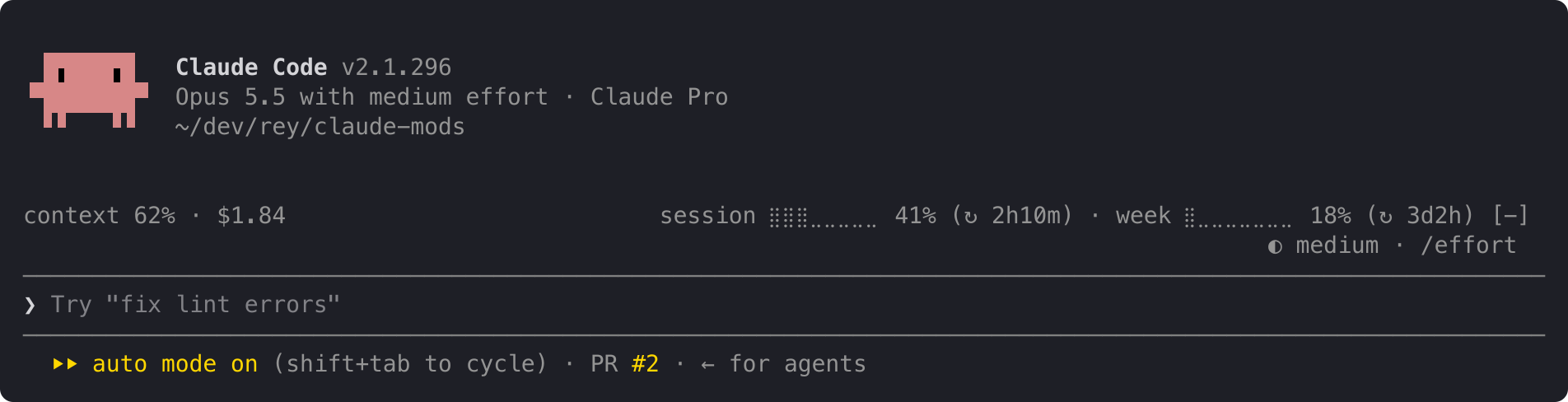
Claude Code 플러그인으로, 프롬프트 위의 조용한 한 줄에 플랜 사용 한도, 컨텍스트 채움 정도, 세션 비용을 표시하며 50%, 80%, 95%에서 노란색/빨간색 임계값 경고를 제공하고 각 한도 기간마다 초기화됩니다.
andrej-kolic/claude-mods/tree/main/plugins/usage-bar
usage-bar는 Claude Code의 프롬프트 위에 간결한 정보 줄을 추가하며, 상태 줄을 대체하는 것이 아니라 보완합니다. 왼쪽에는 현재 대화의 컨텍스트 창 채움 정도와 세션 비용을 표시하고, 오른쪽에는 계정의 5시간 세션 및 주간 한도 사용량과 초기화까지 남은 시간을 표시합니다. 한도 비율은 50%에서 노란색, 95%에서 빨간색이 되며, 50%, 80%, 95% 임계값에서 경고가 표시되고 각 한도 기간마다 한 번만 표시되며 재시작과 프로젝트 전반에 걸쳐 유지됩니다. 공간이 부족할 때 줄은 줄바꿈되지 않고 점진적으로 짧아지며, 첫 번째 읽기 전이나 로그아웃 상태에서는 "usage: no data yet"을 표시합니다.
Claude Code가 이미 제공하는 수치만 읽고, 어디에도 아무것도 전송하지 않으며 네트워크 요청을 하지 않고, 이미 표시된 경고의 작은 로컬 기록을 저장합니다. /plugin install usage-bar --marketplace andrej-kolic/claude-mods로 설치하세요. Claude Code 2.1.275 이상이 필요하며 약 0 토큰의 컨텍스트를 추가합니다. 사용 한도에는 Claude 구독이 필요하며, API 키를 사용하면 컨텍스트와 비용만 표시됩니다. 터미널과 데스크톱 앱의 Code 탭에서 작동하며 claude.ai나 Cowork에서는 작동하지 않습니다.
먼저 작성자의 README에서 marketplace와 플러그인 이름을 확인하세요. 저장소 구조에 따라 명령어가 달라질 수 있습니다.
claude plugin marketplace add andrej-kolic/claude-mods
claude plugin install usage-bar@claude-mods
Your plan's usage limits, context and cost on one quiet line above the prompt, with an alert before you run out. It doesn't replace your status line: it sits above the prompt, so the two work side by side.
On the left, this conversation:
context: how full the context window is.$: what this session has cost.On the right, your account's limits:
session and week: how much of your 5-hour and weekly limits you've used, and after ↻, how long until each resets: 2h10m, 3d2h, or now once it has reset.A limit's percent turns yellow at 50% and red at 95%; the rest of the line stays grey. An alert with the limit and its percent appears at the top right at 50%, 80% and 95%:
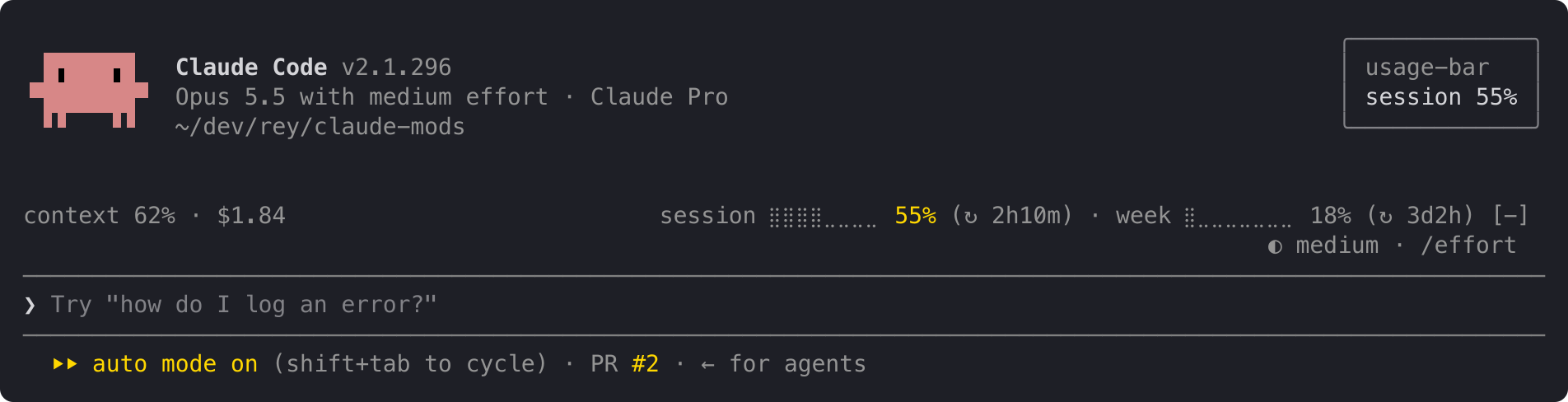
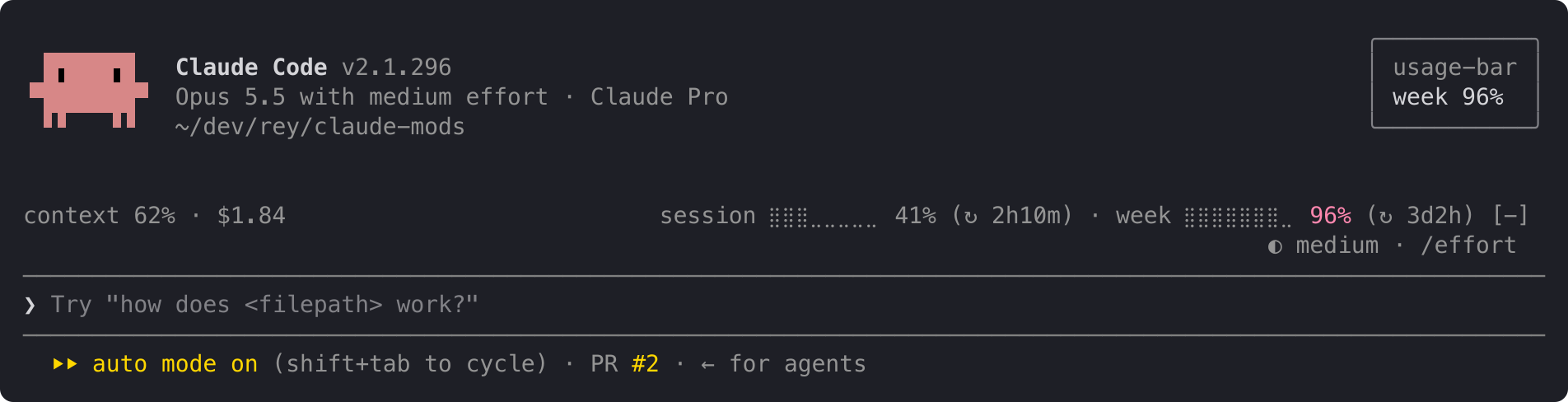
When both limits cross at once, one alert names both: session 62% · week 97%. Each alert shows once per limit period, even across restarts and projects. When a limit resets, its alerts start over.
The line at the top is the full layout. When it doesn't fit, it shortens instead of wrapping, one step at a time:
ctx 62% · $1.84 s ⣿⣿⣿⣀⣀⣀⣀⣀ 41% (↻ 2h10m) · w ⣿⣀⣀⣀⣀⣀⣀⣀ 18% (↻ 3d2h)
ctx 62% · $1.84 s 41% (↻ 2h10m) · w 18% (↻ 3d2h)
ctx 62% · $1.84 s 41% · w 18%
For a few seconds after startup, and for as long as you're not logged in, the line reads:
usage: no data yet
The context shows – until your first reply, because Claude Code measures the context only when it answers.
usage-bar reads only figures Claude Code already has: context fill, session cost and your plan's limits. It sends nothing anywhere and makes no network requests. It stores one small record per limit on your machine, listing the alerts already shown in the current period, so a restart doesn't repeat them.
In Claude Code:
/plugin install usage-bar --marketplace andrej-kolic/claude-mods
The desktop app's Code tab doesn't offer /plugin install: run it once in a terminal, at the user scope, and the line shows in the desktop app's local sessions too.
$, and no alerts.The screenshots use sample readings. The yellow and red follow your Claude Code theme.
The spec has every rule: rounding, colours, widths, and when alerts repeat.

문서 생성, 드리프트 감지, API 문서 자동화 플러그인이며 비밀이 포함된 문서 쓰기나 worker 디스패치를 거부하는 function-hook 가드로도 동작합니다.
Repowise의 Lens는 색인된 코드베이스를 실시간으로 시각화하는 Claude Code mod입니다. Claude가 파일을 검색하고 읽고 편집하면 파일이 켜지며, 임포터와 역방향 종속성도 강조됩니다. 영향을 받은 파일과 커버리지 테스트를 보여 주는 Flow 탭과 상태 변화 및 추천 테스트 실행 버튼이 있는 리뷰 행도 포함합니다.


Claude 데스크톱 앱용 상태 표시줄입니다. 프롬프트 위에 나타나 세션 품질, 컨텍스트 사용량, 캐시 카운트다운, 5시간 및 주간 한도를 보여 주고 Clawd가 세션의 동작을 연출합니다.