
ShriD5@ShriD5
ShriD5/claude-mods/tree/main/secret-guard
tool.call hook으로 Write, Edit, MultiEdit, NotebookEdit와 Bash 리디렉션이 실제처럼 보이는 자격 증명을 파일에 쓰지 못하게 하며 플레이스홀더와 .env는 허용합니다.
ShriD5/claude-mods/tree/main/secret-guard
secret-guard는 tool.call hook으로 파일 도구가 쓰려는 텍스트와 Bash 리디렉션 내용을 검사하고, 실제처럼 보이는 자격 증명이 있으면 호출을 거부합니다. AWS, Anthropic/OpenAI, GitHub, Slack, Stripe, Google 키, 개인 키 블록, 비밀번호가 포함된 DB URL을 감지합니다. xxxx, process.env.X, EXAMPLE 키, localhost, example.com, postgres:postgres, 파일에 이미 있는 비밀과 .env 계열은 통과시키지만 .env.example/.sample/.template은 계속 보호합니다. CLAUDE.md와 AGENTS.md는 더 엄격하게 검사합니다. 차단되면 발견한 종류와 줄을 알리고 비밀을 출력하지 않은 채 환경 변수를 사용하라고 안내합니다. claude --plugin-dir ./secret-guard 또는 marketplace로 설치하고 /secret-guard에서 유형별 차단 내역을 확인합니다.
먼저 작성자의 README에서 marketplace와 플러그인 이름을 확인하세요. 저장소 구조에 따라 명령어가 달라질 수 있습니다.
claude plugin marketplace add ShriD5/claude-mods
claude plugin install secret-guard
Stops Claude from writing secrets into files. When a Write, Edit, MultiEdit or NotebookEdit would put a real-looking credential into a file, or a Bash command would echo, printf, tee or heredoc one into a file, the call is refused. Claude is told what it found and on which line, and to read the value from an environment variable instead, with the value kept in a gitignored .env. The secret itself is never repeated back.
🔒 secret-guard blocked a GitHub token in config.ts
It catches:
AKIA…, ASIA…)sk-ant-…), OpenAI keys (sk-proj-…, legacy sk-…), and other long sk-… keysghp_, gho_, ghu_, ghs_, ghr_, github_pat_)xoxb-, xoxp-, …) and Slack webhook URLssk_live_, rk_live_)AIza…)-----BEGIN … PRIVATE KEY----- with a key body)postgres://, mysql://, mongodb+srv://, redis://, amqp://)It lets these through:
xxxx, your-key-here, <api-key>, ${VAR}, process.env.X, AKIA…EXAMPLE, low-variety strings.localhost or a docker service name, documentation hosts like example.com, and default passwords like postgres:postgres..env, .env.local, .env.production and .dev.vars, which is where the deny message tells Claude to put secrets. .env.example, .env.sample and .env.template are still guarded, because those get committed.CLAUDE.md and AGENTS.md get extra-strict checks. In those files any credential-named assignment with a random-looking value (api_key: "q8Zr…") is blocked too. The deny reason also tells Claude why: these files are often committed and public, and in a public sample of 25,784 CLAUDE.md files, 275 contained real-looking secrets.
Run /secret-guard to see how many secrets it has blocked so far, broken down by type.
claude --plugin-dir ./secret-guard
or add this repo as a marketplace and install it with /plugin.
None. The rules live in hooks/detect.ts. Each one is a regex for a format a real service issues, followed by placeholder checks.
A tool.call hook reads the text a file tool is about to write, or the files a Bash command redirects into, and runs the detector on it. If anything new turns up, it answers { deny } so the tool never runs. The running count is kept in $.store.
내 프로젝트인가요? 이 배지를 README나 웹사이트에 넣으면 이 페이지로 연결됩니다.


녹화하는 동안 화면의 비밀 정보, 개인 정보, 비즈니스 수치를 마스킹하고 비공개 파일을 닫힌 상태로 유지하는 Claude Code 플러그인이며, /rec, /rec strict, /rec off, /rec config 명령을 제공합니다.

pii-guard Mod(Claude Mods 프런트엔드)

비밀 정보, 이메일 주소, IP 주소를 세션 대화 기록에서 제외합니다. 들어올 때 일정한 자리표시자로 바꾸고 도구 호출에 전달할 때 실제 값으로 복원합니다.

위험한 명령에 일회성 확인 코드를 추가해 실수로 실행하는 일을 방지합니다.
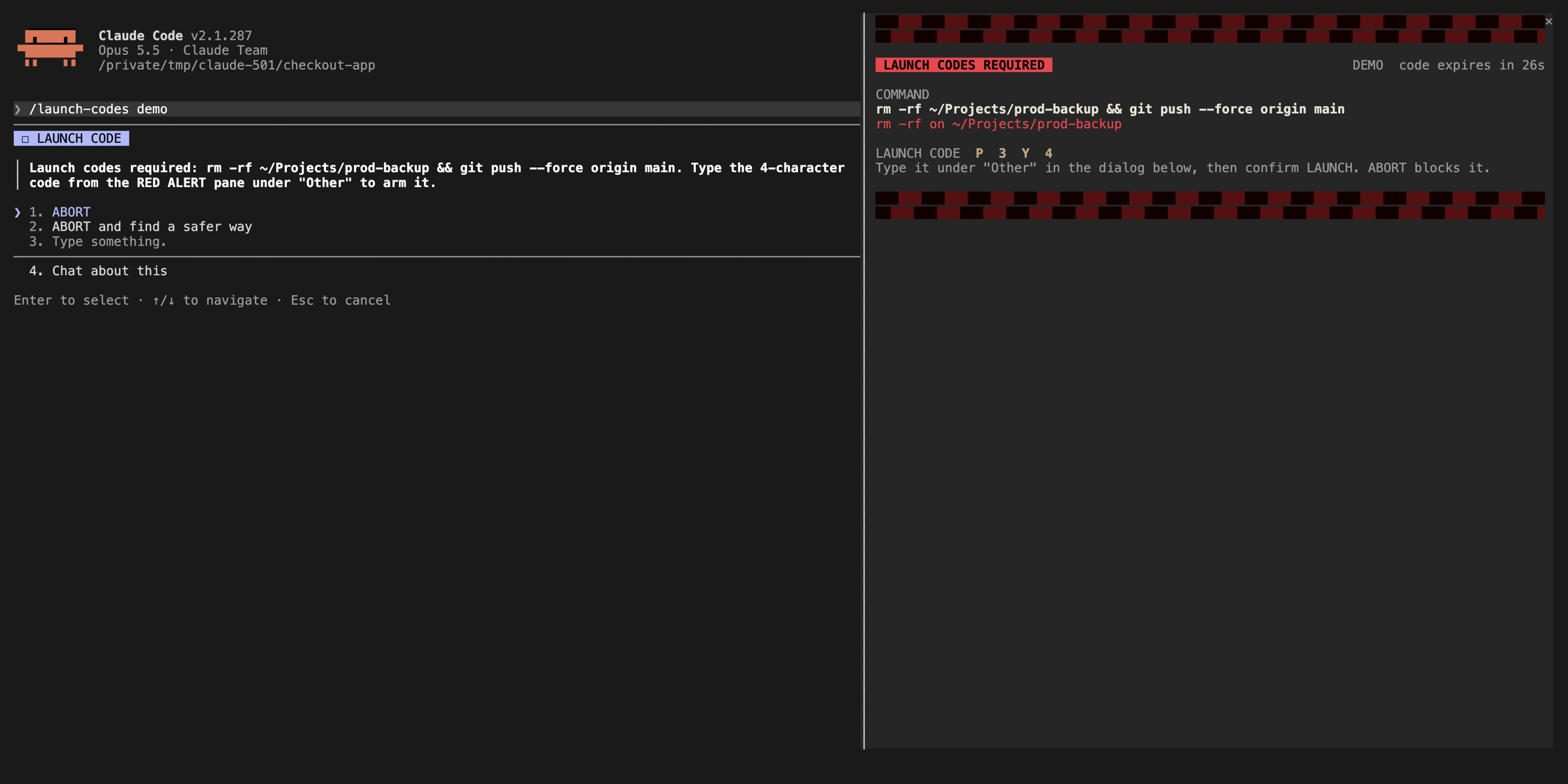

비밀 위치(dotenv 파일, 개인 키, ~/.ssh, ~/.aws, ~/.gnupg, pass 저장소)에 대한 Edit、Write、NotebookEdit와 URL 안의 비밀번호를 포함한 자격 증명 형태의 콘텐츠를 거부하는 Claude Code 보호 mod입니다. 해당 경로로의 Bash 쓰기와 내용을 출력할 수 있는 Bash 읽기도 거부하며, 자체 테스트를 포함합니다.

GitHub Actions 워크플로의 Edit/Write 편집을 감시하는 Claude Code mod입니다. 단계가 움직이는 ref(tag 또는 branch)를 가리키면 대신 쓸 commit SHA를 모델에 알려 주며, 선택적 deny 모드는 ref가 고정될 때까지 git commit, push, merge를 막습니다.