
akilin@akilin
akilin/claude-plugins/tree/main/plugins/prompt-bubbles
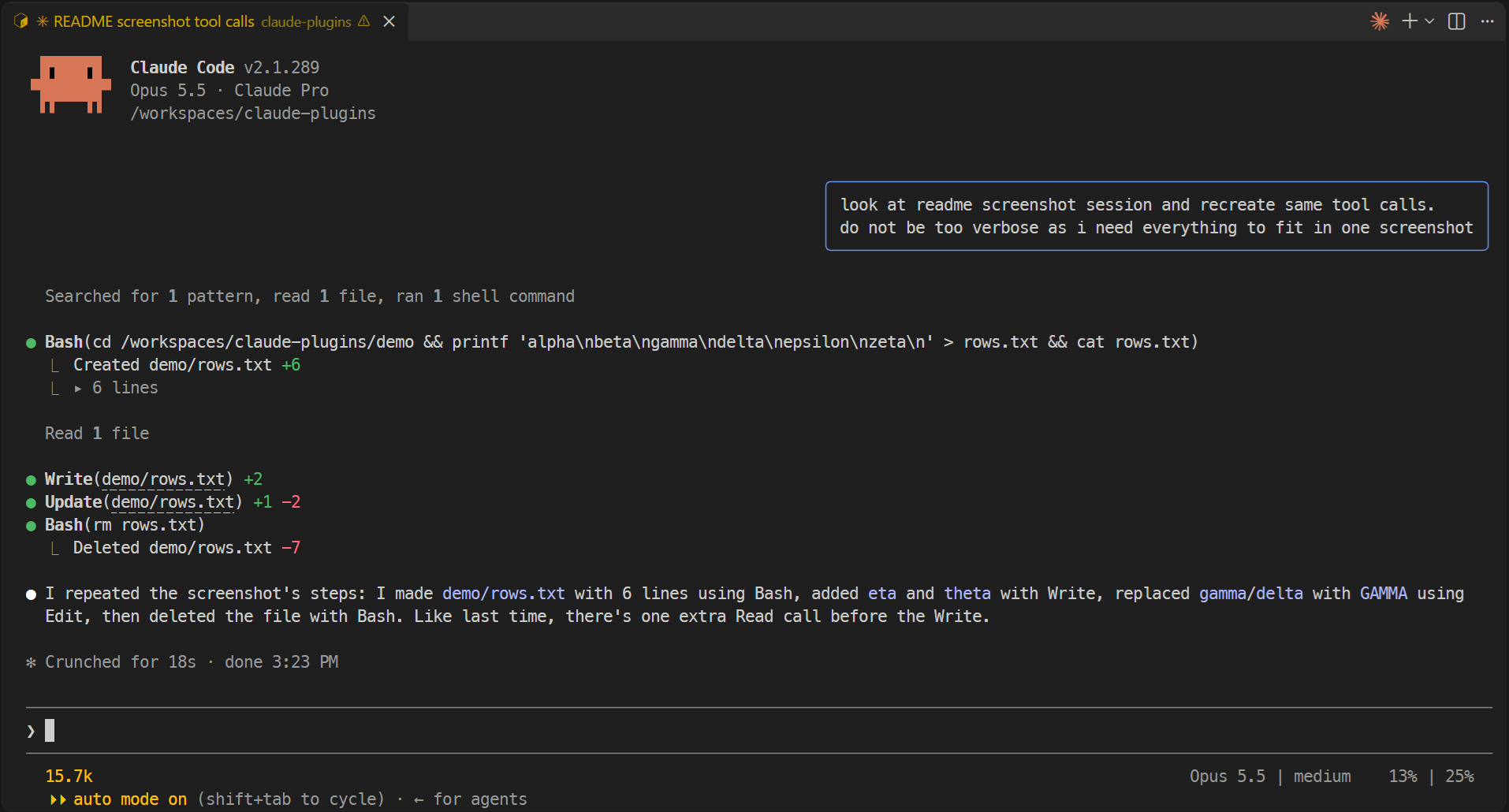
자신의 프롬프트를 오른쪽 정렬 채팅 버블로 렌더링해 Claude의 답변과 구별하는 Claude Code 플러그인입니다. 검증된 manifest, hooks 모듈, 스크린샷과 marketplace 설치 안내를 포함합니다.
akilin/claude-plugins/tree/main/plugins/prompt-bubbles
prompt-bubbles는 github.com/akilin/claude-plugins에서 호스팅되는 Claude Code 플러그인입니다. 자신의 프롬프트를 오른쪽 정렬 채팅 버블(수레국화색 파란 테두리가 있는 둥근 상자이며 가장 긴 줄에 맞추고 터미널 너비의 3/4로 제한)로 그려 Claude의 답변과 구별합니다. 작업 알림과 다른 agent 또는 세션의 메시지는 평소처럼 렌더링되고, 이미 버블을 표시하는 데스크톱 앱도 그대로입니다. 이는 표시만 바꾸는 기능으로, 모델이 보는 내용과 수행하는 작업은 바뀌지 않습니다. 플러그인 marketplace에서 /plugin marketplace add akilin/claude-plugins를 실행한 뒤 /plugin install prompt-bubbles@akilin-plugins를 실행해 설치합니다. 저장소에는 스크린샷, Node·TypeScript·Claude Code가 미리 설치된 개발 컨테이너와 검증 명령(claude plugin validate ., claude plugin test ., tsc)이 들어 있습니다. MIT 라이선스입니다. 도구 행을 짧고 덜 시끄럽게 만드는 자매 플러그인 better-tool-rows와 함께 제공됩니다.
먼저 작성자의 README에서 marketplace와 플러그인 이름을 확인하세요. 저장소 구조에 따라 명령어가 달라질 수 있습니다.
claude plugin marketplace add akilin/claude-plugins
claude plugin install prompt-bubbles
Claude Code plugins that change how the terminal UI looks. They only change rendering: what the model sees and does is untouched.
/plugin marketplace add akilin/claude-plugins
/plugin install better-tool-rows@akilin-plugins
/plugin install prompt-bubbles@akilin-plugins
With both plugins:
The same session without them (zoomed out to fit on one screen):
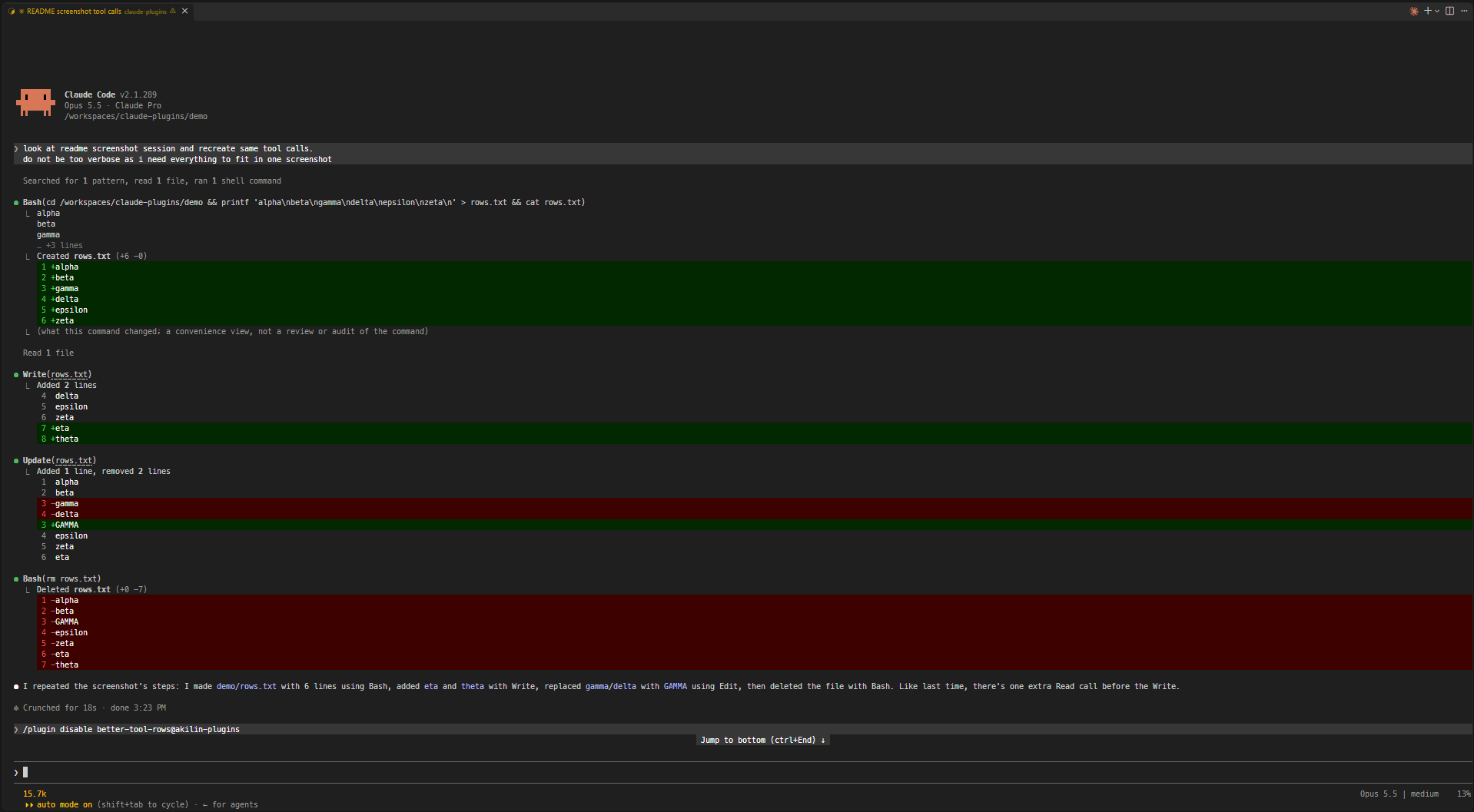
Shorter, quieter tool rows.
cds elsewhere or /cd moves the project. Files outside the folder keep their full path. Windows paths match with either separator and in any case.Update(notes.md) +3 -1. A path too long to fit on the line with its counts is cut to its end (Update(…/src/notes.md) +3 -1), still opening the full path on ctrl+click. An edit held for review rather than written is shown as usual.Read 7 lines), the blank line stays.… so Bash(command) always fits on one line, wide characters included.Created notes.md +10, Deleted notes.md -10) instead of a diff of all the lines each file has or had.▸ 12 lines; unfolded, it shows up to 500 lines and counts the rest. If the command was cut or joined, the fold also holds the full command with syntax highlighting (▸ command, 12 lines); with 5 lines of output or fewer, the output stays as it is and the fold holds the command alone (▸ command).Your own prompts are drawn as right-aligned chat bubbles (a rounded box with a cornflower-blue border, as wide as the longest line and at most three quarters of the terminal) so they stand apart from Claude's replies. Task notifications and messages from other agents or sessions keep the usual drawing, and so does the desktop app, which already has bubbles.
The repo has a dev container (Node, TypeScript and Claude Code preinstalled). It keeps Claude Code's config in a volume of its own, so logins and settings survive a rebuild, and sets VS Code's chat to auto-approve tool calls (chat.permissions.default), which is only safe inside the container.
From a plugin's folder (e.g. plugins/better-tool-rows):
claude plugin validate .
claude plugin test .
npx -y -p typescript tsc -p tsconfig.json
tsc needs the API types Claude Code writes to .claude-plugin/types/ (gitignored) when it loads the plugin, so on a fresh clone load it once first, e.g. claude --plugin-dir plugins/better-tool-rows.
MIT

문서 생성, 드리프트 감지, API 문서 자동화 플러그인이며 비밀이 포함된 문서 쓰기나 worker 디스패치를 거부하는 function-hook 가드로도 동작합니다.

Claude 데스크톱 앱용 상태 표시줄입니다. 프롬프트 위에 나타나 세션 품질, 컨텍스트 사용량, 캐시 카운트다운, 5시간 및 주간 한도를 보여 주고 Clawd가 세션의 동작을 연출합니다.

databricks CLI를 따라 Databricks 작업 공간, Unity Catalog, 컴퓨팅, 작업, 파이프라인, 앱, 대시보드를 트리로 보여 주는 /databricks-pane을 제공하는 Claude Code 플러그인 mod입니다. 실시간 강조, 프로필 전환, CLI 인수 복사도 지원합니다.
