
Amorfx@Amorfx
Amorfx/claude-paste-view
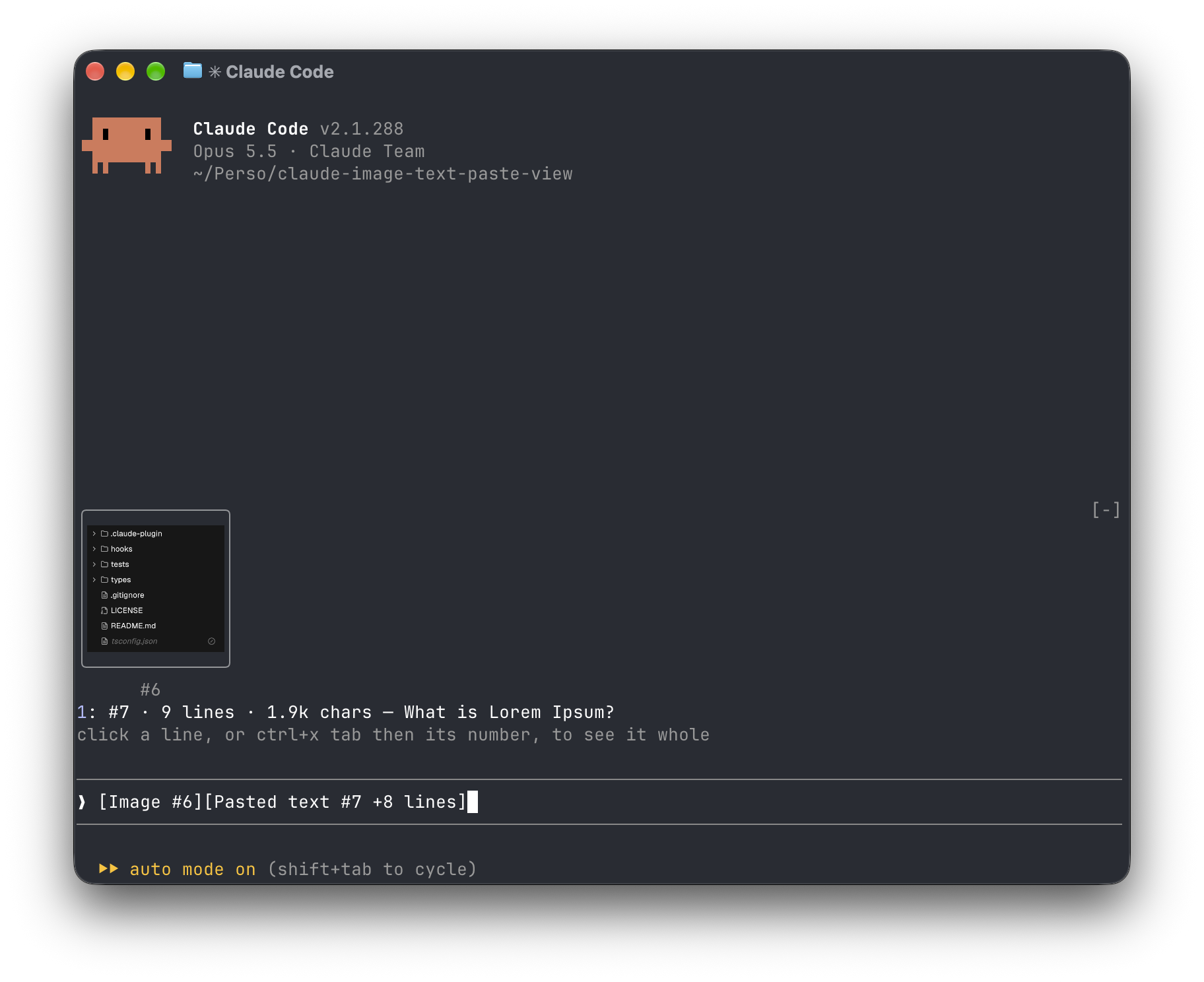
붙여넣은 내용을 보여주는 Claude Code 모드: [이미지 #1] 및 [붙여넣은 텍스트 #2 +41 행] 태그 대신 프롬프트 위에 이미지 썸네일과 long-text 미리보기가 표시됩니다.
Amorfx/claude-paste-view
Claude 붙여넣기 보기는 프롬프트 입력 상자 위에 붙여넣은 내용을 표시하는 Claude Code 플러그인입니다. 이미지는 축소판으로 표시되고 긴 텍스트는 줄 번호, 크기 및 첫 번째 줄 미리보기를 표시하여 원본 [이미지 #1] 및 [붙여넣은 텍스트 #2 +41 줄] 레이블을 대체합니다.
설치 방법(Claude Code 내에서 실행):
/plugin marketplace add Amorfx/claude-paste-view
/plugin install paste-view
/reload-plugins
터미널 명령을 사용할 수도 있습니다.
claude plugin marketplace add Amorfx/claude-paste-view
claude plugin install paste-view@claude-paste-view
특징:
작동 방법: 200ms가 프롬프트 입력 상자를 읽을 때마다 레이블을 검색합니다. 그림은 Claude Code의 세션 그림 캐시에서 가져오고 레이블이 나타날 때 클립보드에서 텍스트를 한 번 읽은 후 줄 수가 일치하면 메모리에 유지됩니다.
제한 사항: 텍스트 미리보기는 클립보드에 의존합니다. 썸네일은 tmux, 화면 또는 백그라운드 세션에 표시되지 않습니다. 라벨 형식과 이미지 캐시 경로는 Claude Code의 내부 구현이며 향후 버전에서 변경될 수 있습니다.
보안: 완전히 로컬 시스템에서 작동하고 네트워크에 연결하지 않으며 디스크에 쓰지 않습니다. 프롬프트 입력 상자, 세션 이미지 캐시, 이미지 파일의 처음 몇 바이트 및 클립보드만 읽고 TERM과 같은 환경 변수를 읽어 터미널이 그리기를 지원하는지 여부를 확인합니다.
요구 사항: Claude Code v2.1.287 이상, wl-clipboard/xclip이 장착된 macOS 또는 Linux. 이미지 썸네일은 kitty 그래픽 프로토콜 터미널(예: Ghostty, kitty)을 지원해야 합니다. MIT로 라이센스가 부여되었습니다.
먼저 작성자의 README에서 marketplace와 플러그인 이름을 확인하세요. 저장소 구조에 따라 명령어가 달라질 수 있습니다.
claude plugin marketplace add Amorfx/claude-paste-view
claude plugin install paste-view
A Claude Code mod that shows what you paste, so you see image thumbnails and a preview of long text above your prompt instead of bare [Image #1] and [Pasted text #2 +41 lines] tags.
Inside Claude Code, run:
/plugin marketplace add Amorfx/claude-paste-view
/plugin install paste-view
/reload-plugins
claude plugin marketplace add Amorfx/claude-paste-view
claude plugin install paste-view@claude-paste-view
Then run /reload-plugins inside a session, or start a new one.
╭────────────────────────╮
│      (screenshot)      │
│           #1           │
╰────────────────────────╯
1: #2 · 42 lines · 3.1k chars — Traceback (most recent call last):
click a paste, or ctrl+x tab then its number, to read it whole
❯ why does this fail [Image #1] [Pasted text #2 +41 lines]
#1 · image 1630×632 — open, that opens it in your system's image viewer. A pasted JPEG, WebP or other non-PNG image is always a line, #1 · image · jpg — open, since the terminal draws only PNG files.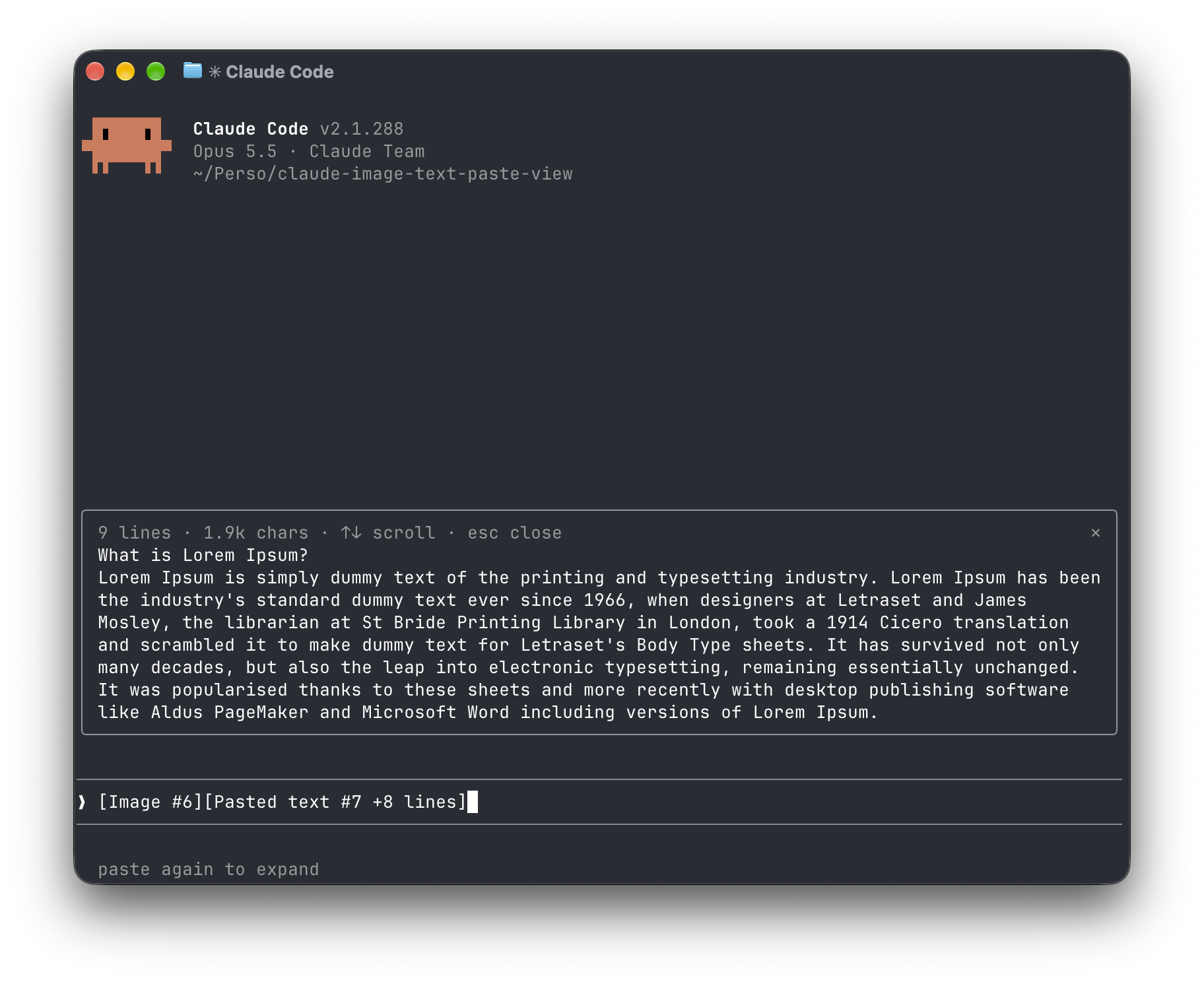
[Image #n] and [Pasted text #n …] tags. It polls because pasting raises no edit event.<tmp>/<project>/<session>/images/<n>.png, or <n>.jpg, <n>.webp, … when it was pasted in another format. The mod finds that file and draws a PNG with Claude Code's Image element.pbpaste on macOS, wl-paste or xclip on Linux). It keeps that text only if its line count matches the count in the tag, and holds it in memory until the tag leaves the prompt.no preview rather than showing the wrong text."env": { "CLAUDE_CODE_FORCE_TERMINAL_IMAGES": "1" } to ~/.claude/settings.json and start a new session.Everything stays on your machine: the mod never touches the network and never writes to disk. It reads the prompt box, lists Claude Code's temp folder to find the session's image cache and the pasted images in it, reads the first bytes of each pasted image, and reads the clipboard once per text paste. It reads TERM, TERM_PROGRAM, KITTY_WINDOW_ID, TMUX, STY, CLAUDE_CODE_SESSION_KIND and CLAUDE_CODE_FORCE_TERMINAL_IMAGES to know whether the terminal draws pictures. It runs id -u once if CLAUDE_CODE_TMPDIR isn't set, the clipboard tool for each text paste, and uname then open or xdg-open when you ask to open an image. Pasted text is kept in memory only, and dropped once its tag leaves the prompt.
Run claude plugin validate .claude-plugin/plugin.json on the repo to see every event it hooks and every call it makes.
wl-clipboard or xclip for text previewsTERM, TERM_PROGRAM and KITTY_WINDOW_ID; in any other terminal, or inside tmux, it lists images as lines that open them with open (macOS) or xdg-open (Linux).git clone https://github.com/Amorfx/claude-paste-view
cd claude-paste-view
# Load it for one session without installing
claude --plugin-dir .
# Check it and run the tests
claude plugin validate .claude-plugin/plugin.json
claude plugin test .
Once Claude Code has loaded the mod, it generates the API typings in .claude-plugin/types/ along with a tsconfig.json; after that, tsc -p . type-checks the code.
MIT. See LICENSE.

문서 생성, 드리프트 감지, API 문서 자동화 플러그인이며 비밀이 포함된 문서 쓰기나 worker 디스패치를 거부하는 function-hook 가드로도 동작합니다.

A status bar for the Claude desktop app. It draws above your prompt and shows session quality, context fill, cache countdown, and your 5-hour and weekly limits, with Clawd acting out what the session is doing.

databricks CLI를 따라 Databricks 작업 공간, Unity Catalog, 컴퓨팅, 작업, 파이프라인, 앱, 대시보드를 트리로 보여 주는 /databricks-pane을 제공하는 Claude Code 플러그인 mod입니다. 실시간 강조, 프로필 전환, CLI 인수 복사도 지원합니다.
