
arihantbansal@arihantbansal
arihantbansal/claude-lightbox
arihantbansal/claude-lightbox
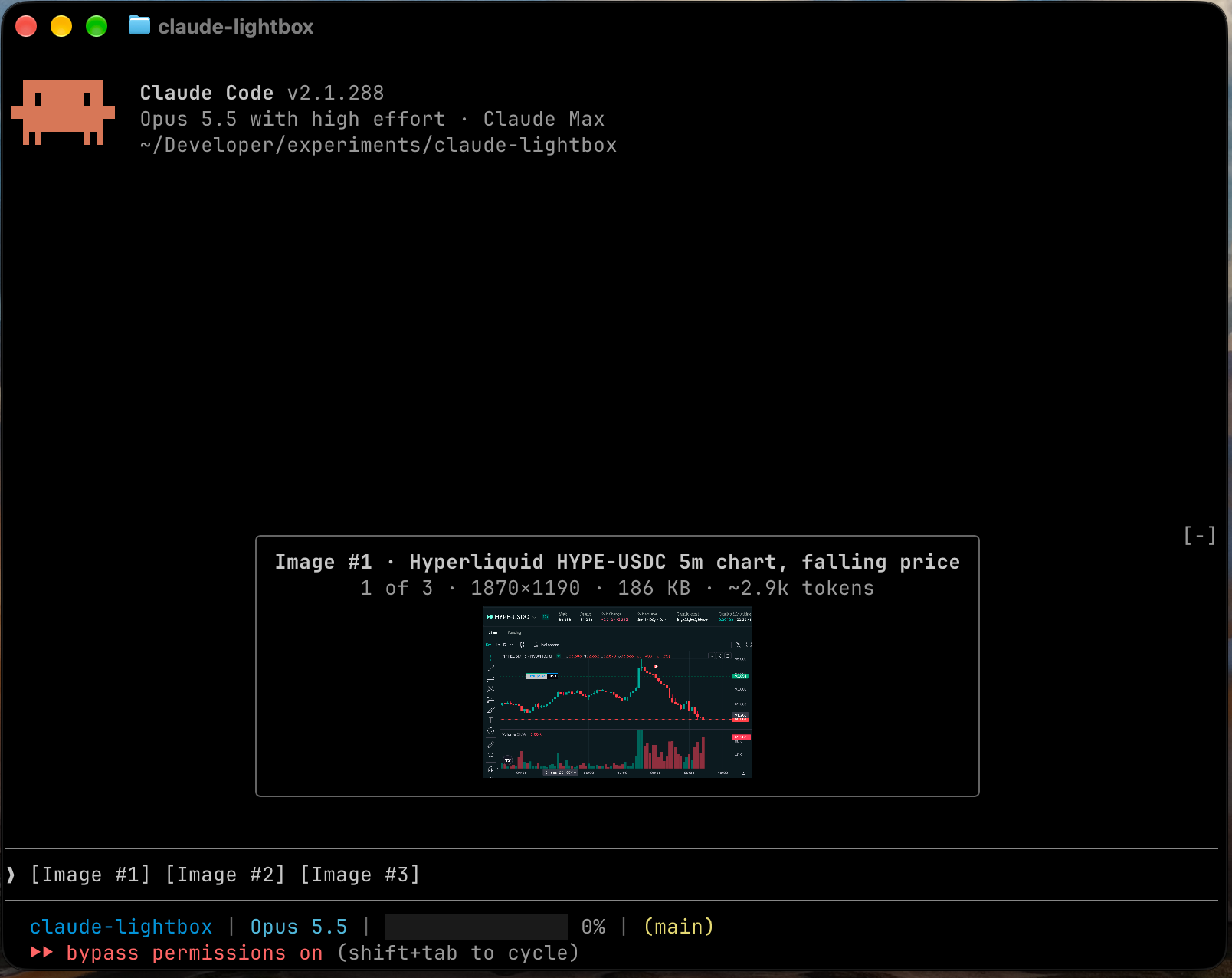
붙여 넣은 이미지를 프롬프트 위에서 큰 미리보기로 열고, 입력하는 동안에는 크기와 token 추정치를 포함한 캡션 썸네일로 접습니다. /plugin marketplace add arihantbansal/claude-lightbox 및 /plugin install lightbox@claude-lightbox로 설치합니다. Claude Code 2.1.288+、kitty graphics protocol을 지원하는 터미널, macOS 또는 Linux가 필요합니다.
먼저 작성자의 README에서 marketplace와 플러그인 이름을 확인하세요. 저장소 구조에 따라 명령어가 달라질 수 있습니다.
claude plugin marketplace add arihantbansal/claude-lightbox
claude plugin install lightbox

Lightbox is a Claude Code mod that shows the images you paste into the prompt as large previews.
[Image #n] tag, with the arrow keys or a click, opens that image again.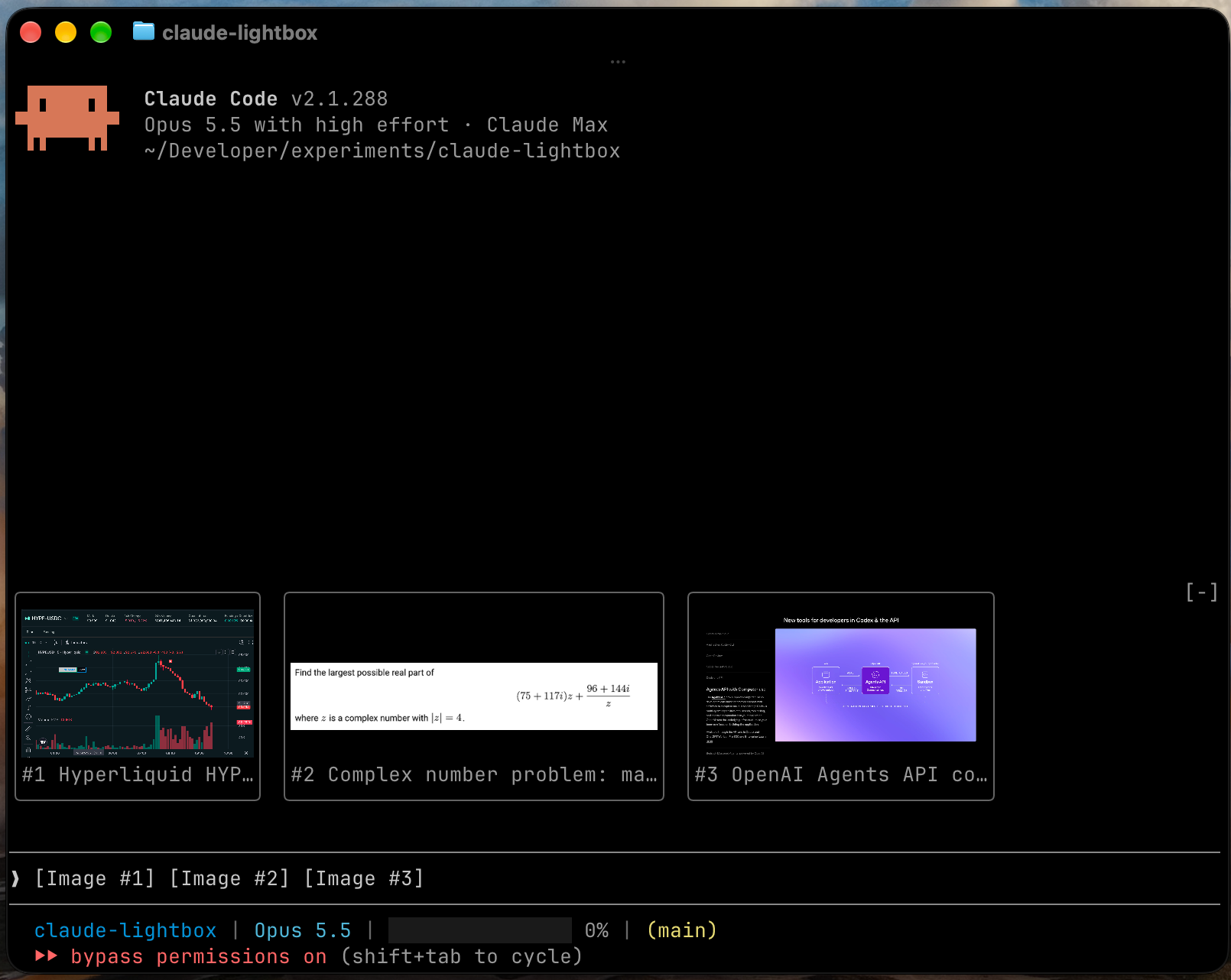
Two lines above each preview describe the image and how the model will read it:
Image #3 · Login page with validation error
2 of 3 · 2850×1672 · 1.1 MB · sent as 2520×1478 · ~4.8k tokens
The "sent as" size appears when Claude will scale the image down before reading it. Lightbox computes that size and the token estimate for the session's model, using the resizing rules in Anthropic's vision documentation.
Lightbox writes a short caption for each pasted image, so several images are easy to tell apart. It runs claude -p in the background with only the Read tool loaded, one image at a time. A caption takes about five seconds and one small model call on your Claude Code account. It appears in the preview's header and under the image's thumbnail.
To turn captions off, set the caption model to off.
Run these commands in Claude Code:
/plugin marketplace add arihantbansal/claude-lightbox
/plugin install lightbox@claude-lightbox
/reload-plugins
Both settings are in /config.
| Setting | Values | Default | Effect |
| --- | --- | --- | --- |
| Collapsed view | thumbnails, none | thumbnails | What stays above the prompt while you type |
| Caption model | sonnet, haiku, off | sonnet | The model that writes captions, or off for none |
/tmp/claude-<uid>, or CLAUDE_CODE_TMPDIR when it's set.od to read each image's dimensions and id -u to find the cache folder.claude -p once per image to write its caption, which sends the image to Anthropic on your Claude Code account. Setting the caption model to off stops this.[Image #n] tags. It never changes the prompt.Run claude plugin validate .claude-plugin/plugin.json in a clone to list every event Lightbox hooks and every call it makes.
git clone https://github.com/arihantbansal/claude-lightbox
cd claude-lightbox
bun install
claude --plugin-dir .
With --plugin-dir, Claude Code reloads the mod each time you save a file. It also writes the API types to .claude-plugin/types/, which tsconfig.json extends, so start a session once before type-checking a fresh clone.
bun run check   # Biome, tsc, plugin validation and tests
bun run fix     # Biome formatting and safe fixes

문서 생성, 드리프트 감지, API 문서 자동화 플러그인이며 비밀이 포함된 문서 쓰기나 worker 디스패치를 거부하는 function-hook 가드로도 동작합니다.

Claude 데스크톱 앱용 상태 표시줄입니다. 프롬프트 위에 나타나 세션 품질, 컨텍스트 사용량, 캐시 카운트다운, 5시간 및 주간 한도를 보여 주고 Clawd가 세션의 동작을 연출합니다.

databricks CLI를 따라 Databricks 작업 공간, Unity Catalog, 컴퓨팅, 작업, 파이프라인, 앱, 대시보드를 트리로 보여 주는 /databricks-pane을 제공하는 Claude Code 플러그인 mod입니다. 실시간 강조, 프로필 전환, CLI 인수 복사도 지원합니다.

