
jkhaynes@jkhaynes
jkhaynes/ai-agent-skills/tree/master/mods/job-progress
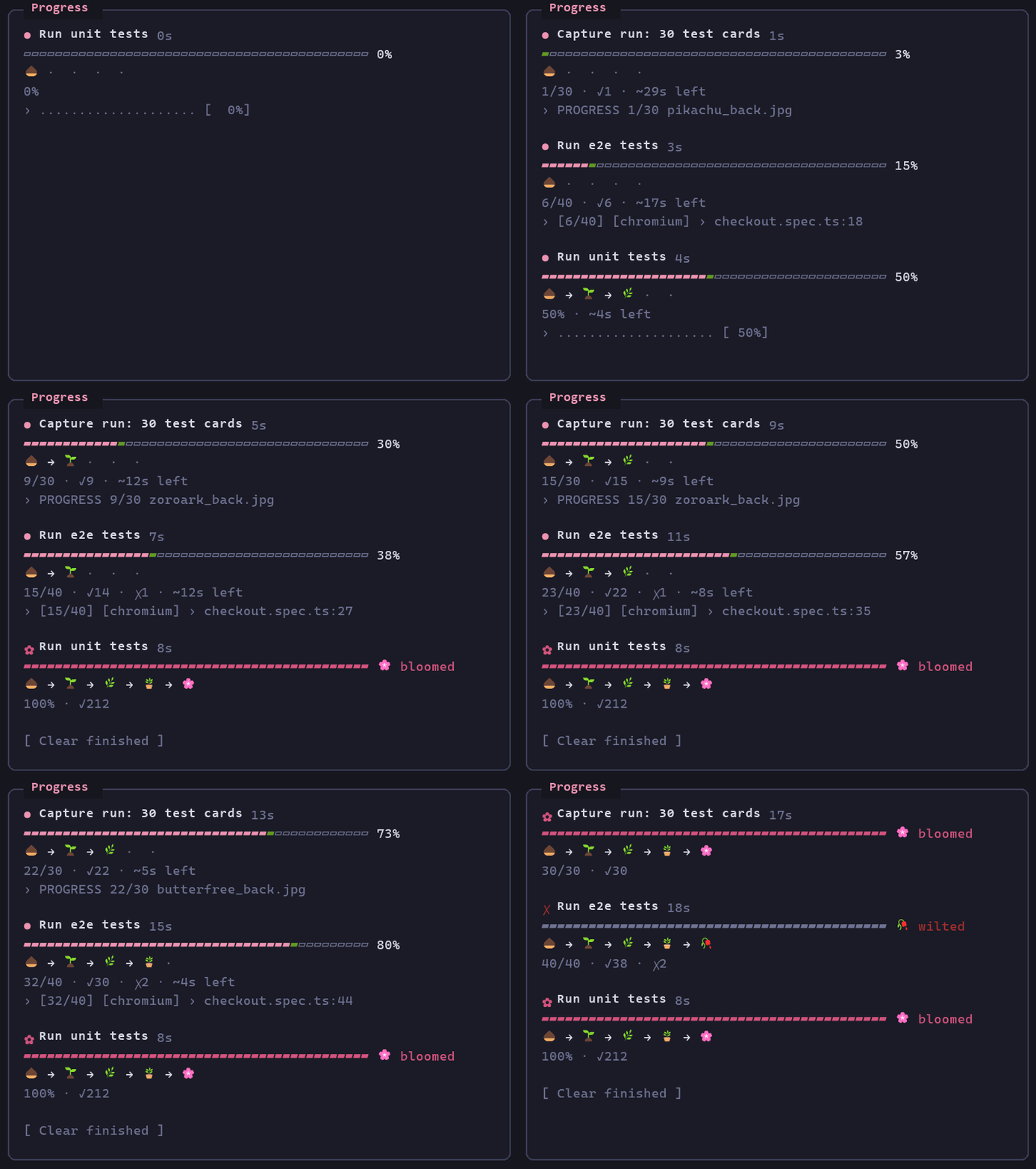
오래 실행되는 Claude Code 작업(테스트 모음, 평가, 배치 실행)을 위한 실시간 Progress 패널입니다. 피고 지는 막대, 개발 서버 행, 중지/개화 알림을 제공합니다. 백그라운드 작업과 개발 서버를 추적하고 출력에서 진행률을 파싱해 ui.render hook으로 패널을 그리는 플러그인입니다.
jkhaynes/ai-agent-skills/tree/master/mods/job-progress
job-progress는 단위, 통합 및 e2e 테스트 모음, 시나리오/평가 실행, 배치 실행처럼 오래 실행되는 백그라운드 작업을 위한 실시간 Progress 패널을 추가하는 Claude Code mod입니다.
각 작업에는 녹색으로 자라는 끝이 있는 분홍색 막대, 작업이 실행되는 동안 자라는 식물, 성공/실패 수, 경과 시간, ETA와 최신 출력 줄이 표시됩니다. 완료되면 작업이 🌸 피거나 🥀 시들고 토스트를 표시합니다. /progress는 패널을 전환하고, /progress clear는 완료된 작업을 삭제하며, /progress stop [n]은 개발 서버를 중지합니다(전체 프로세스 트리를 종료합니다).
이 mod는 tool.call, session.append, tool.describe, 1500ms 시계와 ui.render에 연결되고, 러너 출력이나 명시적인 PROGRESS n/m 줄에서 진행률을 파싱하며 알려진 테스트 러너를 자동으로 백그라운드로 보냅니다. 제작자의 저장소에 맞춰 조정되었고 4 MiB 출력 상한, tail/head 파이프가 진행률을 숨기는 문제, Python 버퍼링 등의 제한을 문서화합니다.
설치: claude --plugin-dir <path>로 로드하거나 폴더를 ~/.claude/settings.json의 CLAUDE_CODE_PLUGIN_DIRS에 추가합니다.
참고: 자동 스캔이 완료되지 않았습니다(명령 실행 및 도구 가로채기 결과가 해결되지 않았고, 스캔하지 않은 외부 의존성도 1개 있습니다). 따라서 게시하기 전에 사람이 검토해야 합니다.
먼저 작성자의 README에서 marketplace와 플러그인 이름을 확인하세요. 저장소 구조에 따라 명령어가 달라질 수 있습니다.
claude plugin marketplace add jkhaynes/ai-agent-skills
claude plugin install job-progress
A Claude Code mod that shows a live Progress pane for long-running jobs Claude runs: unit, integration and e2e test suites, scenario/eval runs, batch runs such as test images through a capture pipeline.
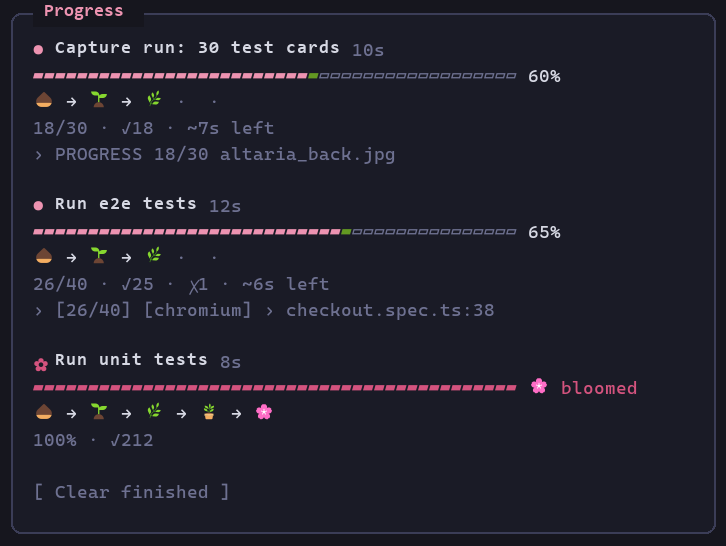
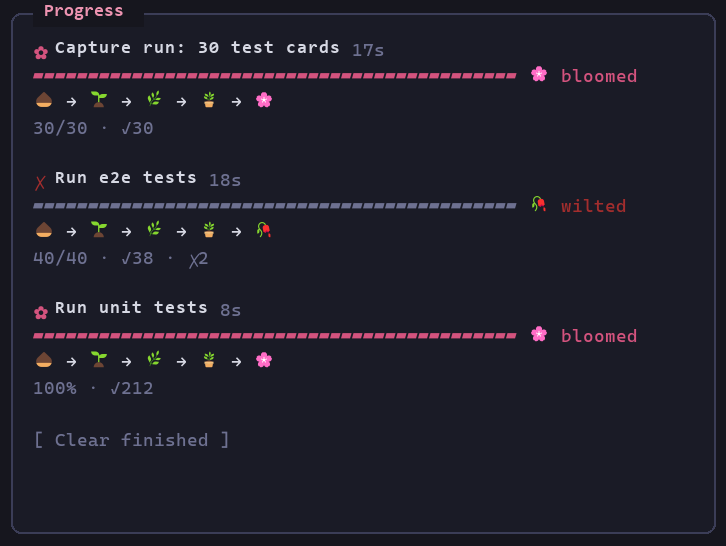
Each job gets a soft pink bar with a green growing tip, a plant that grows as the job runs, pass/fail counts, elapsed time, an ETA and the latest output line. When the job ends it either blooms or wilts:
<sub>Three demo jobs over 20 seconds: the unit tests bloom, the e2e suite wilts after two failures, and a capture run of 30 test cards blooms. The frames come from the mod's own render hook on the terminal surface, mounted with claude plugin test and fed demo job states, then painted in Cascadia Mono. They show what the pane draws, but they aren't a screen recording.</sub>
| Running | Finished |
| --- | --- |
|  |
|  |
|
A toast says "🌸 … bloomed" or "🥀 … wilted" when a job finishes. To remove finished jobs, run /progress clear, which works everywhere. Clicking Clear finished works in the desktop app and the fullscreen terminal. In the regular terminal, the button only responds to the c key while the pane has focus.
/progress toggles the pane. To close it you can also:
/progress closex while the pane has focusThe pane opens again on its own when the next background job starts.
Dev servers (npm run dev:e2e, bench:serve, vite, wrangler dev, uvicorn) get their own rows at the top: 🌿, the port when the command or output names one, and uptime. They have no bar and never bloom or wilt. To stop them from any terminal, run /progress stop (all servers) or /progress stop 2 (the second row). Each row also has a Stop button, which in the regular terminal answers 1, 2, … while the pane has focus.
Stopping a server kills its whole process tree, not just its task. On Windows, TaskStop alone leaves an npm-launched server running. Git Bash starts each program through a helper process that exits, so no Windows parent link reaches the server, and the stop only kills the outer shell. The mod marks each background server's command with JOB_PROGRESS_TAG. To stop a server, it finds the marked shell, kills every process in that shell's Git Bash process group with taskkill /T /F, and only then calls TaskStop. It reports a stop only when none of the group is left. A server started before this marking existed gets a warning instead of "Stopped". This happens on every TaskStop, including when you just ask Claude to stop a server. The mod handles TaskStop itself, kills the marked tree first, then updates the pane. A TaskStop raises no task notification, so without this the pane would never hear about the stop. Stopping a job that isn't a server marks its row as stopped, with no bloom or wilt.
A runner only counts when it's the program a step of the command runs. Quoted text is ignored, and the start of each &&, ;, | or loop step is checked. A command that only mentions one (-notmatch 'playwright|vitest', cat vitest.config.ts) is left alone.
Every running job shows a bar from the start, at 0% until its output gives a count or percentage. A job that finishes without ever giving a count, percentage or pass/fail numbers gets one line with ✓ or ✗ instead of a full bar and a bloom. If it finishes in under 30 seconds, it's removed without a toast. Bars are at most 40 columns wide.
This copy is set up for my own repos rather than general use:
dotnet run … evaluate, ten-or-not attacks.py / tuning_report.py / make_e2e_fixtures.py / click_measure.py, gh run watch, gh pr checks --watch and timeout N … wrangler tail.sleep of 60 seconds or more is refused. The refusal tells Claude it will be notified when the job ends. Claude is also told not to redirect a background job into a log file of its own, since the pane can't see that file.Result: 13/20 scenarios fully passed counts as 13 passed and 7 failed. ten-or-not 165 cases 2 WRONG lines count as passed/failed. Card numbers (096/182) and centering ratios (42/58) aren't progress. 0.85 failed (a reading) and attempt 1 failed (a retry) aren't failures.| Piece | What it does |
| --- | --- |
| tool.call (Bash, PowerShell) | Remembers each shell call's description as the job's label. Moves known test runners (vitest, jest, Playwright, pytest, dotnet test, go test, cargo test, npm/pnpm/yarn/bun test·e2e·bench) and my project runs to the background when the call didn't choose. Refuses a long sleep while a job runs. The rules live in hooks/classify.ts. |
| session.append | Picks up a job from the shell result row ("running in background with ID: X. Output is being written to: P") and marks it finished from its <task-notification> row. |
| $.clock.every(1500) | Re-reads each running job's output file when it grows and parses progress from it. |
| tool.describe | Adds a line to the Bash/PowerShell tool descriptions asking Claude to background long jobs and to print PROGRESS <done>/<total> <item> lines from scripts it writes. |
| ui.render (Pane) | Draws the pane. /progress opens or closes it on demand. |
Only background jobs are tracked: a foreground command's output isn't visible until it ends.
hooks/parse.ts)In order of preference:
PROGRESS 3/10 label lines: the convention for custom scripts.[12/40] counters (Playwright list reporter).n/m.Running 40 tests / collected 40 items.Pass/fail counts come from runner summaries (88 passed, 3 failed, Passed: 41, Failed: 1), or from per-test marks (✓ ✗ PASS FAIL ok / not ok) while a run is still going.
The mod is a plugin folder. Load it in any session with:
claude --plugin-dir <path-to>/ai-agent-skills/mods/job-progress
To load it in every session (including the desktop app), add the folder to CLAUDE_CODE_PLUGIN_DIRS in the env block of ~/.claude/settings.json:
{
  "env": {
    "CLAUDE_CODE_PLUGIN_DIRS": "<path-to>/ai-agent-skills/mods/job-progress"
  }
}
claude plugin validate mods/job-progress
node mods/job-progress/hooks/parse.check.mts
node mods/job-progress/hooks/classify.check.mts
node mods/job-progress/hooks/followed.check.mts
claude plugin test mods/job-progress
parse.check.mts, classify.check.mts and followed.check.mts are plain Node self-checks for the parser and the command rules (Node 22+ runs the TypeScript import directly). The parser checks use real output lines from my projects. hooks/tool-call.test.ts and hooks/my-runs.test.ts check the shell-call rewrite (backgrounding, dropping tail/head pipes, PYTHONUNBUFFERED), and hooks/pane.test.ts checks /progress opening and closing the pane, all under claude plugin test.
Gotcha found while building it: inside a Text, use arrays of Text children, not fragments (<>…</>). A fragment there is refused as "Box inside an inline element", and the engine draws an empty pane instead.
$.fs.read cap); the pane keeps the last reading.RUNNER rewrite in hooks/register.tsx if that gets in the way.| tail -N or | head -N shows no progress until it ends. The mod drops a trailing tail/head pipe from commands it backgrounds and asks Claude not to add one, but other filters (| grep …) still hide progress.python -u (or flush) for live PROGRESS lines.
문서 생성, 드리프트 감지, API 문서 자동화 플러그인이며 비밀이 포함된 문서 쓰기나 worker 디스패치를 거부하는 function-hook 가드로도 동작합니다.

Claude 데스크톱 앱용 상태 표시줄입니다. 프롬프트 위에 나타나 세션 품질, 컨텍스트 사용량, 캐시 카운트다운, 5시간 및 주간 한도를 보여 주고 Clawd가 세션의 동작을 연출합니다.

databricks CLI를 따라 Databricks 작업 공간, Unity Catalog, 컴퓨팅, 작업, 파이프라인, 앱, 대시보드를 트리로 보여 주는 /databricks-pane을 제공하는 Claude Code 플러그인 mod입니다. 실시간 강조, 프로필 전환, CLI 인수 복사도 지원합니다.
