
cjavdev@cjavdev
cjavdev/mods/tree/main/context-meter
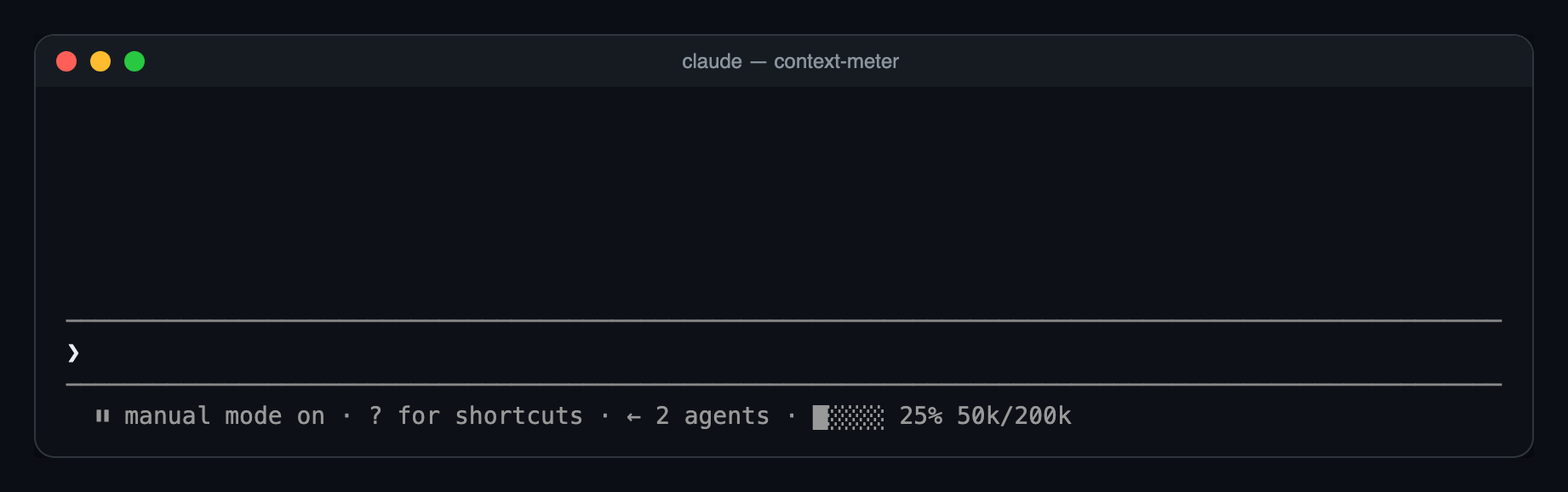
프롬프트 아래 힌트 표시줄에 작은 미터를 표시해 컨텍스트 창이 얼마나 사용되었는지 보여 주는 Claude Code mod입니다.
cjavdev/mods/tree/main/context-meter
context-meter는 프롬프트 힌트 표시줄에 작은 미터를 그려 컨텍스트 창 사용량을 보여 주는 Claude Code plugin입니다. 5개 셀, 사용 비율(상태 줄의 used_percentage와 일치), token 수를 표시합니다. 세션 시작, 도구 호출 완료, session.measure, 3초 타이머에서 새로 고치므로 모델 전환, /compact, /clear를 포착합니다. Claude Code 2.1.287+가 필요하고 --plugin-dir 또는 CLAUDE_CODE_PLUGIN_DIRS로 설치하며 /config의 enabled 옵션으로 전환할 수 있습니다.
먼저 작성자의 README에서 marketplace와 플러그인 이름을 확인하세요. 저장소 구조에 따라 명령어가 달라질 수 있습니다.
claude plugin marketplace add cjavdev/mods
claude plugin install context-meter
A Claude Code mod that shows how full your context window is, as a tiny meter in the bar under the prompt. You can see a /compact coming before it happens.
⏵⏵ auto mode on · ████░ 76% 152k/200k
used_percentage.49k/1M.Nothing shows until the first response of a session, or the first one after /compact or /clear, because there's no reading yet.
You need Claude Code 2.1.287 or newer.
git clone https://github.com/cjavdev/mods.git ~/mods
claude --plugin-dir ~/mods/context-meter
To load it in every session, add the folder to CLAUDE_CODE_PLUGIN_DIRS in the env block of ~/.claude/settings.json (separate several folders with :):
{ "env": { "CLAUDE_CODE_PLUGIN_DIRS": "~/mods/context-meter" } }
It shares the bar with cache-shot-clock: the meter comes first, then the clock.
In /config, or under pluginConfigs["context-meter"].options in settings:
| Option | Default | |
| --- | --- | --- |
| enabled | true | Turns the meter off without unloading the mod. |
Near the top, Claude Code shows its own warning, such as 93% context used, while the meter reads 84%. Claude Code measures against the auto-compact threshold, which is a little below the full window. context-meter measures against the full window. As a result, auto-compact usually fires while the meter reads around 85–90%.
The mod is one hooks module, hooks/register.tsx:
$.session.usage() reads the window's fill. The plain call doesn't count tokens, so it costs nothing.$.state, declared in types/index.d.ts). The bar redraws whenever the reading changes.session.measure fires; the engine pushes it after each turn/compact or /clear between turnsui.render hook on the PromptHint component adds the meter as the hint line's tail. The terminal draws that line dim, so the meter has no color of its own. Other surfaces don't draw the tail yet.The bar and token formatting are pure functions in hooks/meter.ts.
claude plugin validate ~/mods/context-meter   # manifest and hooks check
claude plugin test ~/mods/context-meter       # runs tests/*.test.tsx
The screenshot is a real capture of Claude Code running the mod in tmux (tmux capture-pane -p -e), turned into a page with scripts/ansi2html.py and screenshotted.

문서 생성, 드리프트 감지, API 문서 자동화 플러그인이며 비밀이 포함된 문서 쓰기나 worker 디스패치를 거부하는 function-hook 가드로도 동작합니다.

Claude 데스크톱 앱용 상태 표시줄입니다. 프롬프트 위에 나타나 세션 품질, 컨텍스트 사용량, 캐시 카운트다운, 5시간 및 주간 한도를 보여 주고 Clawd가 세션의 동작을 연출합니다.

databricks CLI를 따라 Databricks 작업 공간, Unity Catalog, 컴퓨팅, 작업, 파이프라인, 앱, 대시보드를 트리로 보여 주는 /databricks-pane을 제공하는 Claude Code 플러그인 mod입니다. 실시간 강조, 프로필 전환, CLI 인수 복사도 지원합니다.
