
cjavdev@cjavdev
cjavdev/mods/tree/main/cache-shot-clock
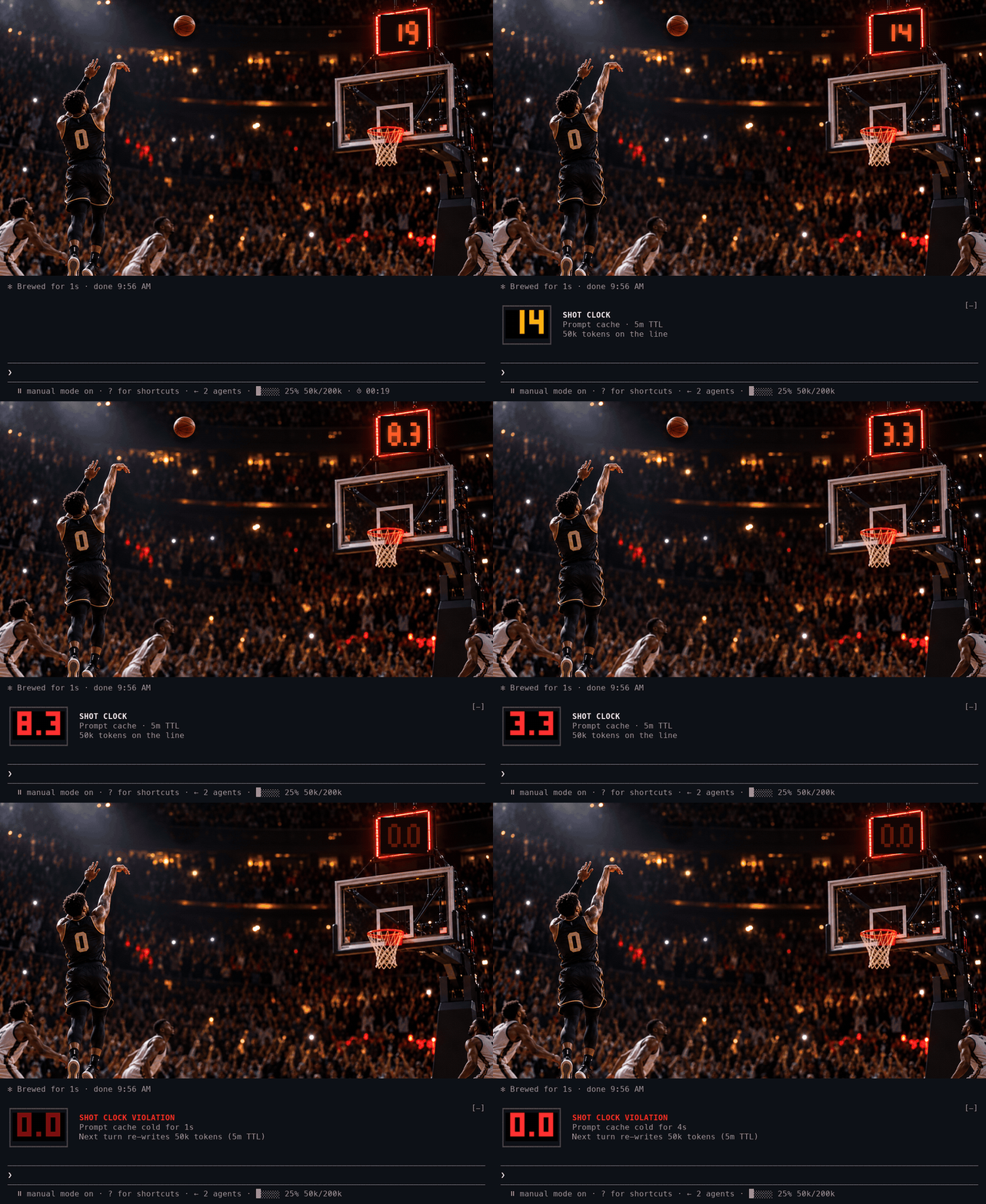
프롬프트 캐시에 카운트다운을 표시하는 Claude Code mod입니다. 캐시가 만료될 때까지 남은 시간과 다음 턴에서 전체 대화를 캐시에 다시 기록하게 되는 시점을 알려 줍니다.
cjavdev/mods/tree/main/cache-shot-clock
cache-shot-clock은 프롬프트 캐시 TTL을 시각화하는 Claude Code mod입니다. 프롬프트 아래 바에 작은 시계를 표시하고, 마지막 15초에는 큰 호박색/빨간색 LED 시계를 보여 줍니다. 캐시가 만료되면 다음 턴에서 다시 기록해야 할 token 수를 부저로 알립니다. TTL(5m 또는 1h)은 세션 transcript에서 읽고, 유휴 캐시가 60초 남으면 toast로 경고합니다. /config의 enabled, bigAt, ttl, warnSeconds, testTtlSeconds 같은 옵션으로 설정할 수 있습니다. Claude Code 2.1.287+가 필요하며 --plugin-dir 또는 CLAUDE_CODE_PLUGIN_DIRS로 설치할 수 있습니다.
먼저 작성자의 README에서 marketplace와 플러그인 이름을 확인하세요. 저장소 구조에 따라 명령어가 달라질 수 있습니다.
claude plugin marketplace add cjavdev/mods
claude plugin install cache-shot-clock
A Claude Code mod that puts a shot clock on your prompt cache: how long until it expires and your next turn pays to write the whole conversation into the cache again.
<sub>The terminal half is a real capture of the mod counting down to the buzzer. The player is fictional.</sub>
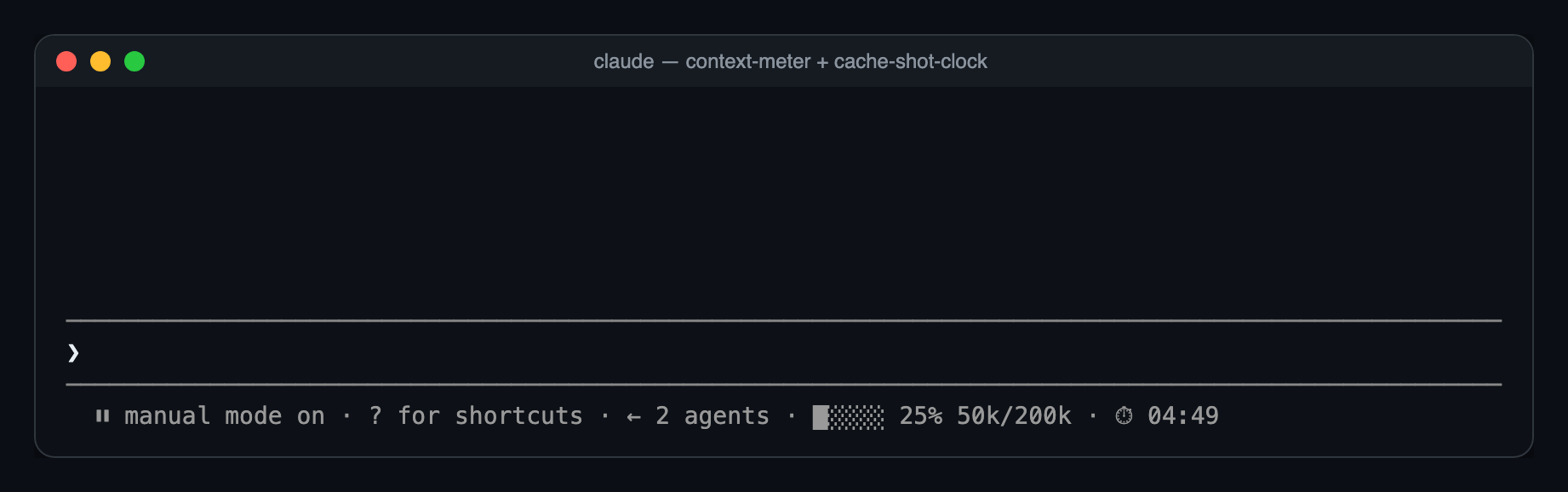
Most of the time, just a small clock at the end of the bar under the prompt:
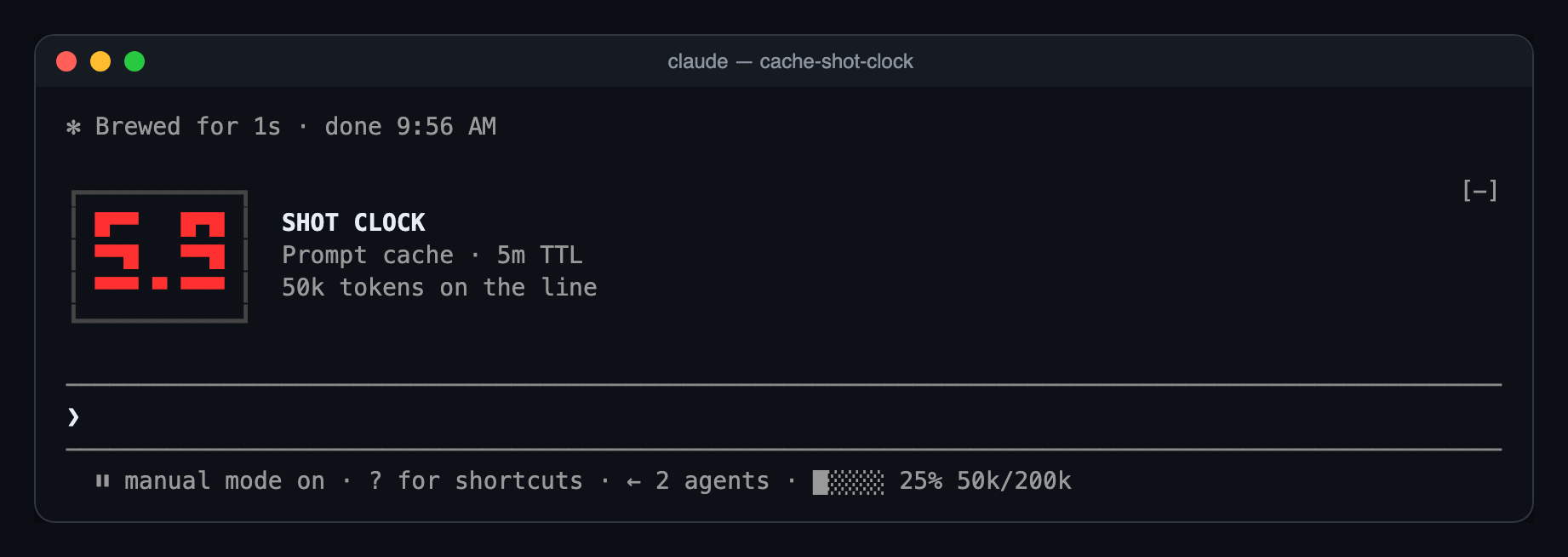
With 15 seconds left, the big LED clock appears above the prompt. It counts whole seconds in amber, then tenths in red for the last ten:
At zero, the buzzer:
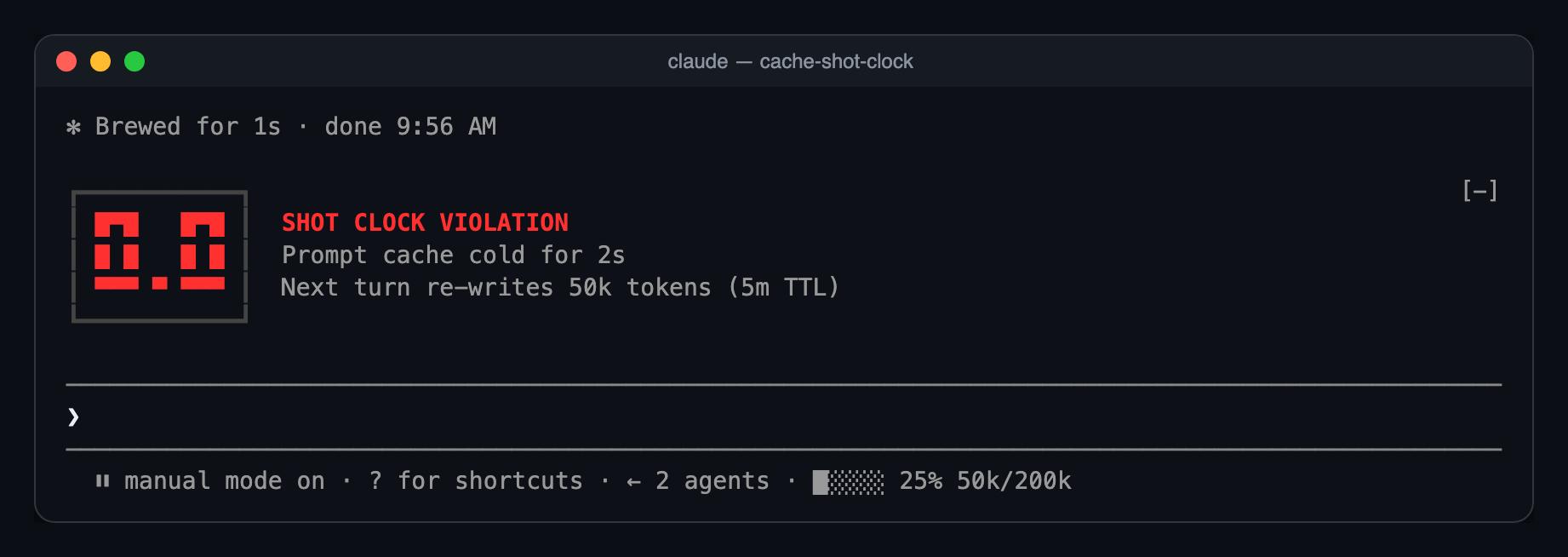
Ten seconds later it folds back into the bar as ⏱ 00:00, until your next turn restarts it.
A model switch, /compact or /clear resets the clock, because the new prefix has nothing cached yet.
You need Claude Code 2.1.287 or newer.
git clone https://github.com/cjavdev/mods.git ~/mods
claude --plugin-dir ~/mods/cache-shot-clock
To load it in every session, add the folder to CLAUDE_CODE_PLUGIN_DIRS in the env block of ~/.claude/settings.json (separate several folders with :):
{ "env": { "CLAUDE_CODE_PLUGIN_DIRS": "~/mods/cache-shot-clock:~/mods/context-meter" } }
It shares the bar with context-meter, and the big clock stacks under anything else above the prompt.
The bar under the prompt is drawn by the terminal only for now. In the desktop app you get the big clock for the last 15 seconds and nothing before it.
In /config, or under pluginConfigs["cache-shot-clock"].options in settings:
| Option | Default | |
| --- | --- | --- |
| enabled | true | Turns the clock off without unloading the mod. |
| bigAt | 15 | Seconds left when the big LED clock appears. 0 keeps the clock in the bar. |
| ttl | auto | auto, 5m or 1h. Forces the countdown length instead of reading it from the transcript. |
| warnSeconds | 60 | When to toast before an idle cache expires. 0 turns the toast off. |
| testTtlSeconds | 0 | For testing: count down from this many seconds instead of the real TTL. 0 is off. |
testTtlSeconds makes the clock count down from any number of seconds. This runs a 40-second clock, so you see the big clock and the buzzer in under a minute:
claude --settings '{"pluginConfigs":{"cache-shot-clock":{"options":{"testTtlSeconds":40}}}}'
testTtlSeconds and ttl only change what the clock counts. They don't change how long Anthropic keeps your cache. To get a real 5-minute cache for a session, start Claude Code with FORCE_PROMPT_CACHING_5M=1; the clock picks that up by itself.
turn.step hook reads each main-thread response's usage and restarts the clock.model.fork hook restarts it when another mod's fork reads the main prefix, such as cache-saver.classic.Stop hook tails the transcript after each turn and reads the newest cache_creation bucket to find the TTL.$.clock.every tick redraws the clock and raises the warning. The last ten seconds tick every 100ms.ui.render hook on PromptHint adds the small clock as the hint line's tail.ui.render hook on AbovePrompt draws the LED panel for the last seconds.The parsing, formatting and LED font are pure functions in hooks/clock.ts.
claude plugin validate ~/mods/cache-shot-clock
claude plugin test ~/mods/cache-shot-clock
The tests run a whole countdown on a mocked clock: the bar clock, the big clock taking over at 15 seconds, tenths, the buzzer, and folding back.

문서 생성, 드리프트 감지, API 문서 자동화 플러그인이며 비밀이 포함된 문서 쓰기나 worker 디스패치를 거부하는 function-hook 가드로도 동작합니다.

Claude 데스크톱 앱용 상태 표시줄입니다. 프롬프트 위에 나타나 세션 품질, 컨텍스트 사용량, 캐시 카운트다운, 5시간 및 주간 한도를 보여 주고 Clawd가 세션의 동작을 연출합니다.

databricks CLI를 따라 Databricks 작업 공간, Unity Catalog, 컴퓨팅, 작업, 파이프라인, 앱, 대시보드를 트리로 보여 주는 /databricks-pane을 제공하는 Claude Code 플러그인 mod입니다. 실시간 강조, 프로필 전환, CLI 인수 복사도 지원합니다.
